9 Best Agency Management Software in 2026 [Ranked for Productized Agencies]
Looking for the best agency management software in 2026? Here are the top tools for managing client requests, delivery, and billing, with a clear recommendation for productized agencies.
Modern agency management software goes beyond task management, it combines client communication, billing, requests, reporting, and delivery in one system
Productized agencies benefit most from centralized workflows that reduce operational chaos and tool switching
The best agency management software should support recurring services, retainers, subscriptions, and scalable client delivery
Client portals and branded experiences help agencies look more professional while reducing back-and-forth communication
Many agencies outgrow generic PM tools because they lack agency-specific workflows and client-facing infrastructure
Automation features like request routing, recurring billing, and workflow templates improve scalability without hiring more ops staff
Choosing the right agency management software depends on your service model, team size, and client collaboration needs
ManyRequests stands out for productized agencies by combining requests, billing, portals, workflows, and reporting in one platform
The best agency management software for a productized agency does three things: it controls how work enters your system (structured intake), how it moves through delivery (client communication), and how recurring work gets paid (billing and delivery). Most tools on the market do one of those well, but few do all three.
This list ranks the top agency management tools in 2026 specifically through the lens of productized delivery: subscription-based, retainer-driven, or unlimited-request models where consistency and volume are the real operational challenges.
What productized agencies actually need from management software
Most agency software roundups evaluate tools by feature count. While there’s nothing wrong with that, it's the wrong lens for a business looking for a productized agency software.
A productized service agency doesn't just need to track tasks. It needs to control flow: how requests arrive, how work gets prioritized, how clients stay informed, and how billing stays tied to delivery without manual intervention.
When that flow breaks, it doesn't break quietly. It shows up as scope creep, revision loops, status-check emails, and billing disputes. The right agency operations software prevents those before they start.
Here are the six criteria that actually matter.
Structured client intake. This is how you decide what a valid request looks like. Structured intake means clients submit requests through predefined forms that enforce clarity before work begins, not through Slack messages or emails that your team has to interpret. Without it, every new request starts with a clarification step that isn't billed, isn't tracked, and costs you time.
Client portal with visibility. A client portal with real visibility means clients can log in and see what's in progress, what's completed, and what's next. They don’t need to continue emailing your team for an update every time.
Billing tied to delivery. This means subscriptions, retainers, or usage-based payments are connected to what the agency actually delivers. They are not managed manually in a separate invoicing tool. When billing is disconnected from delivery, agencies find themselves chasing payments and reconciling discrepancies which a connected system would have prevented entirely.
Request and workload management. Request and workload management means your team works from a prioritized queue of incoming client requests, with full visibility into capacity and ownership. Without this, high-volume agencies default to which client shouts loudest or follows up most often. This isn't a delivery model, it’s more like controlled chaos.
Client communication in-context. This means every discussion happens inside the request itself, not across multiple email threads or Slack channels. Feedback, clarifications, and updates stay attached to the work, ensuring context doesn’t get lost.
Scalability without tool sprawl. Scalability without tool sprawl means a single system replaces multiple stitched-together tools, keeping your agency operations simple even as volume increases.
The 9 best agency management software in 2026
Each tool below is evaluated against those six criteria, with a specific focus on whether it supports recurring, request-based delivery or requires workarounds to get there.
1. ManyRequests: Overall best for productized agencies
ManyRequests is a client-facing operating system built specifically for productized and subscription-based agencies. Every feature is designed around the reality of recurring delivery:
Clients submit requests continuously
Recurring requests need structure before they enter your process
Work moves through a queue
Clients have visibility without them having to ask for it
Billing is recurring and runs on a defined schedule
It's not a general project management tool adapted for agencies. It's built from the ground up for the request-based delivery model. That’s why it’s ideal for agencies running subscription, retainer, or unlimited-request models who want to replace scattered tools with one client-facing platform.
2026 Pricing:
Core plan is $39/month, billed annually
Pro plan is $79/month, billed annually
For enterprise quotation, contact ManyRequests
Pros for productized agencies:
Replaces the duct-taped stack. Most productized agencies run ClickUp for delivery, Stripe for billing, email for communication, and Drive for file sharing. None of those tools talk to each other cleanly. ManyRequests consolidates all four into one client-facing system, which means less manual coordination and fewer gaps where context can get lost.
Intake is built into the delivery workflow. When a client submits a request through ManyRequests, they go through a structured intake form specific to that service. By the time the request hits your queue, your team has the context they need to start without asking follow-up questions. That's not a small efficiency gain. At 30 or 40 concurrent client requests, it's the difference between a scalable process and a daily firefight.
Clients have a real portal, not guest access. Clients log into a branded portal under your domain, see active requests, review completed work, download files, and check billing history. They don't need to email for updates because the information is already there. That changes the dynamic of client communication from reactive to passive.
Billing is connected to the service, not managed separately. Clients subscribe to a package, pay on a schedule, and the billing runs automatically. There's no separate invoicing step, no manual follow-up for payment, and no confusion about what's included in the current billing cycle.
Cons:
ManyRequests is not designed for pure internal project management. So if your agency runs primarily on fixed-scope, one-off projects with no recurring component, ManyRequests is more than you need. It's optimized for repeatability and volume, not bespoke project delivery.
The verdict:ManyRequests is the only tool on this list built specifically around the request-based delivery model. If you run a productized agency with recurring clients and ongoing work, it should definitely be your first evaluation, not your last. You can also try out the 14-day free trial.
2. Honeybook: Best for client-facing admin (Freelancers and small agencies)
HoneyBook is primarily a client relationship platform centered on the front end of client engagements: proposals, contracts, invoices, and scheduling. It handles the journey from inquiry to signed agreement cleanly and is a strong choice for freelancers and small agencies where the primary operational challenge is closing and onboarding clients, not managing ongoing delivery.
2026 Pricing:
Free trial available
Paid plan starts at $29/month, billed annually
Pros for productized agencies:
Proposal and contract flow is polished and automated. If your agency spends significant time managing the sales-to-signature process, HoneyBook handles that well. Clients get a professional, guided experience from inquiry to kickoff.
The client-facing experience is clean. Forms, proposals, and payment collection are designed to look and feel professional, which matters for agencies positioning themselves as premium.
Cons:
No infrastructure for handling request management. Once a client is onboarded and work begins, HoneyBook has no infrastructure for handling what comes next. There's no structured intake tied to delivery, no request queue, and no way for clients to submit and track recurring requests through a unified portal.
Subscription billing isn't connected to delivery. HoneyBook supports payment schedules and autopay, but those aren't linked to what you actually deliver each cycle. Billing and delivery remain two separate operational tracks which can result in confusion.
Team collaboration is minimal. HoneyBook is built for solo operators and small teams managing client-facing admin. For agencies coordinating multiple team members across concurrent client requests, the collaboration layer isn't sufficient.
The verdict:HoneyBook helps you win at client acquisition and onboarding. But once work becomes ongoing and recurring, it lacks a system for handling incoming requests and delivery. If your agency runs recurring delivery, you'll need a second tool to handle everything that happens after the contract is signed. ManyRequests handles that layer.
3. ClickUp: Best for internal team management
ClickUp is a highly configurable project and task management platform built to replace multiple internal tools. It gives teams flexibility in how they structure workflows, visualize work, and track progress. For agencies that need robust internal coordination, it's one of the most capable options available.
2026 Pricing:
Free plan available
Paid plan starts at $7/user/month, billed annually
Pros for productized agencies:
Extremely flexible and customizable. You can build almost any internal workflow inside ClickUp: Kanban boards, Gantt charts, list views, workload tracking. Teams with specific process requirements can usually configure what they need.
Strong task management at scale. For agencies managing complex internal deliverables across multiple team members, ClickUp's task structure and dependency tracking hold up well at volume.
Accessible starting point. The free tier is genuinely functional, which makes it a reasonable starting point for smaller teams building out their operations.
Cons:
No client-facing portal. ClickUp doesn't offer a branded, white-labeled client portal. Clients can be given guest access to specific views, but that's a workaround, not a portal. It doesn't give clients a unified place to submit requests, track all their work, or access billing.
No native client intake system. Requests still arrive through email, Slack, or wherever the client happens to send them. Someone on your team has to manually translate those into ClickUp tasks. At low volume, that's annoying. At high volume, it's a bottleneck. A common workaround is the use of ClickUp forms, but setting these up can also be tedious as it’s not a default part of the workflow.
Billing lives elsewhere. You'll need Stripe, QuickBooks, or another invoicing tool running in parallel. That's one more piece of your tech stack to manage and one more place where context between delivery and payment gets disconnected.
The verdict:ClickUp is a strong internal operations tool primarily due to the multiple ways it can be customized according to your liking and workflows. However, its strength can also be its limitation in the sense that many businesses get overwhelmed. Additionally, it has no real answer for the client-facing side of a productized agency.Many agencies run ClickUp for internal task management alongside ManyRequests for client-facing delivery, which is a workable combination.
4. Monday.com: Best for visual project tracking
Monday.com is a work management platform built around visual boards, dashboards, and cross-team coordination. It's well suited for agencies that need high-level visibility across multiple projects and want to track progress through clear, customizable visual layouts.
2026 Pricing:
Free plan, up to 2 seats available.
Paid plan starts at $9/seat/month (team size of 10), billed yearly
Pros for productized agencies:
Strong visual project tracking. Monday's board and dashboard views are intuitive and easy to configure. Teams can get a clear picture of what's in progress, what's overdue, and where bottlenecks are forming.
Real-time workload visibility. The workload view shows capacity across team members, which helps managers distribute work before someone is already overloaded. It also offers 20+ native views with auto-updating dashboards that track progress in real-time.
Cons:
Client interaction is external. Clients interact with Monday through limited guest sharing, not through a branded portal where they can submit requests, track all their work, and manage billing in one place. The client experience is an afterthought basically.
No service-specific intake forms. Clients can't submit structured requests through Monday. Work still enters the system through external channels, which means your team is still manually creating tasks from scattered inputs.
No subscription billing. Monday doesn't handle recurring payments. Billing requires an entirely separate tool and a manual process to reconcile what was delivered with what was invoiced.
The verdict:Monday gives your team strong internal visibility which it doesn’t extend to clients in any meaningful way. For productized agencies where the client experience is part of the value proposition, Monday alone creates a gap that has to be patched with additional tools.
5. Notion: Best for lightweight ops documentation
Notion is a workspace tool built for documents, wikis, and lightweight project tracking. It excels at organizing information: SOPs, templates, internal knowledge bases, and process documentation. For agencies building their internal systems and operational playbooks, it's a practical and affordable starting point.
2026 Pricing:
Free plan available
Paid plan starts at $10/member/month, billed annually
Pros for productized agencies:
Excellent for internal documentation. Notion is the right tool for building SOPs, process templates, and internal guides that standardize how your team operates. If your agency is in the process of documenting delivery workflows, Notion handles that well.
Flexible enough to build simple tracking systems. With some configuration, Notion can function as a lightweight task tracker or project log. For small teams in early stages, this is often enough.
Cons:
Notion wasn’t designed to be client-facing. While you can share pages, it’s not a structured or branded experience. Notion pages can be shared publicly, but that's not a client portal. There's no structured request submission, no branded experience under your domain, and no way for clients to track their work in a dedicated space.
Requires significant configuration to do anything beyond notes and docs. Out of the box, Notion isn't even close to an agency management system. Getting it there takes time and ongoing maintenance.
The verdict:Notion belongs in your internal knowledge base, not in your client-facing delivery workflow. Use it for SOPs and process documentation. Use ManyRequests for the intake-to-billing execution layer where client work actually lives.
6. Teamwork: Best for agency project delivery (traditional model)
Teamwork is a project management platform built specifically for client service agencies. It includes time tracking, billing, and project views designed around defined scopes and timelines, making it a strong choice for traditional agencies running fixed-scope projects with clear start and end points.
2026 Pricing:
Free 30-day trial available
Paid plan starts at $9.99/user/month, billed annually
Pros for productized agencies:
Purpose-built for agencies. Unlike general project tools, Teamwork includes features designed for client service work: time tracking tied to projects, invoicing, and a client portal that gives clients direct access to their projects.
Granular profitability tracking. You can track time against budget per project and understand margin at a detailed level. For agencies managing multiple client engagements simultaneously, that financial visibility is useful.
Client access is included. Clients can be added as free users with access to their specific projects, which is more structured than the guest-sharing workarounds required by other tools.
Cons:
Everything in Teamwork revolves around defined scopes and timelines, not recurring requests. Every feature assumes a project has a defined beginning, a defined end, and a defined scope. For subscription-based agencies where clients submit ongoing requests without a fixed endpoint, that model creates constant friction.
The client portal isn't designed for request submission. Clients can view their project and communicate within it, but there's no structured intake system where clients submit new requests through a guided form. New work still arrives through external channels.
No native subscription billing. Teamwork includes invoicing, but it's not built around recurring subscription delivery. Managing retainer clients requires manual invoice creation or integration with a separate billing tool.
The verdict: Teamwork is a strong contender for traditional agencies running defined projects. For productized agencies handling continuous client requests on a subscription or retainer basis, it requires workarounds at the exact points where the model breaks most often. ManyRequests is designed for the delivery model Teamwork wasn't built to support.
7. Dubsado: Best for automated client onboarding
Dubsado is a business management tool focused on automating the start of client relationships. It handles proposals, contracts, intake forms, and onboarding workflows, making it a good choice for agencies that want to systematize the process of bringing new clients into an engagement.
2026 Pricing:
Free trial available
Paid plan starts at $335/year
Pros for productized agencies:
Onboarding automation is genuinely strong. Dubsado can guide a new client from inquiry to signed agreement to kickoff through automated workflows. For agencies where onboarding is a current bottleneck, that's a real operational improvement.
Branded, customizable forms. Dubsado's forms and proposals can be styled to match your agency's brand, which creates a professional first impression for new clients.
Cons:
No ongoing request management. Dubsado is designed for the start of a client relationship, not the ongoing delivery that follows. Once work begins in earnest, there's no system for managing incoming requests, tracking delivery, or giving clients real-time visibility into their work.
Subscription billing isn't connected to delivery. Dubsado supports payment schedules, but those aren't tied to what your team actually delivers in each billing cycle. Billing and delivery remain disconnected.
No workload management. There's no native view of team capacity or request queue. Managing ongoing work requires a separate tool.
The verdict:Dubsado handles the pre-delivery phase well. But once a client is onboarded and recurring work begins, it has no infrastructure for what comes next.
8. Asana: Best for cross-functional team coordination
Asana is a task and project management platform built to keep internal teams aligned across deadlines, dependencies, and deliverables. It's a reliable coordination tool for agencies with multiple teams working on complex, interdependent projects.
2026 Pricing:
Free plan available
Paid plan starts at $10.99/user/month, billed annually
Pros for productized agencies:
Strong internal coordination. Asana handles task dependencies, project timelines, and cross-team visibility well. For agencies coordinating work across multiple internal stakeholders, it reduces the alignment overhead.
Fast adoption. The interface is intuitive, and new team members can get up to speed without significant training. That matters for agencies that onboard new team members frequently.
Cons:
No real client portal. Clients can be added as limited viewers or commenters on specific projects, but there's no branded, structured space where they can submit new requests, track all their work across services, and manage billing in one place. Client interaction remains ad hoc.
Billing is still handled externally. Asana has no native invoicing or subscription billing. Managing recurring payments requires a separate tool and a manual reconciliation process.
Not built for recurring delivery. Asana supports recurring tasks, but the model is project-centered with defined work and defined endpoints. For subscription agencies where clients submit requests continuously within a recurring model, Asana's structure doesn't fit without significant configuration.
The verdict:Asana keeps your team aligned internally. It doesn't extend that alignment to the client-facing side of your operation. ManyRequests handles the client loop that Asana leaves open.
9. Scoro: Best for financial control per project
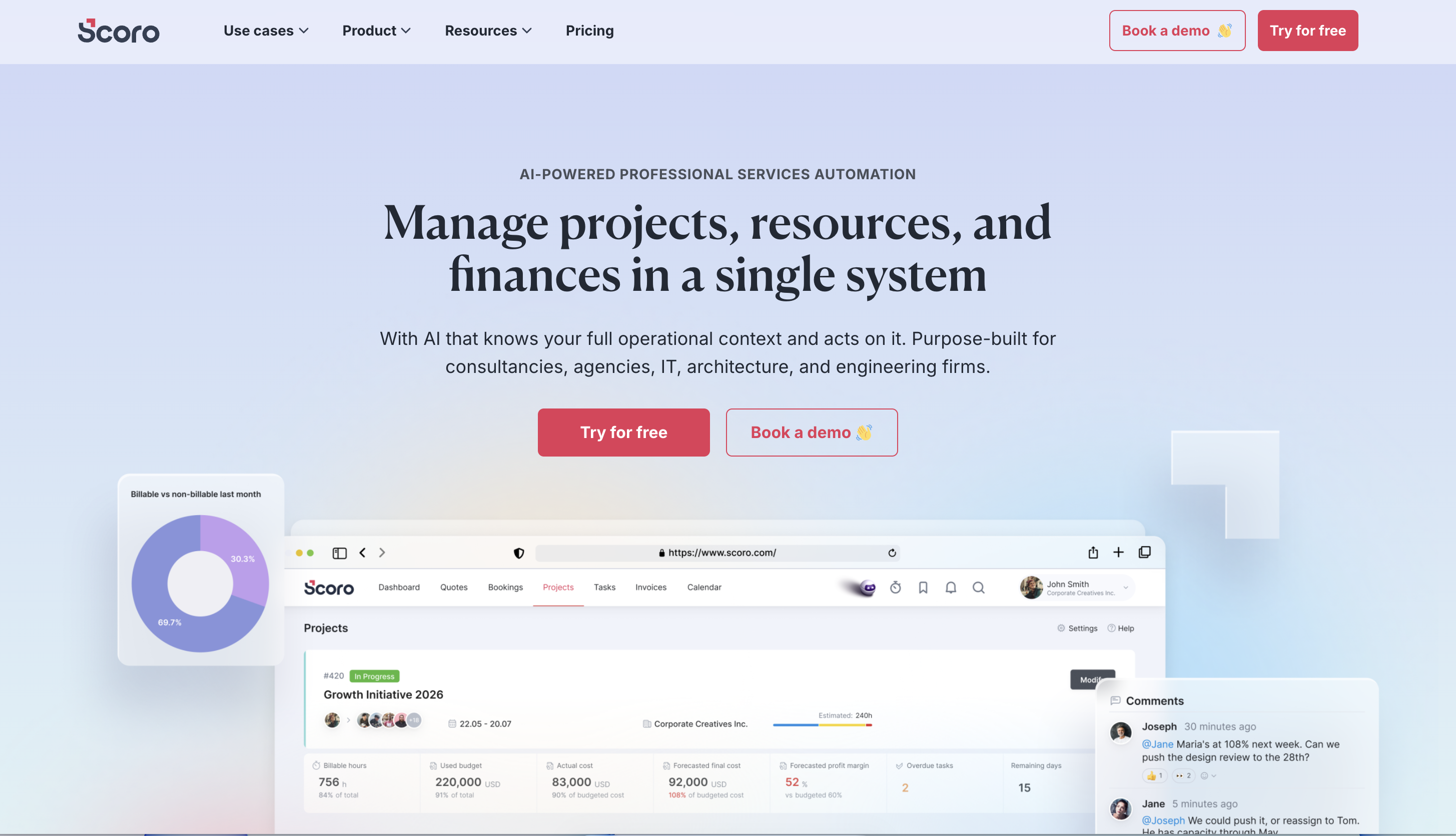
Scoro is a professional services automation (PSA) platform that unifies project management, time tracking, quoting, invoicing, resource planning, and CRM in one system. It's built for agencies that need detailed financial control across multiple projects, with visibility into profitability, resource utilization, and billing at a granular level.
2026 Pricing:
Free 14-day trial available
Paid plan starts at $19.90/user/month, billed annually
Pros for productized agencies:
Deep financial visibility. Scoro lets you track budget versus actuals per project, monitor logged hours against revenue, and generate profitability reports with real-time data. For agencies managing complex, multi-project financial structures, this level of control is hard to find elsewhere.
AI-powered reporting. Scoro includes automated financial reports and workflow suggestions, which reduces the manual work of generating performance data across clients and projects.
All-in-one for internal operations. Project management, time tracking, CRM, and billing live in one system, which reduces the number of separate tools required for internal ops.
Cons:
Client experience is secondary. Scoro is designed for internal financial visibility and operational control, not for the client-facing side of delivery. Clients can access projects and leave comments, but it's not a purpose-built portal experience.
High setup overhead. Scoro requires upfront configuration to match your agency's workflow. Getting value from it takes time, which is a real cost for agencies that need something operational quickly.
Not built around recurring requests. Like most PSA tools, Scoro assumes project-based engagements with defined scopes. Subscription agencies handling continuous client requests will find the model misaligned with how they actually operate.
The verdict:Scoro gives you financial control and internal visibility that few tools match. What it doesn't provide is a structured, client-facing delivery experience. For productized agencies where the client portal and request workflow are central to the model, Scoro solves a different problem than the one you're trying to fix.
Agency operations software comparison table
Agency management software comparison table
Tool
Branded Client Portal
Structured Intake
Subscription Billing
Request Queue
Best For
ManyRequests
Yes, custom domain and logo
Yes, per service type
Yes, native Stripe integration
Yes, request-based workflow
Productized agencies
HoneyBook
Yes, for files and payments
Yes, forms and proposals
Partial, not delivery-linked
No
Freelancers and small agencies
ClickUp
No, guest access only
No
No
No
Internal team ops
Monday.com
No, shareable boards only
No
No
No
Visual project tracking
Notion
No
No
No
No
Docs and lightweight ops
Teamwork
Yes, client project access
No
Partial, invoicing only
No
Traditional project agencies
Dubsado
Yes, onboarding portal
Yes, onboarding forms
Partial, payment plans only
No
Automated onboarding
Asana
No, limited viewer access
No
No
No
Cross-functional team coordination
Scoro
Partial, operational access
No
Partial, strong invoicing
No
Financial control per project
What to look for in agency management software
The best agency management software fits how your productized agency receives work, delivers work, and gets paid. The right tool depends on your delivery model, not your feature wishlist. Here's how to evaluate options based on how your agency actually operates.
If you run subscriptions or retainers, prioritize request-based workflow tools:
Your agency charges monthly and delivers ongoing work. This means your core operational challenge is flow control: work enters continuously, has to be scoped and triaged, delivered on time, and billed without manual intervention. Thus, tools built around fixed-scope projects will require constant workarounds at every stage of that cycle.
Course of action:
Look for software where clients can submit requests through a structured form, work enters a managed queue automatically, and billing is tied to the subscription rather than managed separately.
If a tool doesn't do all three natively, you're still running a duct-taped stack, just with fewer pieces
If you handle high request volume, structured intake is non-negotiable
At low volume, a vague request arriving over email is a small inconvenience. At high volume, it's a bottleneck that multiplies across every client, every cycle. The difference between an agency that scales smoothly and one that hits a ceiling at 20 clients is usually intake, not capacity.
Course of action:
Evaluate whether the tool gives clients a guided, structured way to submit work.
If the answer is guest access to a board or a generic contact form, that's not intake. That's data collection without workflow integration.
If client experience is part of your positioning, your software needs to reflect that
Agencies that sell themselves as organized, professional, and structured need their operational tools to reinforce that positioning from the client's perspective.
If clients don’t have a single place to work with you, they start “filling the gap” themselves. A client who logs into a branded portal to submit work and track delivery experiences something meaningfully different from a client who sends Slack messages and waits for responses.
Course of action:
Before committing to a tool, walk through the client experience yourself. Submit a test request, track its progress, and check what your client actually sees at each stage.
If the experience feels unclear, fragmented, or unprofessional from the outside, your clients are feeling that too.
If you're replacing a tool stack, map what you're currently patching together
Most productized agencies arrive at the same hidden stack: one tool for intake, one for project management, one for billing, one for communication, and email holding everything together. Each tool works in isolation. Together, they create coordination overhead that grows with every new client.
Course of action:
Before evaluating new software, list what each tool in your current stack does and whether a single platform can replace multiple pieces.
Consolidation doesn't just magically bring down cost. It reduces the manual work of keeping disconnected systems aligned.
For productized agencies, here is what you need to prioritize to simplify your agency operations
If you run a subscription-based, retainer-driven, or unlimited-request agency, your software decision comes down to one question: does this tool support continuous, request-based delivery natively, or does it require workarounds to get there?
Most tools on this list require workarounds to get there. ManyRequests doesn't. That’s it, plain and simple.
ManyRequests is the only platform here built specifically around structured intake, request queue management, client portal visibility, and subscription billing as a unified system.
For agencies still stitching together ClickUp, Stripe, and email to manage client delivery, ManyRequests replaces that stack with one client-facing system built for how productized agencies actually operate.
Running a productized agency? See how ManyRequests replaces your tool stack with one client-facing system. Start your free trial today.
Frequently asked questions about agency management software
What software do agencies use to manage clients?
Most agencies use a combination of tools: ClickUp or Asana for internal work, Stripe for billing, and email or Slack for client communication. Productized agencies increasingly use purpose-built platforms like ManyRequests that consolidate client portal, intake, delivery tracking, and billing into one system.
What is the best tool for managing agency clients?
The best tool depends on your delivery model, but for productized agencies, platforms built around request-based workflows like ManyRequests are the most effective. ManyRequests is the strongest option because it's built around request-based delivery rather than adapted from a general project management model. For traditional project-based agencies, Teamwork or Asana are more aligned with fixed-scope delivery.
What is agency management software?
Agency management software is a platform that helps agencies manage client work, structure delivery, handle billing, and communicate with clients in a centralized system. The right tool depends on whether your agency operates on project-based or recurring delivery models, as those models require fundamentally different software approaches.
Do I need a client portal for my agency?
If your agency handles recurring work or a high volume of ongoing client requests, a client portal is not optional. Without one, clients fill the visibility gap themselves through status-check emails and Slack messages. A branded portal gives clients direct access to their work status, completed deliverables, and billing history, which removes that communication overhead entirely.
Can one tool replace ClickUp, Stripe, and email for agency delivery?
For productized agencies, yes. ManyRequests consolidates structured intake, request queue management, client communication, delivery tracking, and subscription billing into one platform. That's not a complete replacement for every use case, but for the client-facing delivery workflow, it eliminates the need to run multiple disconnected tools simultaneously.
What should I do now?
1. See how ManyRequests works in real life.Start a free trial and experience how productized agencies centralize requests, reduce chaos, and streamline delivery, without changing their entire workflow.
See real productized service revenue benchmarks and learn what it takes to grow from your first $100K to $1M+ ARR.
Read more
Productized Services
What is a Productized Service? The Complete Guide [2026]
What is a productized service? Learn how it works, its pros and cons, real examples, and how to decide if it's right for your agency.
Read more
Agency Management
Agency Sales
7 Client Retention Strategies Every Productized Agency Needs in 2026
Learn 7 client retention strategies to reduce churn, improve client relationships, and keep productized agency clients longer.
Read more
Tools & Comparisons
7 Best Harvest Alternatives in 2026 After the Price Hike
Harvest’s usage-based pricing now charges you per invoice, client, and tasks on top of per-seat prices. We compare 7 Harvest alternatives for your agency.
Read more
Agency Management
Managing Scope Creep in Project Management [2026]
Managing scope creep in project management starts with clear boundaries. Learn how agencies prevent extra work from eating into profit.
Read more
How-To Guides
How Agencies Can Reduce Back and Forth Emails [2026]
Reduce back and forth emails with clients using better systems for requests, feedback, approvals, and project updates.