Tools & Comparisons

7 Best Harvest Alternatives in 2026 After the Price Hike

Harvest’s usage-based pricing now charges you per invoice, client, and tasks on top of per-seat prices. We compare 7 Harvest alternatives for your agency.

Last updated: Aug 23, 2026
Try ManyRequests For Free
Table of contents

Key Takeaways

  • Harvest’s recent pricing changes are pushing agencies to look for more affordable and flexible alternatives.
  • The best Harvest alternative depends on whether you need simple time tracking or a broader system for managing client work.
  • ManyRequests is the best fit for agencies that want time tracking alongside project management, billing, client requests, and a branded client portal.
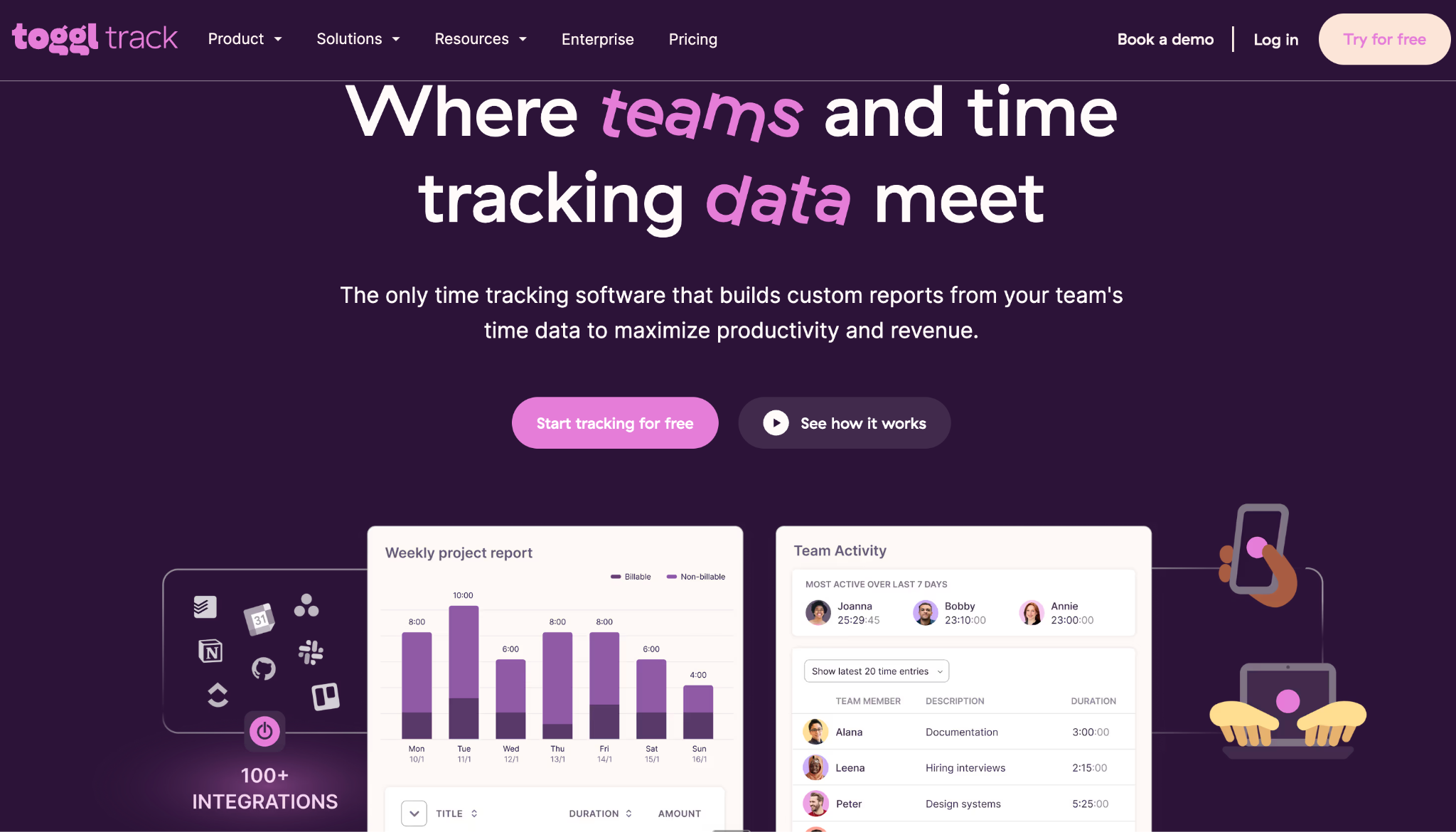
  • Clockify and Toggl Track are strong choices for teams primarily looking for straightforward, affordable time tracking.
  • FreshBooks and QuickBooks Time are better suited to businesses that prioritize accounting, invoicing, or payroll integrations.
  • When switching from Harvest, agencies should consider the total cost of their software stack, not just the price of a replacement time tracker.
  • Moving away from Harvest can be an opportunity to consolidate multiple tools and manage more of the client lifecycle from one platform.

If your latest Harvest renewal email made you stop and check what else is out there, you’re not alone. Zoe Hill, founder of Premier Admin Services, said Harvest planned to move her annual bill from about $840 to $5,790 at renewal, a 589% increase, unless she opted out of the Enterprise plan. 
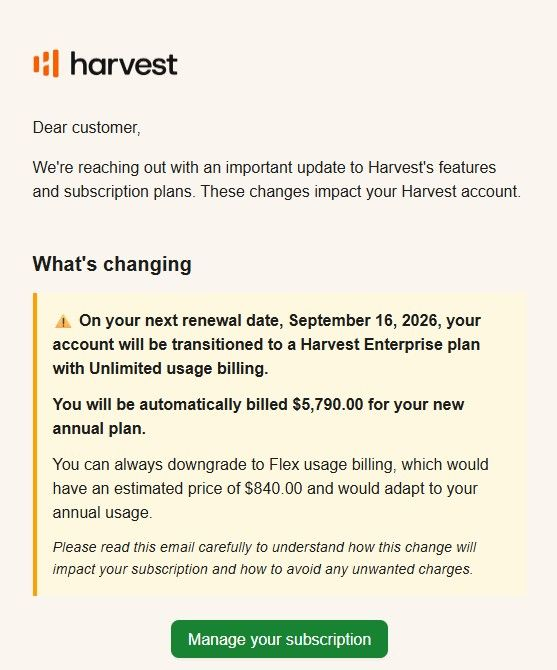
There are more people like Zoe on Reddit, LinkedIn and X (Twitter), with the same sadness and exhaustion. 

Harvest has long been a reliable choice for time tracking, invoicing, project budgets, and team reporting, especially for agencies that need a simple way to connect billable hours to client work. But with Harvest’s newer usage-based pricing structure that charges you per activity (invoices, clients, and tasks) as seen below, many teams are now asking the question, is this still the best fit for how we work? 
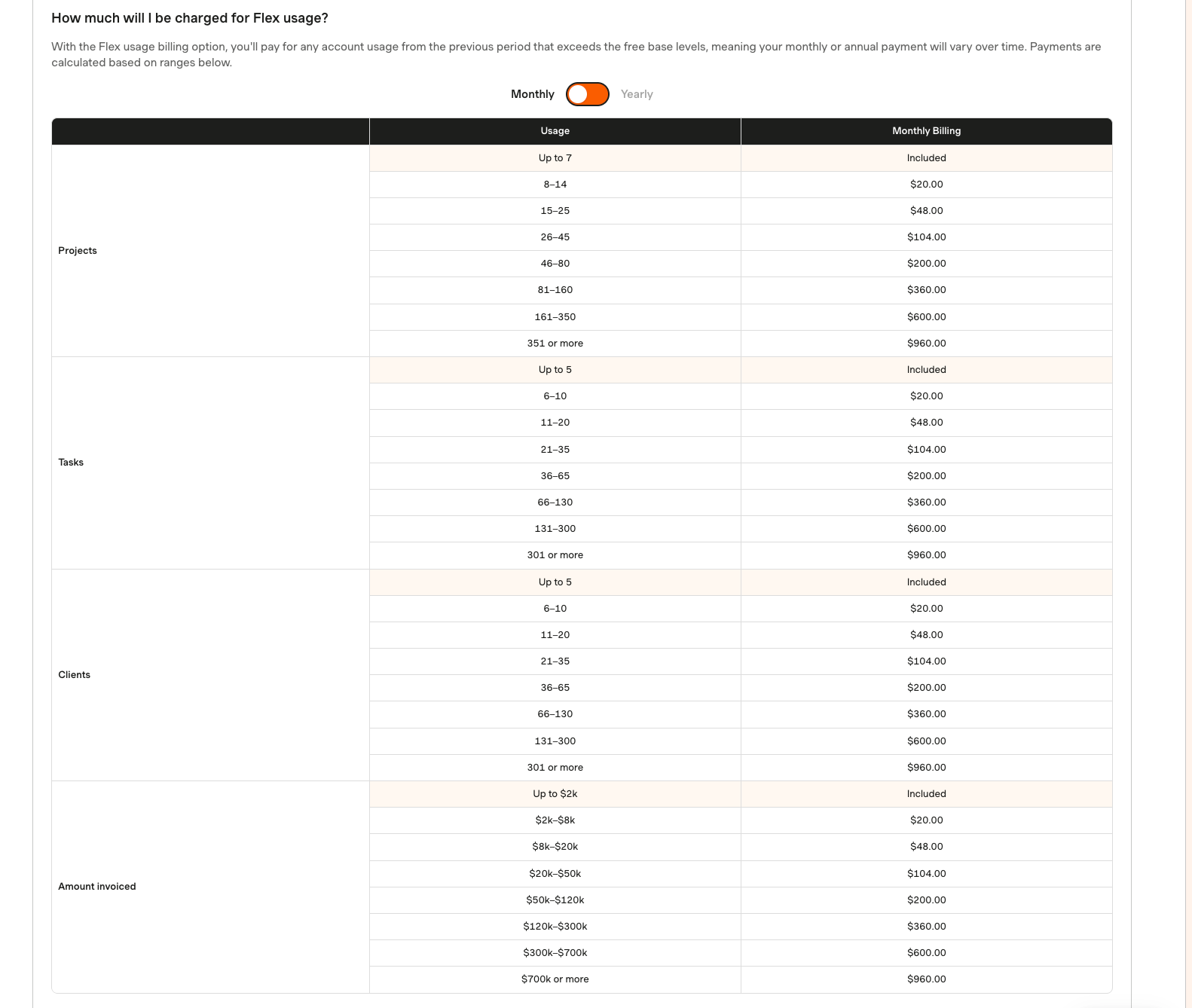
This varies based on account type. This is the Flex pricing for a one-person team I created. 

The answer depends on what you need. Some teams simply want a cleaner, cheaper time tracker. Others need invoicing, reporting, budget visibility, and accounting integrations. But for agencies running retainers, subscriptions, or productized services, the bigger opportunity is to replace a standalone time-and-money tracking tool with a system that also manages client requests, billing, delivery, and communication in one place. 

This guide compares seven of the best Harvest alternatives in 2026 for agencies and creative teams. 

7 Harvest Alternatives Compared for Agencies 

Strapped for time? Here's an executive overview of all the tools reviewed:

Tool Best for Starting price (billed monthly) Time tracking Invoicing Client portal
ManyRequests Productized agencies and creative teams $59/month for one user, + $20/m/extra user Yes Yes Full client portal, requests, services, and delivery
Toggl Track Simple time tracking $12/user/month Yes Basic PDF invoicing No
Clockify Budget-conscious small teams $4.99/seat/month Yes Yes, on paid plans No
FreshBooks Invoicing-first workflows $23/month Yes Yes, core strength Billing-focused client account
Hubstaff Remote teams and contractor monitoring $7/user/month Yes Yes No
Timely Automatic time tracking $11/user/mo (max 5 users, 20 projects) Yes, automatic tracking Requires another billing workflow No
QuickBooks Time Existing QuickBooks users $20/mo + $10/user Yes Via QuickBooks No

That said, the right choice depends on what you need in a Harvest alternative. We’ve helped you narrow it down to these list of criteria, especially if you need more than time tracking features in the next software. 

What to Look for in a Harvest Alternative 

A good replacement should match the part of Harvest your business depends on, without adding cost or workflow you don’t need. These should include: 

  • Time tracking is a no-brainer. Check if you can log time automatically and manually by clients or projects. 
  • Invoicing and retainers: Choose a tool that can turn tracked time into invoices without forcing you to copy hours into a separate billing system, especially if you bill recurring retainers or sell blocks of hours. 
  • Project budget visibility: You should be able to compare time used against the client budget for active projects. 
  • Retainer and recurring billing: If your agency works on retainers, subscriptions, or prepaid hours, check whether the tool supports recurring billing and balance tracking (IYKYK, ManyRequests does). 
  • Team capacity: You need visibility into who has room for more client work and where billable hours are going. 
  • Client experience: Decide whether clients only need invoices, or whether they should also submit requests and track their tasks from a client portal. 
  • Pricing and migration: Compare the cost at your real number of team members and clients, then check what it takes to move your existing projects and historical time data. 

Best 7 Harvest Alternatives for Time Tracking and Billing 

Here's a little more detail on the seven tools that seem like the best fit to replace Harvest for your use case: 

1. ManyRequests: Best for Productized Agencies and Creative Teams 

ManyRequests is the best Harvest alternative for agencies that want time tracking, billing, client requests, and delivery in one connected system. 

While Harvest is strong when you need to track hours, monitor project budgets, and turn billable time into invoices, ManyRequests goes further by giving you a branded client portal where clients can submit requests, view progress, access deliverables, manage subscriptions, and communicate with the team in one place. 
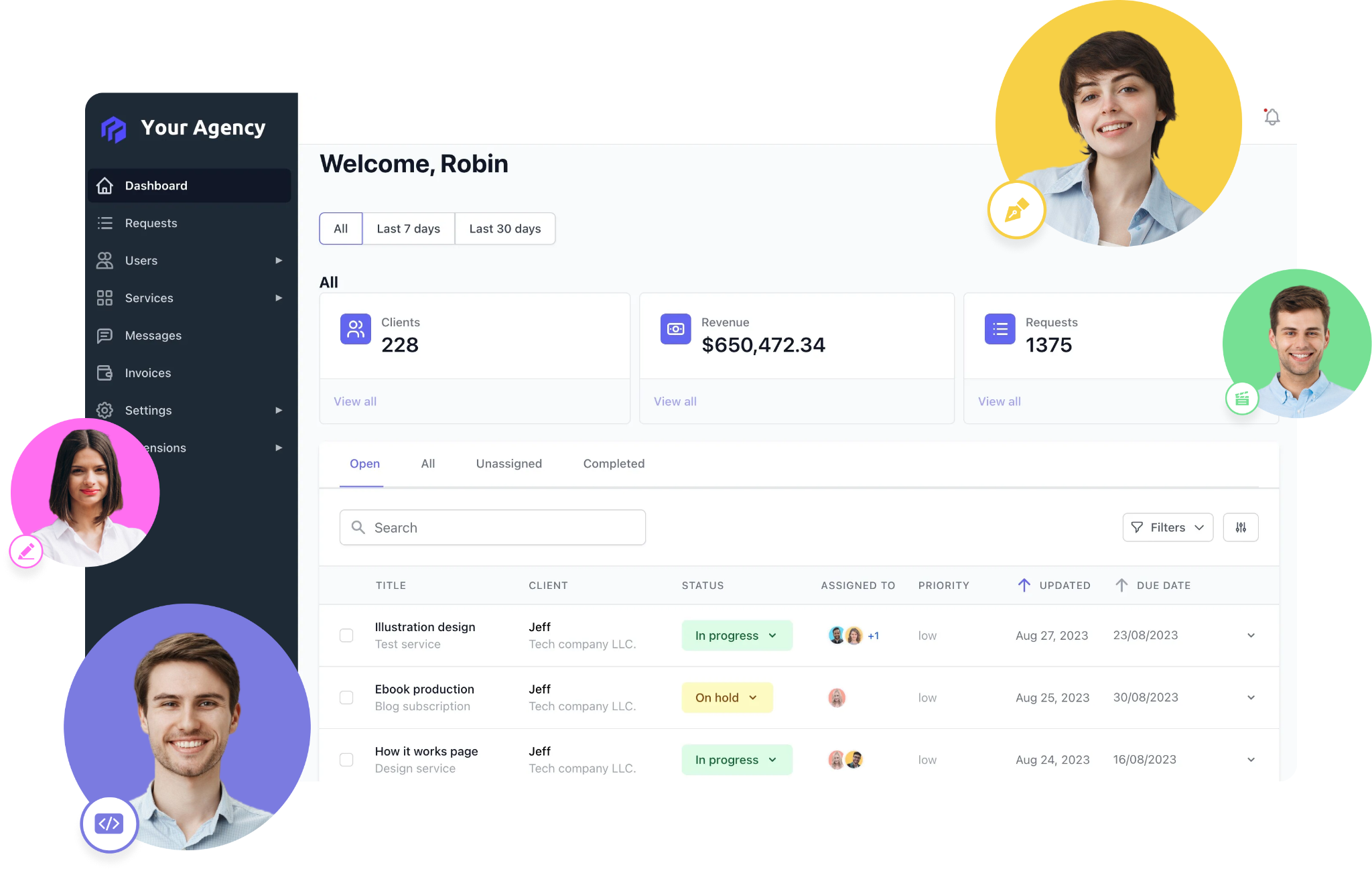
That makes it especially useful for productized and retainer-based agencies. Instead of tracking time in one tool, managing client communication in another, and billing somewhere else, ManyRequests brings the main parts of your delivery workflow in one place. You’re able to onboard new clients, manage their projects and requests, automatically track time and create invoices without losing visibility across the account. 

How ManyRequests Works

1. Manage client work and billing from one portal 

Clients use your white-label client portal to submit requests, follow active tasks, access files, and review their invoices. That keeps routine client activity out of scattered email and Slack threads. 
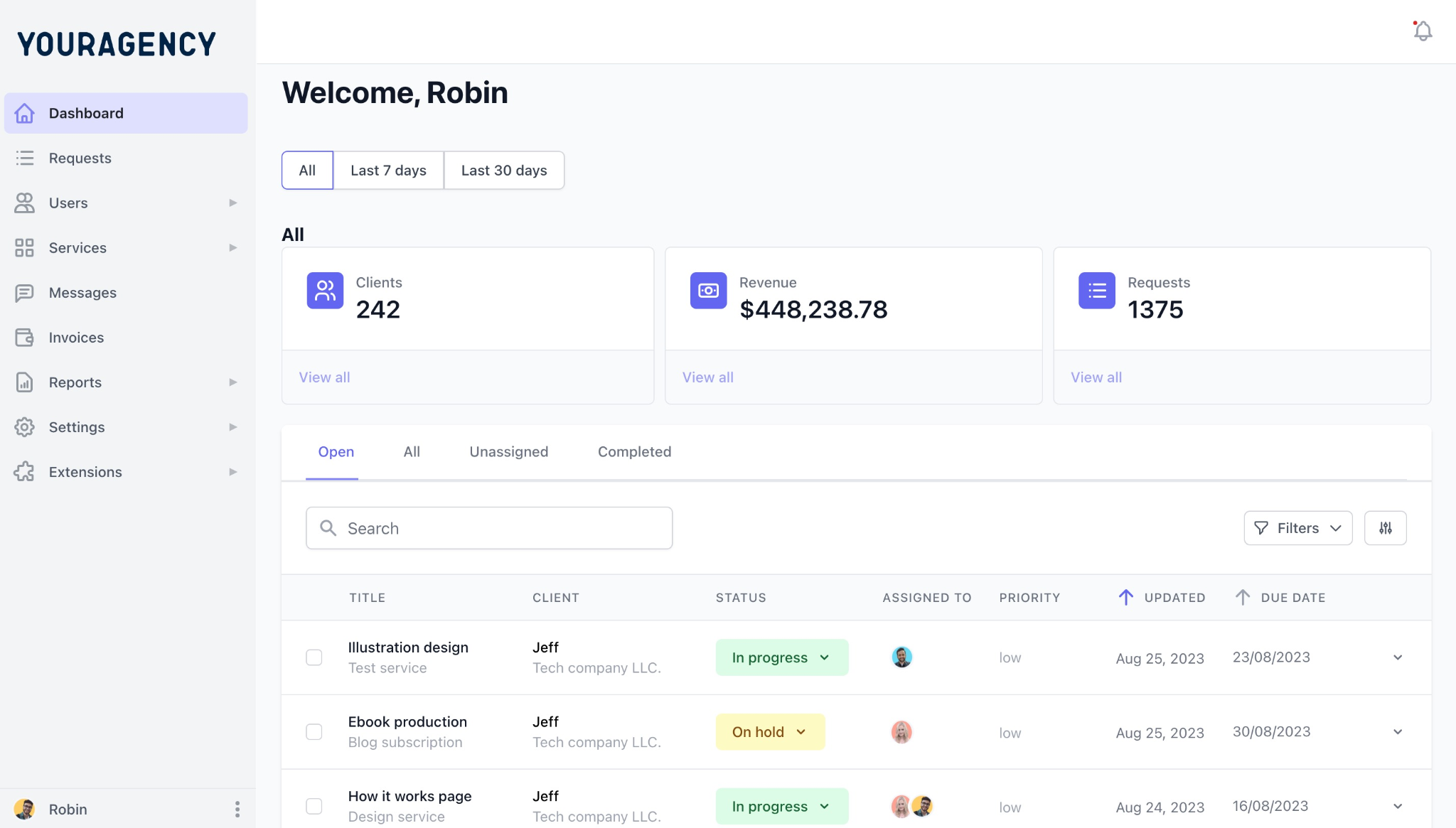
Each new request enters your delivery workflow with its brief attached. Your project manager can assign the work, update task status, message the client, and deliver files from the same field the request was created. Clients can also see invoices and manage their subscription without asking your account manager for updates. 

2. Manage delivery, capacity, and track time 

Your team can work from Kanban, list, queue, or calendar views depending on how you schedule delivery. 
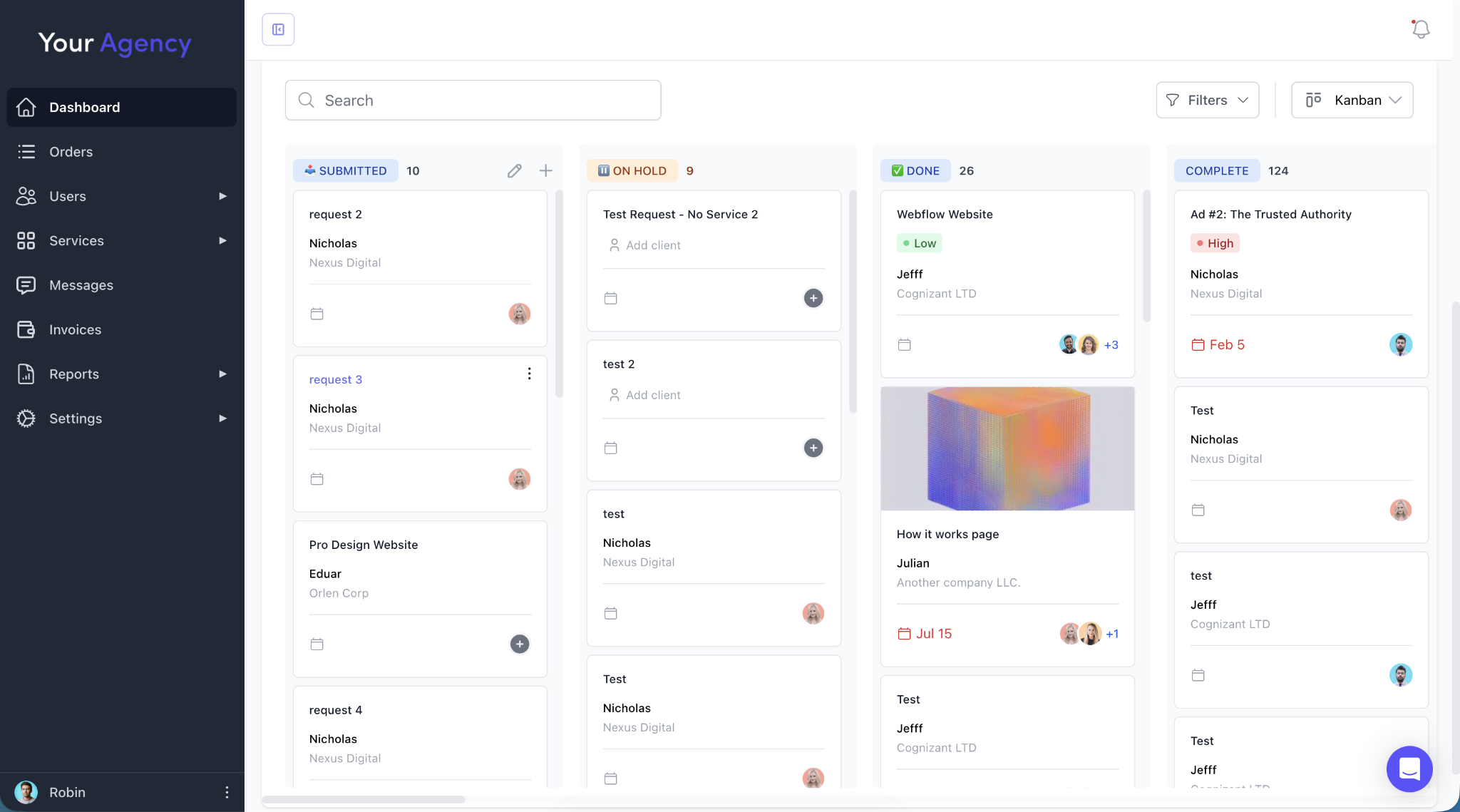
ManyRequests also has a Workload management UI that shows who is working on what, plus team capacity and utilization. That gives a team manager a clearer view before assigning another client request. 
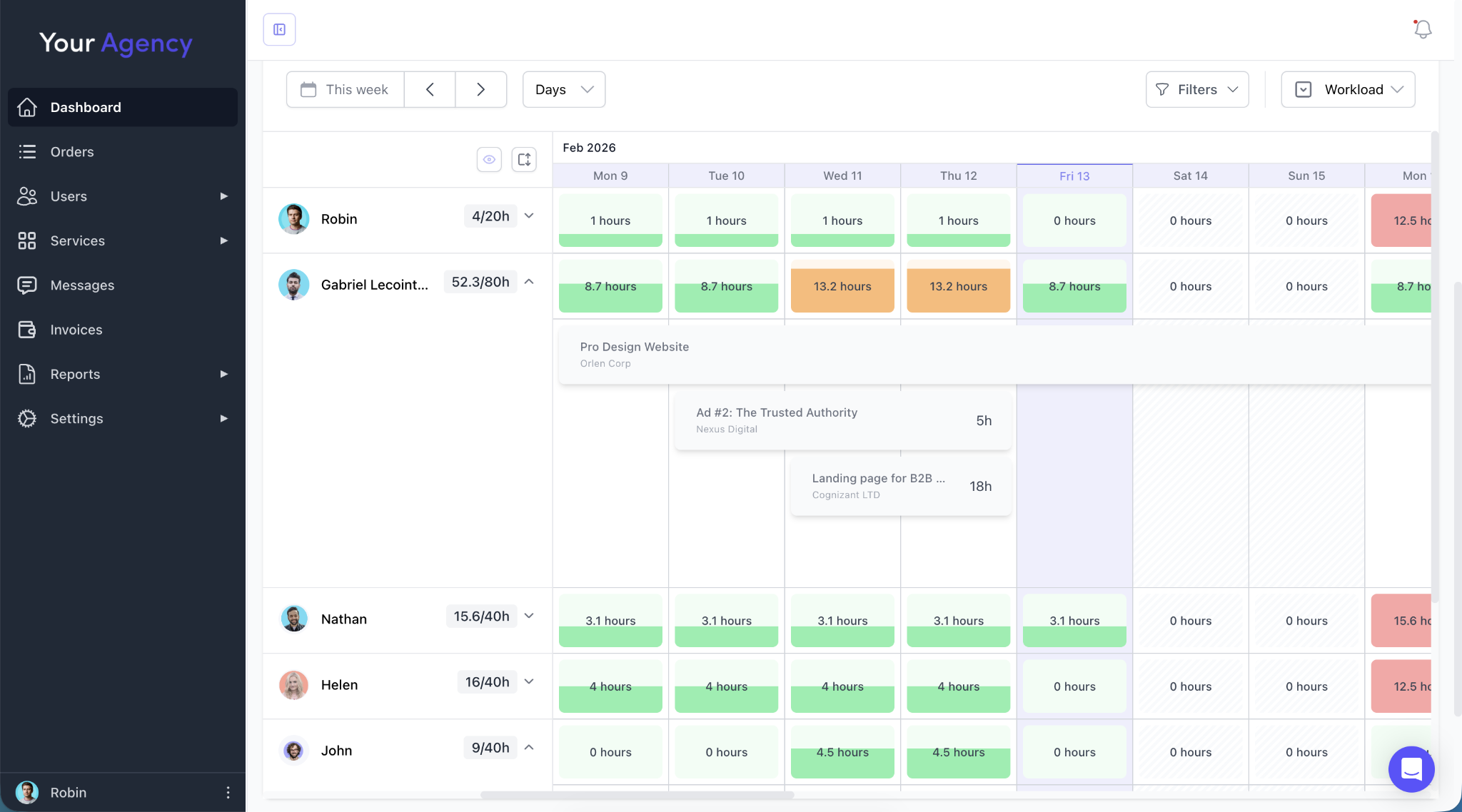
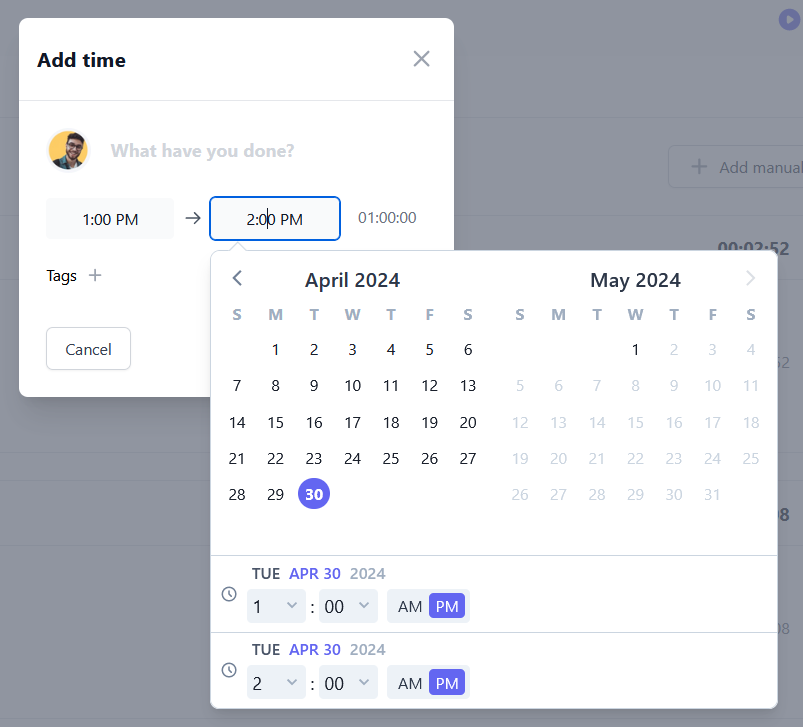
Time tracking connects those delivery records to the hours your team spends. Team members can use live timers or log time manually against client work. 
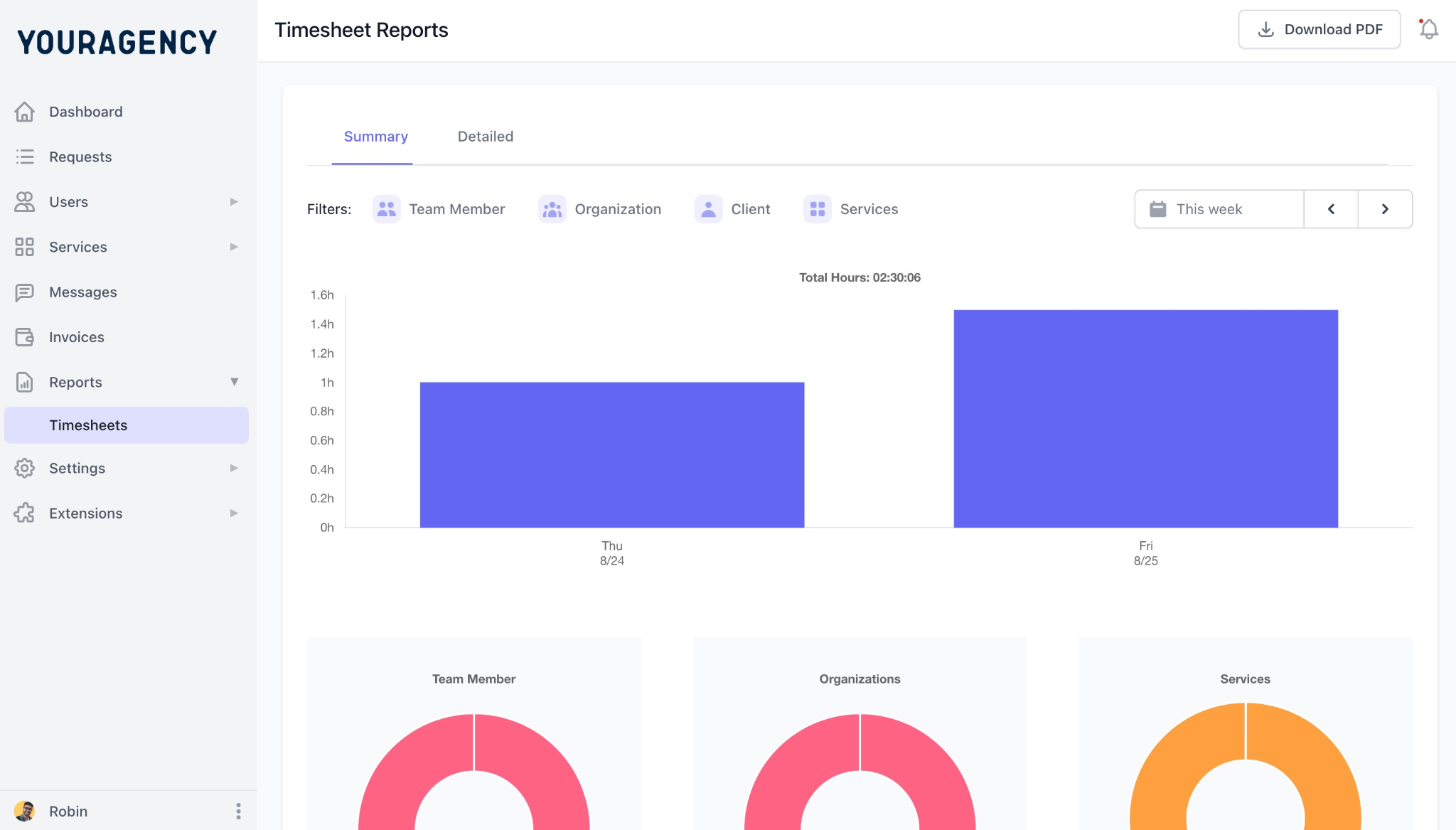
Reports then show time by client, service, or team member, so you can compare delivery effort with revenue and check client profitability. 
3. Turn tracked work into invoices and payments

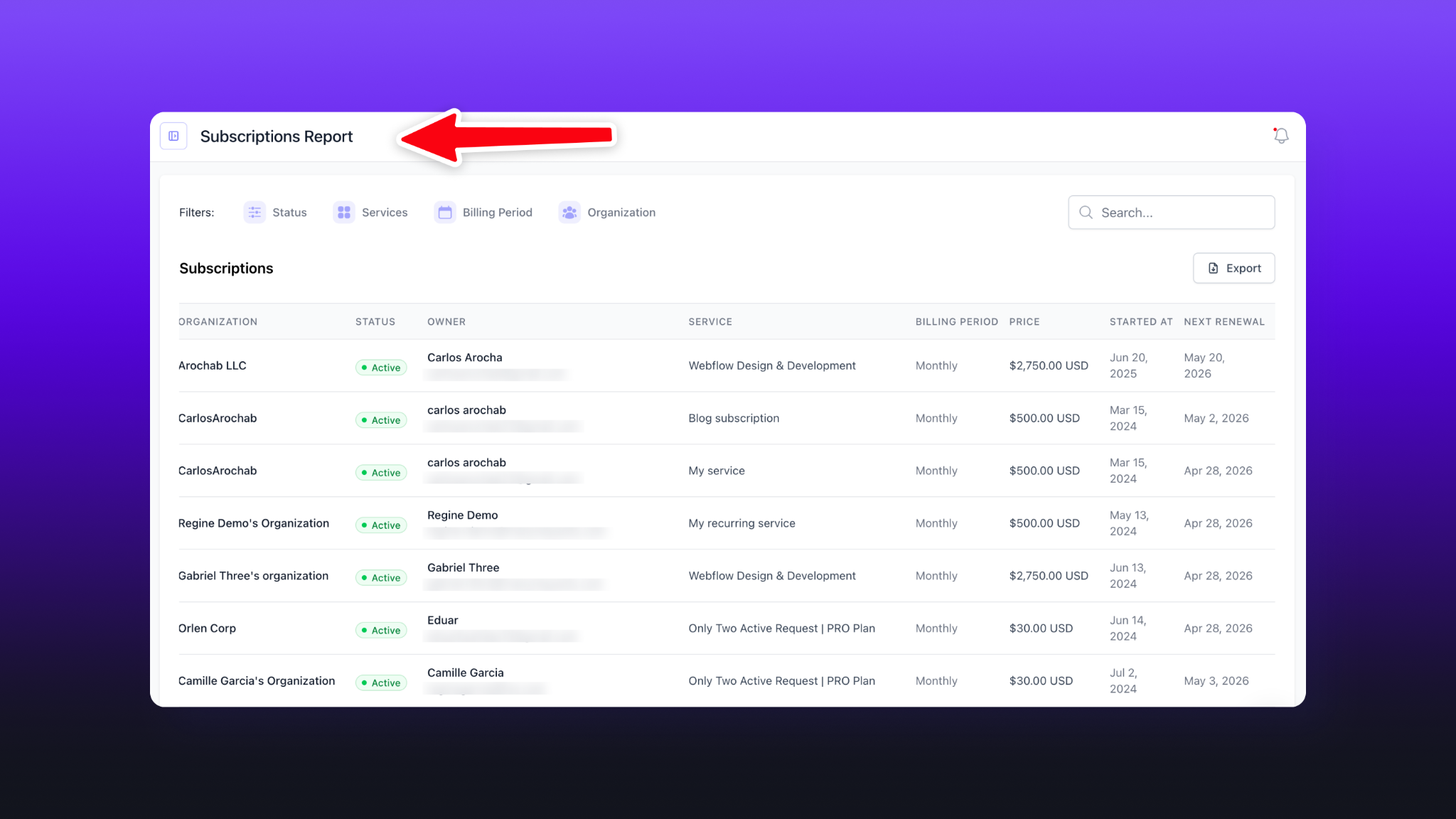
For hourly services, time logs connect directly to billing and can generate invoices from recorded hours. ManyRequests also supports subscriptions, retainers, one-time services, and credit-based billing, so you can use the billing model that matches how you structure your services. 

You can also connect Stripe to process payments and subscriptions, so clients can pay by card or ACH without extra charges aside from Stripe’s fees. Clients can then manage subscription details from the portal, which results in one workflow from client request to delivery, tracked time, invoice, and payment. 
ManyRequests Pros:

  • Track time and bill from one system, so logged hours are ready for invoicing. 
  • Run retainers with recurring billing, so you don’t chase invoices every month. 
  • Add unlimited clients without per-client fees, so client growth doesn’t increase your software bill. 
  • Sell services through self-serve checkout, so clients can buy without a sales call. 
  • Tie requests to billing, so you can see which client work is profitable. 
  • See workload and utilization on Pro, so you can assign work before someone gets overloaded. 
  • Get free migration support, so moving from Harvest takes less manual setup. 

ManyRequests Cons:

  • Not ideal for solo users who only need basic time tracking and invoicing.
  • Extra seats increase the monthly bill, so costs rise as your delivery team grows
  • Workload management requires the Pro plan, so capacity reporting starts at $79/month annually. 
  • Requires Pro for full ManyRequests branding removal. 

Pricing (billed monthly): 

  • 14-days free trial 
  • Core - $59/mo for one user, plus $20/mo/extra seat. 
  • Pro - $99/mo for one user, plus $30/mo/extra seat. 
  • Enterprise - custom pricing 
  • Clients: unlimited clients are included, which is useful for agencies that want pricing to stay predictable as their client base grows. 

2. Toggl Track: Best for Simple Time Tracking

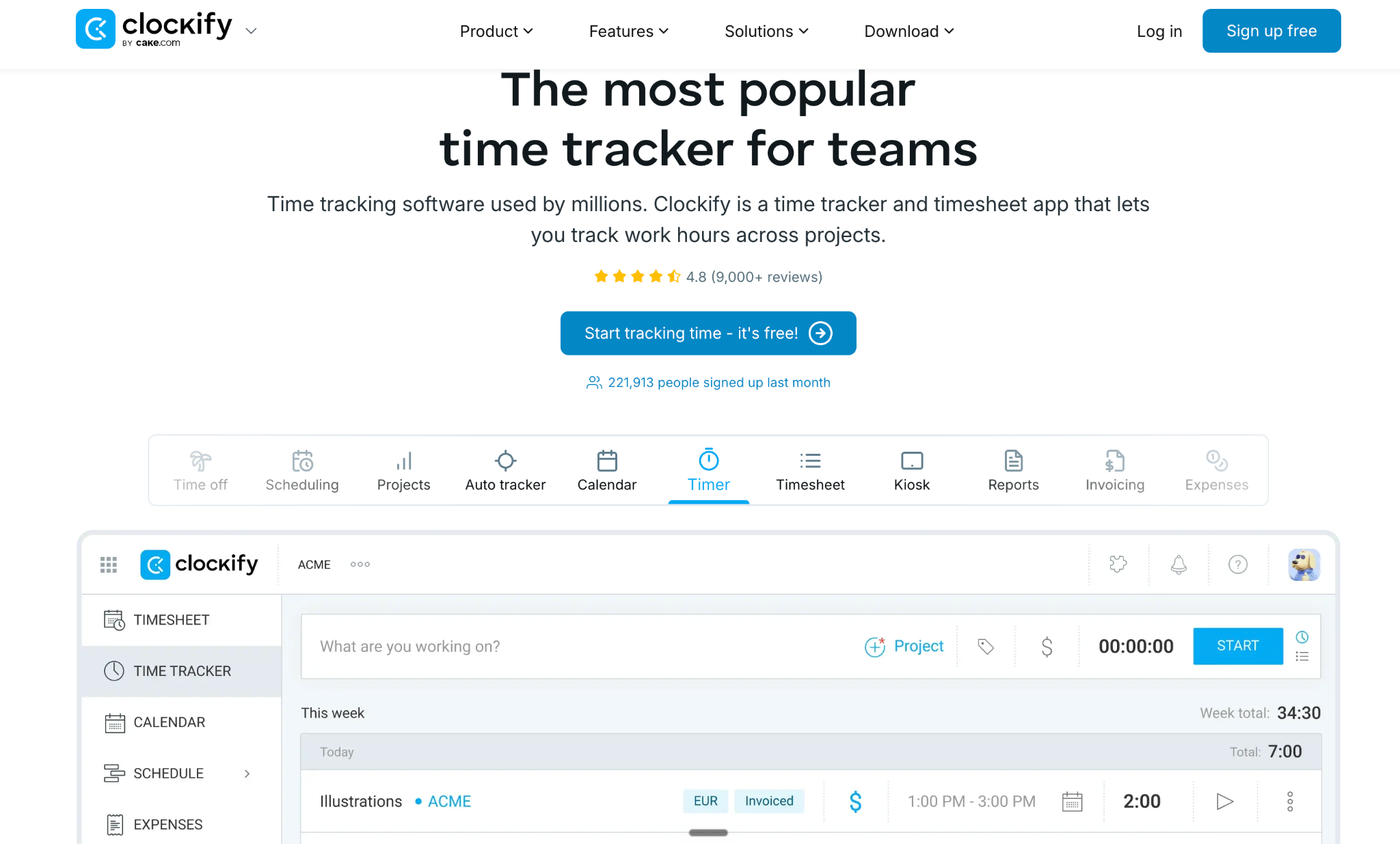
Toggl Track is a close Harvest alternative if your main priority is simple, reliable time tracking. It’s built around fast time entry, where your team can start a timer, add time manually, and then review reports by client, project, task, or team member. Toggl also supports offline tracking, billable rates, project estimates, and detailed reports. 

For an agency that mainly wants dependable time tracking and reporting, that’s a strong fit. But for agencies that want to manage their broader operation including tasks and communication, they’ll get more operational coverage with an alternative ManyRequests. 
Toggl Track Pros:

  • Track time across desktop and mobile devices, allowing your team to log hours wherever they work. 
  • Use billable rates and project estimates, helping you catch budget overruns before invoicing. 
  • You can generate invoices from tracked hours to avoid manually rebuilding timesheets. 

Toggl Track Cons:

  • The product focuses heavily on time tracking and reporting, so broader agency operations still need other software for project management, retainers, subscriptions, and client portal management. 
  • Paid plans charge per user, so your software cost rises as your team grows. 
  • You can’t mark invoices as paid inside Toggl, so payment tracking requires another process. 

Pricing (billed monthly): 

  • Free 
  • Starter - $12/user/mo
  • Premium - $20/user/mo
  • Enterprise - custom pricing 

3. Clockify: Free Harvest Alternative for Small Teams 

Clockify is a strong Harvest alternative if keeping time-tracking costs low matters more than adding client-service features. The free plan supports up to five users, and your team can track hours with timers or timesheets, then organize entries by client and project. 

Managers can then review how time is spent, export reports, monitor project status, and use paid features such as approvals, invoicing, expenses, scheduling, and more advanced controls. For agencies leaving Harvest, the workflow will feel familiar because it starts with tracked time and then builds reporting and billing around that data. It’s also a cheaper starting point if you’re not looking for an alternative with a client portal for your agency ops. 

Clockify Pros: 

  • Time tracking is free for up to five users, so small teams can switch without paying immediately. 
  • Clockify supports timers, manual entries, timesheets, desktop apps, mobile apps, and browser extensions, which makes it flexible for teams with different tracking habits.
  • Clockify includes project and reporting features that help teams review hours by client, project, task, and team member.
  • Clockify’s paid plans include invoicing from tracked time and expenses, which makes it useful for teams that want a familiar time-to-invoice workflow. 
  • Import Harvest records by CSV, so historical time and project data don’t need manual re-entry

Clockify Cons: 

  • Free accounts stop at five users, so growing teams move to per-seat pricing quickly
  • Clockify’s free plan is best for very small teams; larger teams or agencies that need invoicing, approvals, scheduling, expenses, or advanced controls will need a paid plan. 
  • Free reports cover 31 days per search, so longer reporting periods require repeated exports or an upgrade. 
  • Clockify is still mainly an internal time-tracking and reporting tool, so agencies may need separate tools for client communication, intake, delivery, and retainers. 

Pricing (billed monthly): 

  • Free for up to five users. 
  • Basic - $4.99/user/mo. 
  • Standard - $6.99/user/mo. 
  • Pro - $9.99/user/mo. 
  • Enterprise - $14.99/user/mo. 
  • cake.com bundle - $15.99/user/mo. 

4. FreshBooks: Best for Invoicing-First Workflows

FreshBooks makes the most sense when invoicing and accounting matter more than running the full client delivery workflow. 

Your team can track time against client projects, then pull unbilled hours directly into an invoice. FreshBooks marks those entries as billed, so you don’t need to reconcile the same hours manually after invoicing. It also helps you create invoices, collect payments, track expenses, send estimates and proposals, manage retainers, and run accounting reports. 

Overall, FreshBooks is a safe Harvest alternative when getting paid and keeping your finances organized is a priority. For solo consultants and very small teams, it’s a better fit than a client portal and project management tool if you mostly track your time, send invoices, record expenses, and prepare reports for tax or bookkeeping. 

Freshbooks Pros: 

  • Turn tracked hours into invoices, so your team doesn’t rebuild billing records manually
  • Set up recurring invoices and retainers, so repeat clients don’t require a fresh invoice every month
  • Track expenses alongside client work, so project costs aren’t hidden outside your billing system
  • See project profitability so you can compare billed income against labor costs
  • Give clients an account portal, so they can access invoices and payment information without emailing you

Freshbooks Cons:

  • Extra team members cost $11 monthly, so the bill grows as more people track time
  • Project profitability requires Premium, so deeper margin reporting starts at $70 monthly before discounts
  • Lower plans cap billable clients, so agencies with larger client rosters may need Premium
  • Client delivery is limited, so creative requests and approvals still need another system
  • The accounting focus adds more than a pure tracker, so freelancers wanting Harvest’s simplicity may find it a bit more than they need. 

Pricing (billed monthly):

FreshBooks is currently offering 90% off their plans, but the typical prices are as follows: 
  • Lite - starts at $23/month, for sending invoices to up to 5 clients. 
  • Plus - price starts at $43/month, for sending invoices to up to 50 clients. 
  • Premium - price starts at $70/month, with unlimited clients and project profitability features. 
  • Select - custom pricing for larger businesses that need lower transaction fees, dedicated support, and more advanced features. 
  • All plans include $11/mo/extra user. 

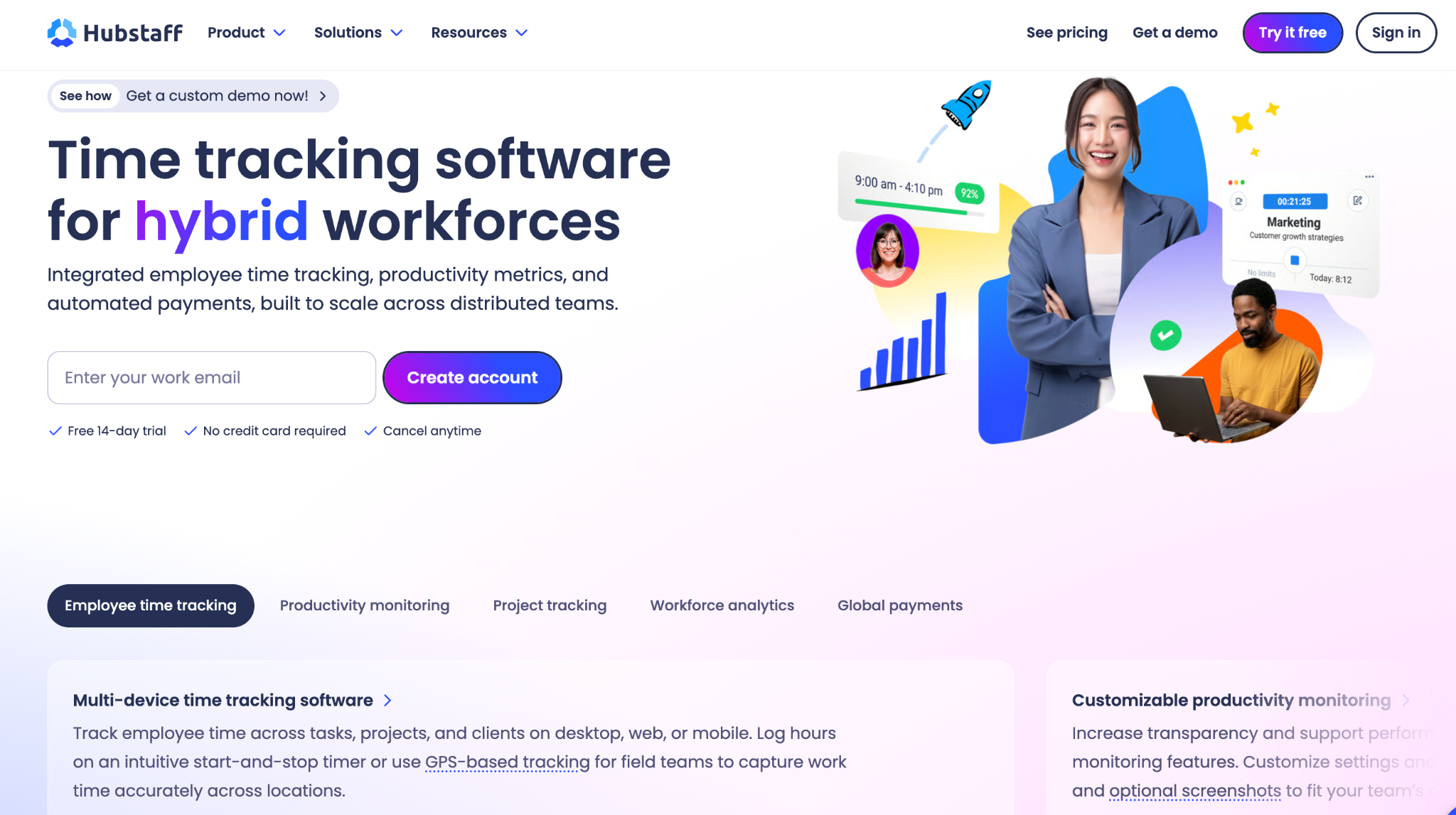
5. Hubstaff: Best for Remote Teams with Employee Monitoring Needs 

Hubstaff is a Harvest alternative for agencies that need time tracking plus stronger visibility into remote or contractor work. 

It tracks time across desktop, mobile, and web, then connects that data to timesheets, project budgets, invoices, payroll, expenses, scheduling, and team productivity reports. Where Harvest is mainly a time-and-money tool, Hubstaff leans more heavily into workforce management, which makes it useful for distributed agencies that need to know not only how many hours were worked, but also what happened during those hours. 

Hubstaff Pros:

  • Hubstaff gives agencies more visibility than Harvest into remote work, activity levels, screenshots, app usage, and team productivity.
  • Generate invoices from tracked time, so billable hours move directly into client billing to  reduce manual admin for contractor-heavy teams.
  • Track paid and overdue invoices, so you can see what clients still owe. 
  • Hubstaff supports many integrations, including tools such as Asana, Slack, Trello, GitHub, ClickUp, QuickBooks, PayPal, Gusto, and Deel.

Hubstaff Cons:

  • Some of Hubstaff’s most useful workforce, payroll, scheduling, analytics, GPS, and security features are tied to higher-tier plans or add-ons.
  • Activity monitoring may feel excessive and invasive for creative teams that only need a lighter, trust-based time-tracking workflow. 
  • Per-user pricing grows with your headcount, so contractor-heavy teams pay more as they hire. 
  • Hubstaff is less focused on client intake, service packages, subscriptions, and recurring agency delivery, so you may still need a Harvest alternative like ManyRequests. 

Pricing (billed monthly): 

  • Starter - $7/seat/mo 
  • Grow - $9/seat/mo
  • Team - $12/seat/mo 
  • Enterprise - $25/seat/mo

Add-ons like more screenshots, task views, and data retention are available. 
6. Timely: Best for Automatic Time Tracking

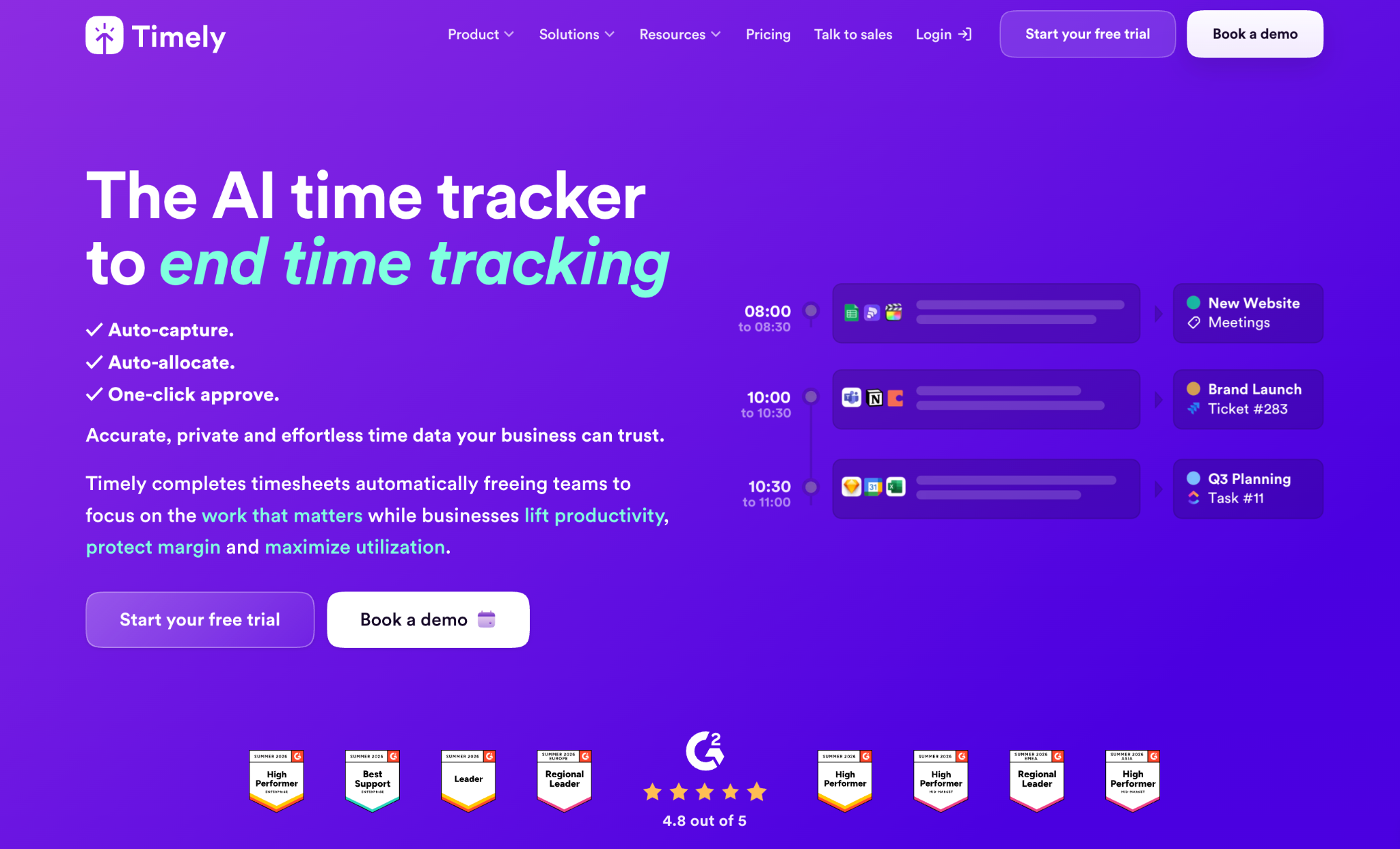
Timely is another Harvest alternative for teams that struggle to track time consistently. Instead of relying only on manual timers, Timely automatically records the apps, websites, documents, and work activity your team uses during the day. Team members can then review that private activity record and turn it into accurate timesheets. For agencies where people often forget to start or stop timers, this can recover billable hours that would otherwise be missed. 

Timely is especially useful for consultancies, agencies, SaaS teams, and professional-services businesses that want better visibility into billable work without forcing everyone to manage timers all day. It also supports project health, billable rates, budgets, costs, team planning, and capacity reporting on higher-tier plans. 
Timely Pros: 

  • Timely works well for teams that want accurate timesheets without adopting employee-monitoring tools such as screenshots or activity surveillance.
  • Review recorded activity before logging it, so timesheets require less end-of-week reconstruction. 
  • Track billable rates and budgets, so you can see when client work is consuming too much time. 
  • Send billable hours to QuickBooks on Premium, so finance doesn’t re-enter the same time records. 
  • Plan team workloads on Premium, so managers can compare upcoming work against available capacity. 

Timely Cons: 

  • QuickBooks invoicing requires Premium, so the full billing workflow costs more than the entry plan. 
  • Timely can’t send invoices itself, so you still need accounting software to collect payment. 
  • Timely may be unnecessary for teams that prefer simple manual timers and don’t want automatic activity capture. 

Pricing: 

  • Starter - $11/user/mo, with up to 5 users and 20 projects.
  • Premium - $20/user/mo, with up to 50 users and unlimited projects. 
  • Unlimited - $28/user/mo, with unlimited users and projects.
  • Tasks add-on: available from $5 per person for assigning, scheduling, and tracking complex deliverables. 

7. QuickBooks Time: Best for Teams Already Using QuickBooks 

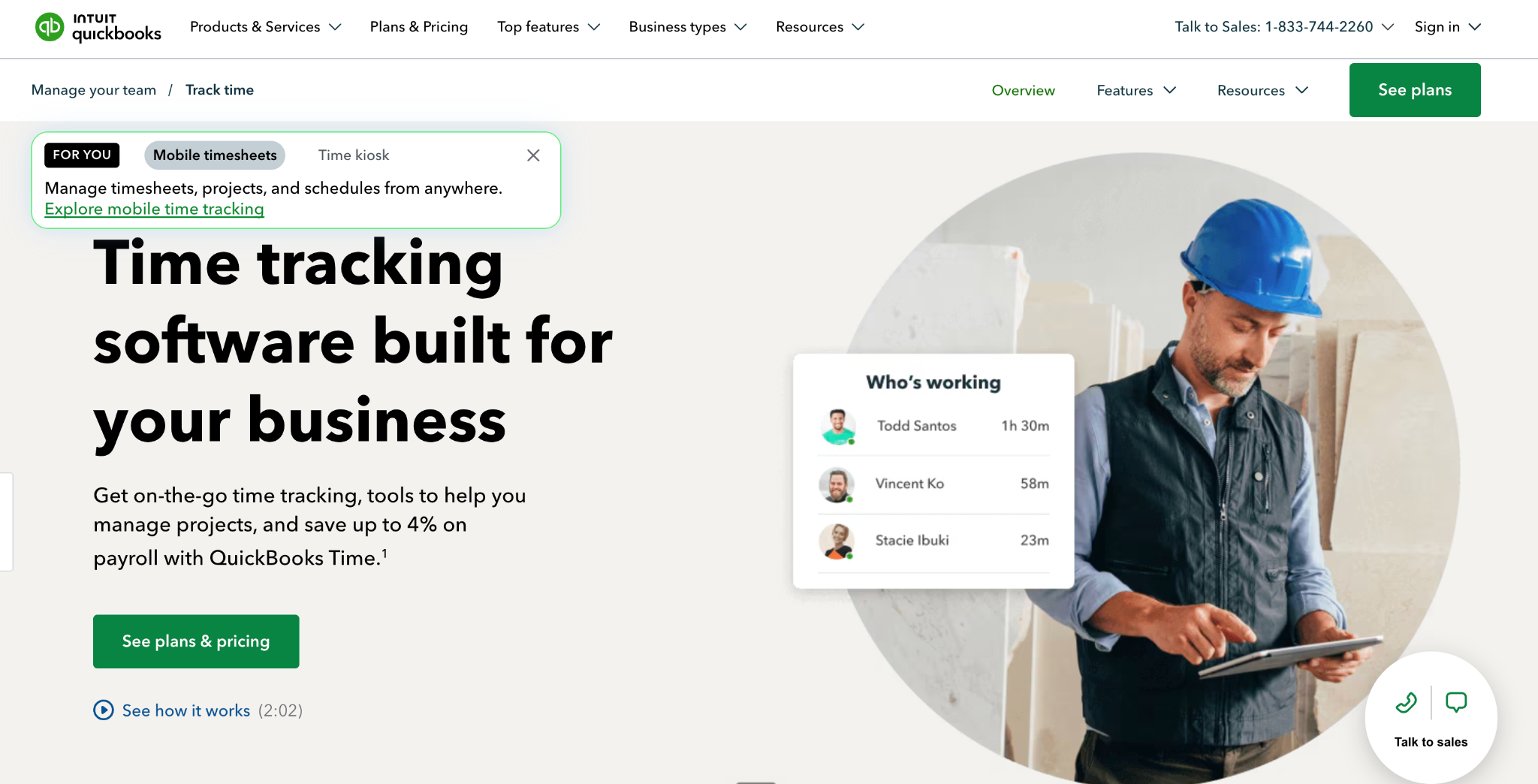
QuickBooks Time is the best Harvest alternative for teams that already use QuickBooks for accounting, payroll, or invoicing.  It’s designed to connect time tracking with the wider QuickBooks ecosystem. 

Teams can track time from web or mobile, submit and approve timesheets, manage schedules, use GPS and geofencing, then sync approved hours into QuickBooks for payroll, invoicing, and job costing. 

These make it especially useful for businesses that already rely on QuickBooks and want fewer gaps between tracked time and financial reporting. But if you’re not already using QuickBooks, it may feel less compelling than tools built specifically around agency delivery or client service management. 

Quickbooks Pros: 

  • Sync tracked hours with QuickBooks, so finance doesn’t re-enter timesheets before billing clients. 
  • Turn billable time into invoices, so logged hours connect directly to your accounting workflow. 
  • QuickBooks Time includes scheduling, approvals, mobile time tracking, GPS, and geofencing features for teams working across locations.
  • Compare estimates with worked hours, allowing you to spot projects consuming more time than planned. 
  • Connect time with payroll, so employee hours don’t need another manual transfer before payday. 

Cons: 

  • QuickBooks Online is required, so new users pay for more than the advertised Time subscription 
  • Project estimates versus actuals require Elite, which raises the base price to $40/month for useful budget tracking. 
  • QuickBooks Time may feel overly accounting- and workforce-focused for creative teams that mainly need client requests, retainers, subscriptions, and delivery visibility. 
  • The workflow centers on QuickBooks accounting, so agencies using Xero or another finance system have less reason to switch 
  • Client delivery still needs another system, so requests and creative approvals remain separate from tracked hours 

Pricing (billed monthly): 

QuickBooks is currently on a 90% discount, but the actual pricing is as follows: 

  • Premium - $20/month base fee, plus $10/user/mo. 
  • Elite: $40/month base fee, plus $12/user/mo. 
  • Workforce Premium - $88.80/month base fee, plus $13/user/mo. 
  • Workforce Elite - $134.40/month base fee, plus $17/user/mo. 

How to Choose the Best Harvest Alternative for Your Agency After New Harvest Pricing 

The Harvest price change has made many agencies rethink what they actually need from their time-tracking and billing software. If all you need is a timer, there are cheaper tools. But if you’re running a service business with clients, requests, retainers, invoices, subscriptions, and ongoing delivery, a timer alone isn’t enough. 

ManyRequests provides agencies with the essential features you need in alternatives to Harvest such as time tracking, invoicing, retainers, and billing. It also adds a client-facing layer Harvest doesn’t fully provide. Clients can submit requests, view ongoing tasks, manage billing, and operate within a branded portal instead of dealing with scattered emails, Slack threads, task spreadsheets, and PDF invoices. 

This is why ManyRequests is the strongest option for agencies that want to use this switch as more than a cost-cutting exercise. It helps replace the billing workflow, and offers a cleaner way to manage the entire client relationship. 

We’ll personally help you with migration and setting up your portal so you don’t feel overwhelmed by the initial setup time. Sign up for a 14-day free trial to see how ManyRequests works.

What should I do now?

1. See how ManyRequests works in real life. Start a free trial and experience how productized agencies centralize requests, reduce chaos, and streamline delivery, without changing their entire workflow.

2. Read our Implementation Guide to launch smoothly with your team and clients.

3. Follow us on LinkedIn and YouTube for practical agency growth strategies

4. Check out The Productize Blueprint to learn how to turn your services into a scalable, productized offer.
Simplify Your Creative Project Management

Manage projects, clients, feedback, and billing in one branded portal.
No credit card needed.

Running an agency?

ManyRequests is a client portal & requests management app for creative services.
Learn More

Get the ManyRequests Implementation guide

Download Now

Continue Reading

Tools & Comparisons

Client Reporting Software for Creative Agencies: A Complete Guide (2026)

Discover client reporting software designed for agencies that want clarity, transparency, and fewer status calls.
Read more
Tools & Comparisons

Jira vs ClickUp for Creative Agencies in 2026

Comparing Jira vs ClickUp? Here’s how each tool performs for creative agency workflows and client projects.
Read more
Tools & Comparisons

Notion vs Airtable for Creative Agency Operations in 2026

Notion vs Airtable compared for creative agencies. See what works, what breaks, and what scales with clients.
Read more
Tools & Comparisons

7 Best HappyFox Alternatives for Creative Agencies [2026 Guide]

Explore the 7 best HappyFox alternatives that go beyond tickets and support real agency workflows.
Read more
Tools & Comparisons

I Reviewed 6 Zoho CRM Alternatives for Agency Owners in 2026

Looking for Zoho CRM alternatives? Here are the 6 best options for creative agencies that manage clients, projects, and billing in one place.
Read more
Tools & Comparisons

We Evaluated the 8 Best Trello Alternatives for Creative Agencies [2026]

See top Trello alternatives for 2026 and find the best tools for agency workflows, approvals, and client delivery.
Read more

Switch in days, not weeks.

14-day free trial
No card required
Free Full Migration Support
Live Chat & Email Guidance