5 Top Hive Alternatives for Creative Agencies in 2026
Discover the best Hive alternatives for creative agencies and find tools built for client work and smooth delivery.

Adetola Rachael Iyanuoluwa
Hive is a flexible project management tool, but if you're reading this article, you’ve probably hit some walls with their system.
One, Hive doesn't have a white label client portal feature, so if you're a creative agency whose work revolves around communicating with your client for feedback and project scope, you won't get 100% autonomy on the platform, and your clients will see Hive’s branding all over their portal.
Two, their pricing is great, but some of their important features (like timesheets and approval) are accessible by add ons.
Unless you're subscribed to their Enterprise plan, you’ll need to pay for features like time tracking, proofing and approval, aside from the typical subscription per user.
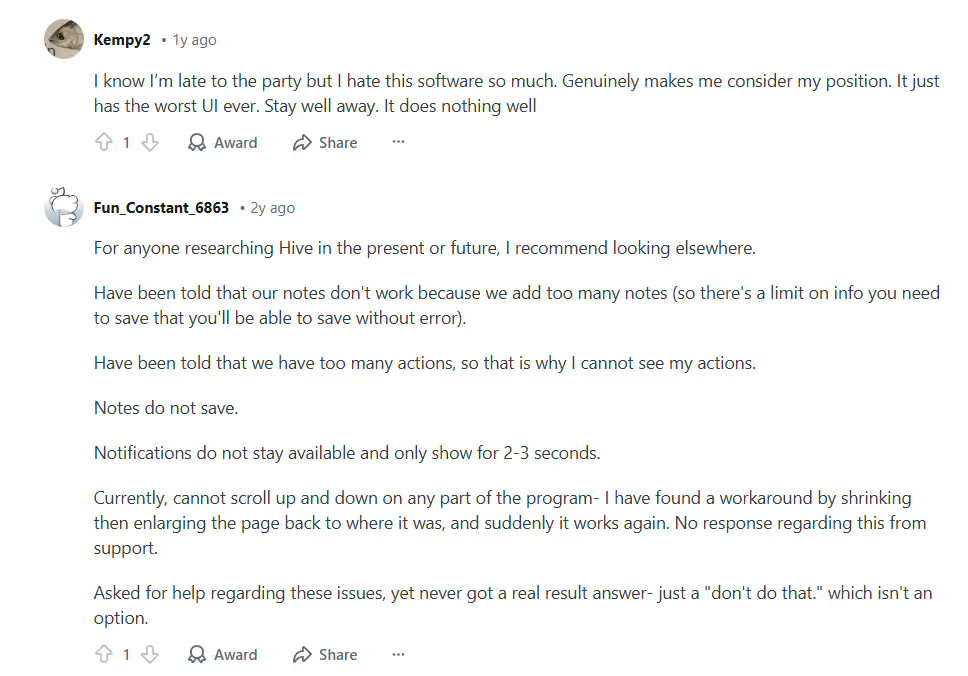
A user on Reddit even says “they have the worst UI ever”:
So if you have limited budgets, don't like the UI, or don't want to pay for the extra add-on features, here are five project management tools for creative agencies that you can use as Hive alternatives.
Let's check out some of the best Hive alternatives in 2026:
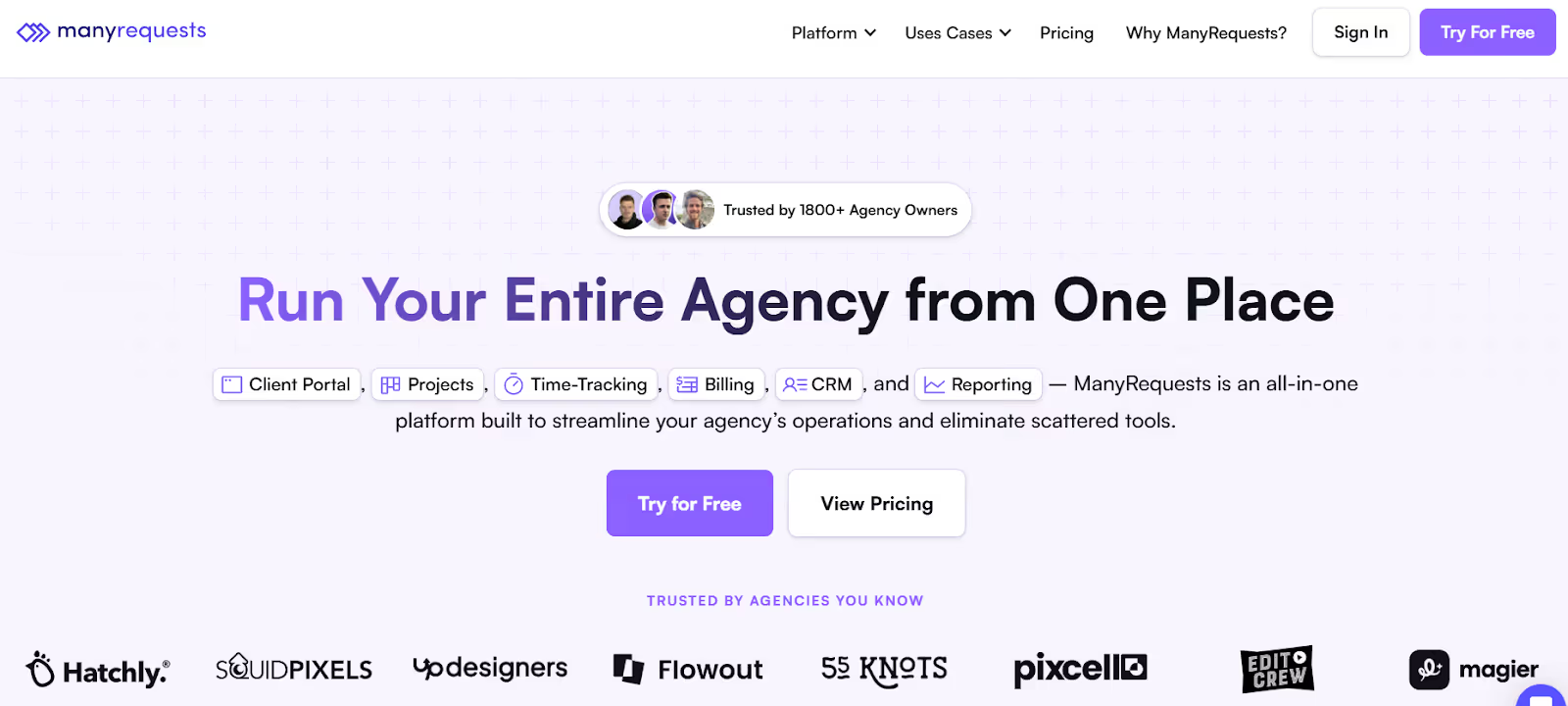
ManyRequests is a white label project management tool that caters specifically to creative agencies.
It’s a single source of truth that can help you handle every creative process in your agency.
You can onboard your clients, manage their project, your team, track your team members’ time, report to your client, bill them, get feedback, and even get paid without leaving the platform.
Now, I know ManyRequests isn't lighting the world on fire (or maybe we are), because you can find some of these features on most project management tools, but let's see the features that make it stand out from the crowd.
If you’ve used Hive, or many other tools that I'll mention in this article, you’d know it's impossible to escape their logo and branding as long as you're using their portal. Your clients see the parent company's footprint everywhere.
It's different for ManyRequests.
ManyRequests allows you to rebrand their software as your own. You can completely customize the platform to reflect your agency's branding, including your custom domain, logo, and colors.
In short, you can remove every trace of ManyRequests, and replace it with your agency branding.
For example, Here's a screenshot of ManyRequests platform:
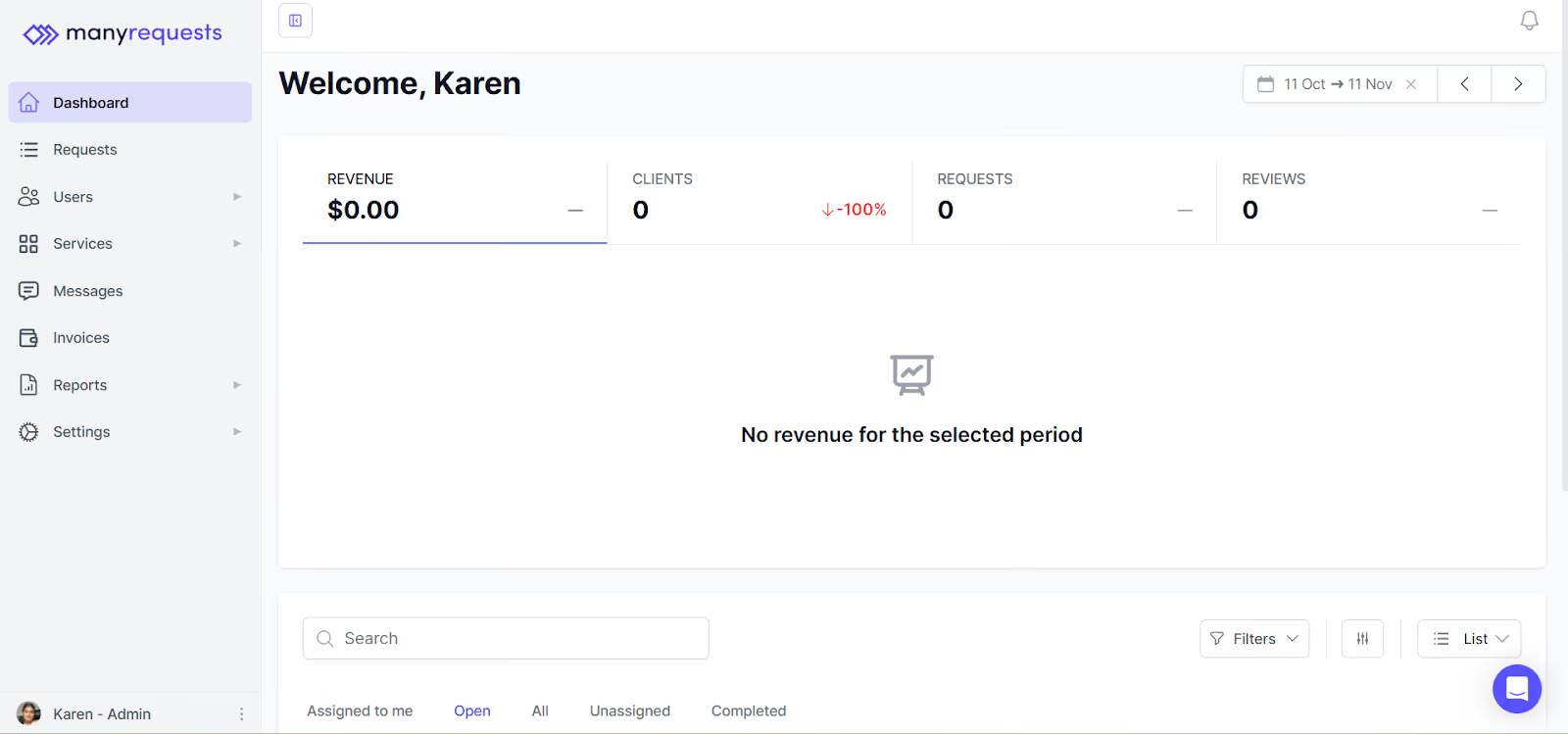
And what it looks like after our client, Prontto, rebranded it:
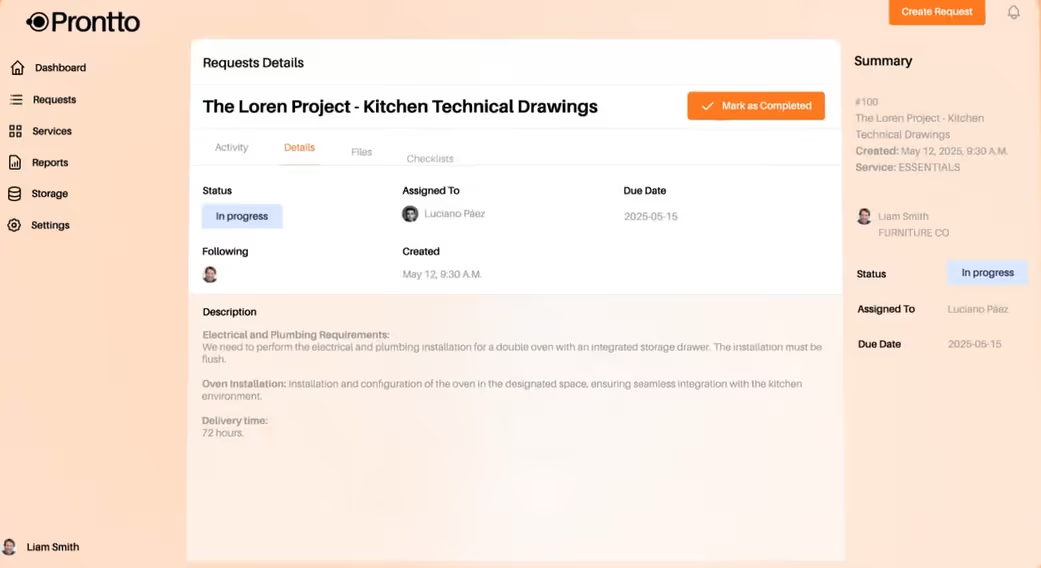
This rebranding also extends to the notification emails your client gets when you message them on the portal. You can swap the ManyRequests’ logo with your agency’s.
You can track the total time your team spends on a task, and ManyRequests converts this tracked time into invoices and reports to bill your clients.
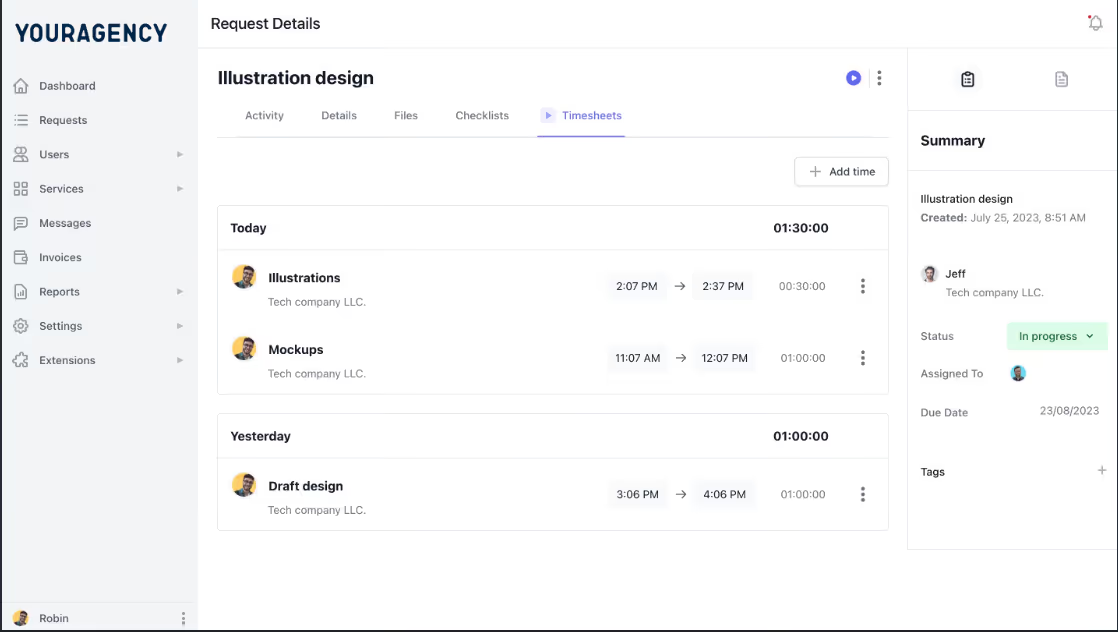
Here's how it works:
When your team starts working on a project, they activate the automatic timer on the platform.

This time tracking feature logs every minute they spend while working on their assigned task (even when they are not on the platform).
When the project is completed, the system converts the time tracked into a billable amount.
You can customize your billing rates by the hour, per task, or service, depending on your choice, and you wouldn't have to worry about manual calculation errors that can happen when you bill for hourly work.
ManyRequests generates the invoice directly from your tracked time, and you can apply your defined rates and any payment terms you’ve set.
I’ll also add that you don't even need to leave the platform to send your invoice and receive payment.
Your client can receive the invoice on their portal, and process your payment.
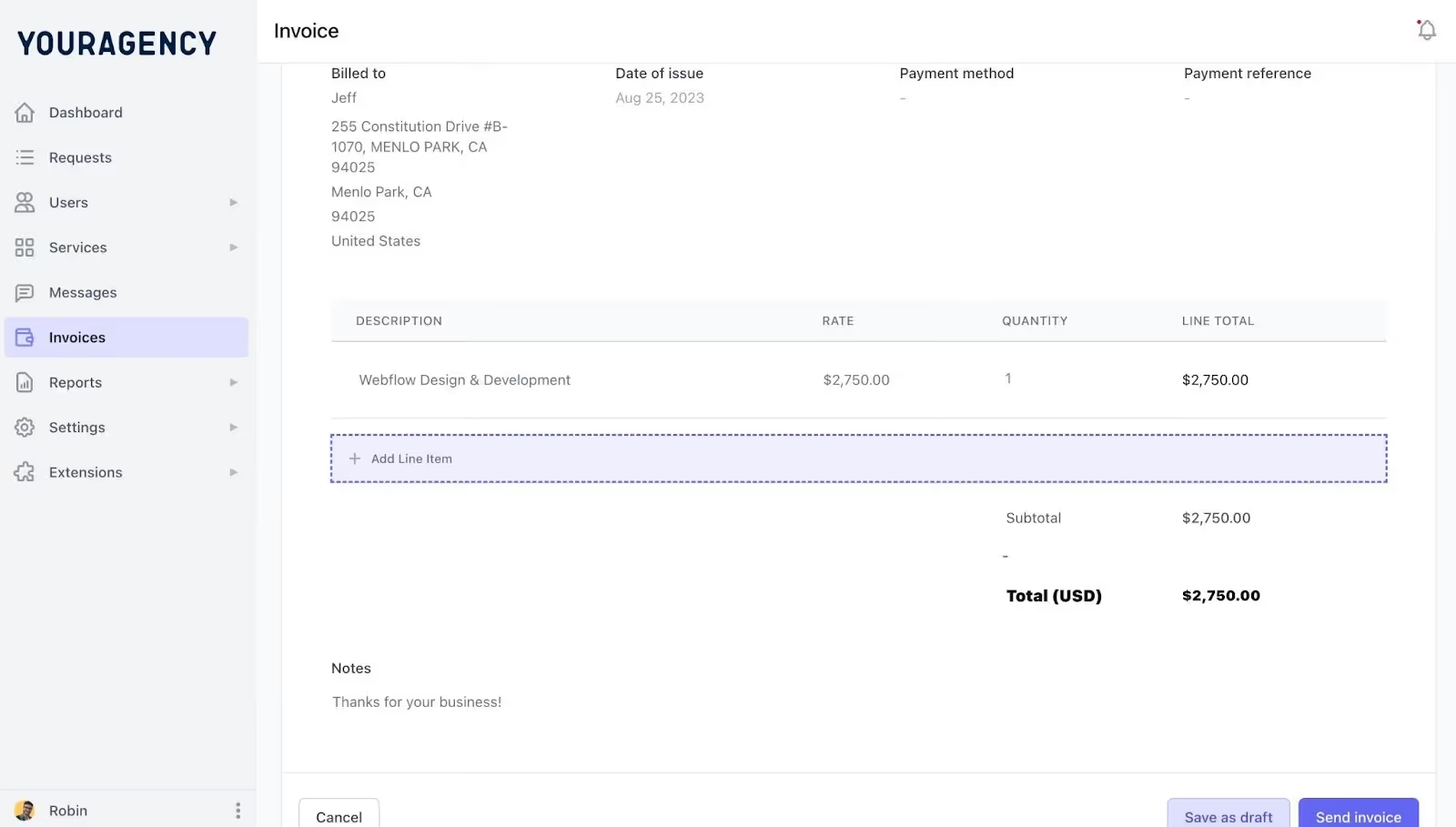
ManyRequests also integrates with Stripe to help users receive payment.
While time tracking works for billable hours, many agencies now productize their services in packages. ManyRequests has a service catalog feature for these services.
I’ll show you how it works:
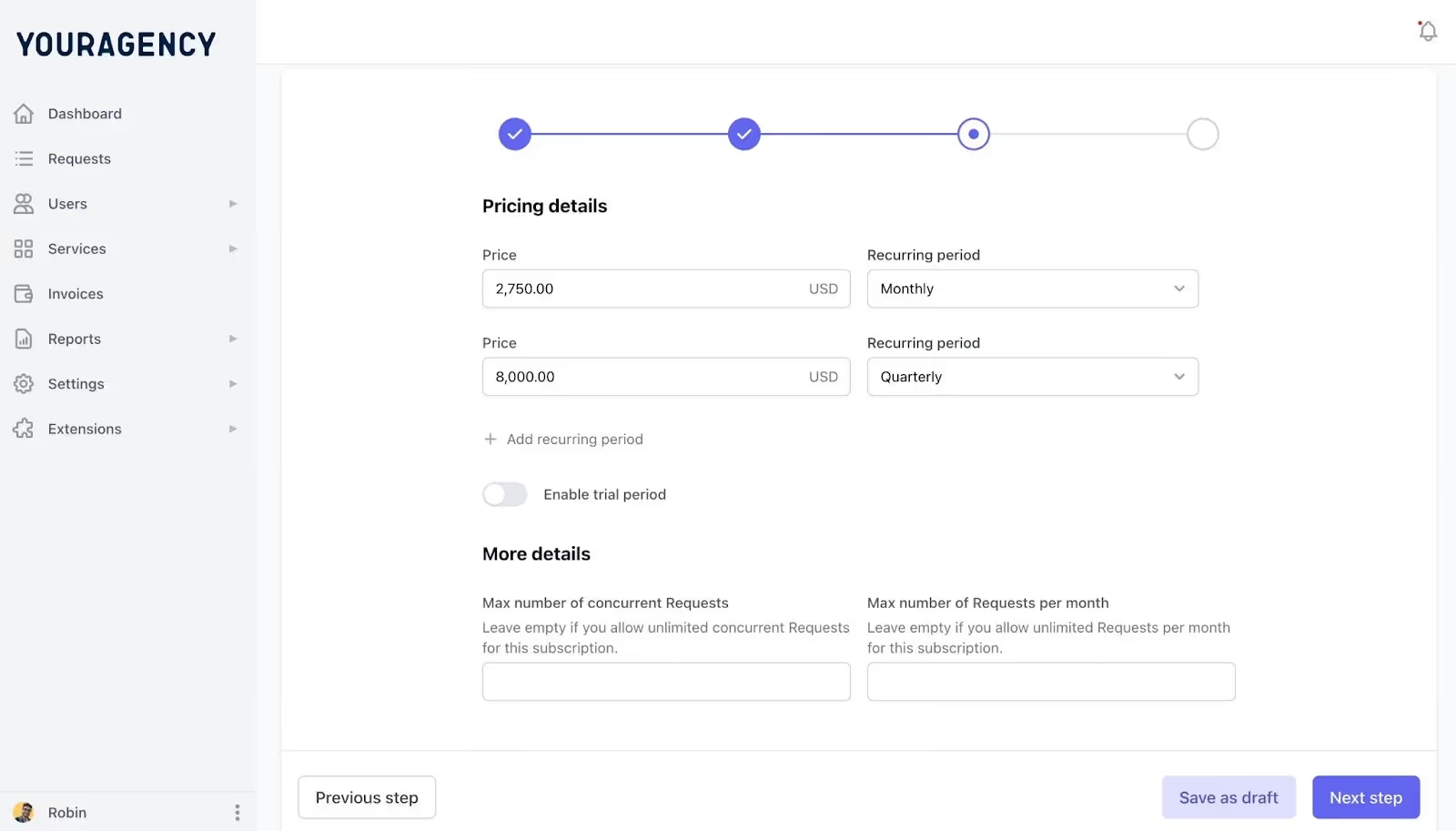
If you have a list of services that you want to sell to a prospective client as one offering, you can list these services out, add descriptions to it, name it, price it, and add to ManyRequests service catalog.
You can do this in minutes, and it looks like this:
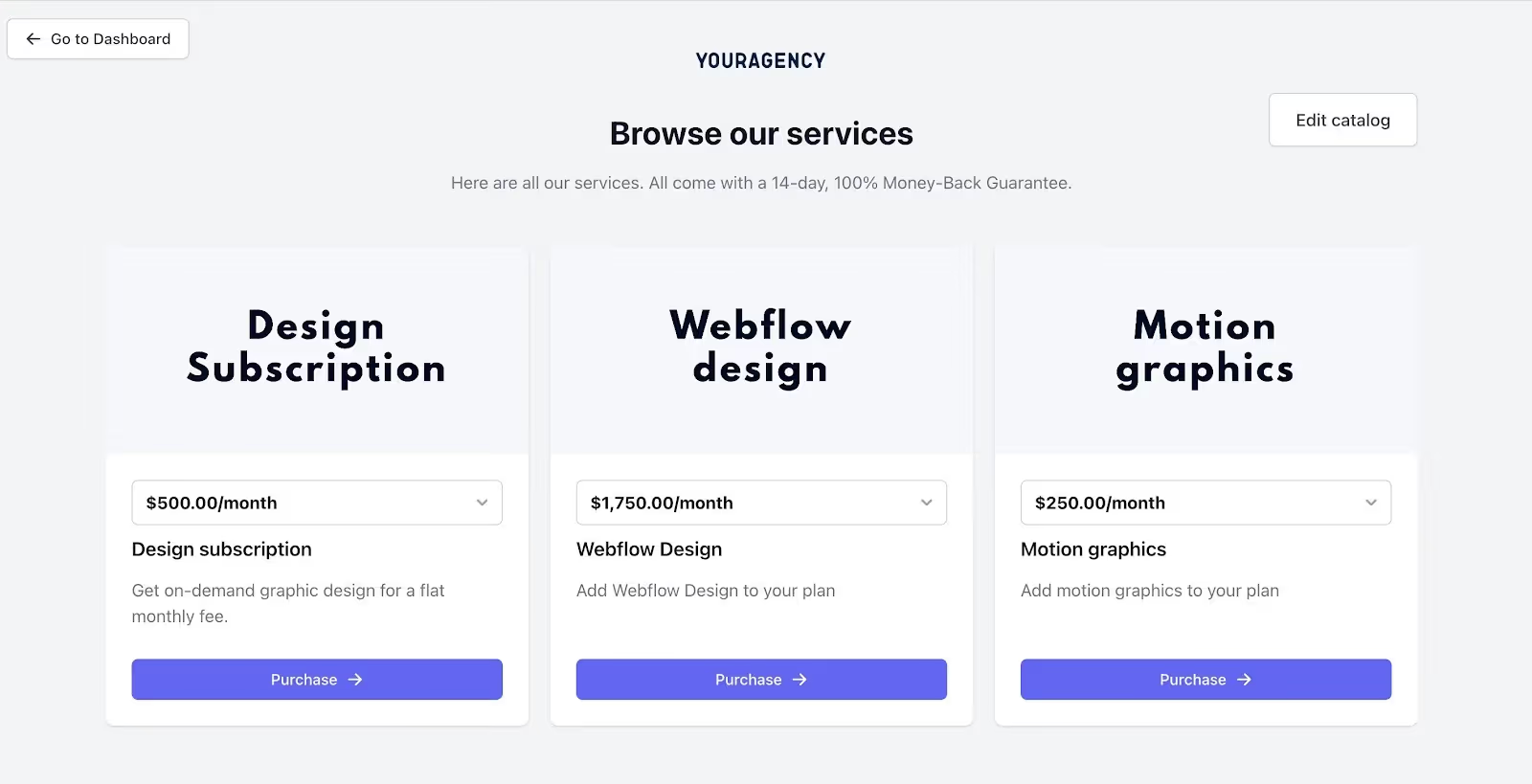
ManyRequests creates a link for this catalog that you can add to your website to show your pricing, see an example from MagicDesign, another client of ours:
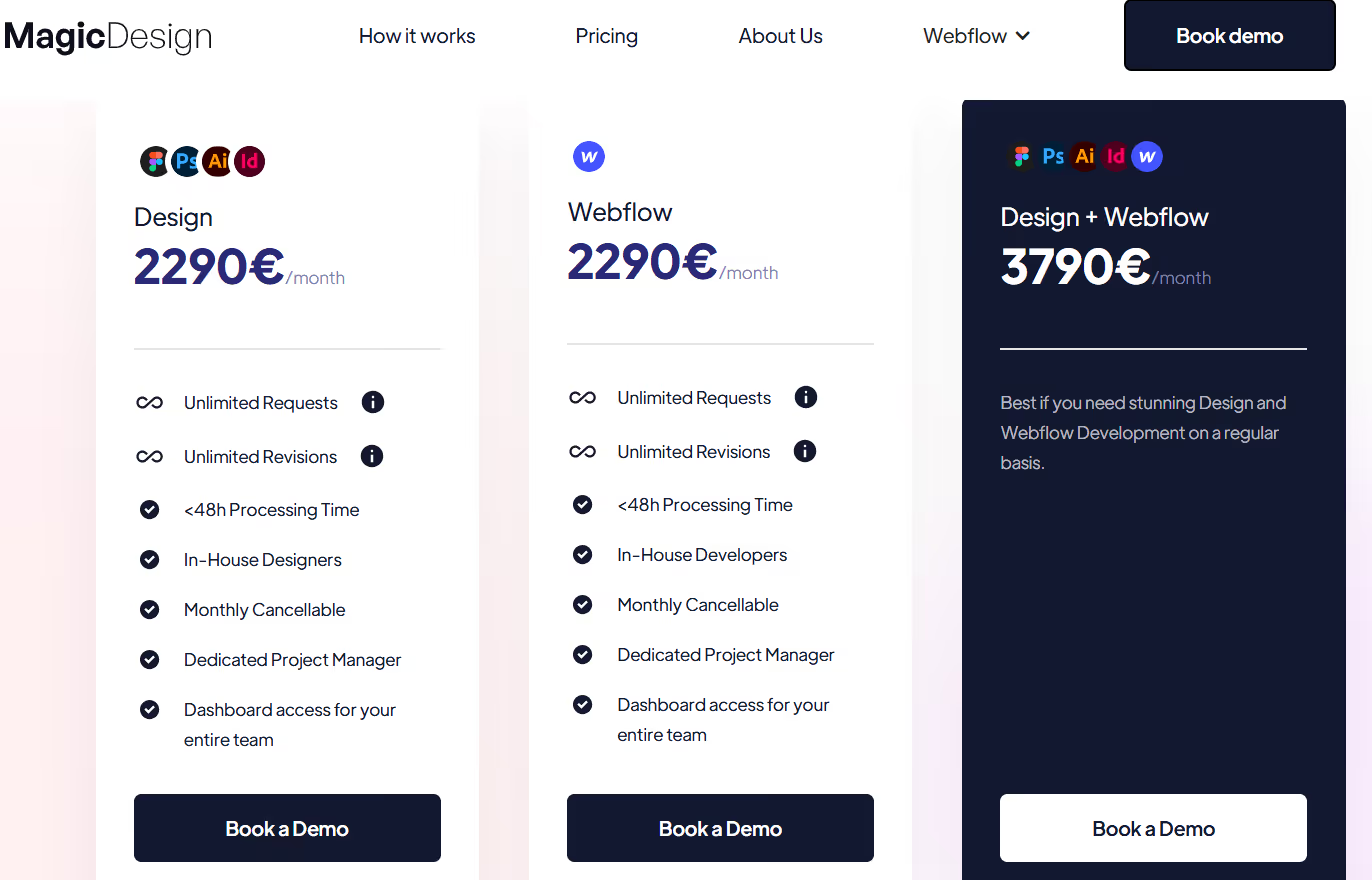
On their part, prospects can visit your catalog through the link on your social media pages or your website, and pick the service they need from your offerings.
When they pick a service, ManyRequests shares a checkout page with them to subscribe and pay for the service they chose.
You can see an example from Flowspark’s, one of our clients, checkout page. It shows the service (or in their case subscription type) they've picked, the price, and steps to checkout.
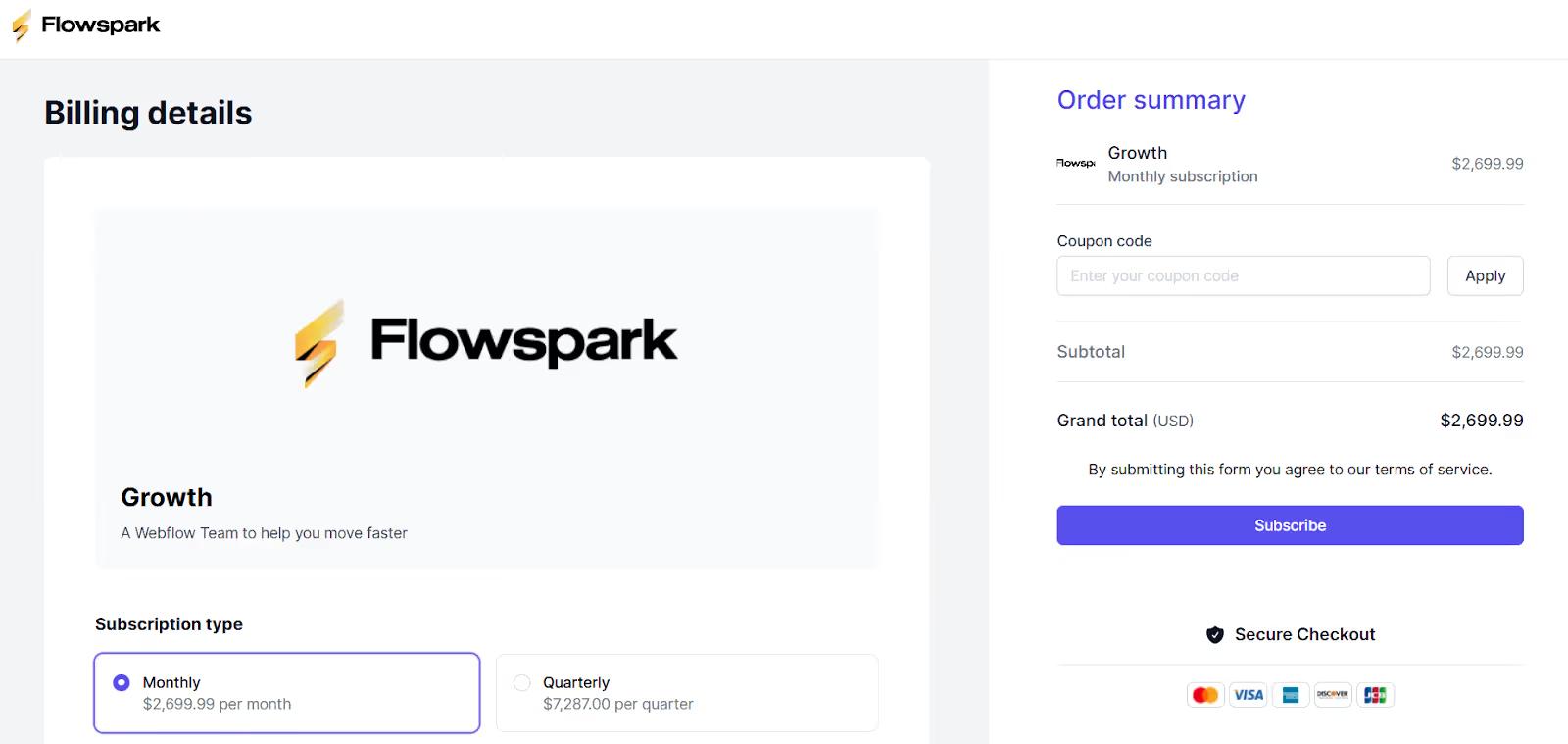
The cherry on top is that you can also fully customize this page. As you can see, there are no traces of ManyRequests.
ManyRequests provides a central dashboard that gives you a bird's-eye view of every project you're currently handling.
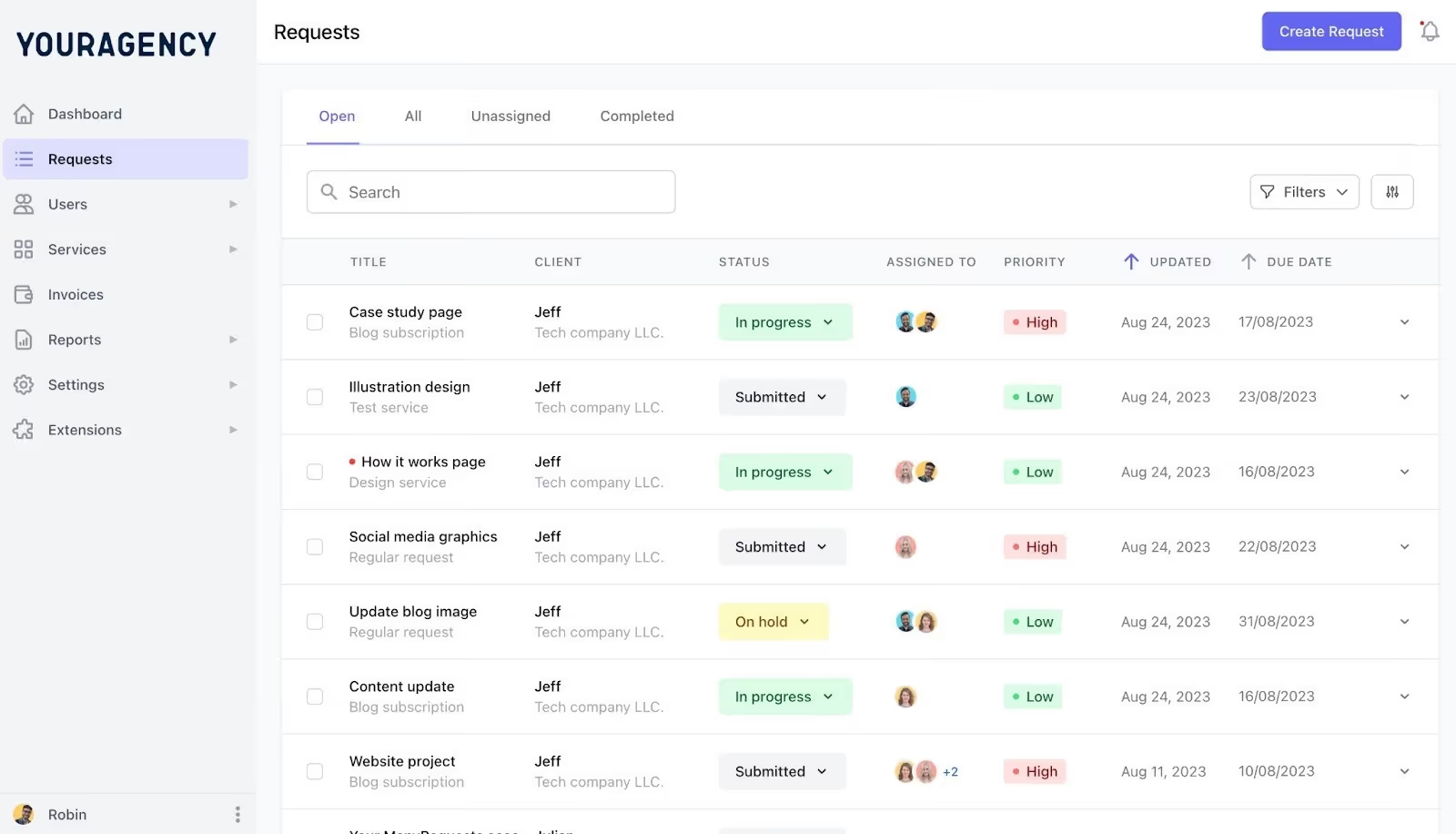
As you can see, from the dashboard, you can see each task title, clients, assigned team members, project status (in progress, submitted, on hold, etc), due date, and priority levels.
This means you have a complete picture of what your team is working on without opening multiple boards or projects. You can also filter these tasks by clients, team members, or status to find what you need easily.
Great, right? There's even more.
ManyRequests' latest update (The Workload View) shows you how much work has been assigned to each team member per day.
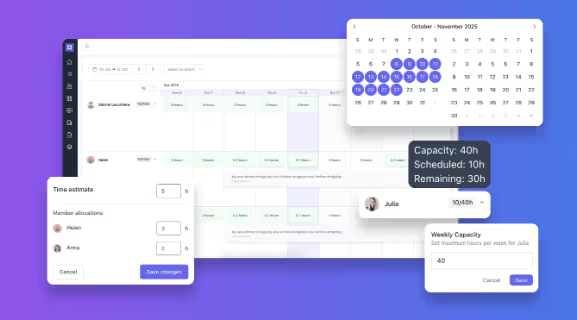
You can:
This way, you can easily assign new work based on actual availability, not guesswork.
Learn more on Workload View from Robin’s video.
You can send design documents directly to clients via the portal, and clients can annotate these designs on files with pinpoint precision.
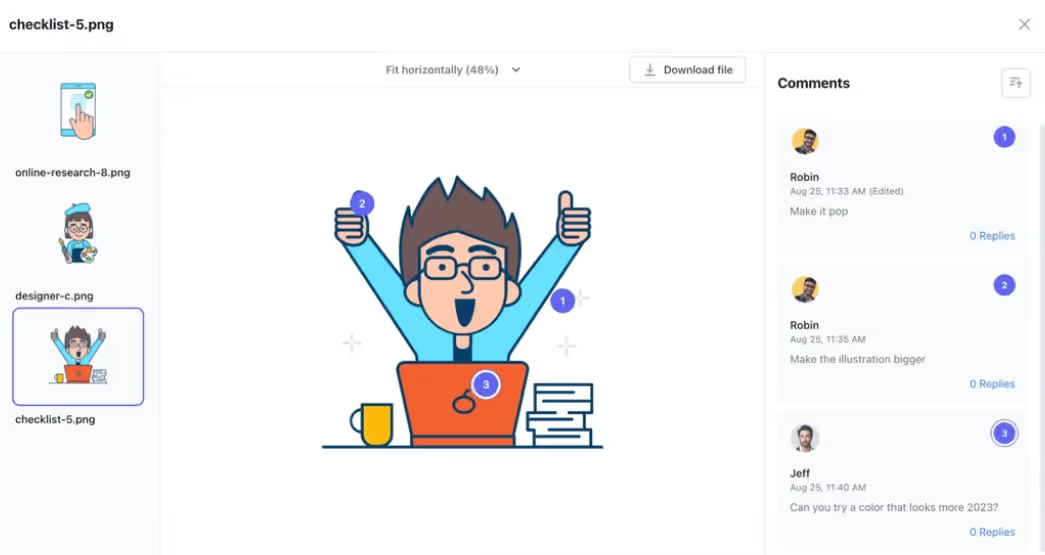
For example, in the image above, the client annotates some parts of the image and leaves comments on the parts they’ve annotated. This way, it's easier for your team to understand and fix the parts your client commented on.
ManyRequests was created solely for creative agencies, so if you're not a creative agency, you may find that you do not need some of the features I've mentioned here.
ManyRequests subscription plan starts at $29 monthly for a Starter plan, $59 monthly for its Core plan, and $99 monthly for Pro plan.
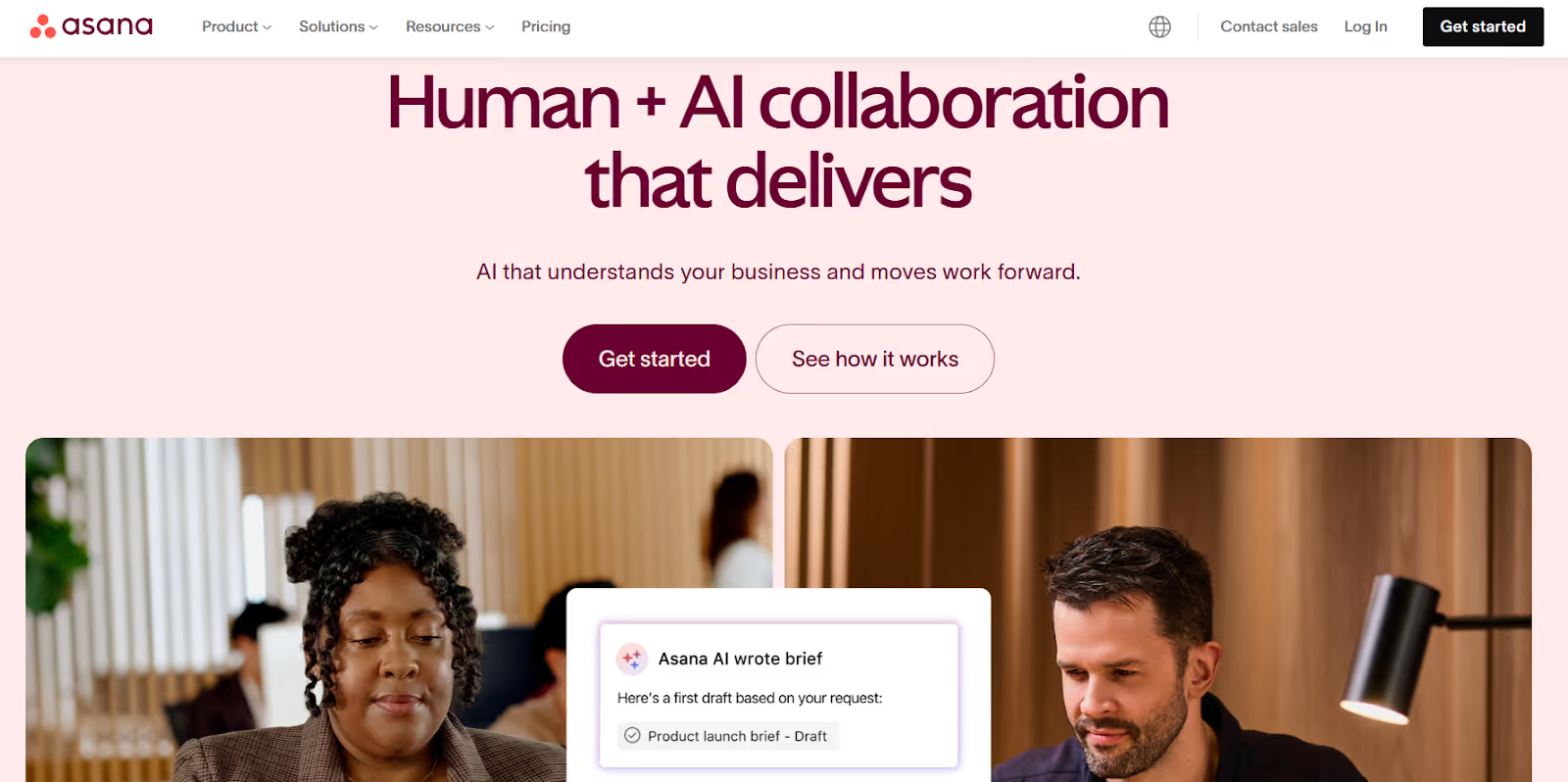
Asana provides clean, structured task management. Like any project management tool, you can manage tasks and the team members they're assigned to from your dashboard.
One of Asana's interesting features is the many ways you can view your dashboard. In my recent article , where I compared Asana Vs Teamwork Vs ManyRequests, I mentioned many ways you could view your dashboard with Asana, including the list, Kamban, Gantt, and Calendar view, when most tools only have the list and Kanban view.
Now, let's check out some of its fascinating features:
Asana allows you to organize your projects into tasks, subtasks, and sections, with clarity on who they're assigned to and the deadlines attached to them.
Here's how it works.
Tasks are the core unit of work in Asana. You create a task, assign it to a team member, add a due date, and include any relevant details (files, links, descriptions, and comments) so the assignee knows exactly what they need to complete.
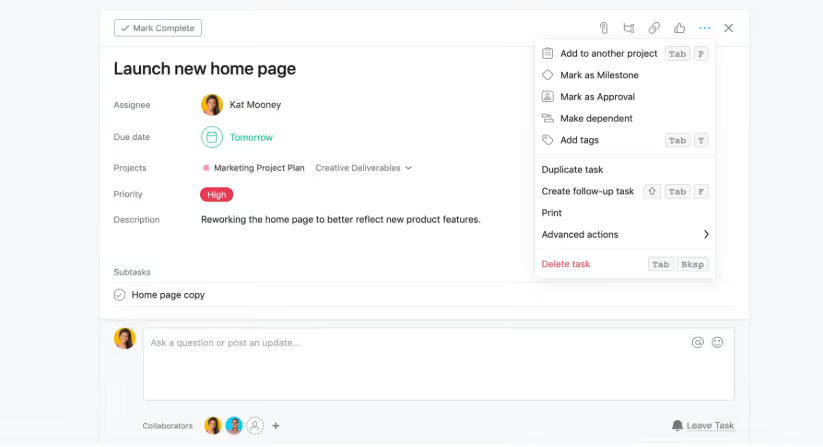
Subtasks break larger responsibilities into smaller, trackable steps. They follow the same structure as tasks, so you can assign them to different people if the work spans multiple contributors.
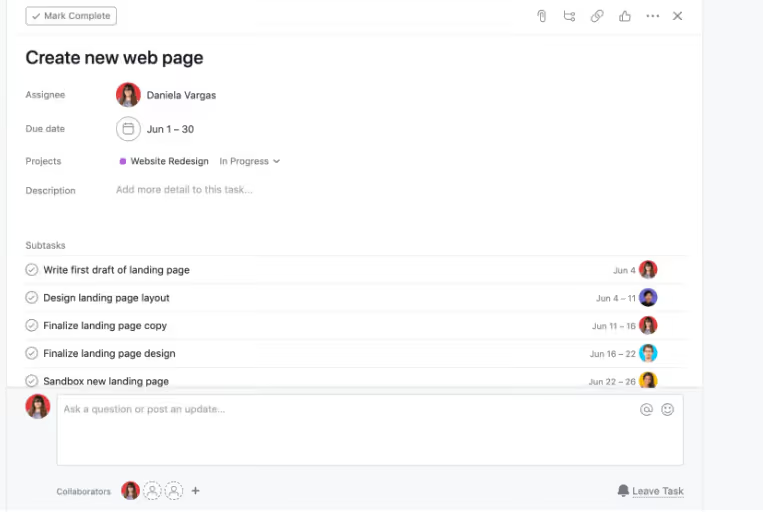
This way, the project has structure, and your team can easily understand how work flows from start to finish.
While Asana may not match ManyRequests in client collaboration, it does so well with team communication.
Asana has many tools that align your team on every task and project they work on.
One of them is the task comments.
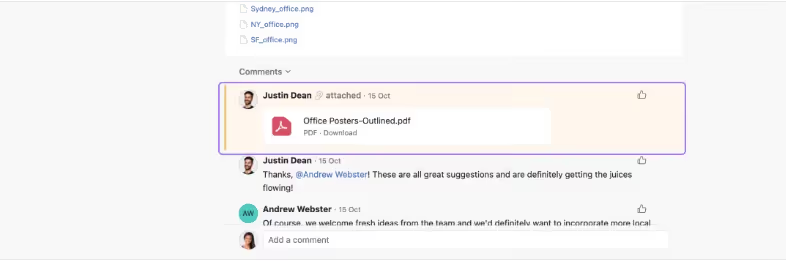
In Asana, every task includes a comment thread where team members discuss details, share updates, or clarify requirements. In these threads, your team members can share comments on tasks and send links to each other.
You can @mention a teammate, task, project, or team within any comment or description. Asana notifies the person you tag immediately and links them to the relevant work.
Now, regarding client communication, Asana lacks features to properly collaborate with your clients, like ManyRequests does.
You can invite clients as collaborators, but Asana doesn't provide any built-in client portal software for your clients. You can only send them links and these links can expire.
Another option is to add them as a user on your plan, which means you have to pay for additional seats, and your clients may have access to internal information.
You can remove repetitive manual steps from your workflows with Asana's "If this, then that” automation feature that triggers specific actions when conditions are met.
For example, when someone moves a task into a new section, Asana can automatically assign it to the right team member, set a due date, or update its priority.
Your team can use Rules to route tasks based on project stage or work type.
For example, if a creative request drops into “Ready for Design”, it gets auto assigned to the designer responsible for that category.
When the designer marks it complete, another Rule can move it to “Review” and notify the reviewer. Asana keeps your work moving without the need to manually reassign tasks.
Asana wasn't designed as a client portal software. And while you can give clients access through a dedicated workspace, they can only login to Asana's interface, and not your branded portal.
It's great for internal tasks management though.
Personal: $0 billed monthly
Starter: $13.49 billed monthly
Advanced: $30.49 billed monthly
Enterprise: Reach out to sales.
ClickUp is a comprehensive project management tool that helps teams plan, track, and collaborate on tasks in one unified workspace.
Clickup is an everything software with lots of features. If you think Hive is enterprise heavy, Clickup takes that complexity to another level.
Let's see what Clickup offers:
ClickUp is organized like a layered filing system.
At the top, you have Spaces, which are broad containers that represent departments, teams, or large projects. For example, you could have a design space or product development space.
Inside each space, there are folders that help you group related projects. If we use our design space example, a folder could be Website Redesign that would have all the assets and tasks that relates to website redesign.
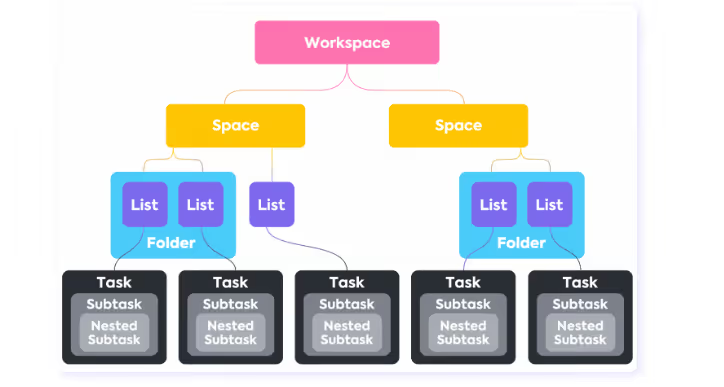
Within folders, you can create Lists, as tasks groups under folders. It could be Landing Page Tasks, Blog Content, and SEO Optimization, that would hold all the tasks you need for each list.
So, basically, it's Tasks — Lists — Folders — Space. You can even still break your tasks into sub tasks.
It's that organized.
Learn more on this YouTube video.
Like Asana, ClickUp also lets you create automation rules to save time and avoid repetitive manual work. Think of these as "if this happens, then do that" instructions.
For example, when a task status changes to "Completed," it can automatically assign someone else to review it or send notifications to the team.
You can also chain multiple actions together in one automation, like changing the status, setting a due date, and sending an email, automatically, without any coding required.
ClickUp lets your team look at their work in different ways.
You can see tasks;
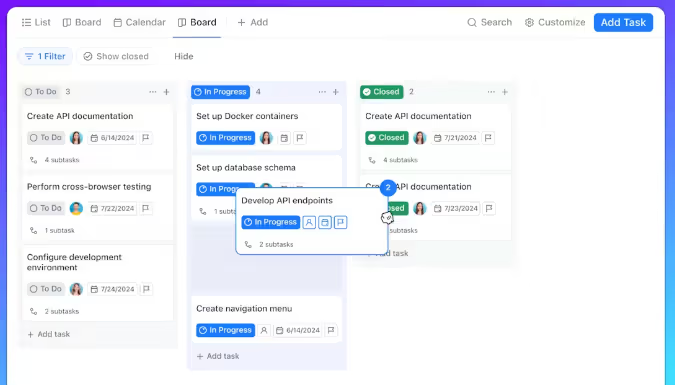
There are also custom dashboards that allow you to pick important metrics to watch, like which team member is busiest, how projects are progressing, or which tasks have high priority, so you can focus on what matters most.
While ClickUp doesn't have a dedicated client portal software, you can invite your clients as Guests to give them access to the project you're working on.
To do this, go to Settings, then People, and add the clients to the platform, but this still isn't a full-on client portal.
You’ll need to create permission for every client you want to bring onto the platform, and that's a hassle for agencies with a large client base.
Clickup takes a lot of time to set up because of its complexity. There's also no white label client portal, unless you're subscribed to their Enterprise plan, no billing and invoicing tool, and design proofing is a bit rusty.
Free plan available.
Unlimited: $7 per user/monthly.
Business: $12 per user/monthly.
Enterprise: gets a custom demo.
Wrike is an AI-powered project management tool that can help you organize projects, and manage your team better than you currently are.
Now, it has its own flaws, but let's look at some of its strong features:
You can add comments directly on images, videos, PDFs, and Office files. When you leave a comment, Wrike places a marker on the file at the exact spot you referenced.
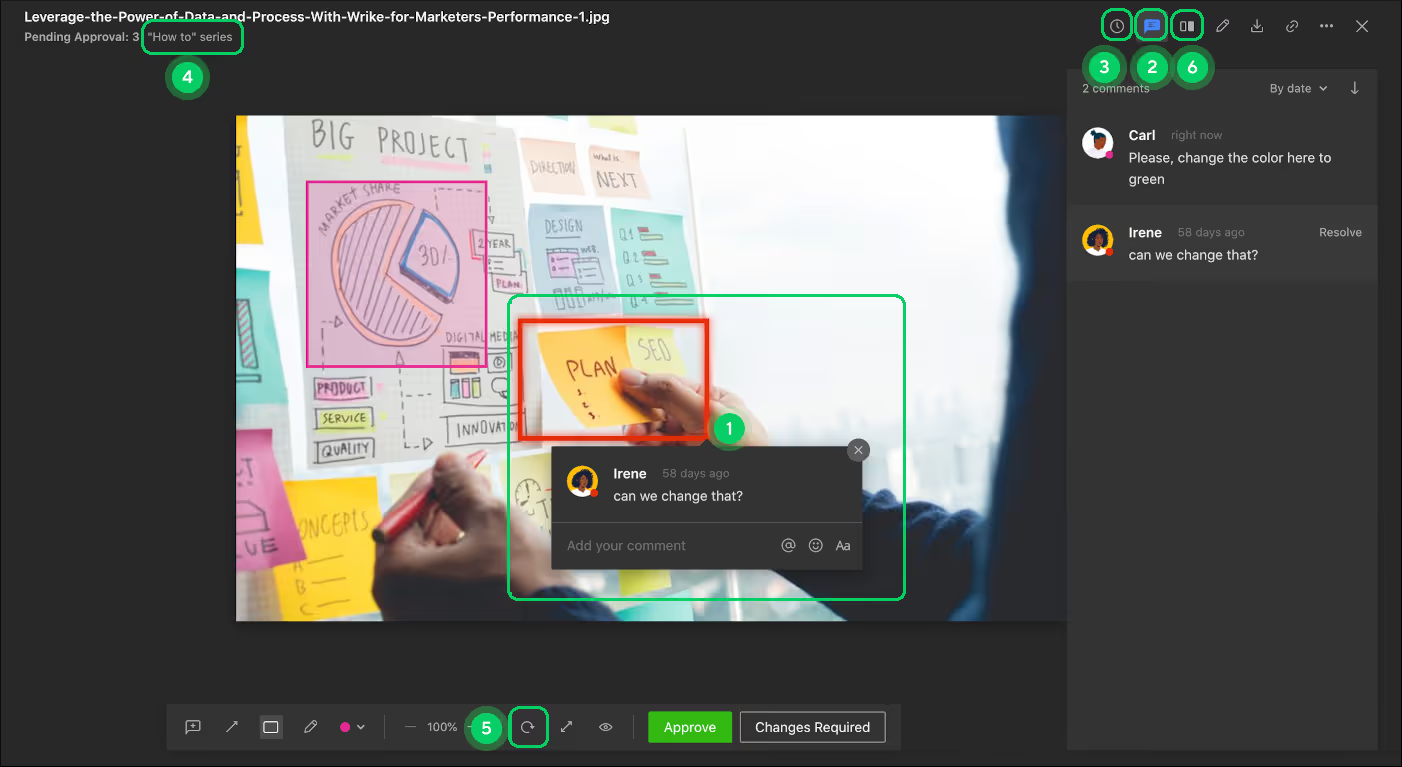
When you click the marker, Clickup opens the comment in the right hand panel. It's quite similar to ManyRequests’s annotation tool.
But the best part is that Wrike's proofing works with a wide range of file formats, including images (PNG, JPEG, GIF, TIFF), PDFs, Office documents, and popular video formats like MP4 and MOV.
It also supports PSD files and SVGs that can help your team review visual layouts without needing to export your files into other formats.
You can also review video files. When you send a video document, the client can pause the video, drop a marker where necessary, and leave feedback that references the exact frame.
You can build separate workflows for different groups.
For example, if you have a design group, marketing group, or client facing projects, each workflow would have its own status set (for example “Briefing → In Design → Internal Review → Client Review → Approved.”).
In Wrike, these statuses belong to one of four groups:
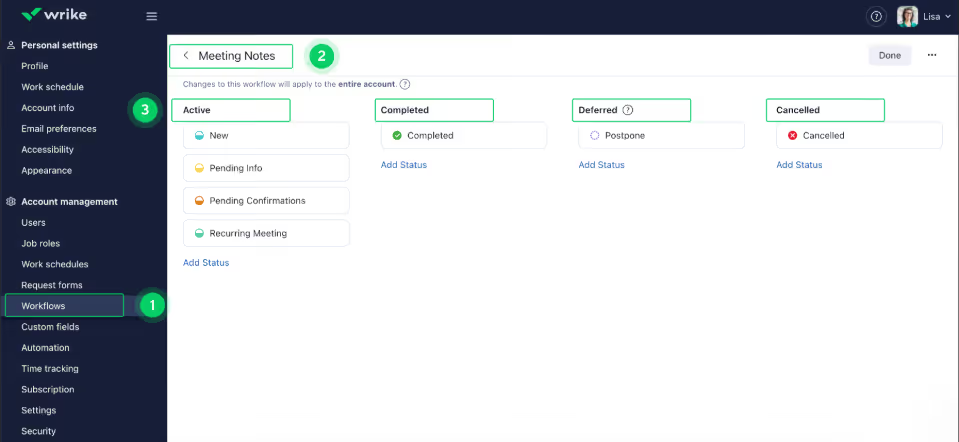
And if your team manages large initiatives, you can apply a single workflow to an entire project so all the tasks under that workflow goes through the same status changes.
Wrike provides a workload chart that shows you every team member’s assigned task.
With every task, Wrike attaches an effort value, could be hours or points, that displays the amount of work your team members have scheduled for each day.
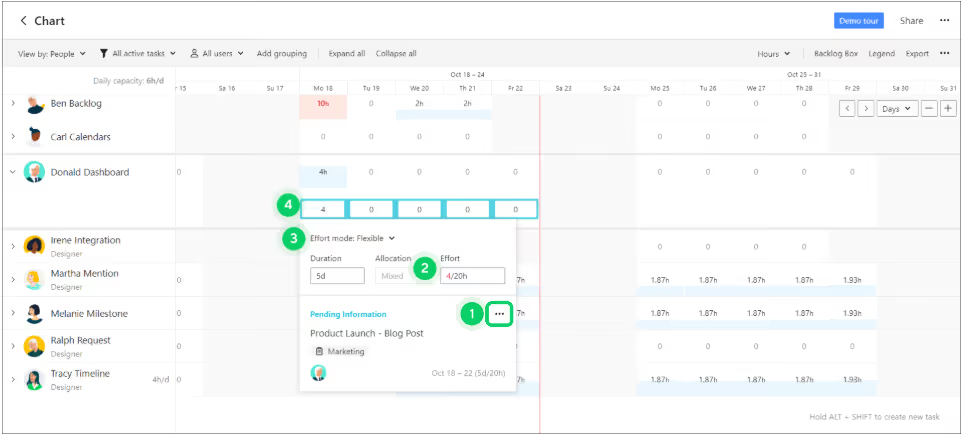
You can scan the chart to find team members with lesser work and ones with more tasks at hand.
Wrike uses these effort values to calculate workload. This means that besides seeing the numbers of tasks assigned to one team member, you can also see how much time those tasks require, to help you plan accordingly.
Wrike does not support white label features. You also can't bill or send invoices to your clients via the platform because there's no built-in billing feature.
While it's absolutely great at creative proofing (which you’ll only get if you subscribe to a Business plan or higher), you’ll still need separate tools for financial management.
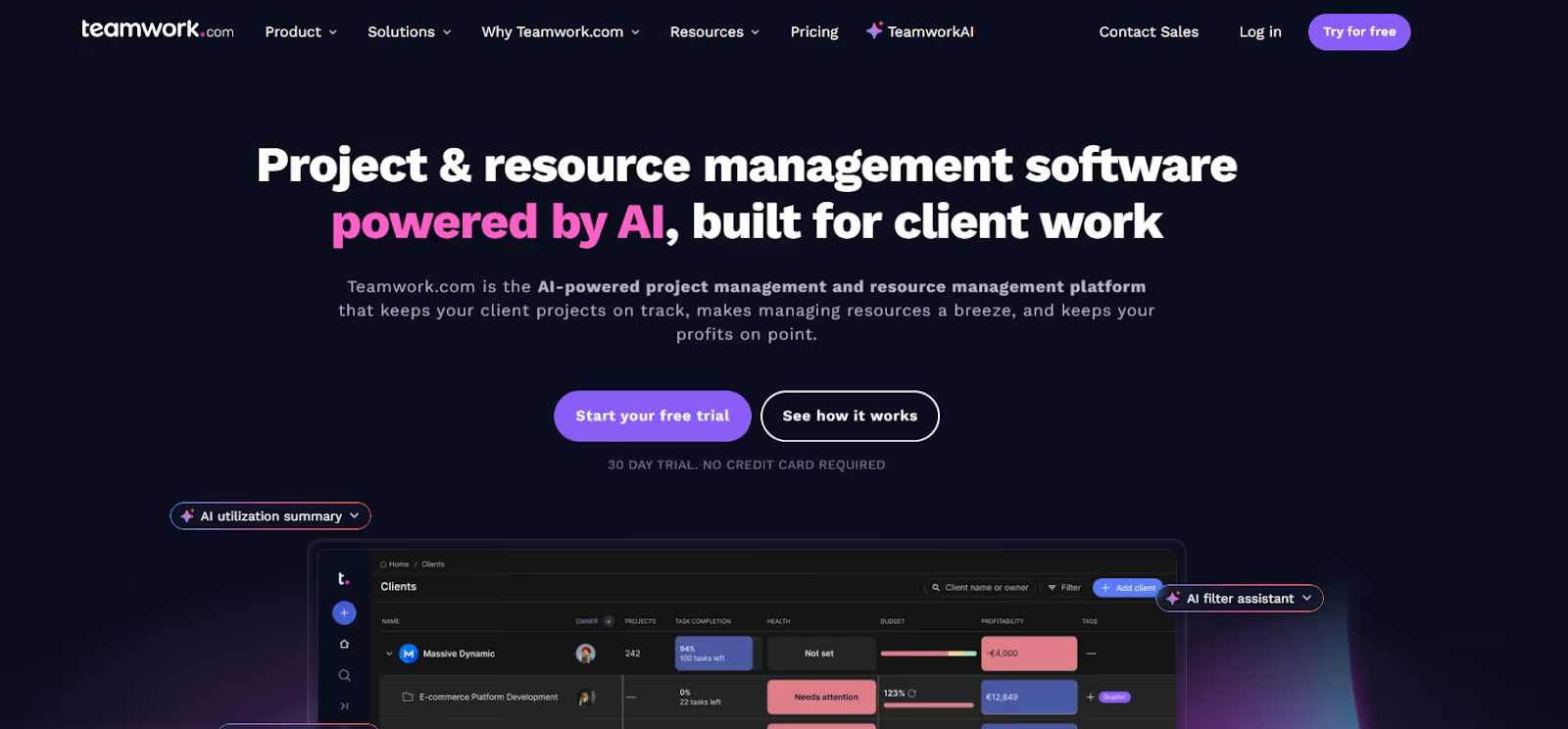
Teamwork is also an AI-powered project management tool designed specifically for client work. The platform understands that agencies need client access, project profitability, and billable time tracking alongside internal tasks lists.
So it offers everything.
Let's look at some of its features:
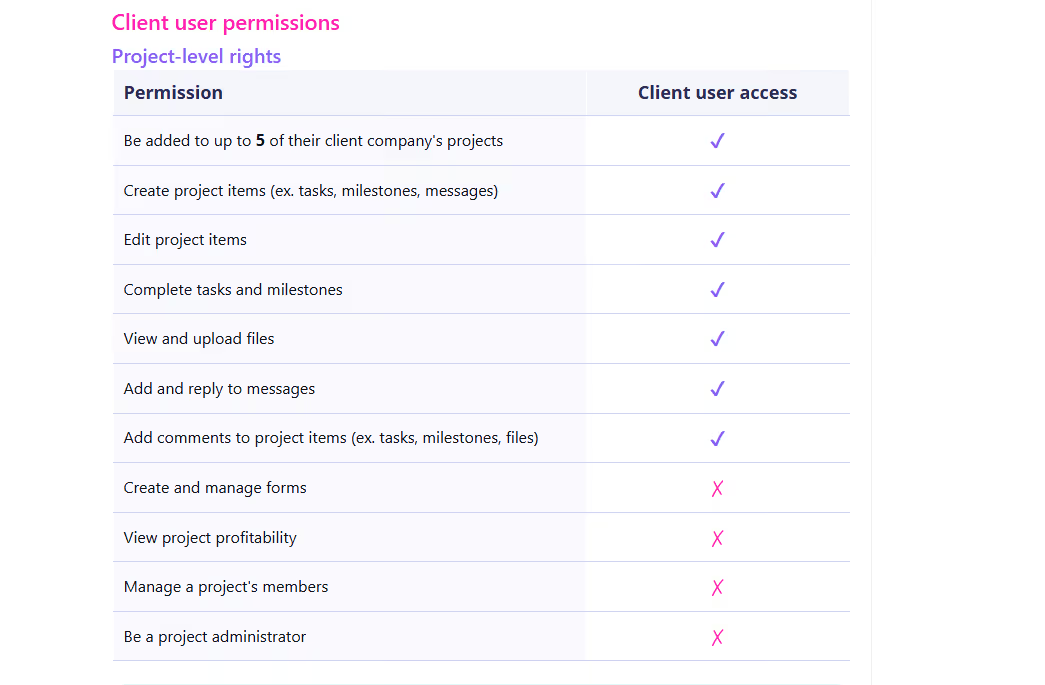
Teamwork lets you invite clients into your platform as limited-access users. The clients you invite can view selected projects, tasks, files, and milestones, but they can only see what you explicitly share.
When your clients join, they can comment on tasks and share files attached to these tasks. They can download deliverables and new assets too.
Teamwork also has proofing tools that lets your clients markup on images and documents. As with every basic proofing tool, they can highlight areas they want you to work on, and leave contextual comments on them.
Teamwork provides built in tools that lets you track your agency's profitability on a per-project and per-client basis.
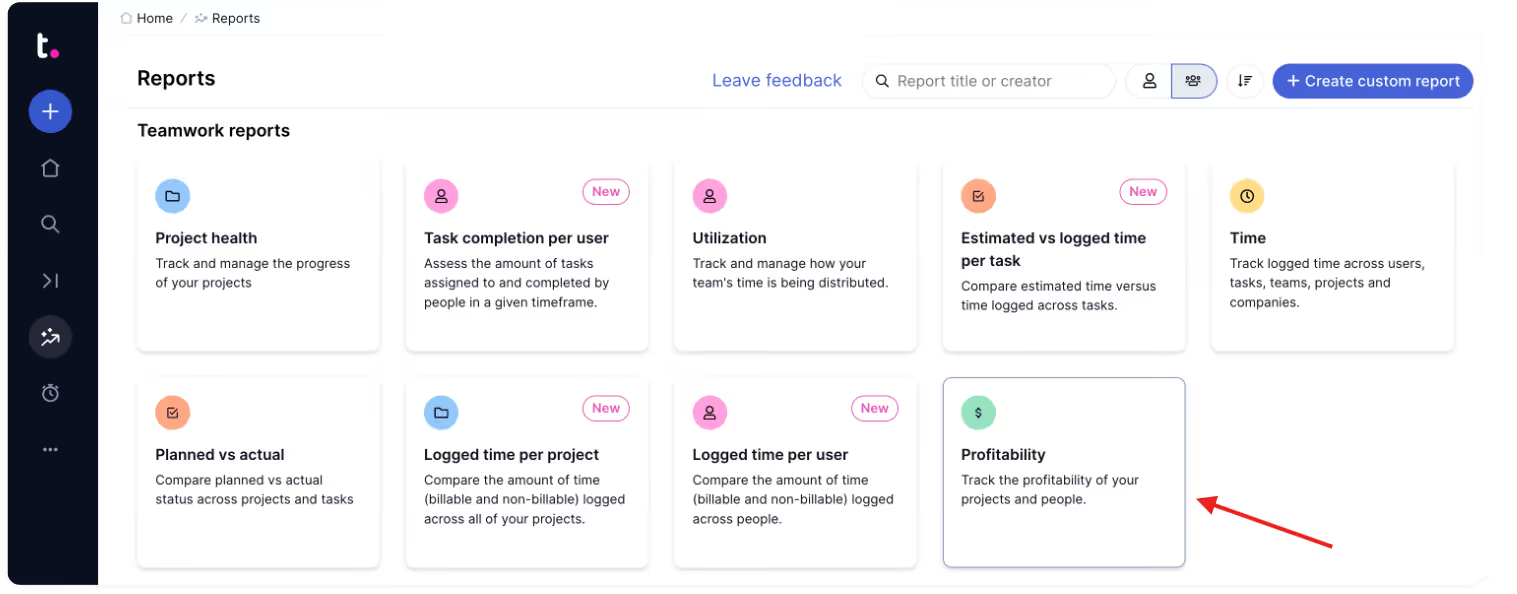
It also differentiates between billable time and non billable time.
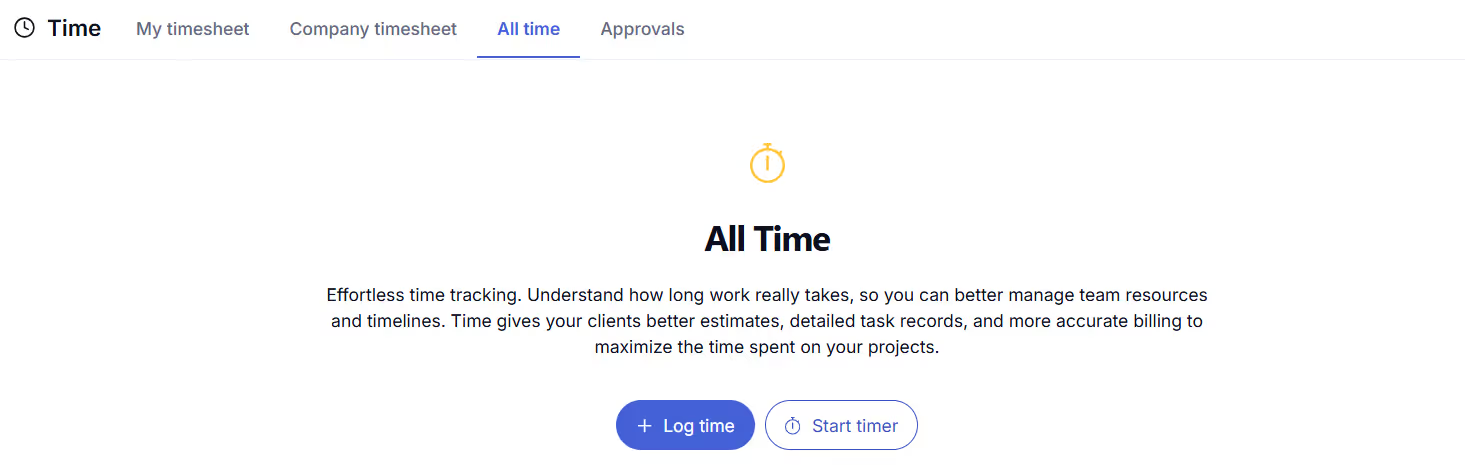
When your team members log hours on tasks, Teamwork applies predefined hourly rates to calculate how much revenue the project is generating (from billable time) and also how much internal cost the project is consuming (from non-billable time).
The system also gives each team member a custom billable rate and cost rate. When they input this rate, Teamwork uses them to calculate how much the client should be billed, and how much it costs your agency to deliver the work. This way, you know which roles have more impact, and which team member is doing the most work.
You can track time and set rates, but need separate tools to invoice and collect payment. The annotation tool is also quite basic compared to Wrike and ManyRequests.
The best project management tool for your agency depends on how you run your agency. Tools like Asana, ClickUp, Wrike, and Teamwork all deliver strong internal project management features, but they weren’t built for client-facing work.
You need to give your clients a branded experience, feedback loops, simple billing, and a system that keeps your projects, clients, and teams in one place.
And that's what ManyRequests offers. It combines white-label client software with project management, time tracking, billing, and design feedback in one platform, and you don't have to worry about add-ons or tool hopping.
You can sign up for a 14-day free trial(no credit card needed) to ManyRequests to see how it fits your workflow.
The software mentioned above, including ManyRequests, Clickup, Asana, Wrike, and Teamwork, are some of the best alternatives to Hive, with features like white label portals, built-in billing and invoicing, native design proofing, and time tracking.
No, Hive does not support white-label branding.
ManyRequests and Wrike (Business+ plans) do.
1. See how ManyRequests works in real life. Start a free trial and experience how productized agencies centralize requests, reduce chaos, and streamline delivery, without changing their entire workflow.
2. Read our Implementation Guide to launch smoothly with your team and clients.
3. Follow us on LinkedIn and YouTube for practical agency growth strategies
4. Check out The Productize Blueprint to learn how to turn your services into a scalable, productized offer.
Adetola Rachael Iyanuoluwa is a B2B SaaS writer and content marketer with 4+ years of experience creating SEO, human-focused content. She writes in-depth how-to guides and comparison articles content that help SaaS companies grow organic traffic and turn readers into customers. At ManyRequests, she produces practical, well-researched content that helps agencies and service businesses streamline operations and scale sustainably.

