Wrike vs ClickUp for Productized Agencies: An Honest Comparison (2026)
Wrike vs ClickUp comparison. Learn the pros, cons, pricing, and the best option for agency workflows.

Peace Akinwale
Wrike is an enterprise-focused project management tool with 4,492 G2 reviews and 4.2 star rating. It’s designed for structured, sequential workflow; where one task triggers the next in a pipeline of tasks. This helps multi-departmental teams enjoy workflows like custom automations & boards and complex scheduling features (think Gantt timelines, dependencies view, etc., among others).
ClickUp is the flexible "all-in-one" PM tool with 11,033 reviews and a 4.7 star rating. It’s designed for teams that want to structure their workload using different task views and also automate part of their workflow from scratch through its customization options.
Wrike vs ClickUp as project management tools do a lot of things well but are not exactly designed for agencies running productized services. I’ll explain.
In this article, I’ll explain more about how Wrike vs ClickUp handle project management so you can decide which tool you’ll go for. I’ll also introduce an alternative, ManyRequests, which can help you manage the operational side of your productized agency in a more centralized way.
Wrike handles projects where multiple teams execute tasks sequentially.
Let's say you manage projects where one team's work must finish before another team can start (say Figma designers → web/app devs → QA), you can use Wrike's dependent task notifications to automatically notify the next team when the preceding task is complete. You can even loop in a project manager to review each task before the next team starts their work.
This helps your teams collaborate faster without any oversight that could affect deadlines and project completion.
You can also automate approval processes for campaigns that require sign-off from multiple stakeholders. Loop everyone in, configure the automation, and every member will be notified of every update.
Wrike's dashboards are flexible. You can see every team member’s project status without manual tweaks.
You can build widgets that shows you "all projects due this week," "tasks blocked by dependencies," or "team capacity by department."
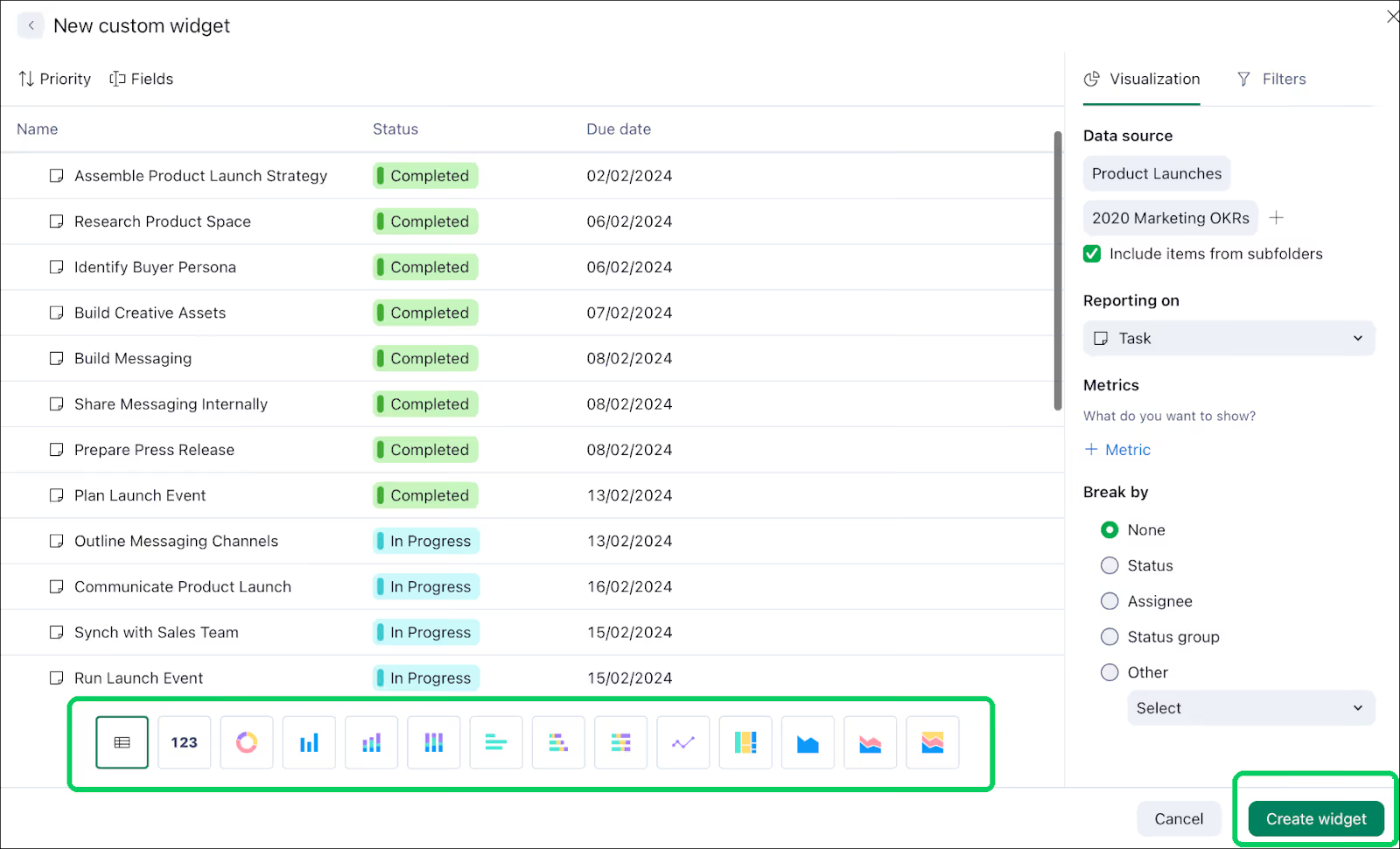
As a productized service agency owner or PM, this gives you a live view of workload without interrupting your team for status updates.
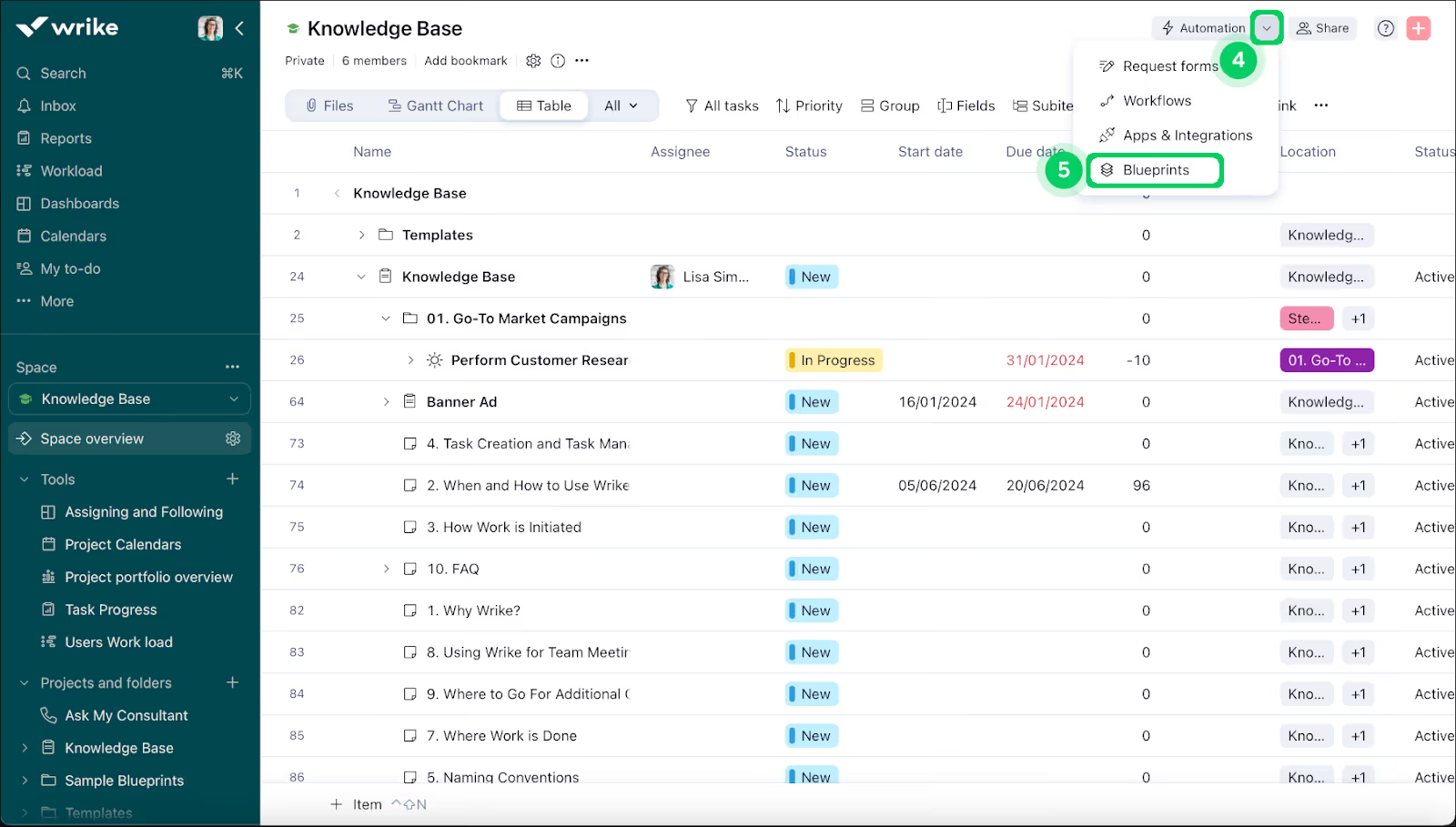
Blueprints are project templates that include repeatable tasks, dependencies, and timelines in Wrike.
Say you follow a specific onboarding process for every new client: the kickoff call, brand questionnaire, first brief.
Without Blueprints, you'd build that flow from scratch every time. You'd create a new project, add each task, assign owners, set deadlines, and configure dependencies manually, every single time you have a new client.
With a Blueprint, you duplicate the template, set the start date, and the entire onboarding flow populates with the right assignees, task order, and notifications already configured to the right person.
The same applies to campaign launches, monthly content production cycles, SEO audit workflows, and any process your team runs on repeat.
While these are real ways Wrike improves your PM workflow, I found some friction worth knowing about:
Wrike has a time tracking feature, but the $10/user/month Team plan doesn't include it.
Agencies that bill hourly must pay at least $25/user/month for the Business tier just to access the time tracking feature.
And even at $25/head, Wrike's time tracking doesn't connect to your hourly rates or generate invoices. You can log time against tasks, but Wrike doesn’t automatically convert those hours into invoices when you complete a project.
You'd still manually write invoices, apply hourly rates, and push them through QuickBooks or Xero, which add more hours to your administrative workload.
While an alternative like ManyRequests allows unlimited clients, Wrike only allows you 20 free collaborators or 15% of your total paid users, whichever is greater.
This means that if you have:
Once you exceed that free pool or your clients need more permissions, you’ll pay around $9/client/month per collaborator seat.
If you work with multiple clients and their major stakeholders need the client portal access, this becomes a recurring monthly expense that scales with your client base.
At the time of writing this article, more than 327 users describe Wrike's interface as cluttered and less intuitive.
Grace M., a small business owner, writes that "key features are hidden behind small icons and dropdown menus such that you have to click around before you get used to the dashboard."
Other users flag that Wrike is particularly hard for non-technical teams and clients, requiring "intentional onboarding effort to get people productive." This means that if you don't actively push your team to adopt it, they won't use it the way you expect.
Lauren S., a developer, adds that "customer support can be slow and occasionally generic, which is frustrating when we hit a blocker."
Wrike doesn't have invoicing or billing capabilities. For agencies running productized services, this means you can't:
ClickUp Docs is probably one of the best things about ClickUp.
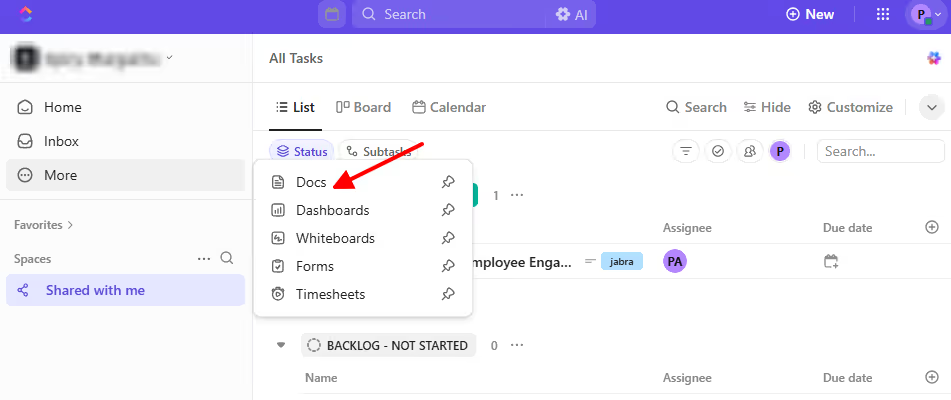
It lives alongside your tasks, and you can create SOPs, client documentation, meeting notes/summaries, and any type of knowledge bases in Docs, then link them to related tasks. For example, I created this doc, and I can easily copy the link and attach it to any task, other docs, and even knowledge bases.
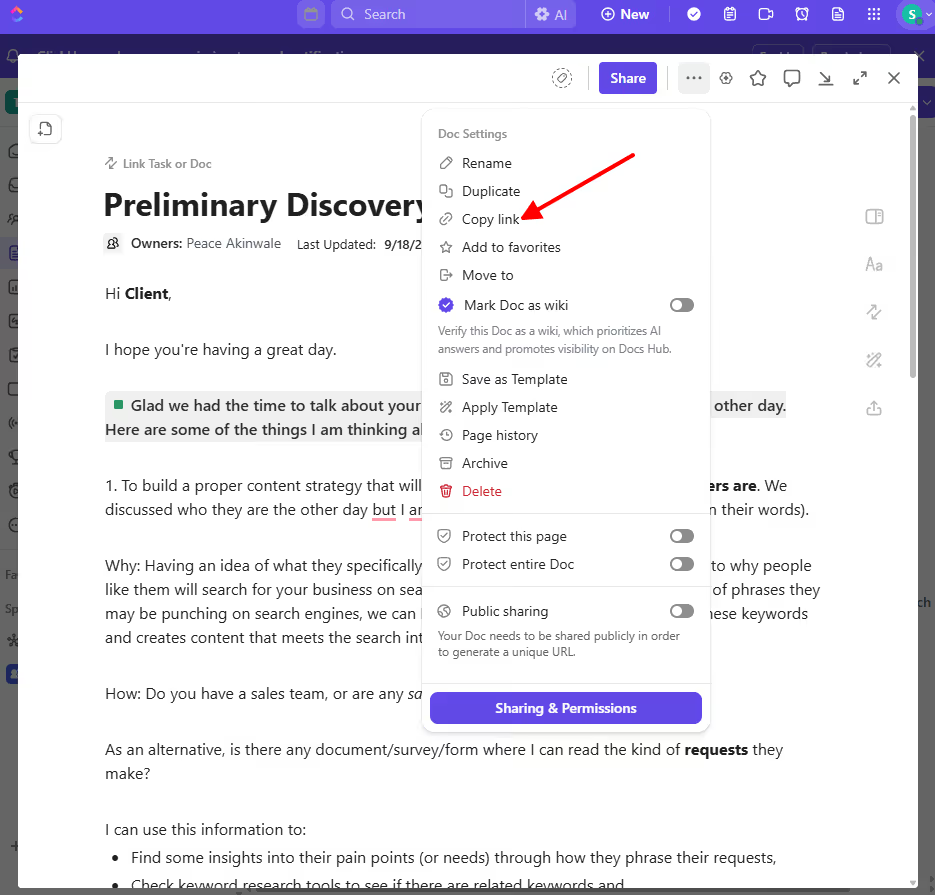
With this, when someone asks “how do we handle client revisions” or “what did we discuss on our last call?” I can easily send them a link.
The highlight of Doc is that your team can find necessary information where they already work without opening another tab for Notion.
ClickUp has multiple views for work. It has List view for task lists, Board view for Kanban workflows, Calendar view for deadlines, and Gantt view for timelines.
This flexibility is a plus if you have a team with different roles and they prefer to work via different formats.
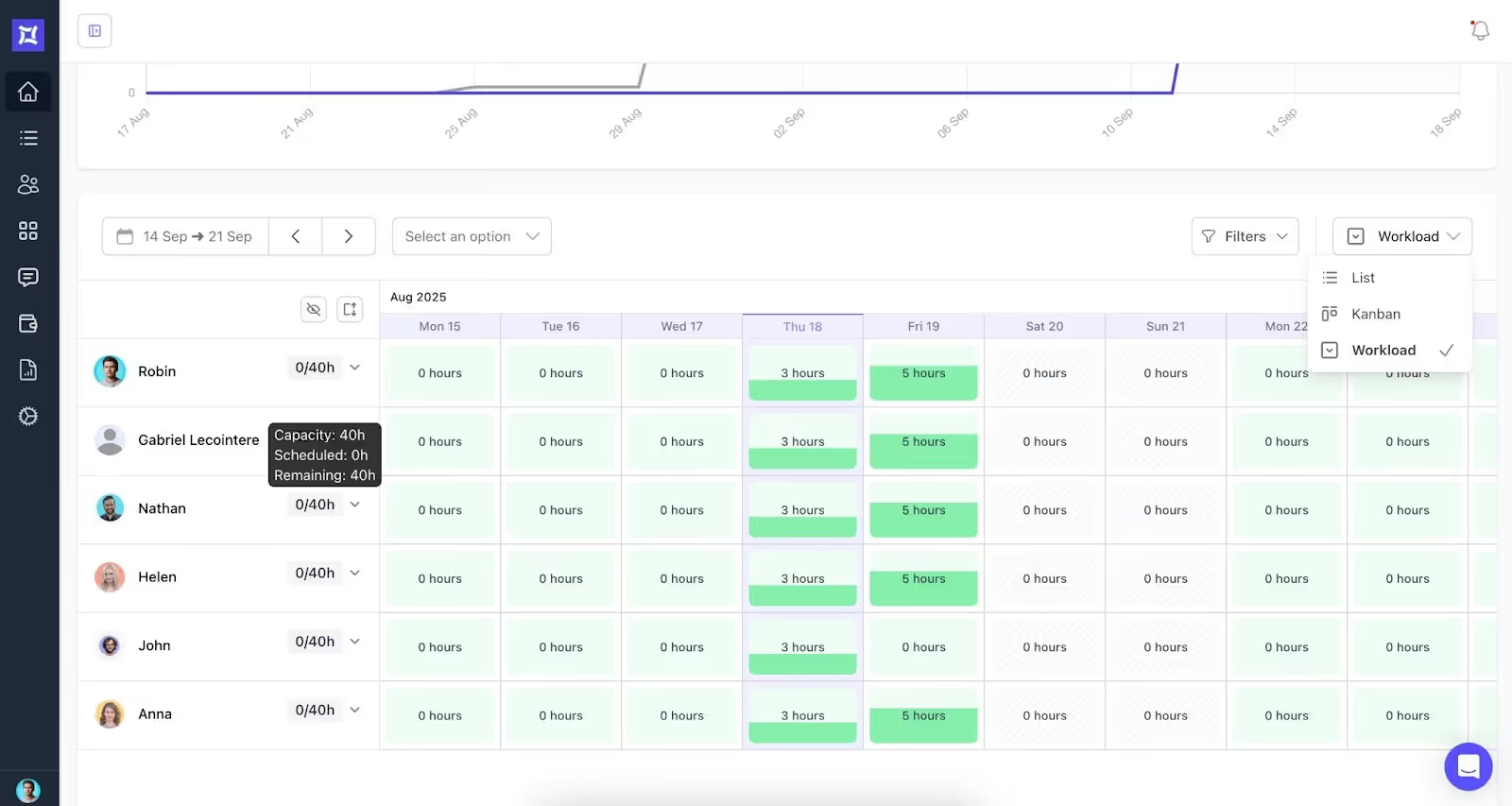
ClickUp's Workload view shows the number of tasks each team member is assigned and whether they're over capacity.
When someone has 40 hours of work but only 30 hours available, you can redistribute their tasks to balance the load. This prevents burnout and keeps your team productive and happy, culture-wise.
For agencies with multiple clients, a balanced workload also means you get to avoid missed deadlines or delays caused by overworked team members.
ClickUp has 100+ pre-built workflows like "when status changes to Completed, assign team leader and send email to xyz" or "when form is submitted, create a task from template and notify assignee."
This reduces reliance on external automation tools like Zapier, and can make your team work a bit faster without administrative delays.
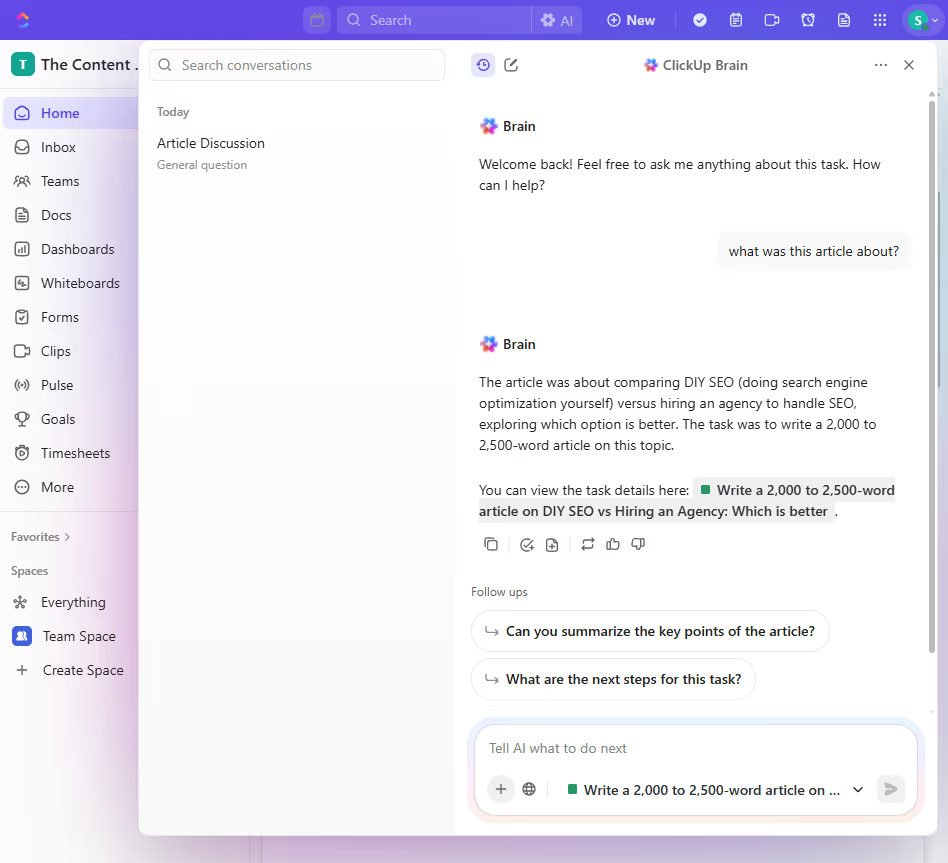
It also has ClickUp Brain, which you can use to ask any questions in your entire platform. For example, I highlighted an article I added to ClickUp and asked the AI what it was about. The AI read the brief ad task conversation and answered:
ClickUp has tasks, wikis, docs, goals, forms, time tracking, dashboards, and chat in one platform.
Previously, you'd most likely used different tools for all these jobs-to-be-done. With ClickUp, one tool replaces everything.
However, it has its cons too.
Unlike Wrike, ClickUp includes time tracking on most of its plans.
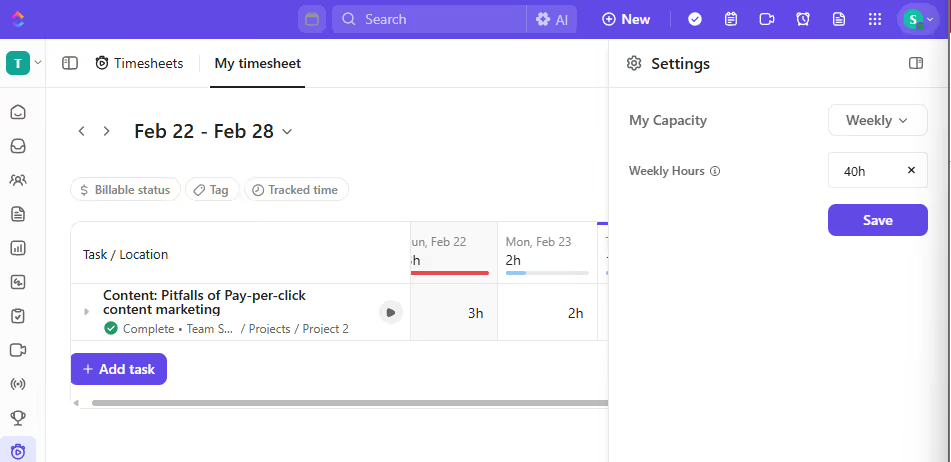
You can track time directly in the relevant tasks, manually enter time entries, or use the browser extension to track automatically. You can even set a specific weekly capacity so you don’t overwork yourself:
However, ClickUp does not have a timesheet locking functionality. After your team submits timesheets for review, employees can still edit those hours before invoices are created.
And like Wrike, the time tracking feature doesn't automatically populate your hourly rates. You can track the hours, but you can't convert them into invoices.
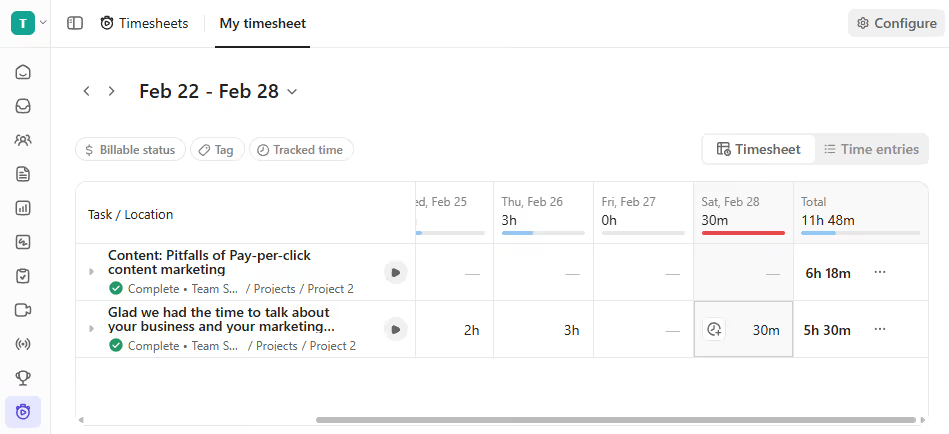
You’d have to export this raw data and create invoices in a third-party tool.
ClickUp does not have an actual client portal; you’ll get a workaround. You would have to manually:
There's no templated client portal, no automatic provisioning or an onboarding flow. When you have 10 clients across 30 projects, you'll repeat this manual setup 30 times.
The pricing structure, especially for guests, is a bit confusing, and it can cost you hundreds of dollars. Let me explain:
ClickUp has three types of guests: view-only guests, permission-controlled guests, and Free Forever guests.
View-only guests are unlimited and free on all paid plans; they can only view the folders/content you share with them.
But permission-controlled guests (guests who can edit, comment, or have full permissions) are only free up to your plan's included allowance. So if you have 5 paid members, you get 5 free permission-controlled guest seats. If you have 10 paid members, you get 10 guest seats.
However, once you exceed that number, ClickUp automatically charges you for a new paid member seat. They said it:
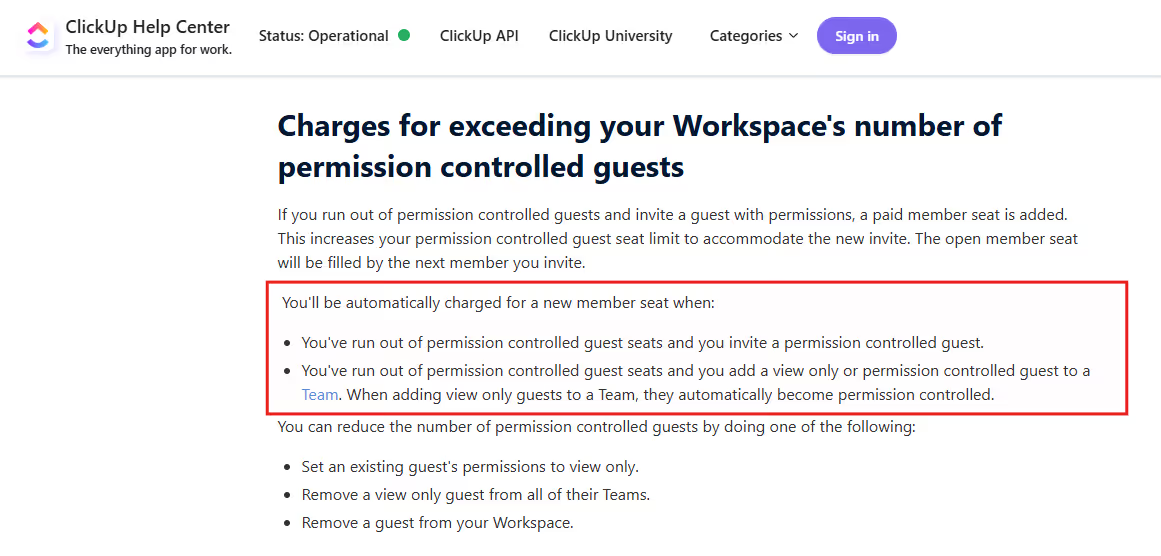
This new seat costs the same as a standard member (e.g., $10 upwards), depending on your plan.
Being charged isn’t the problem; not being notified in advance is.
An agency owner’s bill went from $144/month to $1200+/month because of this, which is a shocker, given that their team only used ClickUp to perform one task status update per week.
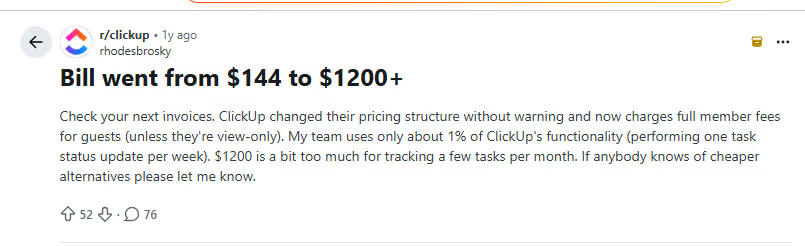
Another agency owner said their bill jumped from $150 to over $1,000 after adding contractors to projects.
There's another gotcha: if you add a view-only guest to a Team, they automatically become permission-controlled, which can trigger billing if you're at your limit.
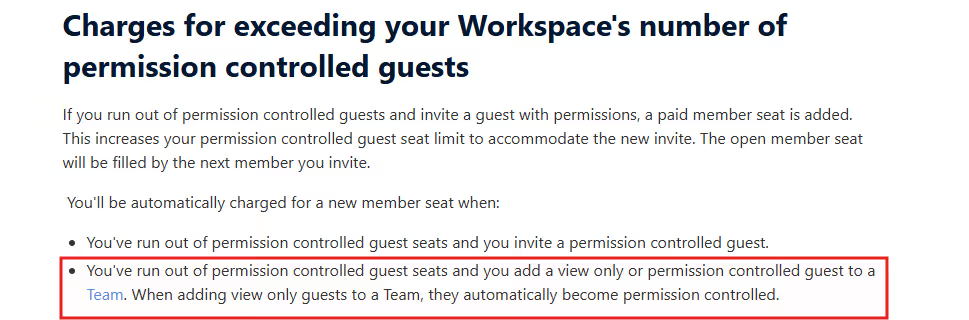
So if your agency regularly collaborates with contractors, freelancers, and clients, this creates budget risk.
Most agencies operate on the Unlimited ($10/user/month) or Business ($19/user/month) tiers.
This means clients will see ClickUp branding on links, public forms, dashboards, and the entire interface, even if you wish to customize it.
If you upgrade to Enterprise because you don’t want the ClickUp branding, you’d still see it. That’s because:
Some annoyed users wrote about how frustrating it is to have ClickUp’s branding everywhere, even in their URL, which is “a huge letdown.” Adamo, a user, wrote:
“As I implemented Clickup in my company I found a lot of opportunities to use it with my clients but being unable to White Label at the Business level is a huge letdown. Shared links don't even display the title of the document or view, just looks like a huge ClickUp advertisement. I really hope you address this soon.”
So if you need white-label client portal feature, consider an alternative.
Like Wrike, productized service agencies must integrate external accounting software to handle their billing needs. There's no:
For agencies running productized services, you need more than Wrike and ClickUp offer.
The Wrike vs ClickUp alternative is ManyRequests, a client portal with project management and CRM solutions for your agency.
ManyRequests was designed specifically for productized service agencies selling recurring, packaged services to clients. An example is Hatchly, a graphic design as a subscription service. Take a look at their how it works page to see how ManyRequests helps agencies personalize the client side of the project management experience.
How does ManyRequests do these:
Unlike Wrike and ClickUp, ManyRequests provides an actual client portal that you can onboard your clients to.
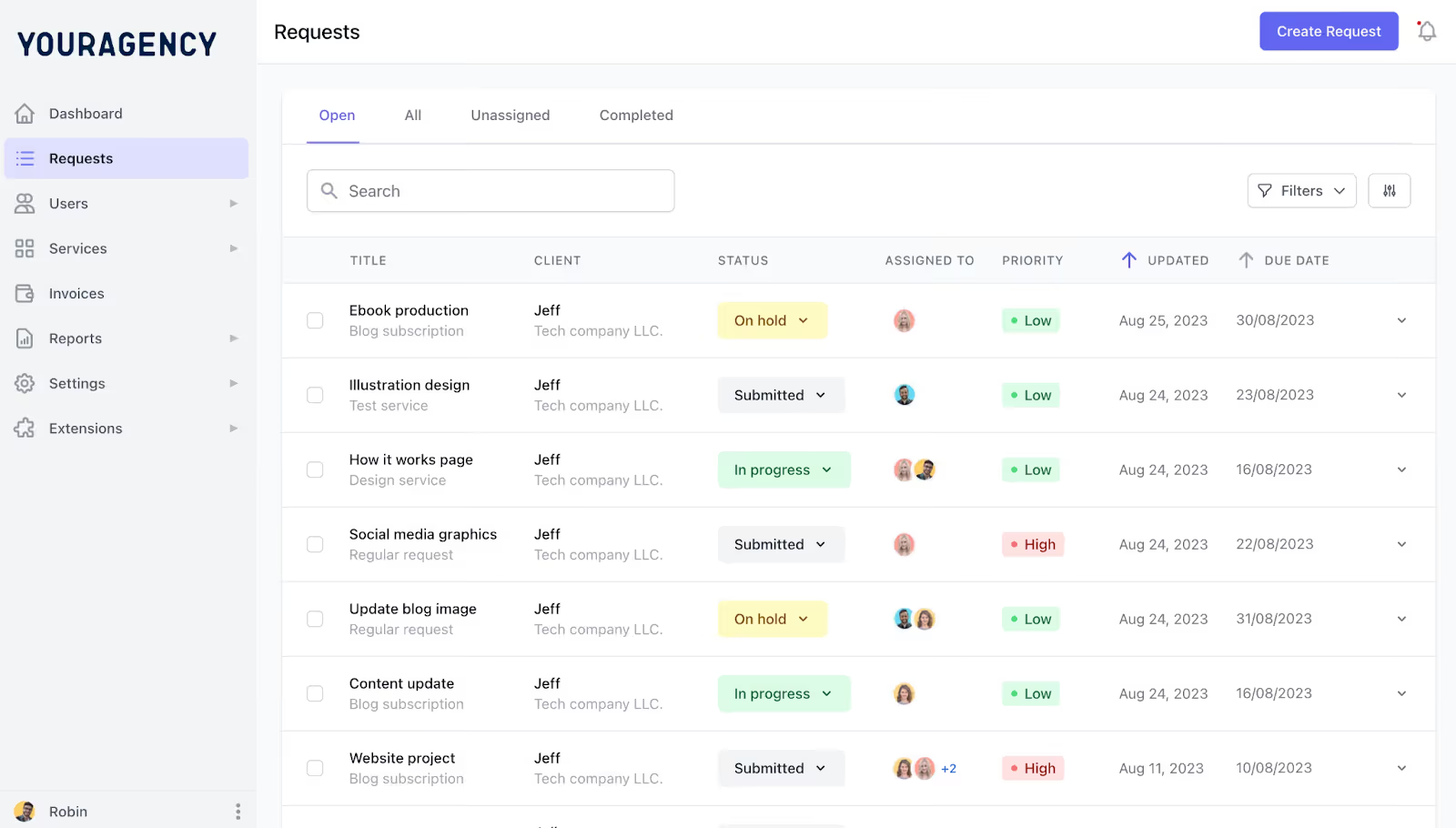
Clients can log in at your custom domain (e.g., peaceakinwale.com), not clickup.com/peaceakinwale or wrike.com/external. They can fill your custom order form to get started, especially if they just browsed through your services from your website.
You can also customize your brand: domain name, logo, color scheme, and interface design.
The client portal is also where clients can submit service requests through your designed custom intake forms. You can customize the form to capture all the information your team needs upfront, including:
You can route these requests automatically to the right team member(s) based on the assigning rules you configure.
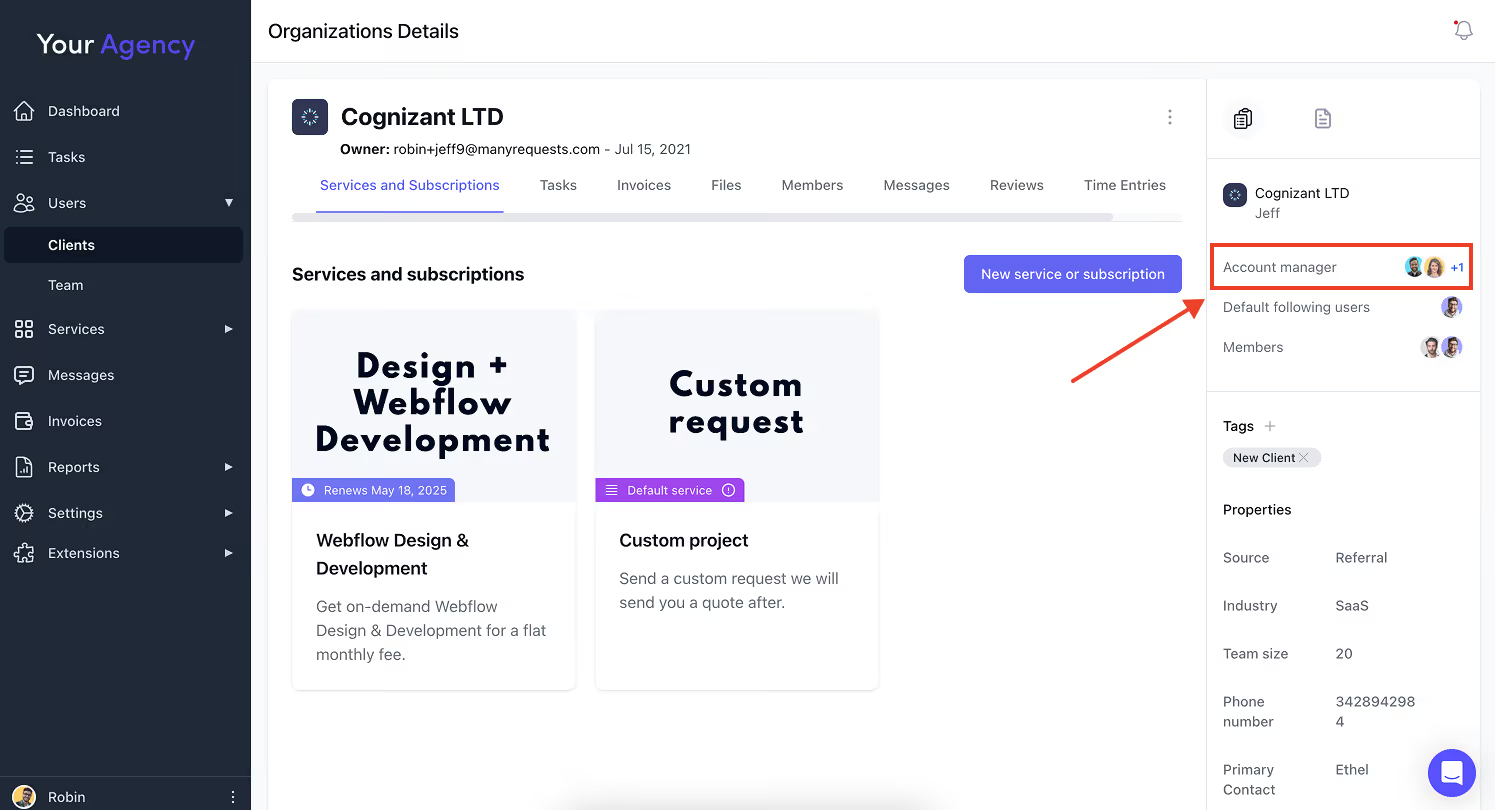
You can also add as many clients as possible to your portal, so there’s no friction like Wrike vs ClickUp does.
ManyRequests has a design annotation feature to collect and organize client feedback.
For design projects, clients can mark up mockups, images, or PDFs with precise comments so the assignee can know exactly what to do. For example:
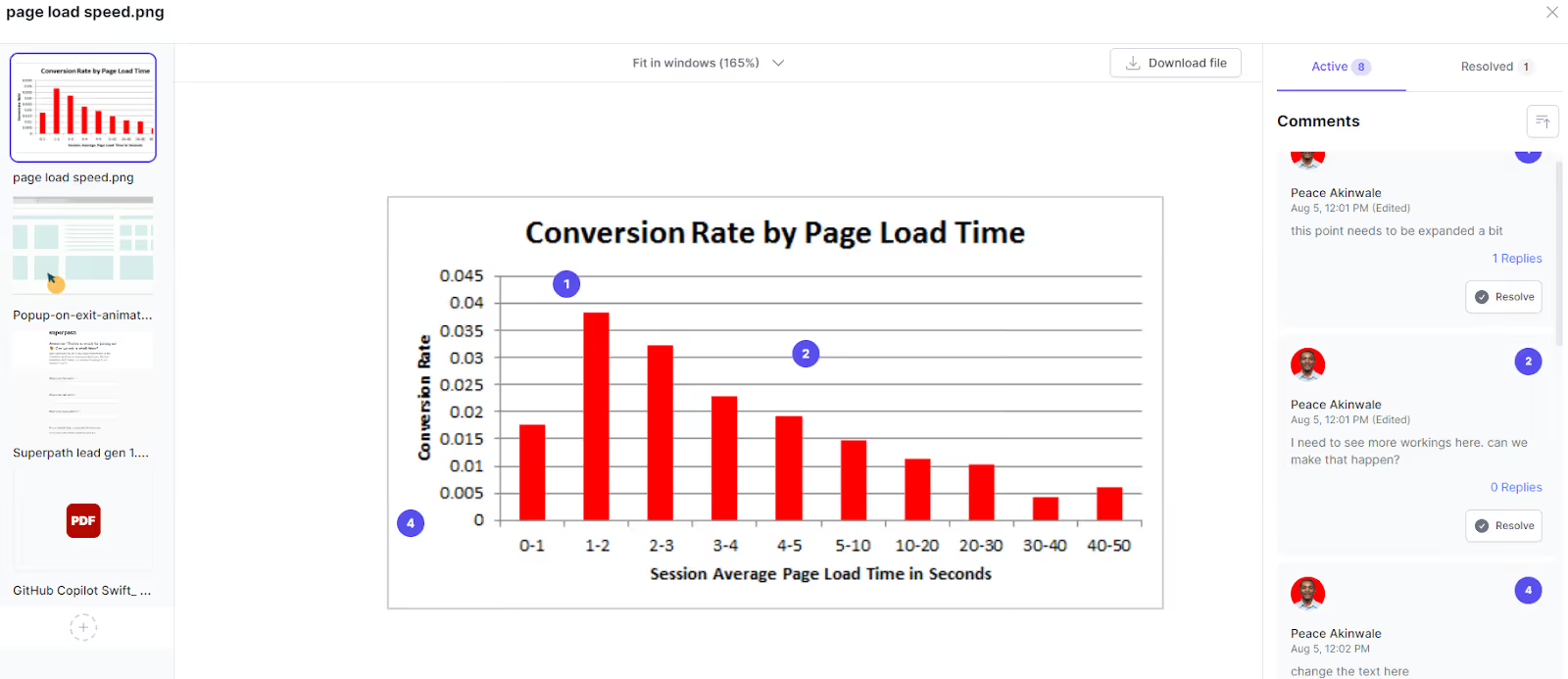
Here, the assignee would just click on the balls (figures 1-3) to check the full comment and take action.
This eliminates the confusion screenshots with arrows bring (especially when you take feedback via email). Clients can use this annotation tool to show exactly the part that needs to be redesigned so your designers have full context.
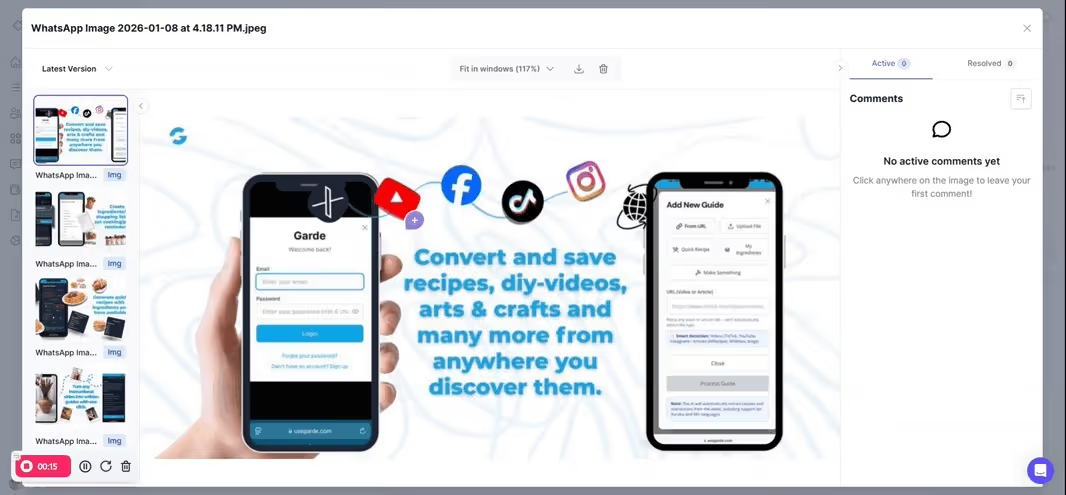
Beyond direct annotations, you can embed Figma files directly in ManyRequests using iframes. This means clients can review live designs in the platform instead of clicking external links or downloading files.
Because ManyRequests allows users to productize their services, you can use it to support your subscription services. Here’s what it could look like:
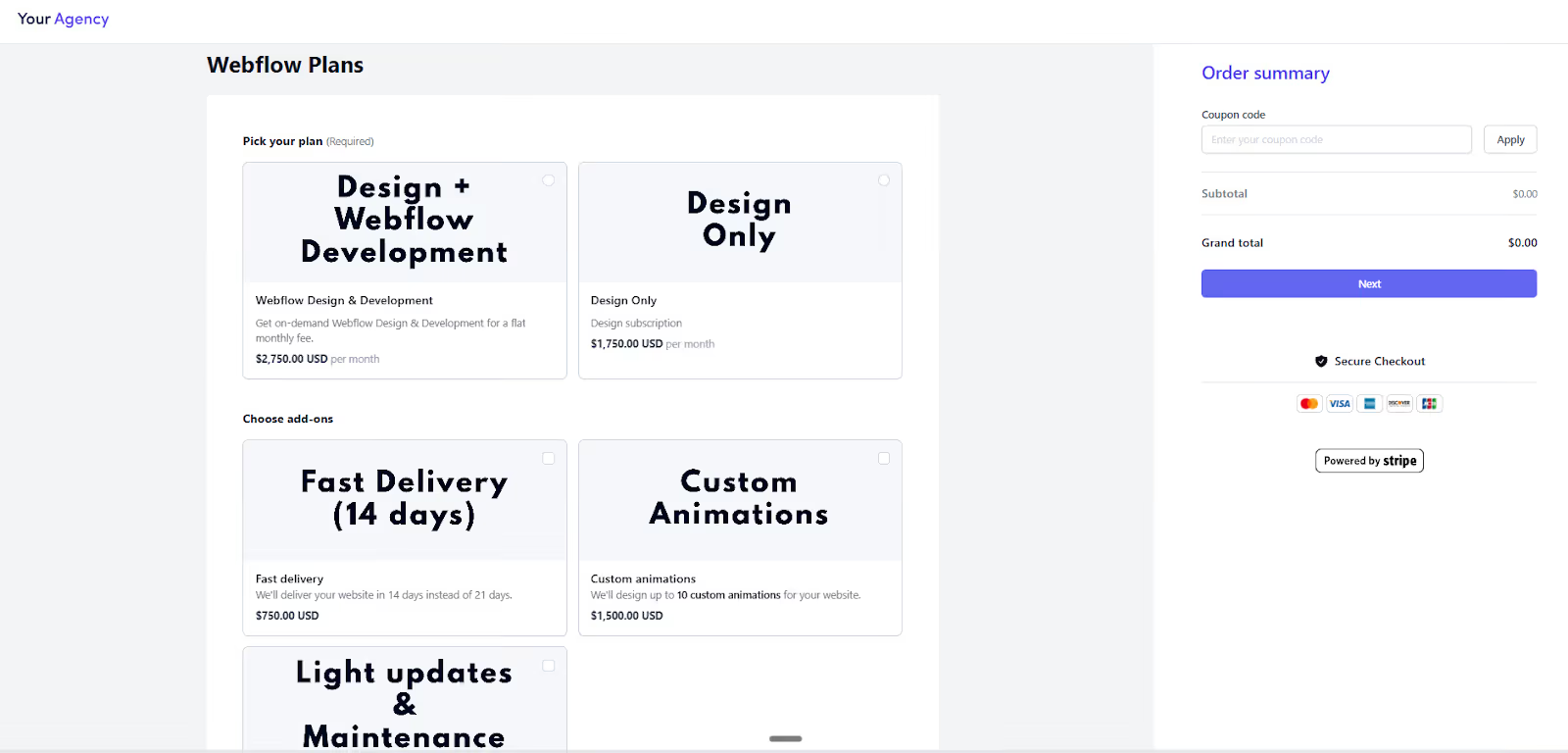
ManyRequests supports weekly, monthly, or quarterly recurring pricings. It also supports one-off payment and hourly payment structures, whatever works for you.
Here, you won’t need to integrate with QuickBooks or Xero. When you create a service in the Service Catalog, you set:
Your checkout page can look like this, and your services will look like this, especially if you embed it on your website:
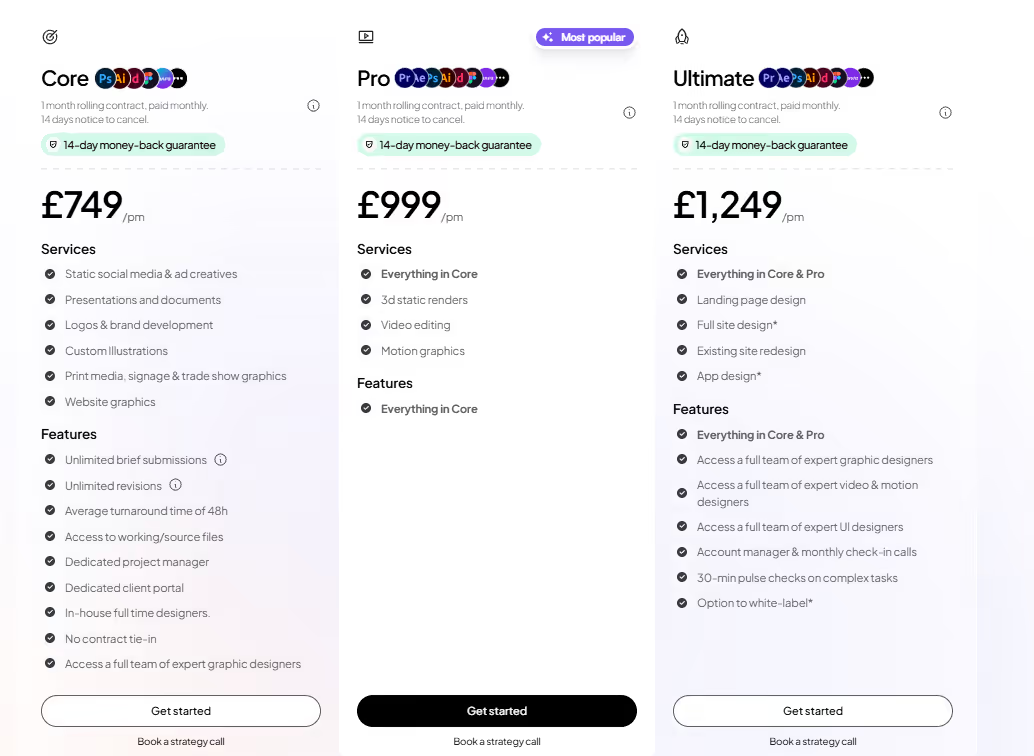
When clients purchase these services directly through the portal (or on your website), they can manage their subscriptions:
This way, you're not manually creating invoices every month or chasing down payments. The system handles recurring billing automatically through the Stripe integration.
If you're tracking time, ManyRequests automatically populates invoices with your hourly rates. Log your hours, and the system will create the invoice and send it to your client. No manual exports, no spreadsheets.
Sharon, J. who gave us a 4.5 star rating on G2 wrote that we are “a bit costlier compared to other options.” And that’s because we have a lower cost of ownership long-term.
Some context, the Core plan at $59/month replaces:
So, it’s an upside.
Wrike and ClickUp are project management tools to collaborate with your team, track tasks, and manage internal operations.
But if you run a productized service agency, where clients pay for recurring services, you need a branded portal they can navigate, and a tool to automate chores like invoicing and onboarding.
With ManyRequests, you can.
You can use the client portal, intake forms, white-label branding, etc. to manage your agency operations in one place. This way, you’re not switching between platforms even for the slightest thing as messaging your client because ManyRequests has a messaging feature as well.
Start your 14-day free trial. Just onboard your team and set up the portal for 14 days to see how you can potentially manage your team’s operation going forward.
1. See how ManyRequests works in real life. Start a free trial and experience how productized agencies centralize requests, reduce chaos, and streamline delivery, without changing their entire workflow.
2. Read our Implementation Guide to launch smoothly with your team and clients.
3. Follow us on LinkedIn and YouTube for practical agency growth strategies
4. Check out The Productize Blueprint to learn how to turn your services into a scalable, productized offer.
Peace Akinwale is a B2B SaaS content writer and strategist who creates BOFU content and how-to articles that drive measurable growth for software companies and agencies. Over six years, he's worked with clients like Marker.io, Pangea.ai, Spicy Margarita agency, and HigherVisibility to turn technical topics into content that converts, and has helped a client achieve 233% organic traffic growth within six months of taking over their blog.

