Free Project Management Scope of Work Template [Docs / DOCX]
If your client has ever asked for more after you completed the project, it means you delivered the work, but your client's expectations differed completely from yours.
This happens when you don't scope the project properly before you begin. A strong scope sets the rule for the project upfront, and your client knows what they’ll get.
Let's see how to write one (with a free template you can use right away).
What is a Project Management Scope Statement?
A project scope statement defines the entire playing field before the project begins. It lays out the content of the project you’ll deliver, what's included and not included, when the project is due, and who approves what.
It states the project’s goals, tasks, timelines, constraints, and deliverables before it starts to avoid ambiguity. For instance, if your client asks for something unexpected or your team loses track of the goal, you can circle back to the scope to know and follow what's been agreed on.
Why You Need a Project Management Scope Statement
A strong project scope statement protects you in three ways generic project briefs won’t:
1. Stop Scope Creep Before It Starts
Scope creep usually starts small; a client asks for a quick copy tweak or one more round of revisions after you’ve signed-off on the project.
At first, it may not feel like a big deal, but if you're stuck doing extra work because you didn't write your scope clearly, you could end up like this Reddit user, whose client dragged a project for over a year:
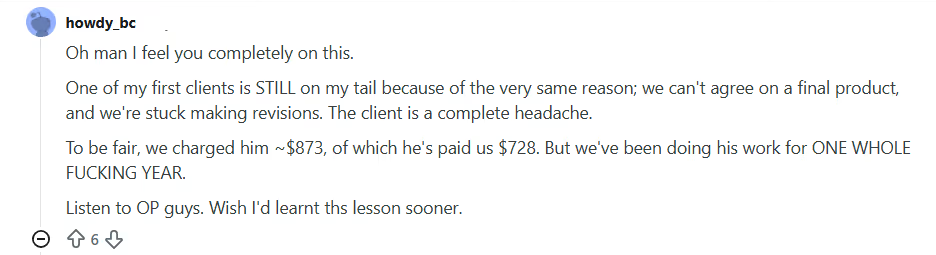
There’s a difference between good service and unpaid labor, and you may find it hard to draw that line if you don't have a clear scope statement.
Your scope statement helps you define exactly what’s included in the project and what’s not. You can break down deliverables, assign limits to tasks (for example, two rounds of revisions), and point to those terms if extra requests show up.
Better yet, if you use ManyRequests, you can list your services and what each of those services include in the ManyRequests service catalog.
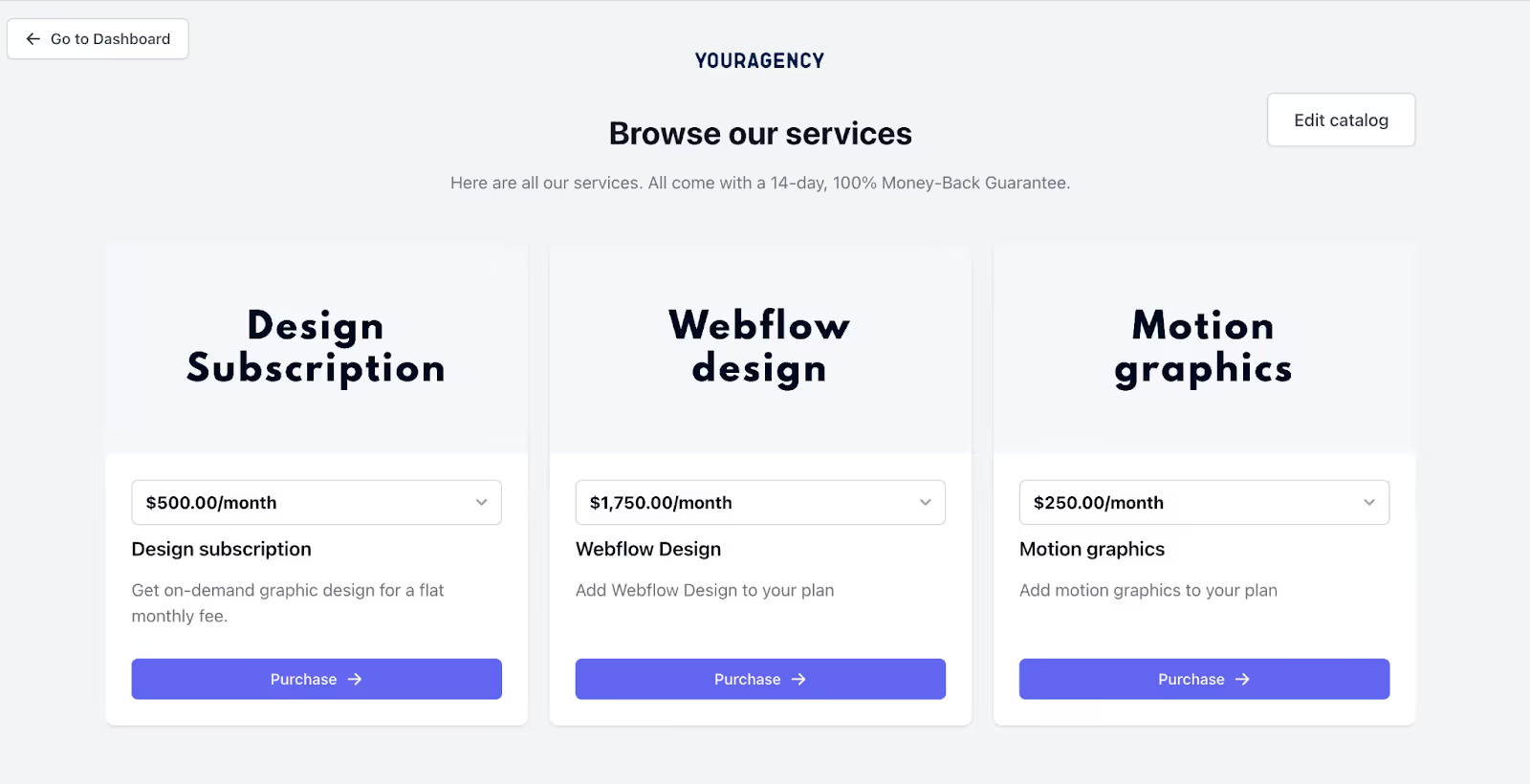
You clients can go through the list of offerings in each productized service, determine if that's what they want, and pay for the service.
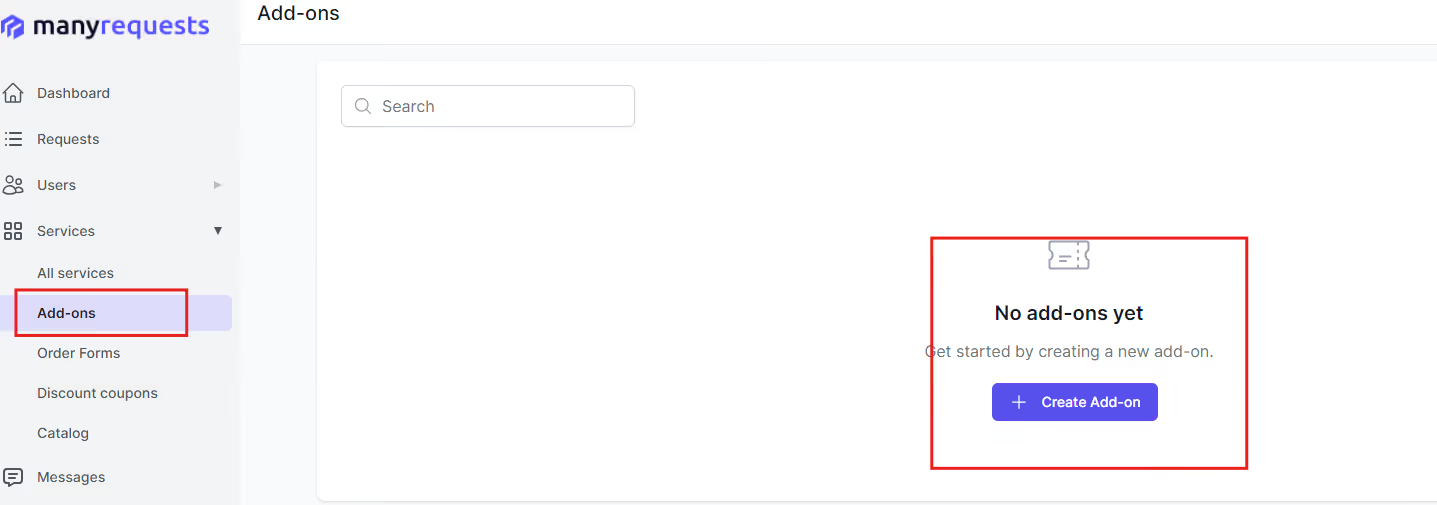
You can also add that add-ons or extra rounds of work incur extra costs and will be billed separately (you can also use ManyRequests add-on feature for this).
2. It Aligns Client Expectations From Day One
Projects derail when expectations aren’t clear.
Your clients may assume that you’d deliver ten pages when you plan on delivering (or maybe you even mentioned it that you’d deliver) five pages. A project scope is a written document that you can refer to when situations like this happen.
Your project scope statement states:
- What you’ll deliver.
- What you won’t.
- How long it will take.
- What success looks like.
3. It Creates Clear Communication Protocols
Every project needs clarification on who gives feedback, how and where they give it, how many versions are allowed, and even the format for final delivery.
Your project management scope of work sets clear rules on these conditions, and it keeps everyone aligned and in the loop of what's going on with the project.
Creating Your Project Management Scope Statement
A good scope statement doesn’t need to be long. It just needs to be clear. It should outline what you're delivering, when you're delivering it, and under what conditions.
Here's how to structure one, and what each section should include:
1. List Every Project Task
Map out every step it takes to complete the project, to help you and your client see the full picture.
For example, if you're redesigning a website, your task list might look like:
- Kickoff call.
- Research and strategy.
- Wireframes.
- Design drafts.
- Revisions.
- Final delivery.
A project management scope defines these tasks with clear timeline. And when everything is listed upfront, your clients can’t bring in extra work under the guise of the main project.
2. Define Key Assumptions
Assumptions are the unspoken agreements that keep the project moving. But when they’re not written down, they cause delays.
If you’re building a landing page, you might assume:
- The client will provide brand assets (logos, fonts) by a specific date
- Approval turnaround is 48 hours
- Hosting and domain setup is handled on their end
Include these assumptions in your scope statement to clarify what each side is responsible for.
3. Spell Out What’s Out of Scope
Out-of-scope work is anything you won’t be doing under the current agreement.
When you're writing this section, be specific about the tasks that will not be part of the project.
So, don't just say “additional revisions not included”, add how many revisions you’ll provide. So write something like this instead:
- “The project includes two design rounds. Any additional revisions will be billed at $X/hour.”
or - “Copywriting is not included. Client is responsible for final text.”
You can add these extra services to your ManyRequests Service Catalog as optional add-ons, so clients can easily request and pay for them if they need it.
4. Include a Project Timeline
Clients love visibility, so you should create a timeline that they can see to build the trust they have in you and keep their expectations realistic.
To do that, break your project into phases with estimated delivery dates. For example, your
- Week 1 could be Kick Off,
- Week 2: First Draft, and
- Week 3: Working on the Client Feedback.
5. Note Any Constraints
Add any constraints that may affect the project success along the way. These are boundaries like budget, tools, tech stack, or maybe your team size.
So add sentences that:
- “This project must be completed within a $5,000 budget.”
- “Design will be created using Figma only.”
- “Client must provide feedback within 3 business days to avoid timeline delays.”
When you outline constraints early, you protect your team from unrealistic expectations later.
6. List All Deliverables
Your deliverables section should include exactly what the client will receive at the end, down to the file types and formats.
Here are some examples of how specific you should be:
- “Final website files in Webflow, plus a style guide PDF”
- “Three edited videos, 60 seconds each, in .mp4 format”
This helps clients visualize the outcome, and it also gives you a reference if they ask for extras after delivery.
7. Define Approval Points
Finally, identify all the approval stages. This includes:
- First draft review
- Revision cycles
- Final approval before handoff
Add every stage where you’ll need approval from the client before the project can move forward so they're prepared for it.
How To Use Our Free Project Management Scope Statement Template
Here's how to customize our free project management scope statement template to fit your agency's needs:
- Download the template from our website.
- Edit the text to add your business name and logo.
- Fill in all highlighted spaces and italicized words with your information
- Add the specific services you'll offer your client
- Review it with your team members
Conclusion
A strong scope statement protects your team and aligns your clients to your services. It also helps you set clear boundaries before you start the project, so you're not stuck on last minute requests halfway through delivery.
With ManyRequests, you can create and share your scope statement with your client through a client portal. You also get a project management portal where you can manage your team and every assigned work from one dashboard, and you can do all of this in one platform.
If you're curious, you can try ManyRequests for free for 14 days to see what it is like, and you don't even need to submit your credit card.

.svg)