Client Reporting Software for Creative Agencies: A Complete Guide (2026)
Discover client reporting software designed for agencies that want clarity, transparency, and fewer status calls.

William Nzewi
.avif)
This guide will help you choose the right client reporting software for your agency. Together, we'll evaluate what effective client reporting software looks like and how to choose a tool which improves visibility, trust and delivery.
Do well to read to the end, especially if you're an agency founder (or owner), operations lead or a client-facing manager.
So…
When people hear “reporting,” they often think of charts, graphs and dashboards full of numbers.
That idea comes from business intelligence (BI) tools. And for creative agencies, that's not the exact reality.
Client reporting, for creative agencies, also involves showing progress to clients. How their requests or projects are coming along. This is because most clients in the creative space care more about answers than charts.
Client Reporting is About Work, Not Metrics
Good client reporting starts with the work itself.
Clients want to see:
And not:
Yes, velocity charts and its cousins may help internal teams improve. But clients rarely ask for them. They just need the assurance that things are moving forward.
Internal Reports vs. Client-Facing Reports
This is where many agencies get stuck.
Internal reports help teams manage:
Client-facing reports help clients understand:
These two reports should not look the same.
Sharing internal dashboards with clients often creates more questions than answers. It exposes details clients don’t need and hides the ones they do.
Therefore, client reporting should be designed for non-agency people. Simple language, clear statuses, no internal jargon.
What Clients Actually Care About
Across most creative agencies, client questions fall into a few clear buckets:
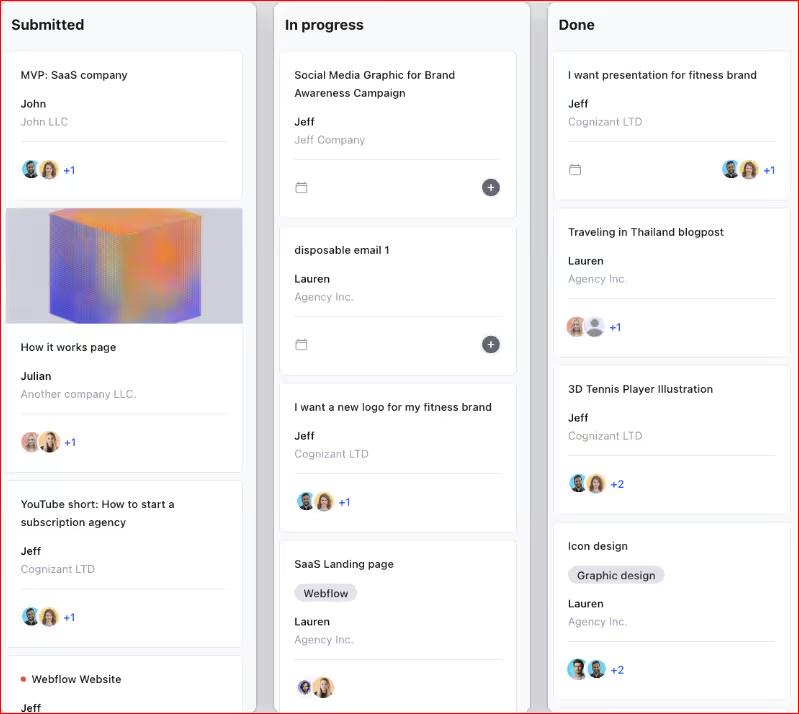
Manyrequests (project management)
Notice what is missing?
Clients rarely ask:
In a nutshell, they care about outcomes, not operations.
Good client reporting answers these questions without lengthy emails, countless meetings or annoying follow-ups.
Reporting Should Be Client-Visible
Let me explain…
There's a big difference between sending reports and giving clients access.
While sending reports means:
Client-visible reporting entails:
This shift alone can remove dozens of emails every month and increase client confidence because it's visible.
Creative agencies work differently from other businesses:
Reporting that ignores this flow is inadequate. This is why generic tools struggle. They just track data, not agency work.
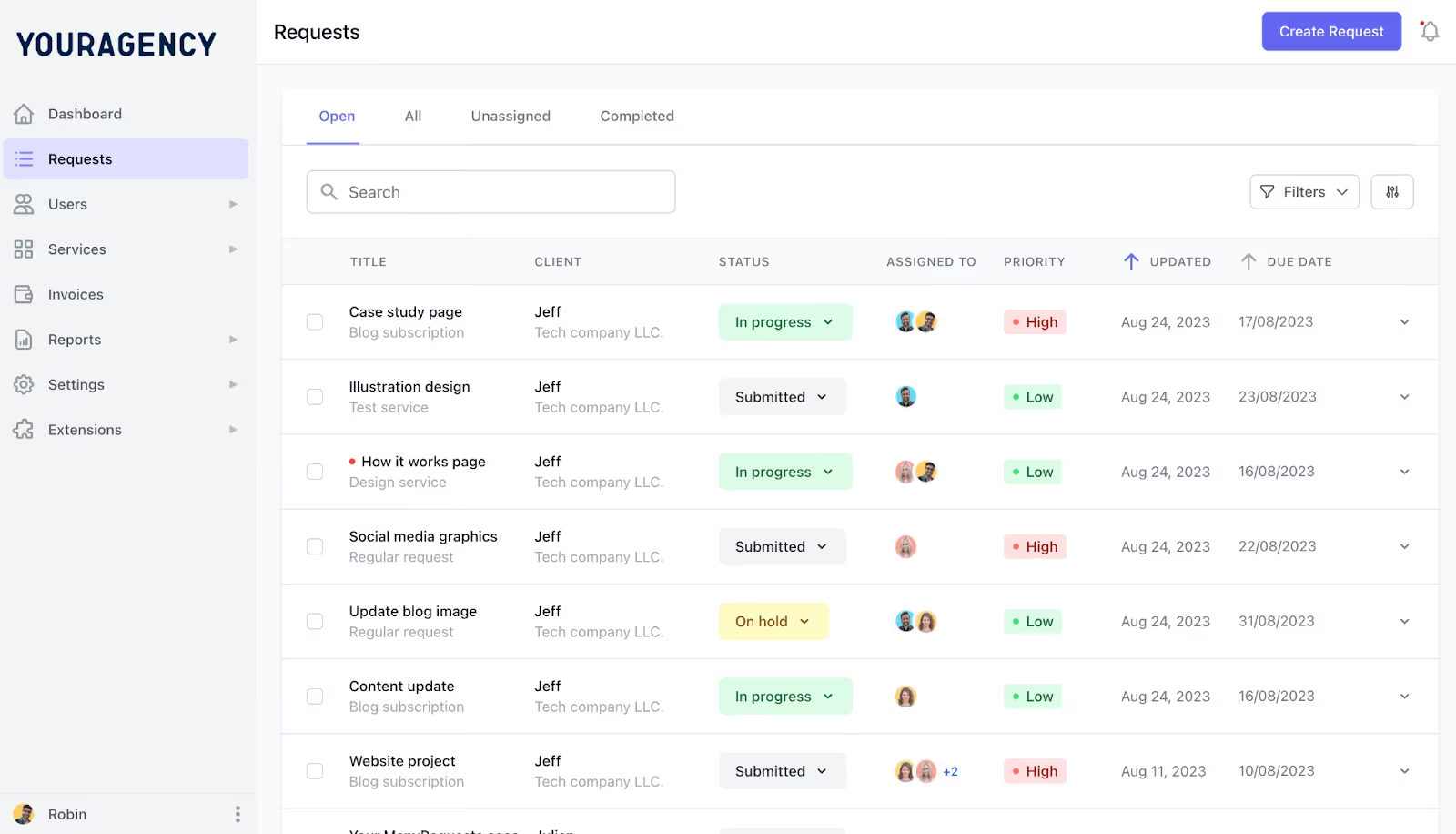
Manyrequests: requests feature (admin view)
Below are the core metrics clients expect to see:
This is the most important metric.
Clients want to see:
If clients cannot quickly tell where their work stands, reporting has failed.
Clients care deeply about how long things take.
They want to know:
Clients want proof of progress.
They expect to see:
This is especially important during renewals.
Clients also care about what’s ahead.
Good reporting shows:
This helps clients understand capacity without talking about internal workload.
Clients don’t need to see raw time logs, showing every minute tracked by every team member.
What they really need is:
This works especially well for retainers and usage-based plans. Good reporting keeps this simple.
This is where trust is often won or lost.
Clients want clear answers to:
Reporting should connect work to billing directly.
One of the most overlooked metrics is what the client needs to do.
Good reporting clearly shows:
This shifts responsibility in a healthy way.
Instead of the agency chasing feedback, clients can easily see when they're slowing things down. This keeps projects moving smoothly.
Now, when it comes to client reporting tools, what are your options? Let's discuss that next.
There are 3 groups of software on offer:
A. Agency-specific reporting software
B. Project Management Tools with Reporting
C. BI and Dashboard Tools
Let's first look at the tools of the first cohort. Shall we?
Like we already discussed above, creative agencies work in a way most general software doesn't.
Work comes in as requests. Clients want visibility so as to keep up with ongoing projects. Teams need clarity in order to put in a great shift. Invoicing and billing have to be seamless too. Thankfully, ManyRequests was built for this exact reality.
Here's why ManyRequests stands out as the best client reporting software for creative agencies in 2026…
While many reporting tools start with dashboards and analytics, ManyRequests starts with requests.
Why?
Because that’s where agency work begins.
In ManyRequests:
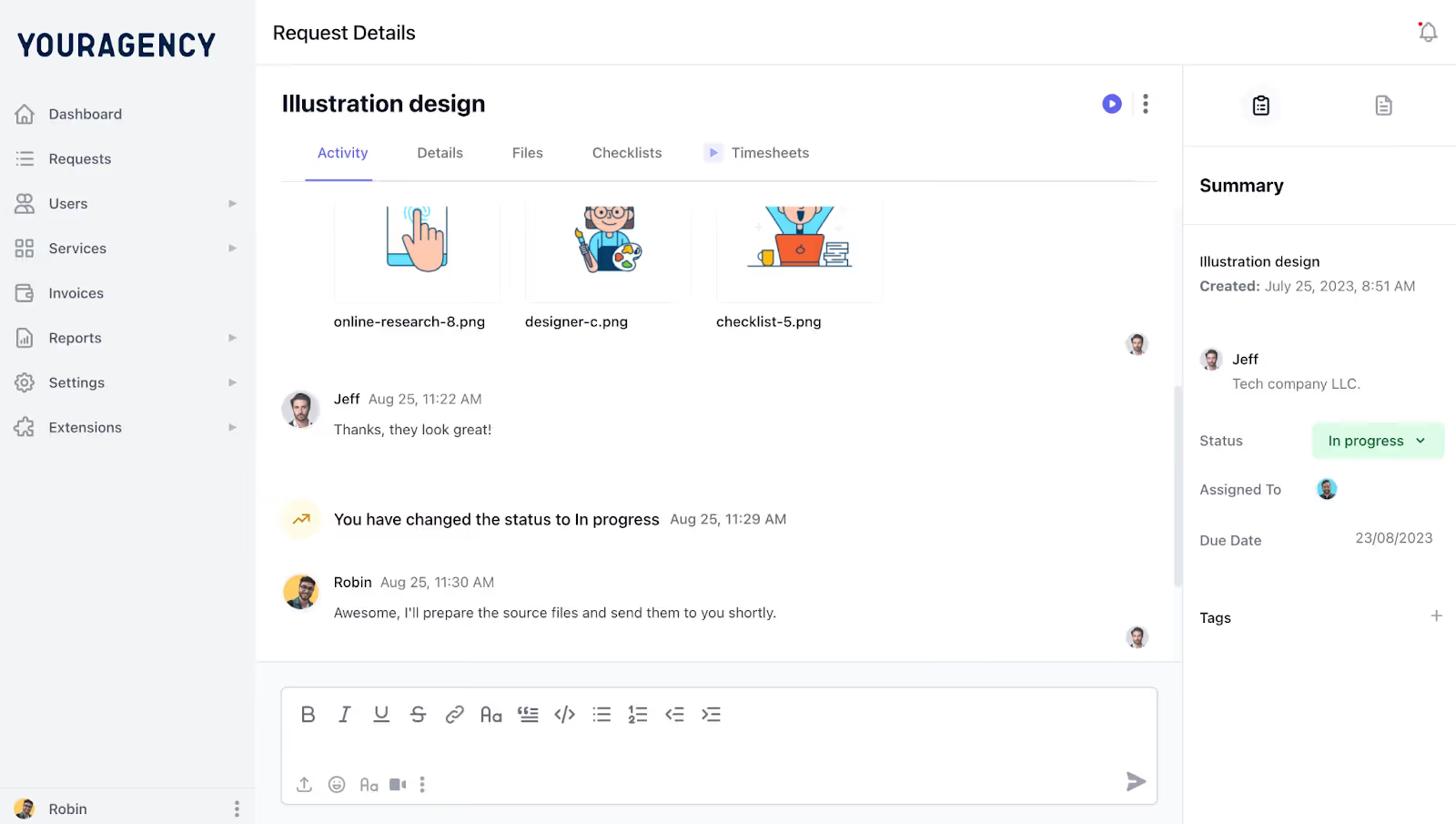
Manyrequests: requests feature
This means reporting is never separate from delivery. Clients see the same story your team lives every day. And no explanation is needed.
Like we've discussed above, most tools create dashboards for internal teams. Then try to share them with clients. And clients? They quickly get lost.
On the other hand, ManyRequests builds dashboards with clients in mind. They are:
Clients do not need explanations or walkthrough calls to understand where things stand. They can simply log in and quickly see the status of:
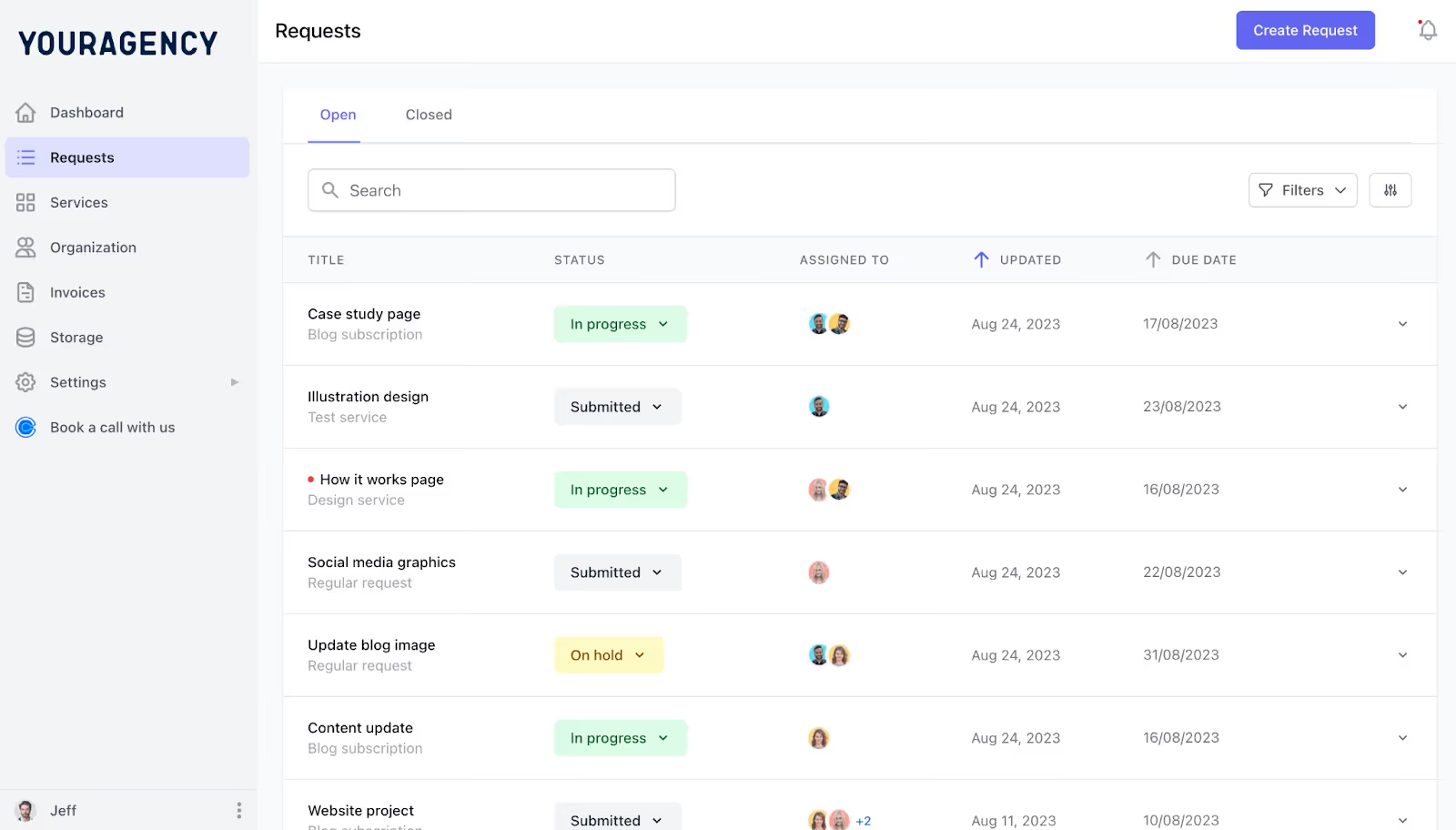
Manyrequests: requests feature (client view)
Some reporting tools still require manual steps:
ManyRequests, however, updates reporting automatically.
When client projects progress, reports reflect it. When a request is delivered, the status changes. When billing usage updates, clients see it.
This way, your team spends less time preparing reports and more time doing the work that actually matters, the one they love.
ManyRequests tracks request timelines in the background and shows:
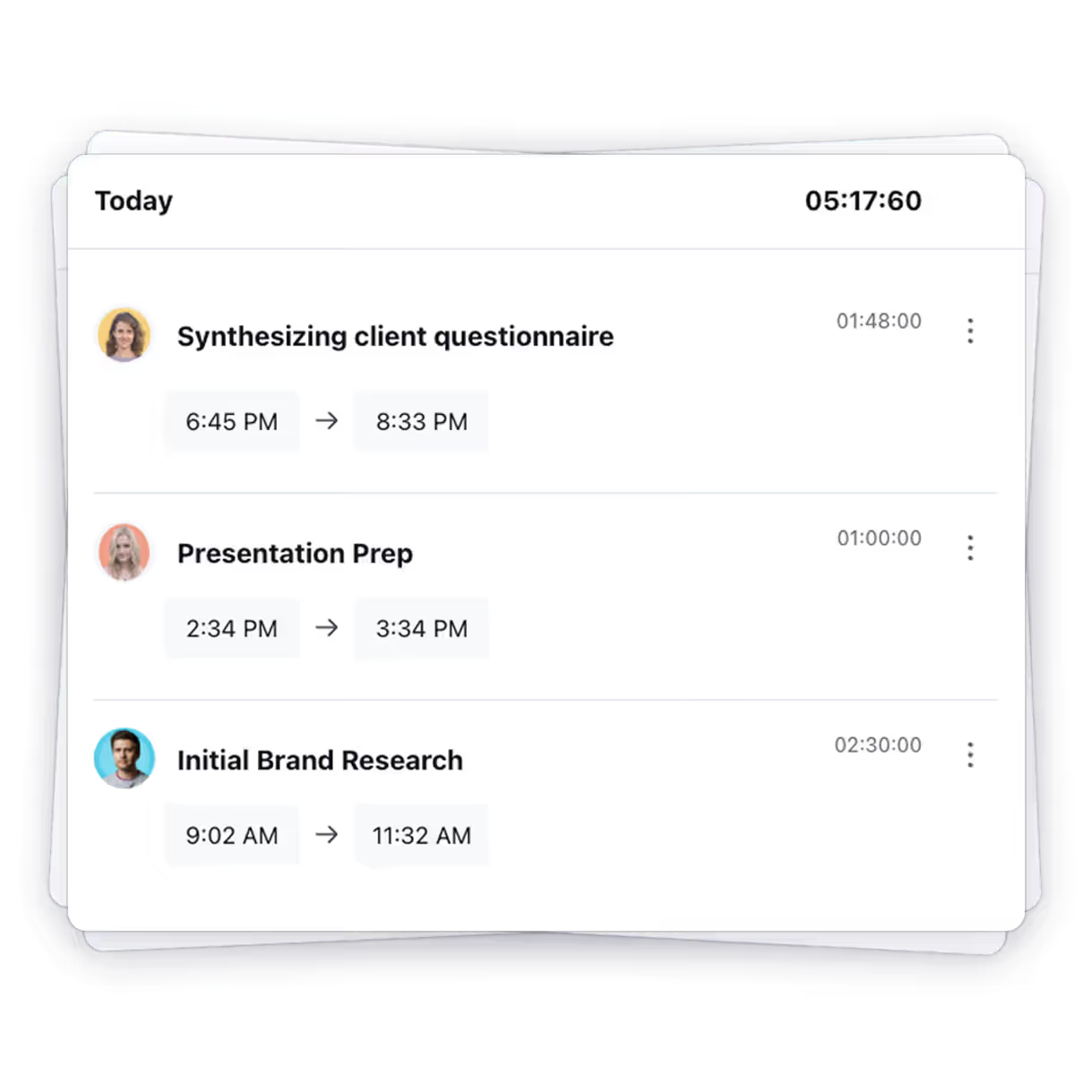
This makes timelines clear and predictable for both clients and teams.
Instead of rew logs, ManyRequests links time back to:
This means clients see how time connects to the work they asked for. Not how busy your team is. This reduces tension and makes billing conversations smoother.
Nothing kills trust faster than unclear billing.
ManyRequests connects reporting directly to billing by showing clients:
Clients no longer have to guess how much they owe, or what their payment covers. This level of transparency builds confidence, especially in retainer-based relationships.
This is the biggest advantage ManyRequests offers.
Instead of a:
ManyRequests brings these together in one beautifully-designed portal.
This eliminates the need to:
Another common problem is exposing too much internal detail to clients. Some tools show everything, including things clients shouldn’t see.
ManyRequests takes care of this, giving clients visibility that is:
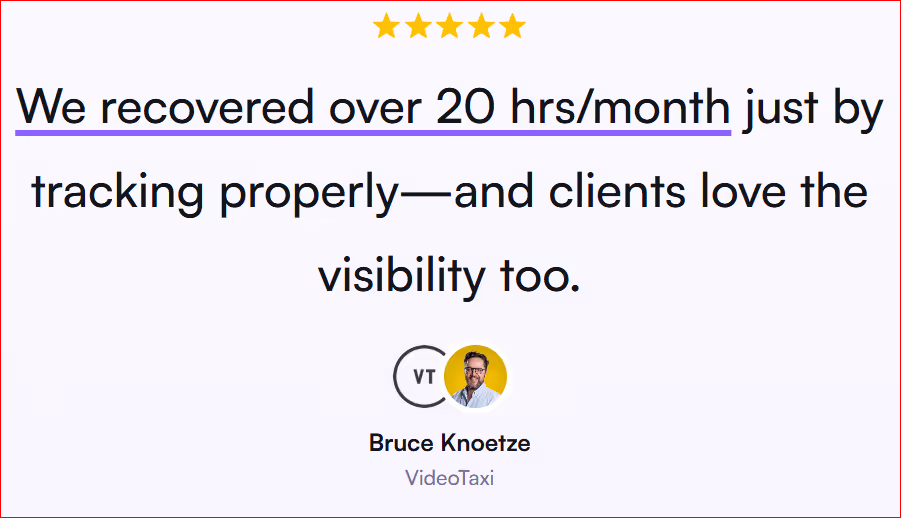
With ManyRequests:
This shift strengthens relationships and frees up time to do work that matters.
ManyRequests was built specifically for agencies. This means it understands:
That mindset difference shows up in every part of the product.
It's currently being used by over 1800 agencies. Agencies like yours.
If you’re tired of building reports by hand (or some inadequate tool) and want reporting that actually moves your agency forward, ManyRequests gives you:
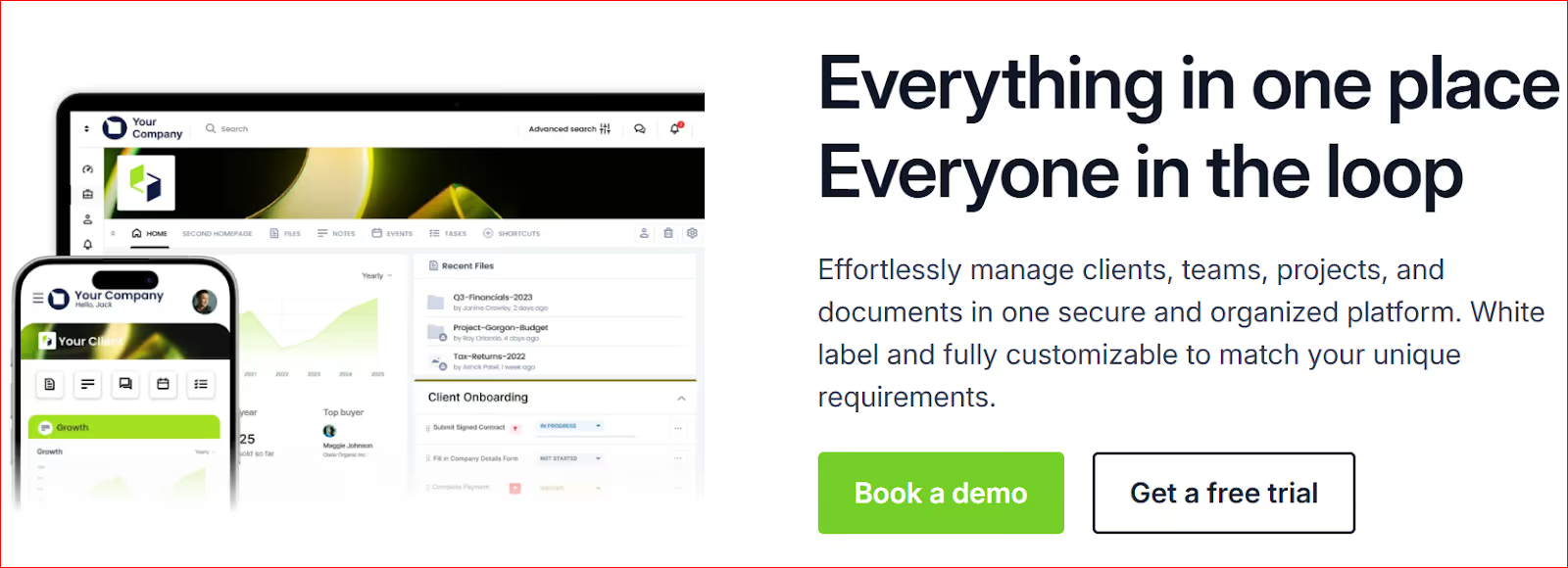
Clinked is a cloud-based client portal and collaboration tool designed for service businesses. It focuses on giving clients a secure space to share files, read updates and communicate with your team.
However, while Clinked helps with client access and communication, its reporting features are limited when compared to tools built around agency delivery such as ManyRequests.
Clinked is strong in client-facing structure. It gives agencies a clean, branded space where clients can log in and see shared information.
With Clinked, agencies can:
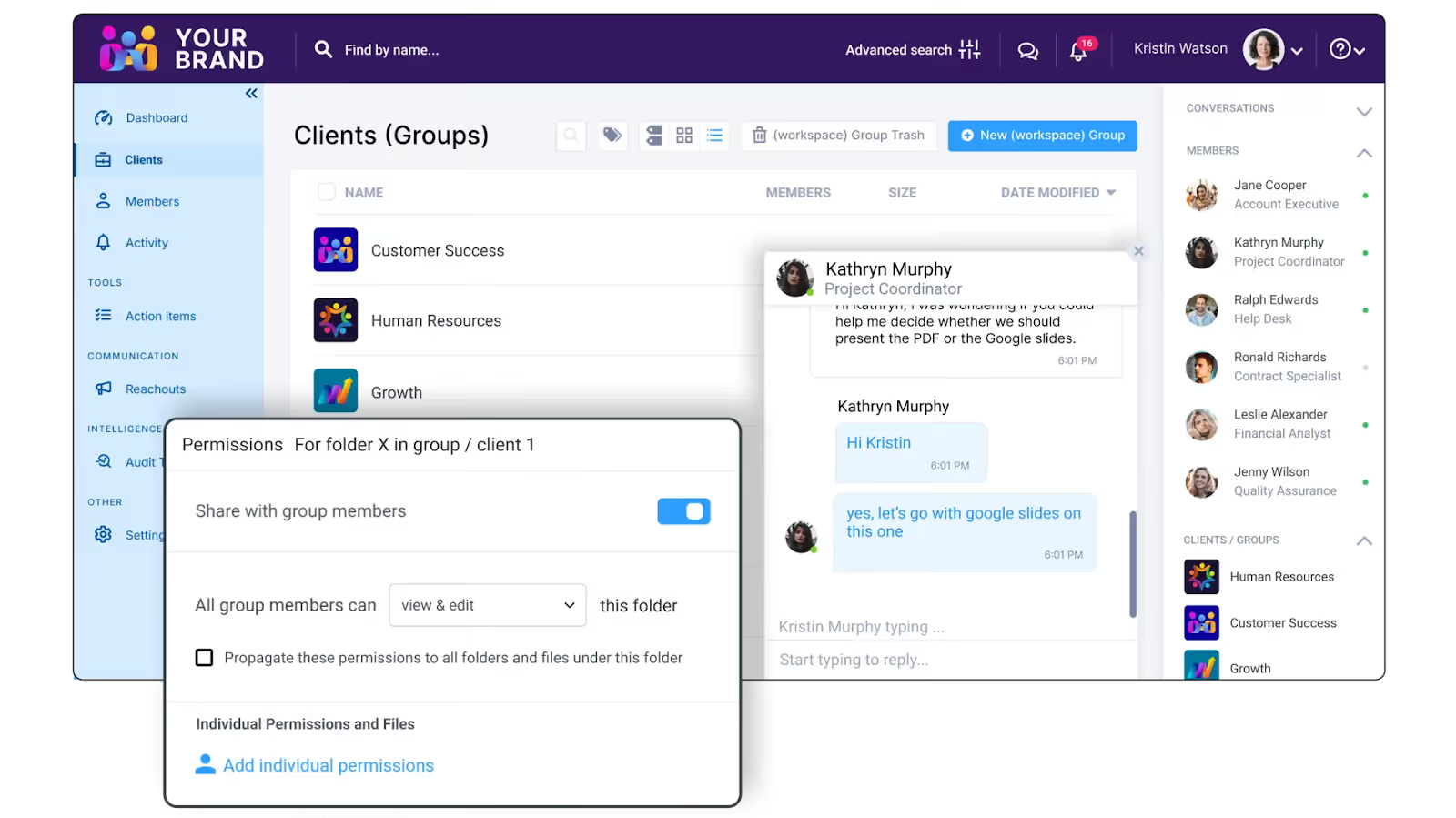
For agencies moving away from email and shared drives, this is a step forward. Clients feel more organized, and communication is less scattered.
Clinked offers basic reporting, mostly around activity and usage. You can see things such as:
What it does not offer is delivery-focused reporting.
Clients cannot easily see:
As a result, reporting feels general rather than specific to agency output.
Clinked uses tasks and projects, not requests. This works for simple workflows but breaks down for agencies that handle ongoing client work.
Creative agencies usually work with:
Clinked does not guide clients through a clear request flow. Teams still need to explain how to submit work and what happens next. Reporting then becomes manual because the system does not track delivery by default.
Clinked is built as a client-facing hub, not an agency operations tool. This means:
Agencies often end up using Clinked alongside other tools. One for requests. One for tasks. One for billing. Ultimately, this defeats the purpose.
So Clinked helps agencies look organized, but it stops short of true client reporting. It shows activity, not delivery. Clients still need explanations to understand progress and value.
It's less ideal if:
Now, can traditional project management tools handle client-centric reporting? Let's look at those next.
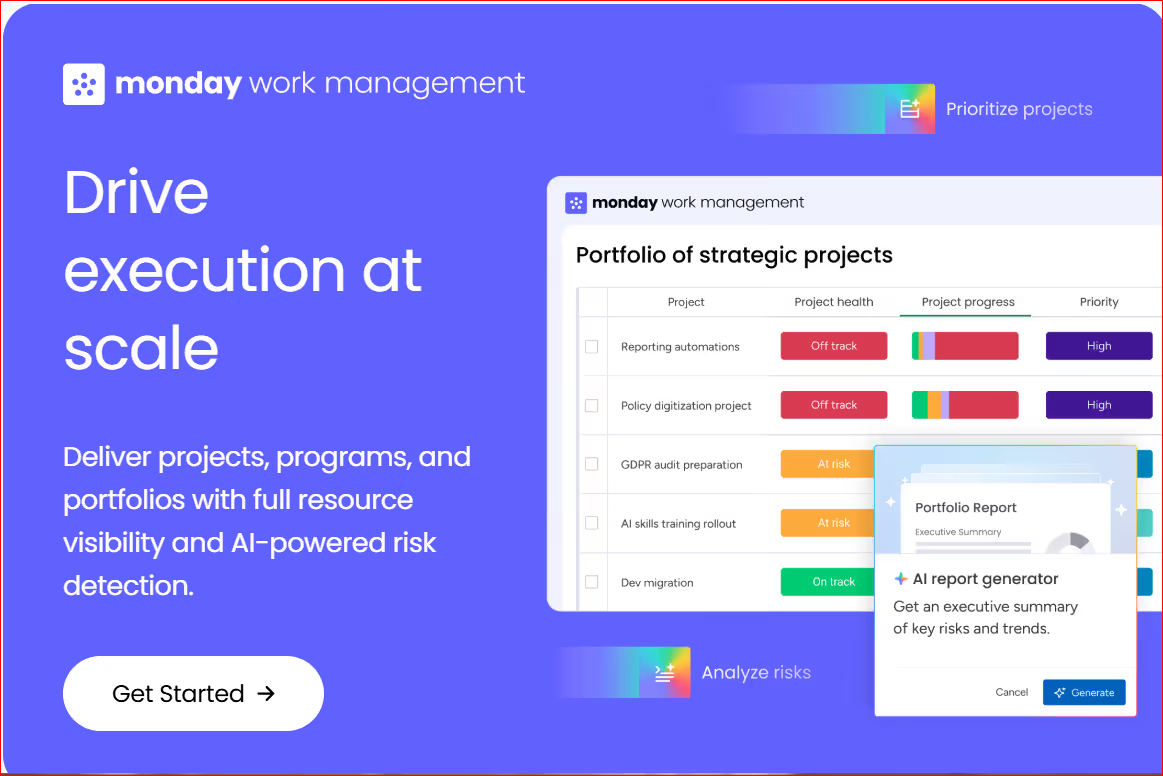
Courtesy: Monday.com
You see, when creative agencies start looking for client reporting software, project management tools are often the first option they consider.
I mean tools such as Asana, ClickUp, Monday, Jira and similar platforms. They offer dashboards, charts and reports. On the surface, they seem like a good fit. But are they? For creative work?
The truth is, for most creative agencies, these tools fall short when it comes to client reporting.
Here’s why.
Project management tools are designed for internal use.
Their main goal is to help teams:
This makes clients more or less an afterthought.
Therefore when agencies try to share these tools with clients, problems arise:
Even with permissions and filters, these tools still feel like internal systems, and clients like outsiders looking in.
Project tools organize work into:
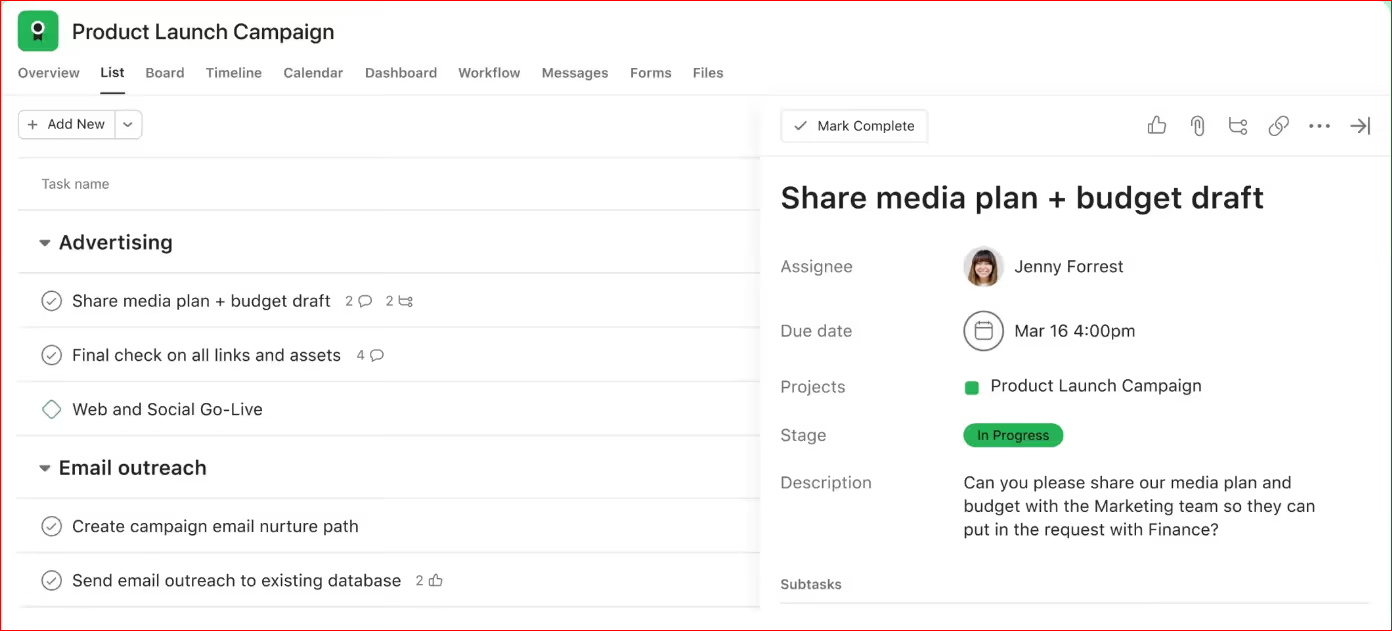
Courtesy: Asana
The thing is, clients don’t think this way. They think in requests:
When clients see a task-based view, they struggle to match it to what they asked for. They don’t know which tasks matter and which are internal steps.
In order words, it confuses them.
Most project management tools can show reports, but only after a lot of setup.
Agencies often need to manually:
Even then, the reports are fragile. One missed update or wrong tag can break the whole picture.
While this level of setup may work for internal tracking, it rarely holds up for client-facing reporting.
The status options offered by these project management tools are often meant for teams, not clients.
Clients don’t need to know if something is:
They couldn't care less about all that jargon. In reality, they want simple answers to their questions:
Agencies often end up translating internal statuses into client updates manually.
This, in itself, defeats the purpose of having reports in the first place.
Many project management tools include time tracking or integrate with it. The problem is how that time is shown.
Clients often see:
This can raise unnecessary questions and invite micromanagement.
This is because time tracking in project tools is designed for managers, not clients.
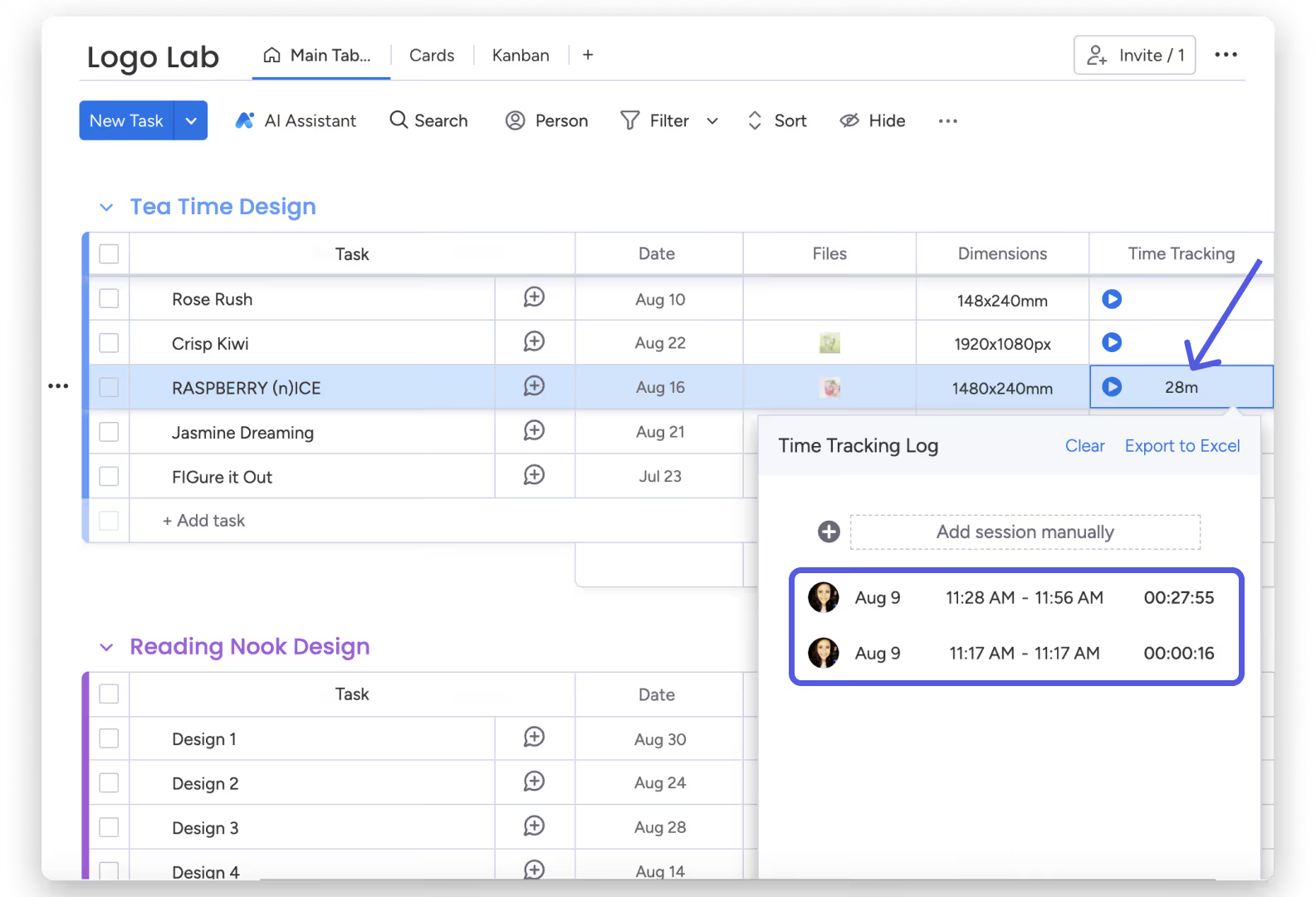
Monday.com (time tracking)
Most project management tools stop at work tracking. Billing, retainers and usage are often down using other tools.
Agencies end up stitching together reports from multiple tools, which brings back the manual work they were trying to avoid.
Giving clients access to project tools can also create control issues.
Clients may:
Agencies then spend time managing the tool instead of delivering work.
At first, sharing project tools feels efficient.
Over time, however, it creates more work:
As the agency grows, this work scales badly. What worked with two clients becomes painful with twenty.
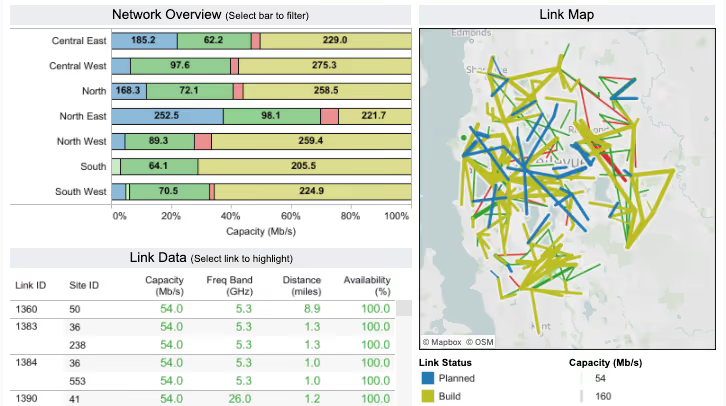
Tableau dashboard
I'm talking about Power BI, Looker, Tableau or custom dashboards.
Yes, these tools are powerful. But power is not the same as usefulness.
For most creative agencies, BI tools are the wrong answer to a simple problem.
BI tools are designed for people who work with data every day.
They expect users to:
Clients don’t want to do any of these.
When agencies share BI dashboards with clients, one of two things happens:
In both cases, the tool fails its main purpose.
BI dashboards are great at showing numbers, but they aren't great at showing work.
Clients don’t want to see:
Instead, they want to see:
BI tools struggle here because they are not built around requests or delivery. Everything has to be modeled and mapped before it makes sense.
That setup takes time and still feels unnatural to clients.
BI tools rarely work out of the box.
Agencies need to:
This is not a one-time task. Every change in workflow, billing or services creates more work.
For agencies, this becomes a hidden cost that grows over time.
BI dashboards often update on schedules:
Agency work moves faster than that.
Requests come in at any time. Feedback changes priorities. Delivery happens continuously.
When reporting lags behind real work, clients see outdated information. That creates confusion and more questions.
Real client reporting needs to reflect what’s happening now, not last week.
BI dashboards give clients many options, but no guidance.
Clients are left wondering:
This puts the agency back in the role of explaining reports, the very thing reporting should reduce.
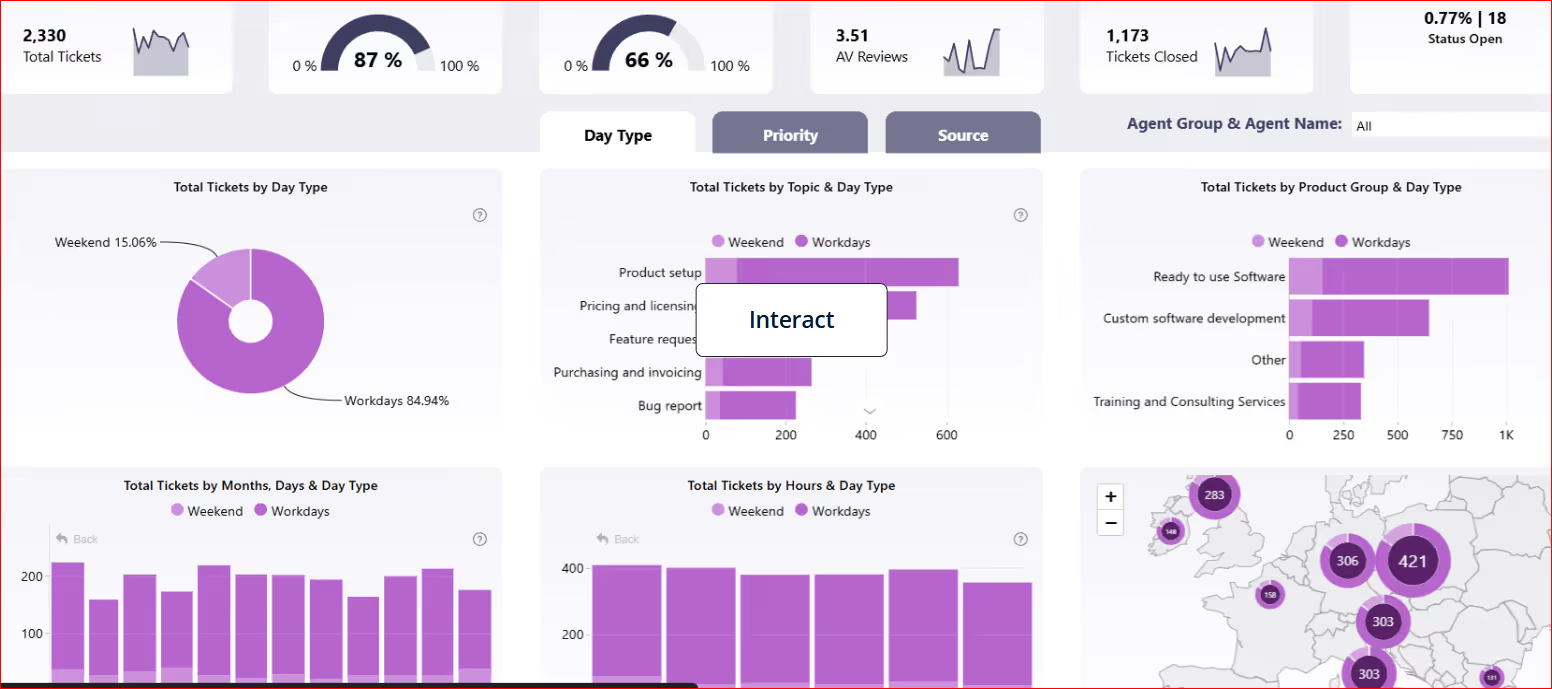
Power BI reports dashboard: might be a little too much for clients
Clients may see:
But without a clear link to delivered work, these numbers feel abstract. Clients want to understand what they paid for, not just how much was spent.
That context is hard to build and maintain in BI tools.
When clients see:
They may worry or misinterpret what they see. BI tools make it easy to expose too much detail.
Good reporting shows just enough, never more.
BI tools shine in large organizations with:
Most creative agencies do not work this way. Their work is flexible, client-driven and always changing. And reporting has to move with that flow.
Now that we’ve seen what’s available, what should you consider (as a creative agency) while choosing a client reporting tool? Let’s discuss this briefly…
Below are the key things to look for if you want reporting that actually improves delivery and retention.
The first question to ask is: is this built for clients to use, or just for teams?
Good client reporting software offers:
If you need to hide fields, rename columns or explain how to read the dashboard, the tool is not client-first.
For agencies, requests are everything.
Your reporting software should:
If reporting is task-based or project-based only, clients will struggle to follow it.
Statuses matter more than charts.
Look for software that:
Clients should never wonder whether something is finished or not.
Good reporting software shows:
Look for software which:
Client reporting should reduce billing questions, not create more.
Strong tools connect:
Clients should be able to see:
Static reports age fast.
Look for software where:
If reporting only updates when someone pushes a button or clicks something, it will eventually fall behind.
Many agencies try to build reporting by connecting:
This setup is fragile.
Each extra tool adds:
Agency-first reporting software keeps requests, delivery, time and billing in one place. Go for a tool which offers you that.
Finally, reporting is part of your brand.
Clients judge your agency based on:
Your reporting tool should support that impression. If clients feel lost, confused or unsure, the tool is working against your brand.
Client reporting is how an agency shows clients what work is happening and what results they are getting. For creative agencies, this usually means clear updates on requests, progress, delivered work and usage. .
The simplest way to create a client report is to connect reporting directly to your daily work. When requests are submitted, worked on and delivered in one system, reports create themselves. You update the work once, and the client sees it right away.
A good program for tracking clients should let you manage requests, show progress and share updates in one place. It should be easy for clients to use and not require training. Tools made for creative agencies, especially client portals, work better than general project management tools because they are built around client delivery, not just internal tasks.
The best reporting software depends on how your agency works. For creative agencies, simpler is usually better. Software which ties reporting to requests and delivery gives the clearest view for clients. ManyRequests is a strong option because reporting happens automatically as work moves forward.
Now, where do you start from as a creative agency? What tool do you choose for client reporting?
As a creative agency, save yourself the stress and go for a tool built specifically for you. A tool which brings everything together in one place.
With ManyRequests, you can see how requests, delivery, time and billing all come together in one clear system.
Also, it presents it in a way your clients will understand (on their own) without needing further explanation.
And the good news?
You can start using ManyRequests today for free and begin generating those reports immediately.
Yes, use ManyRequests for 14 days at zero costs to you. Not even your credit card information is needed.
Click here to get it now.
Okay, that's it. Thank you once again and see you on the next one.
1. See how ManyRequests works in real life. Start a free trial and experience how productized agencies centralize requests, reduce chaos, and streamline delivery, without changing their entire workflow.
2. Read our Implementation Guide to launch smoothly with your team and clients.
3. Follow us on LinkedIn and YouTube for practical agency growth strategies
4. Check out The Productize Blueprint to learn how to turn your services into a scalable, productized offer.
William Nzewi is a data scientist and a writer. He likes to read and learn new things, especially about tech, business and life.

