7 Best HappyFox Alternatives for Creative Agencies [2026 Guide]
Explore the 7 best HappyFox alternatives that go beyond tickets and support real agency workflows.

William Nzewi
This article is for those who are looking for HappyFox alternatives. It's also for Agency managers and ops leads who feel HappyFox is too support-ticket-focused and not built for client service delivery or creative workflows.
In this article, I'll show you 7 HappyFox competitors for better creative work.
First, let's get this out of the way…

HappyFox does exactly what it was built for: managing support tickets.
But creative agencies don’t run like IT support teams. Unlike tickets (which get opened, addressed and closed), creative teams handle ongoing client requests (design edits, content updates, campaign tweaks, website changes, feedback, etc.) which often change as the project develops.
HappyFox treats all of that like support tickets.
At first, this seems fine. A client submits a request. Your team replies. The ticket gets resolved.
But as your agency grows, it becomes increasingly harder to handle client work this way.
Creative work is not a one-off activity. A logo, for example, might take multiple revisions to complete. A landing page request may require several copy updates and design changes. These can take weeks.
This makes HappyFox unsuitable for ongoing, billable work.
When everything is treated as a ticket, rather than a service, teams start to:
Most creative agencies today don’t bill per ticket. They sell:
HappyFox has no real understanding of this model.
It doesn’t know which client is on which plan. It doesn’t help enforce limits. It can’t show whether a request is in or out of scope. Billing takes place somewhere else, usually in spreadsheets or accounting tools.
This creates friction on both sides.
Clients submit unlimited requests, because the system doesn’t guide them. Teams feel pressured to deliver everything. Scope creep becomes normal. Ops managers lose control.
Another issue agencies hit quickly is the client-facing side.
HappyFox portals are built to look like support centers. They say “submit a ticket,” not “request work.” They feel generic. They don’t reflect your brand or how you want clients to experience your agency.
Over time, this hurts:
For founders and ops leads, HappyFox creates another problem: visibility.
Ticket queues show volume, not workload. Ten “small” tickets can mean ten minutes or ten days of work. The tool can’t tell the difference.
As teams grow, it becomes harder to answer basic questions:
HappyFox wasn’t built for agency operations. Therefore, it can't answer these questions. So creative teams end up jumping between tools, guessing or reacting too late.
So what help desk alternatives for agencies are available? Let's discuss this next.
Here are 7 top HappyFox alternatives in 2026.
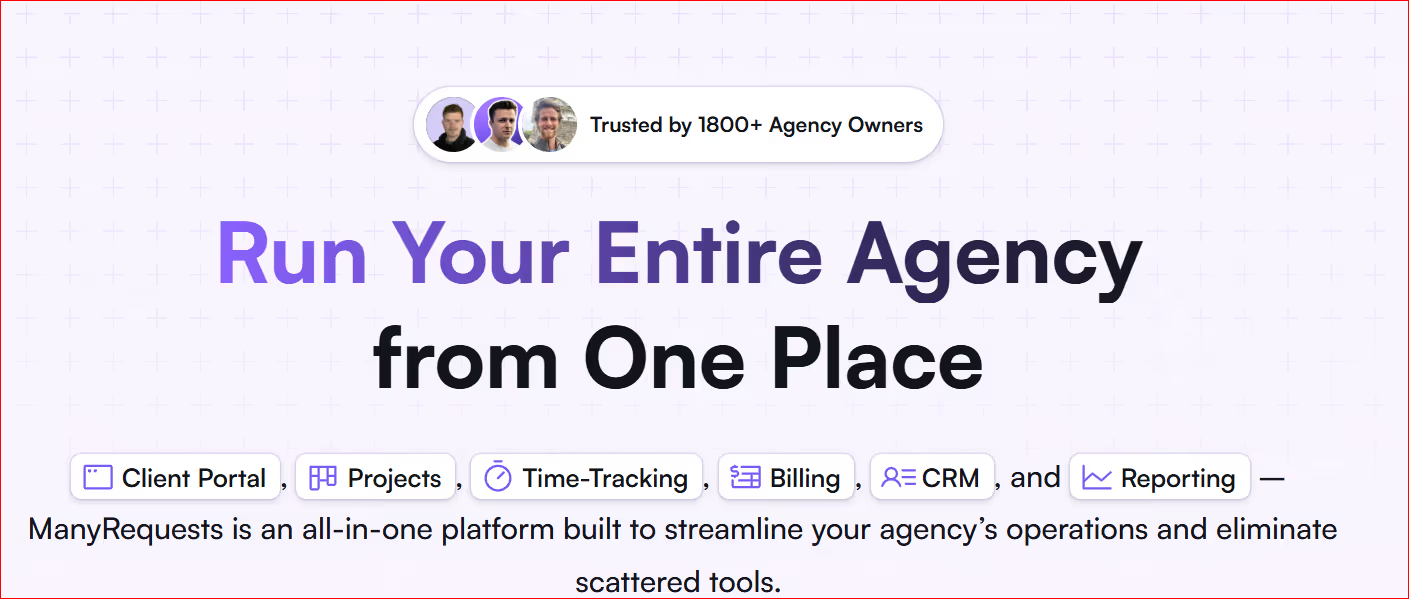
ManyRequests is an all-in-one client-facing, project management and delivery platform made for creative agencies. It helps them manage repeat work, active clients and long-term relationships.
If you're looking for a client portal software for agencies, ManyRequests is the clearest option.
ManyRequests is built around requests, not tickets. That small difference changes everything.
Clients submit work requests through a clear form. Those requests move through a simple flow: in progress, completed, delivered. The system expects ongoing work.
This fits how creative agencies actually operate day to day.
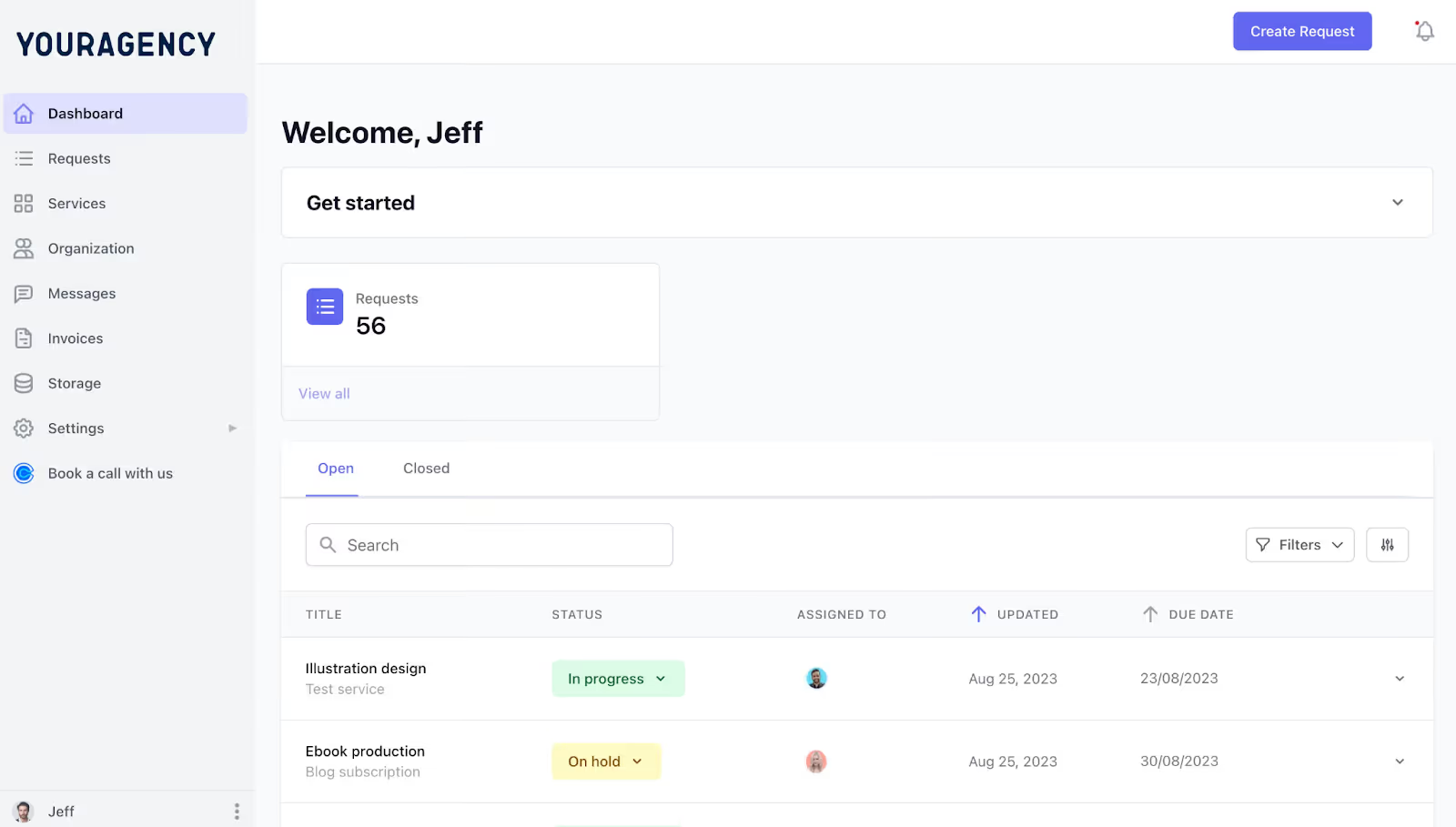
ManyRequests Client Portal (client view)
In HappyFox, clients interact through email or a ticket portal which feels like customer support.
ManyRequests, on the other hand, gives each client a proper portal. This makes them feel like they're working with proper agency.
From their portal, they can:
Everything is in one place, under your brand.
This removes confusion fast. Clients stop asking where to send requests or how to check status. They log in and see it themselves.
It also changes how clients see your agency. You look organized, professional and easy to work with.
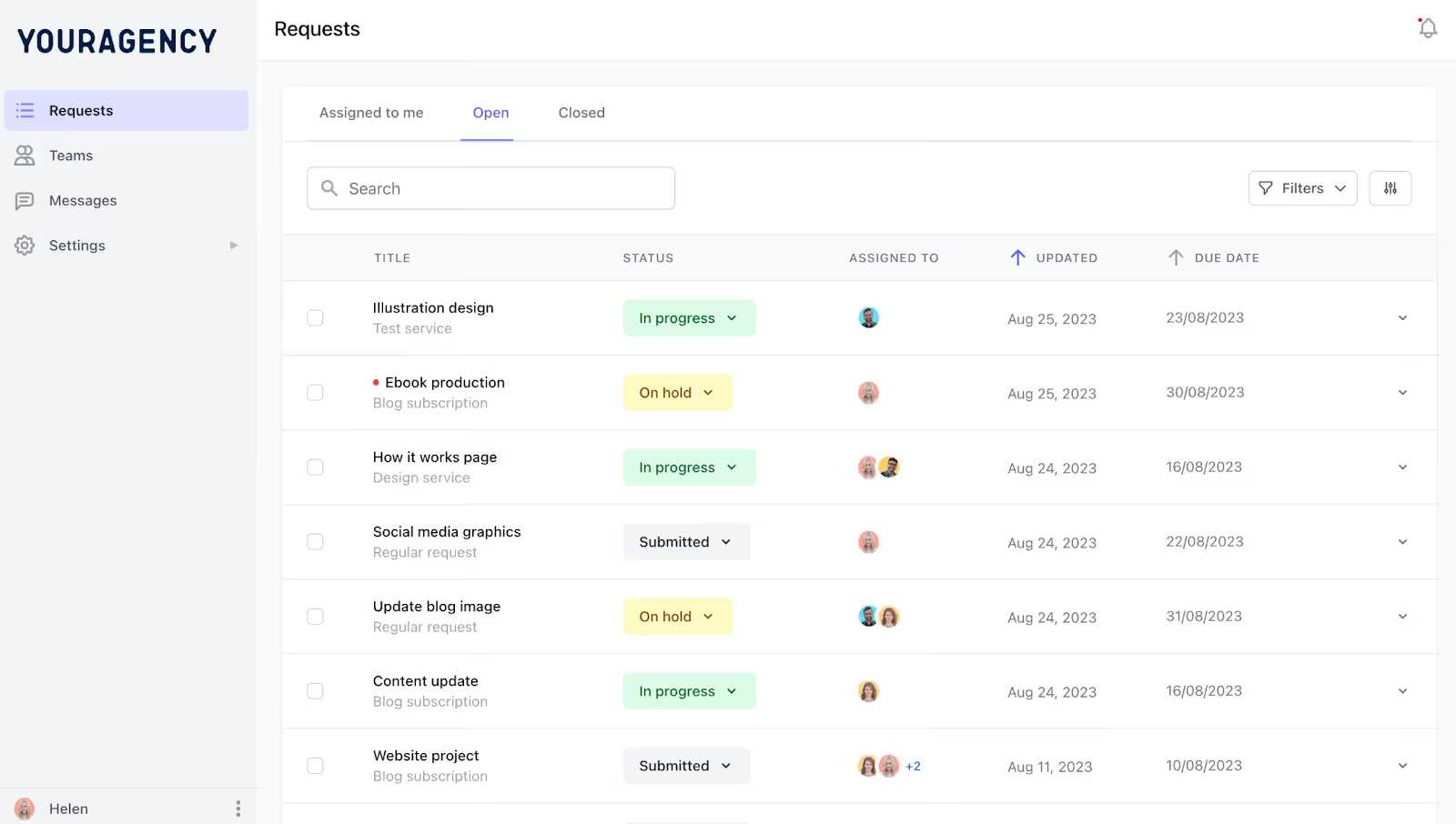
ManyRequests Client Portal (team view)
HappyFox focuses on ticket handling. Once you try to layer clients, projects, files and billing on top, things get messy, even fall apart.
Meanwhile, ManyRequests connects everything by default.
Your team sees the full picture without jumping between tools.
This matters more than it sounds. When everything lives together, fewer things get missed. Less time is spent searching for things. Your team can focus on doing the work instead of struggling with tools.
With HappyFox, files are often stored somewhere else: Google Drive links. Dropbox folders and email threads, to name a few. This means feedback comes in bits and pieces.
ManyRequests, instead, keeps delivery and feedback in one place.
You upload a file directly to the request. The client reviews it, leaves comments or approves it right there. Every version stays visible. Nothing goes missing.
This alone removes a huge amount of back-and-forth. Your team always knows what version is current and what the client approved.
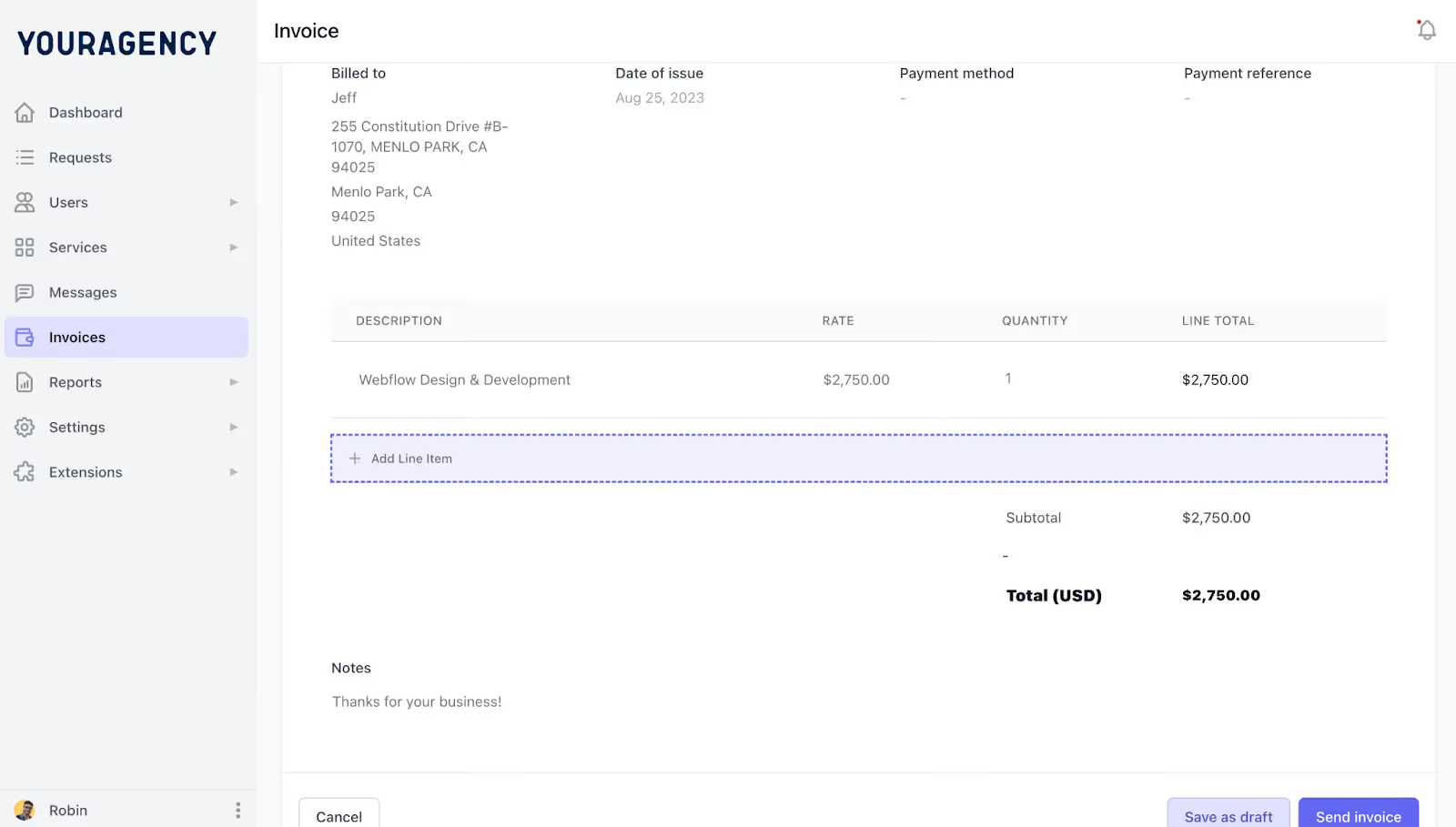
ManyRequests Invoicing
HappyFox does not handle billing in a way that fits agencies. You usually need extra tools to manage invoices, subscriptions and payments.
ManyRequests includes billing as part of the workflow.
You can:
Clients see their invoices in the same portal where they submit requests and review work. That makes the process feel simple and clear.
This is a big win for agencies offering monthly services or productized plans.
HappyFox automation is built around ticket rules. That works for support. However it is less helpful for creative workflows.
ManyRequests automates the basics that agencies actually need:
You don’t need to build complex rules or connect extra tools. The system already understands the flow.
HappyFox dashboards are designed for ticket volume and response times. ManyRequests dashboards are designed for visibility.
Your team sees what is being worked on, what is waiting and what is done. Clients see progress, recent deliveries and pending approvals.
No spreadsheets. No boring status emails. Yet, everyone stays aligned.
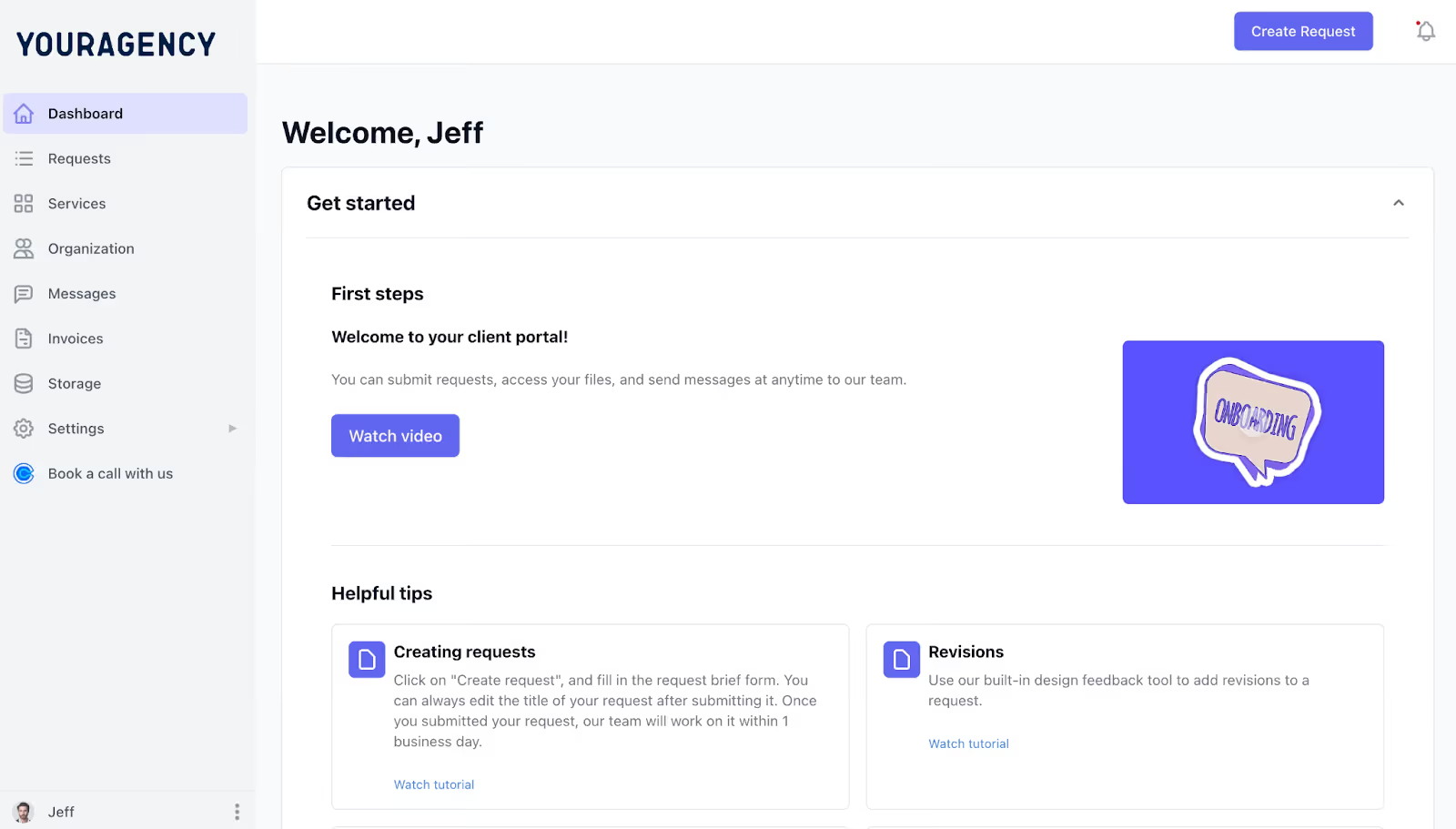
Client Portal with Onboarding Open (Client view)
ManyRequests is much faster (both to set up and use) than you'd expect.
You set up your brand, add clients and start receiving requests. It's that simple.The workflows are already there. No learning curve. Your team and clients usually understand it without training.
ManyRequests is built specifically for creative agencies to accept client requests and feedback, and deliver ongoing work.
If your agency needs:
Then ManyRequests is a match made in heaven.
Many brands (like yours) are already using ManyRequests to grow their operations. In fact, there are over 1800 of them as I type on my Dell workhorse.
For example, MGS Global Group (which provides on-demand drafting services for architecture and design firms) uses ManyRequests to power different aspects of their business.

UpDesigners (an on-demand graphic design service) also uses ManyRequests to run their highly successful subscription-based operations.
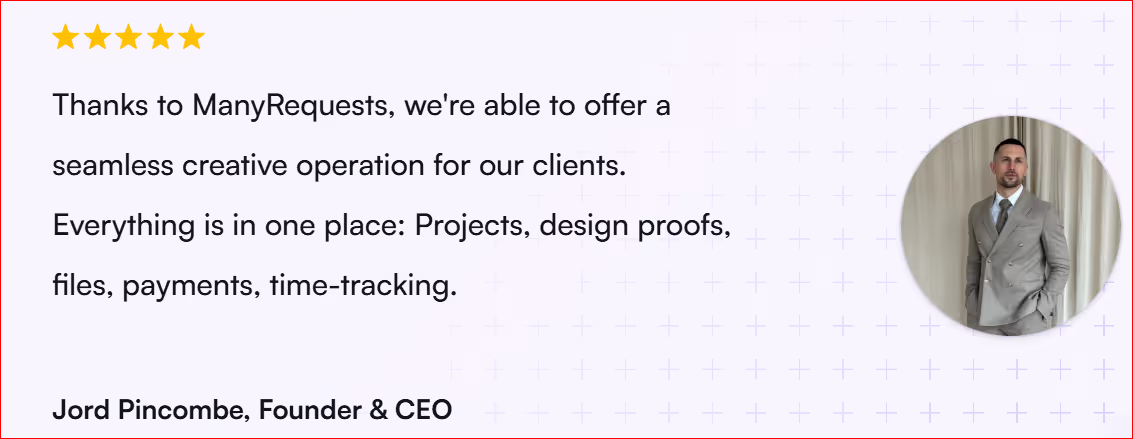
You too can join the party.
ClickUp is very flexible and packed with features. It helps teams plan and manage complex work in one place.
ClickUp works best when projects have many steps and people involved. It lets you break work down clearly
Most teams set it up like this:
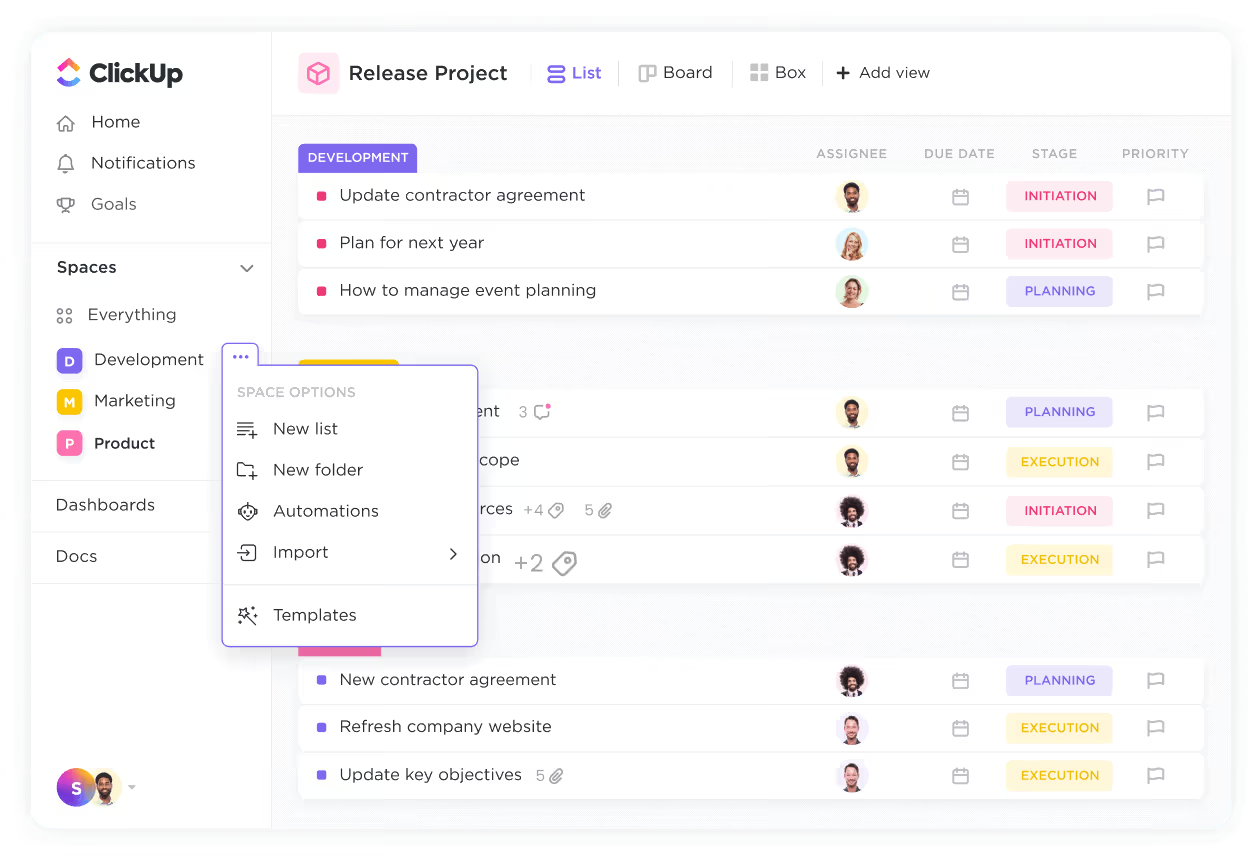
Each task can include files, comments, due dates, owners and time tracking.
ClickUp lets you change almost everything. You can add custom fields, create your own statuses, build dashboards and design workflows that match how your agency works.
You can track revisions, log time or set up approval steps. The problem is that nothing is ready by default. You have to build the system yourself.
ClickUp provides many ways to see the same work:
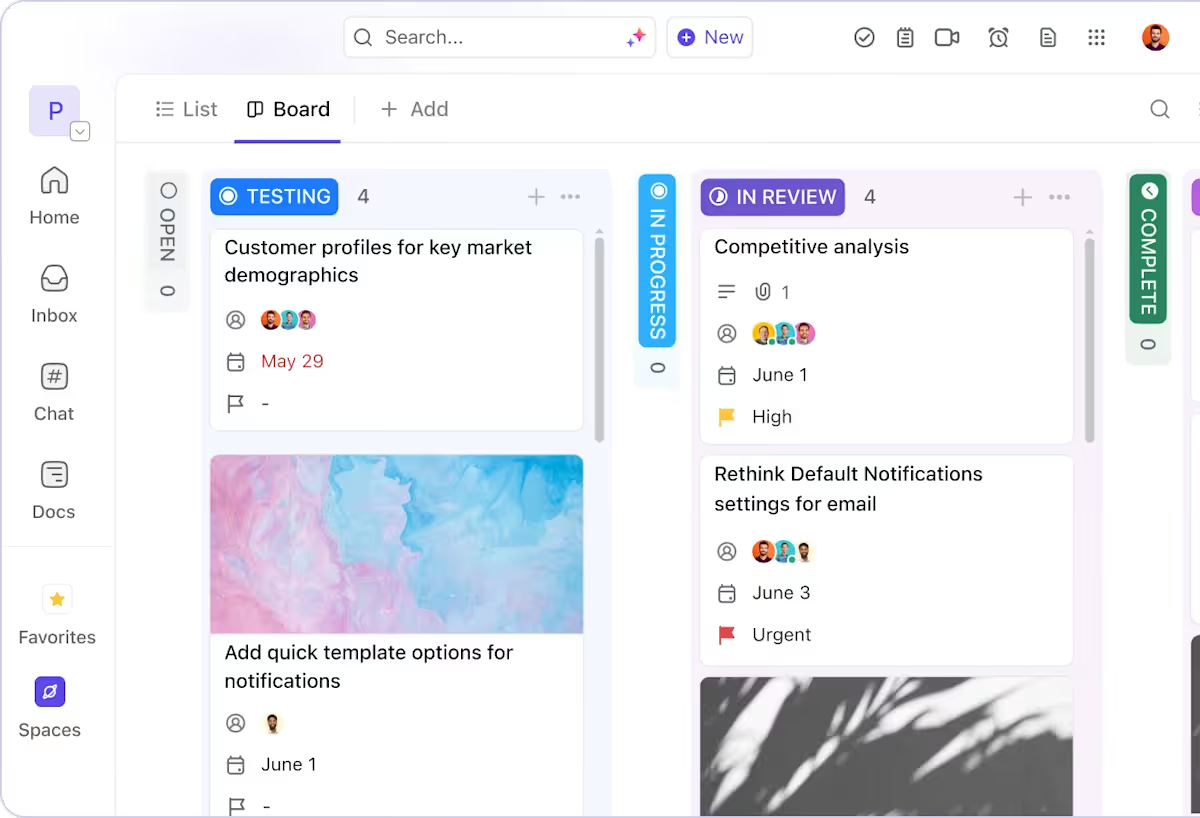
Project managers and team members can all use the view that makes sense to them.
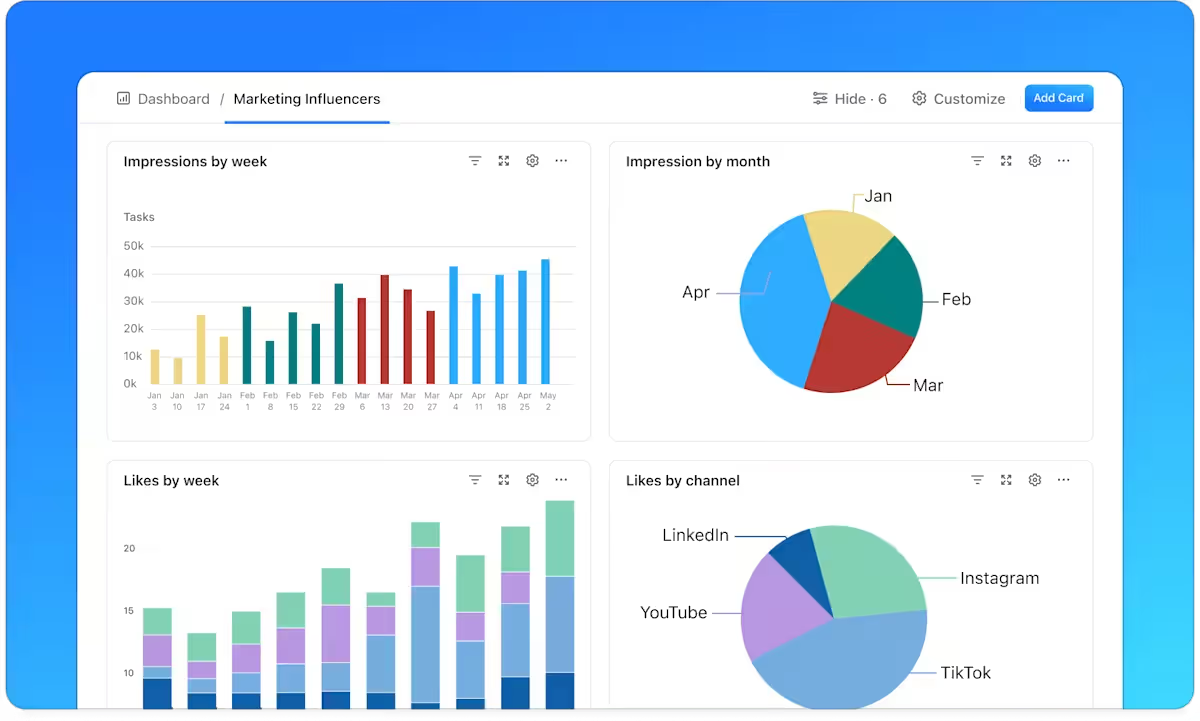
ClickUp includes reporting tools which show task progress and team workload.
This helps agency owners see where time goes and which projects are stuck. You don’t need to build complex reports just to understand what’s happening.
ClickUp is good at handling work across teams. Designers, writers, marketers, account managers, etc. can all work inside the same project. Task dependencies help keep work in order when one step depends on another.
Clients can be added to ClickUp but only as guests. They can view or comment on tasks. Nothing more.
There is:
ClickUp has a learning curve. Teams need to:
Once it’s set up, it runs well. But getting there takes time, time many agencies don’t have when client work keeps coming in.
ClickUp is a good fit if your agency:
Notion is flexible and easy to use. It helps teams organize ideas and work together.
Notion is built around pages. You can create pages from scratch or use templates.
Teams often use Notion for:
You’re not restricted in a ticket system like HappyFox. You can set things up your own way and change them easily. For internal work, that’s a big plus.
Notion handles team collaboration quite well. People can comment, tag each other, assign tasks and update pages together.
For example, a team might use one page to:
You can also embed files, videos and design links. Everything stays in one place, which makes teamwork easier than working through support tickets.
Pages are easy to read.
Agencies often use it for:
Compared to HappyFox, Notion feels less rigid. That makes it easier for creative teams to enjoy using it.
This is where problems start.
Notion is not built for clients. If you’re leaving HappyFox because it feels too much like a help desk, Notion doesn’t really solve that problem.
You can share pages with clients, but:
Before long, teams start using many tools again. Notion for planning, email for requests, Drive for files and Stripe for payments. You don't want this for your agency.
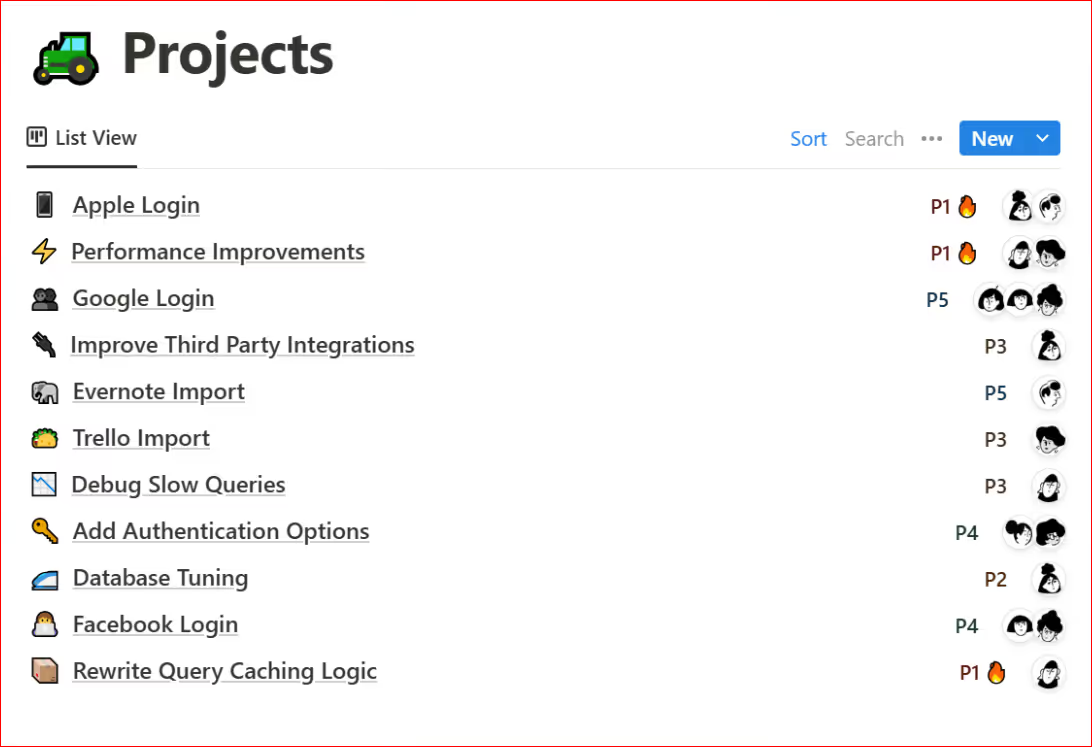
You can assign work, set dates and move items on a board.
But there’s no built-in way to manage request limits, turnaround times, or service rules for retainers or subscriptions. You still have to build everything yourself.
As your team grows, Notion can become harder to manage. Even handling basic tasks could become a pain. And automation will need extra tools.
Trello is easy to understand and easy to use. It shows work in a clear, visual way. You can quickly see who’s working on what, what’s in progress and what’s done.
Trello uses boards made of lists and cards. Each card is a task. You move cards from one stage to another, like “To do,” “Doing,” and “Done.”
You don’t have to dig through tickets or long task lists. You simply open a board and see the full picture right away. Cards can hold files, checklists, comments and due dates, just enough to keep work moving.
This setup works well for:
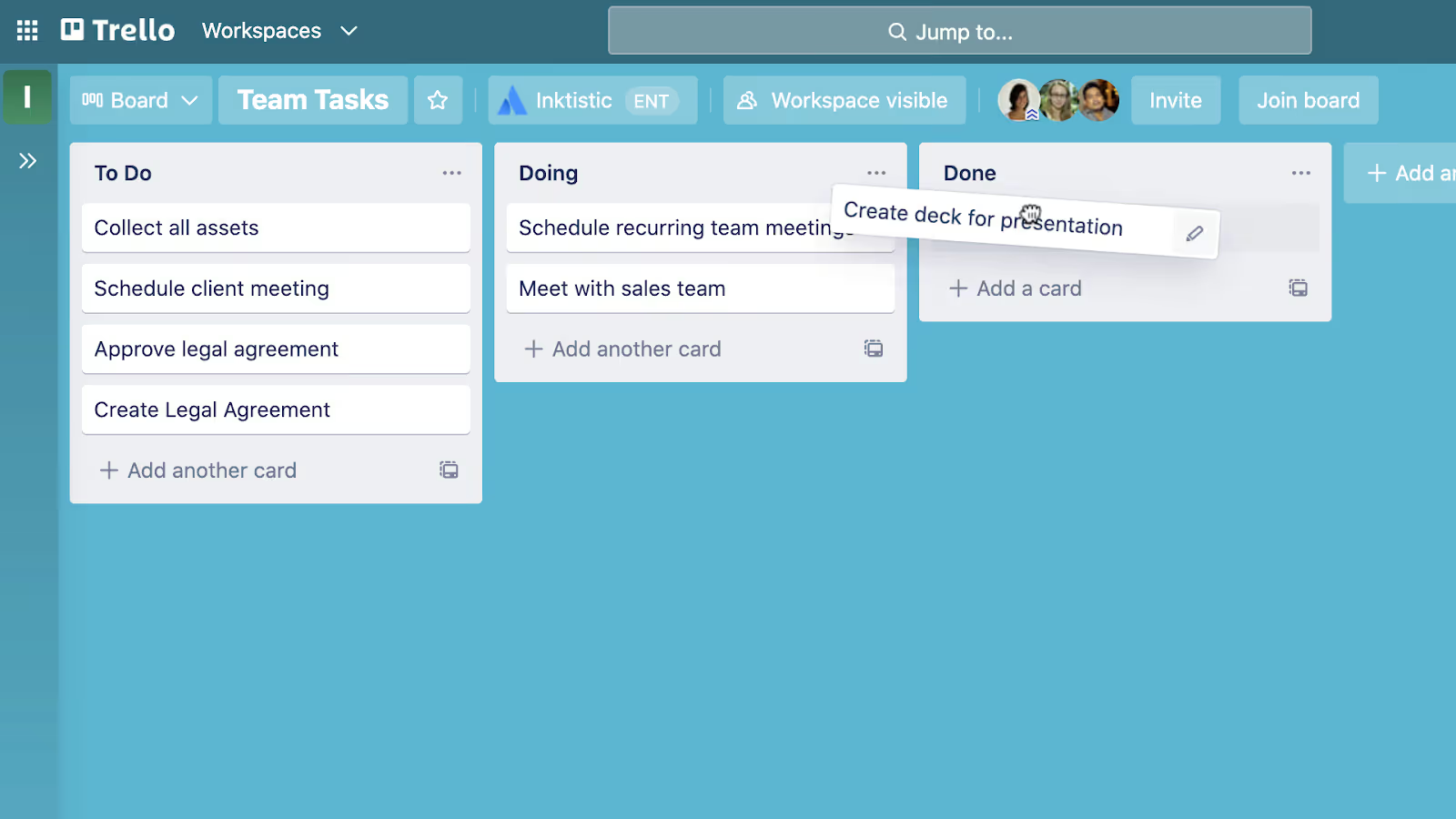
Trello works straight away. Create a board, invite your team and start working. There’s nothing complex to build and no system to design.
This is great for small teams that want to move fast and avoid setup headaches.
Working together in Trello is easy. Team members leave comments on cards, tag each other and upload files, moving the project forward.
For example:
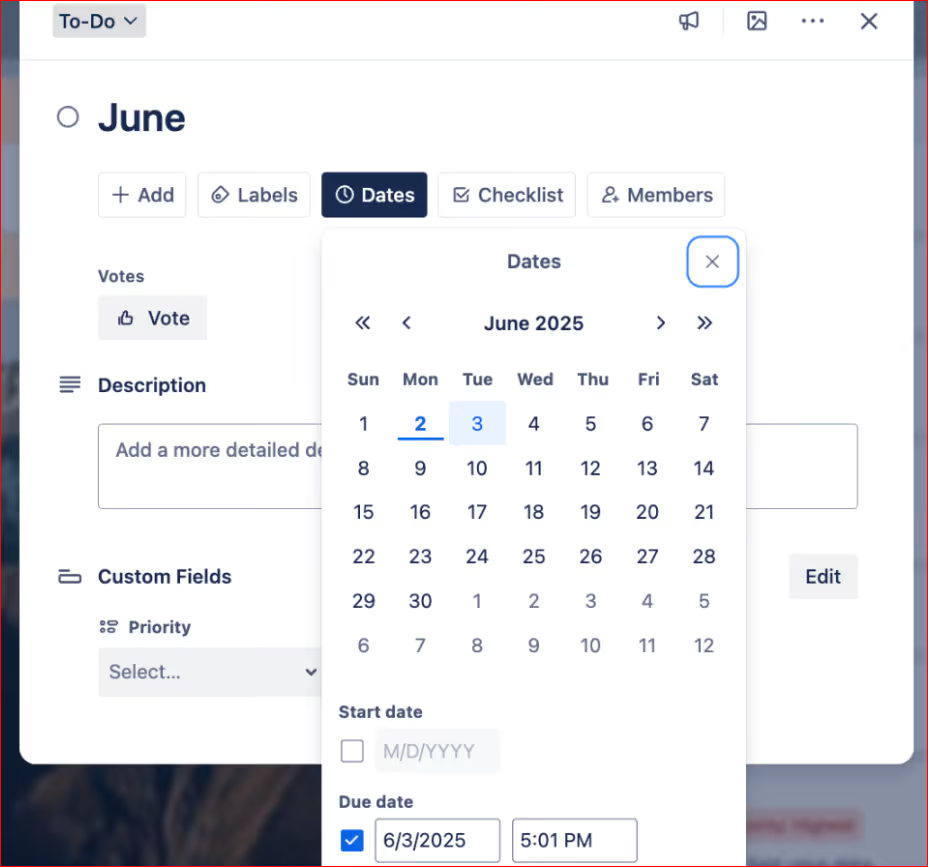
You can boost Trello’s capabilities, adding extras using Power-Ups. This integrates Trello with other tools.
Common add-ons include:
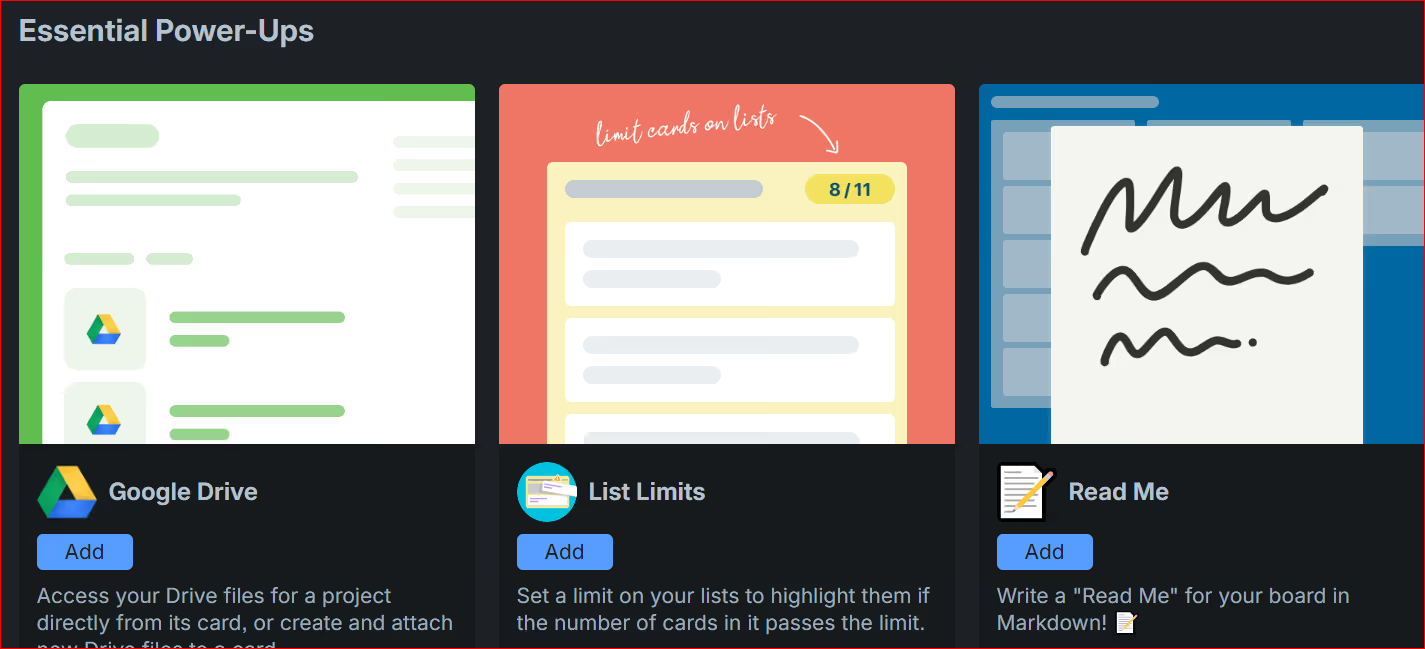
These help although they don’t turn Trello into a full work system.
As your agency grows, Trello’s flaws become more noticeable.
There’s no built-in way to:
Boards also get crowded as you add more clients and projects.
You can invite clients to Trello, but they might see your internal boards. That includes internal notes, internal stages, and internal comments.
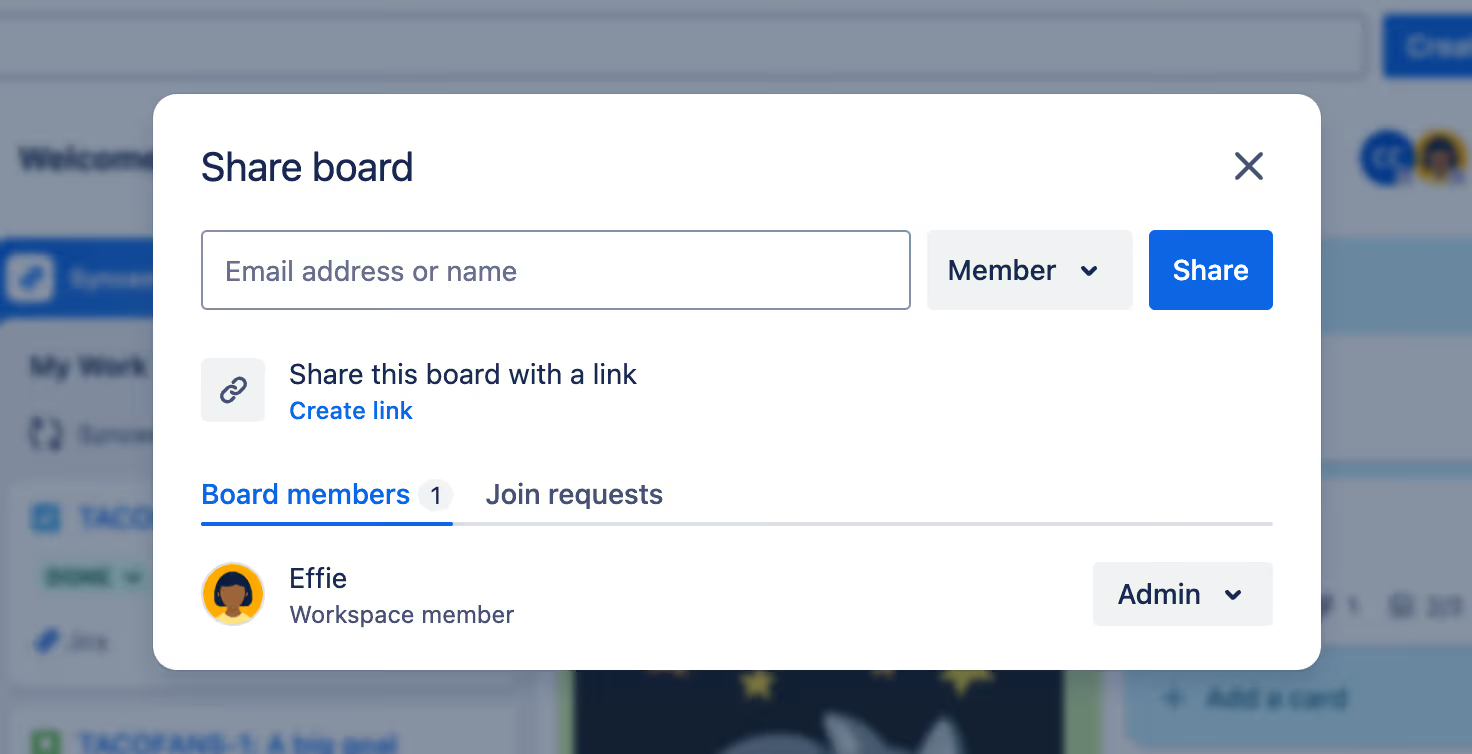
Clients can’t submit work properly, approve files in a clean flow or pay invoices. Trello wasn’t built for client delivery, and it shows.
Trello can send reminders or move cards automatically. That saves time but it won’t handle full creative workflows.
Trello works best if your agency:
Once your work becomes ongoing and client-driven, Trello starts to fall behind.
Monday.com is a popular project management tool. It’s visual and easy to read at a glance. Many teams like it.
Monday uses boards to show work clearly. Tasks sit in columns and statuses use colors. You don’t need much setup to get started.
You can open a board and quickly see what’s in progress, what’s yet to be done and what’s completed. For creative teams, this is much easier to follow than support tickets.
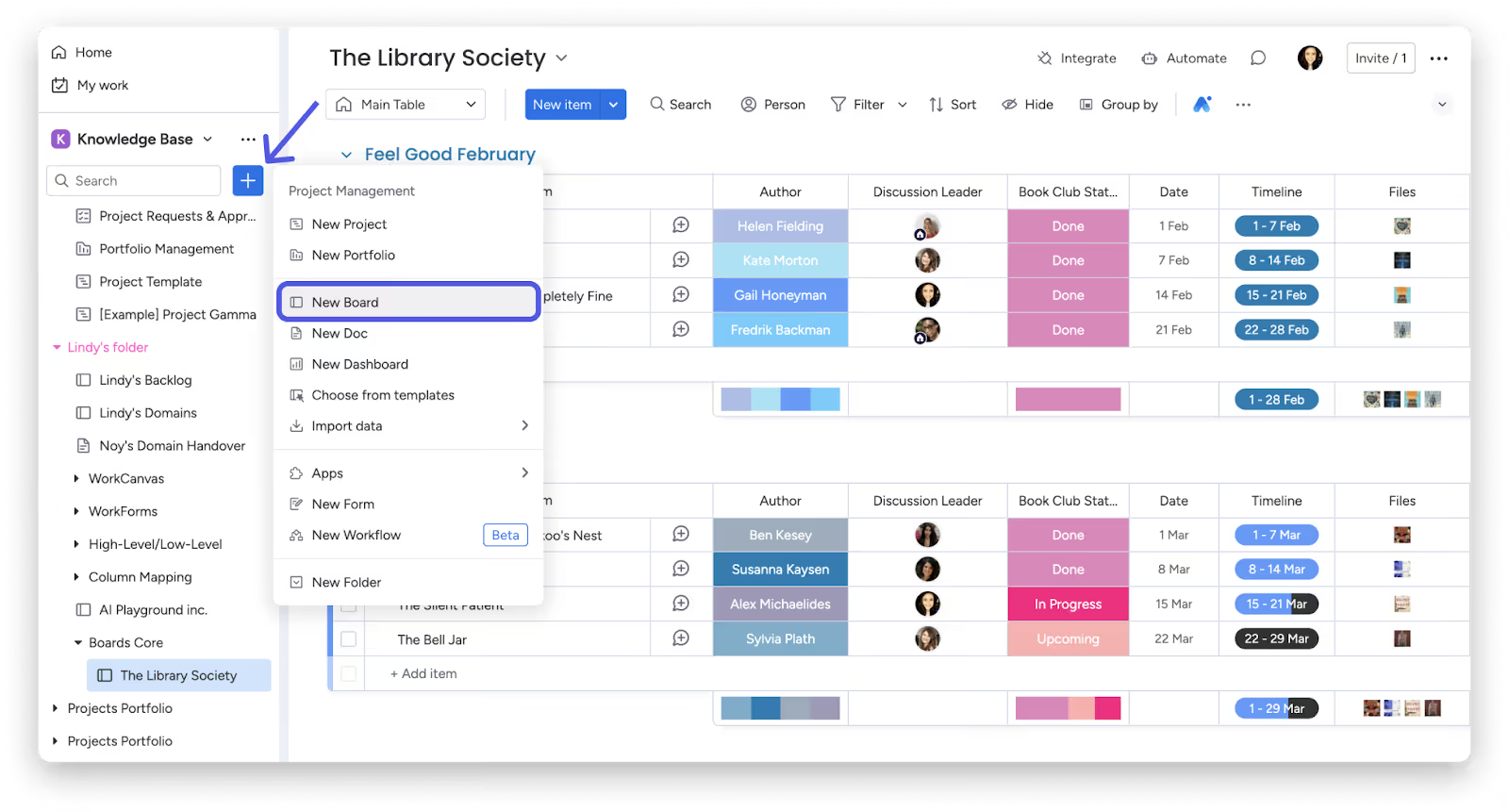
Managers can see workloads and timelines without asking for updates. Team members know what they’re responsible for and what’s coming next.
Compared to HappyFox, work feels more planned. Instead of reacting to tickets, teams move tasks through clear stages.
You can look at work in different ways:
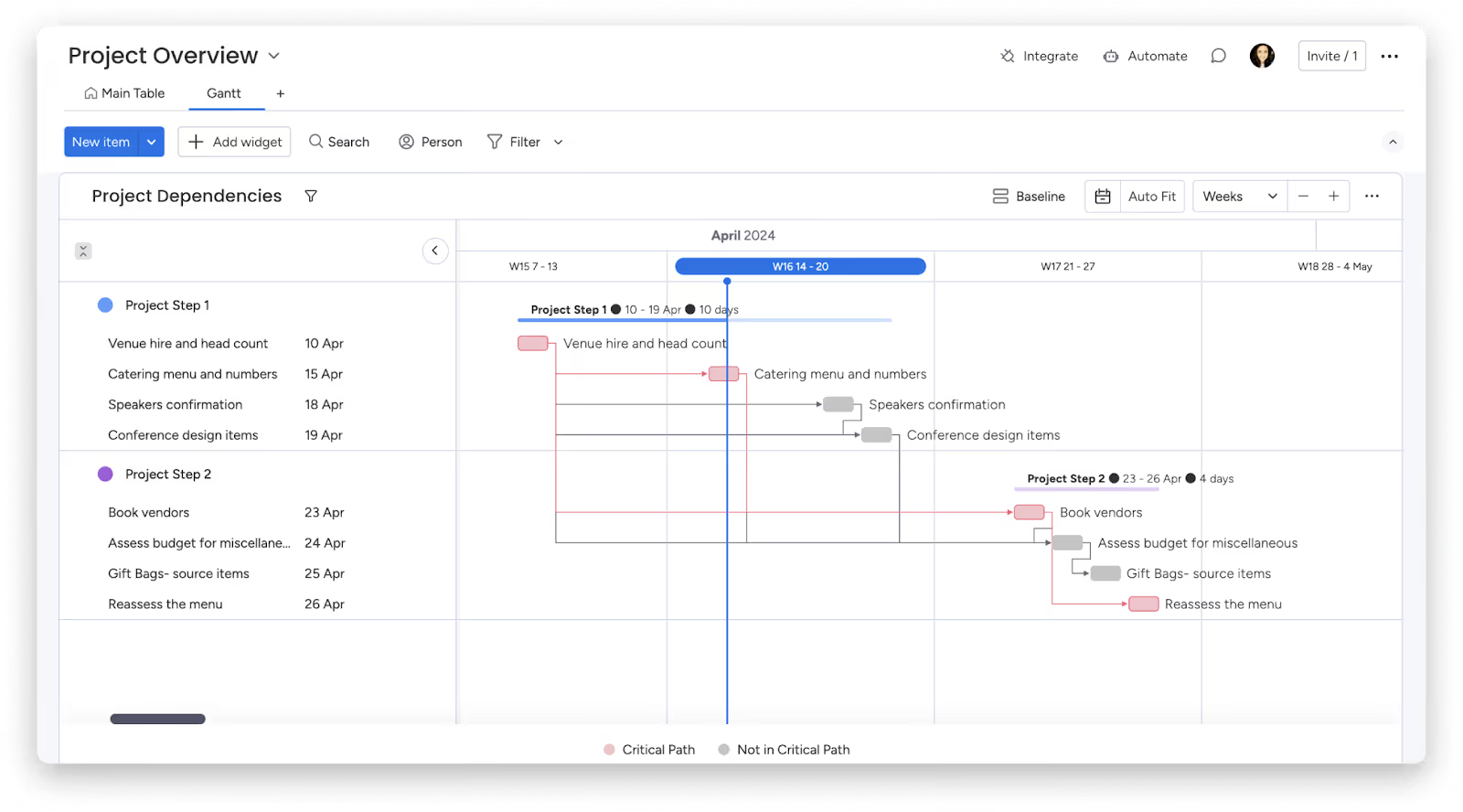
Monday includes basic automations that are easy to set up.
For example:
These save time on small, repeat actions without needing technical skills.
Monday is built for teams, not clients.
There’s no real client portal. Clients can be added as guests but boards often feel confusing and show too much internal detail.
Forms exist, but they’re simple. They don’t handle detailed briefs or ongoing requests very well.
File sharing is basic. Files live inside tasks. There’s no clean review flow, no clear version history and no branded space for clients.
Billing and subscriptions aren’t included, so you still need other tools.
Monday makes sense if you:
Asana is very good at task management. It helps teams break work into clear steps and track everything in one place. If HappyFox made it hard to see who’s doing what, Asana would feel like a big improvement.
Asana is all about tasks. You split work into steps, assign owners and set deadlines. Each task holds comments, and files.
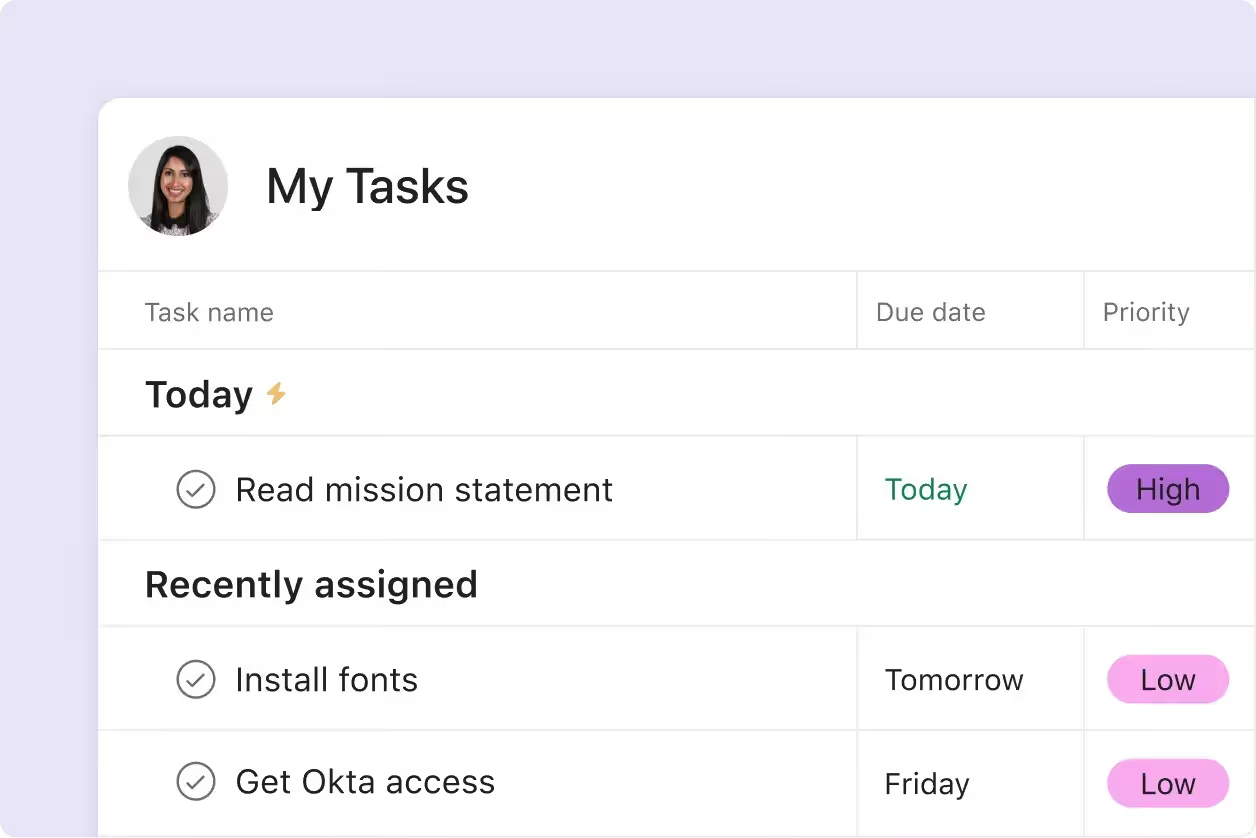
For internal teams, this works much better than tickets, as progress is easy to follow.
Asana lets you view projects in different formats:
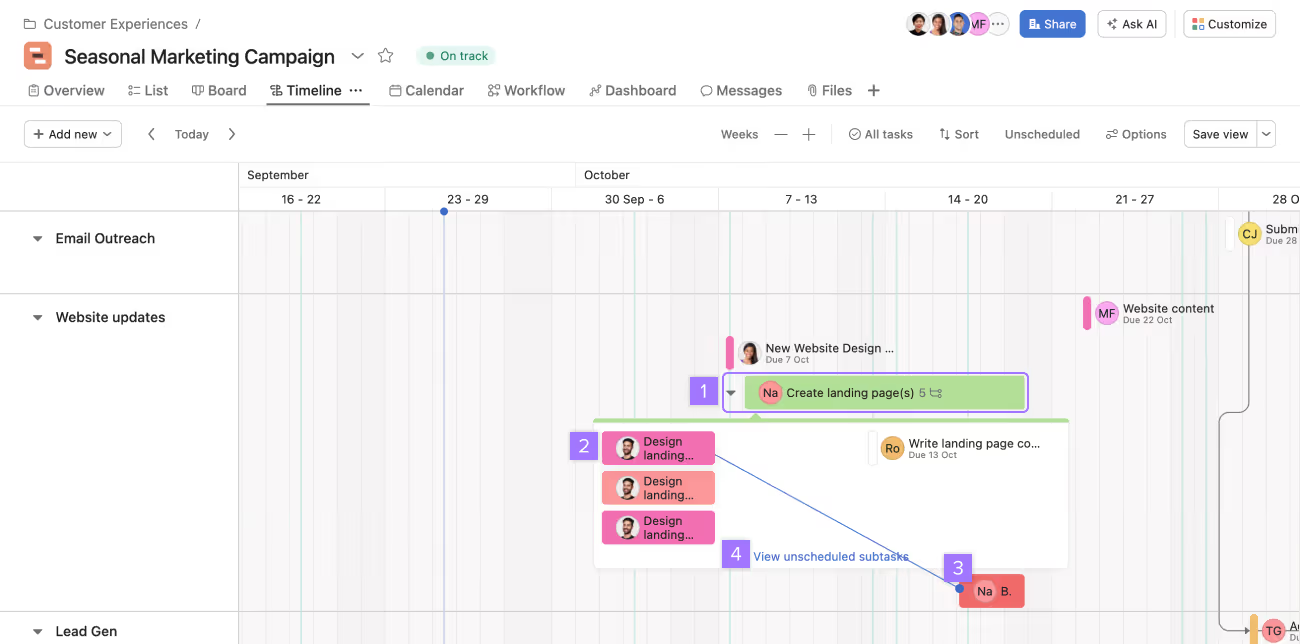
Asana timeline view
This helps different team members work in the way they prefer.
Asana handles multi teams well. Designers, writers, marketers or managers can all see how their tasks connect.
If one task depends on another, Asana shows that clearly. When something moves, everyone stays in sync.
All conversations live inside tasks. Team members comment, tag each other and share files right where the work is.
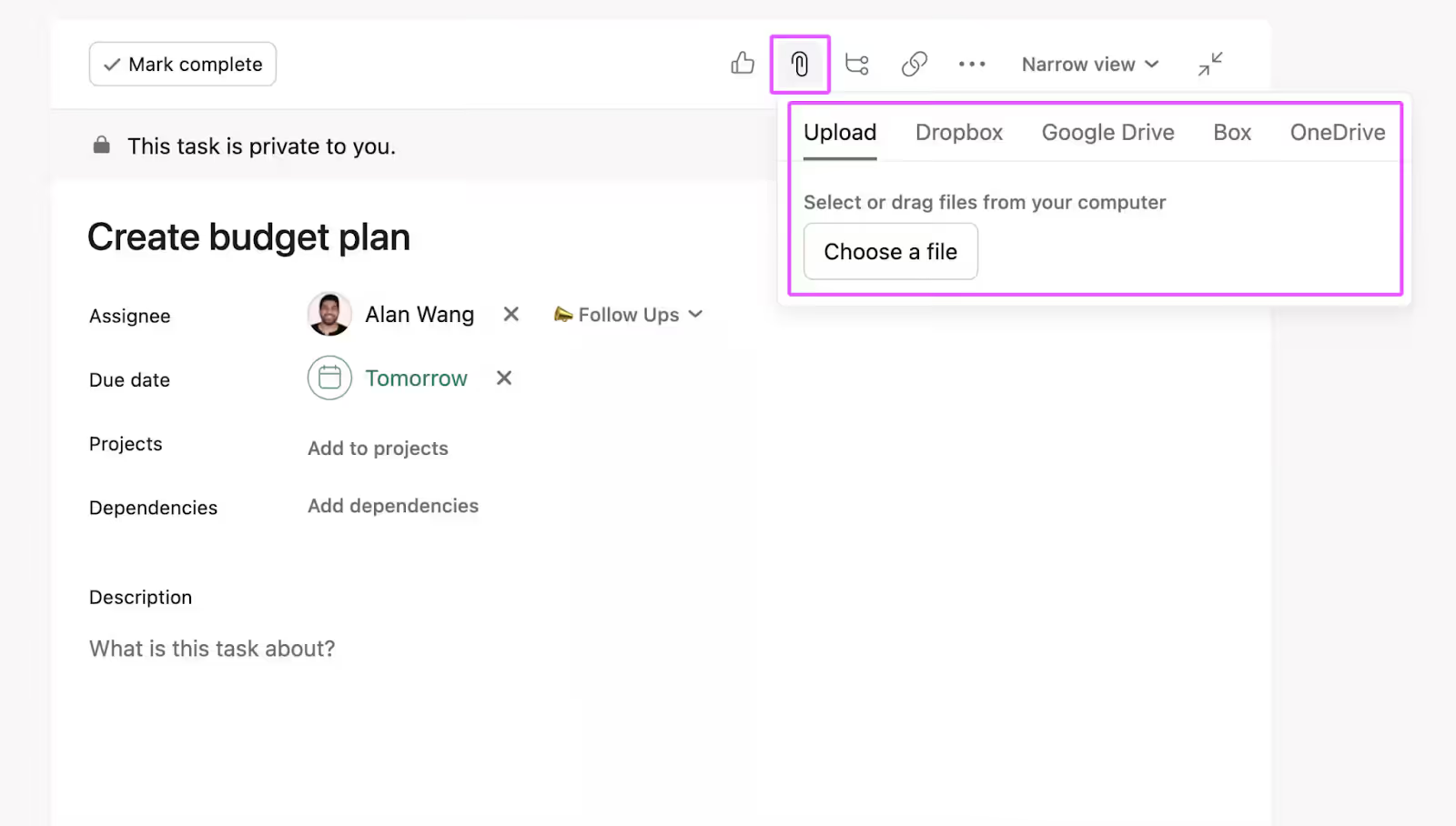
This keeps things tidy. Even weeks later, anyone can open a task and see the full story.
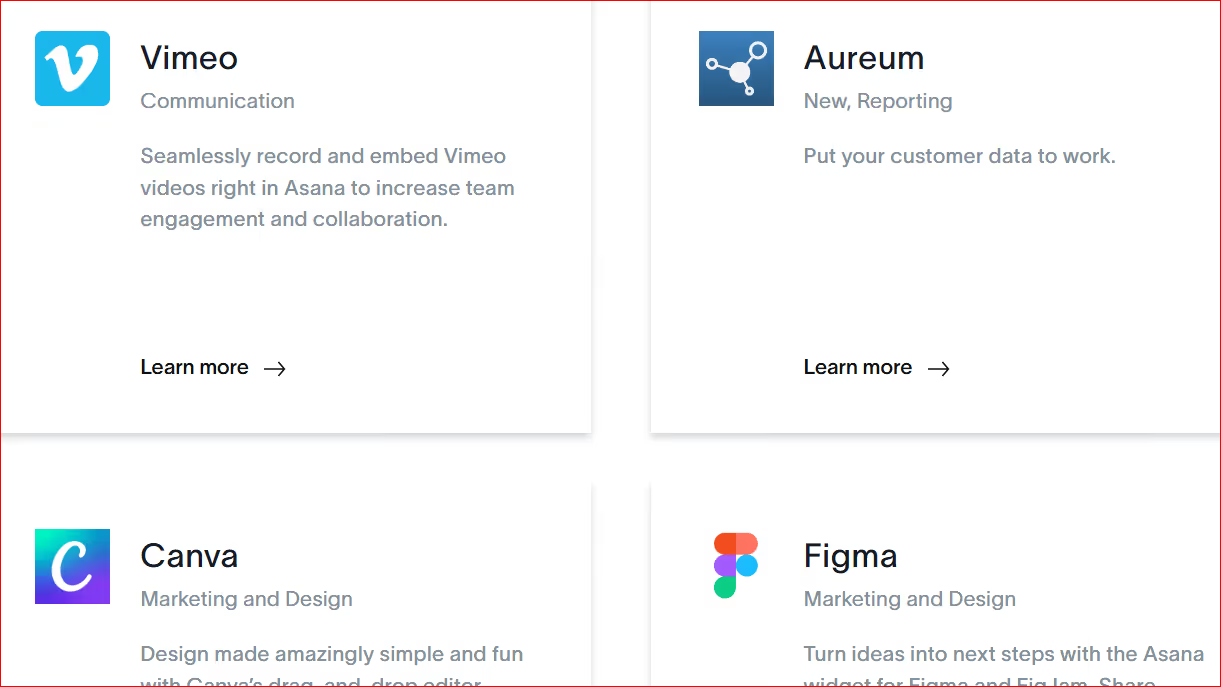
Asana connects with many tools agencies already use, for example, file storage, design and chat apps. This helps teams keep work moving without jumping between platforms.
Asana isn't without weaknesses, though.
Asana isn’t made for client delivery. You can invite clients but there’s no real client portal. Clients might see what they're not supposed to see and branding isn't possible.
It also lacks:
In a nutshell, Asana manages tasks well, but it doesn’t manage clients.
Asana might be a good fit if your agency:
If you’re leaving HappyFox because tickets don’t work for creative tasks, Asana helps. But if you want one system for requests, delivery, feedback and payments, you’ll need something else, a tool such as ManyRequests.
Zendesk is one of the most powerful support tools on the market. Consider Zendesk ONLY if your main focus (as an agency) is customer support. Zendesk handles it very well. That's why it made the list.
That said, even though Zendesk is more advanced than HappyFox, it is still built around the same idea: tickets, queues and issue resolution. That core focus is where the mismatch starts for agency work.
Zendesk shines when you need to manage thousands of support tickets. It gives you deep control over routing, tags, priority levels and response rules.
For creative agencies, it often feels like too much.
Most agencies are not trying to close tickets as fast as possible. They want to manage ongoing client work, creative feedback, revisions and delivery over time. Zendesk treats each request like a problem to solve, not work to move forward.
So bear this in mind.
In Zendesk, everything is a ticket. A logo tweak, a new landing page, a revision or a content update all look the same in the system.
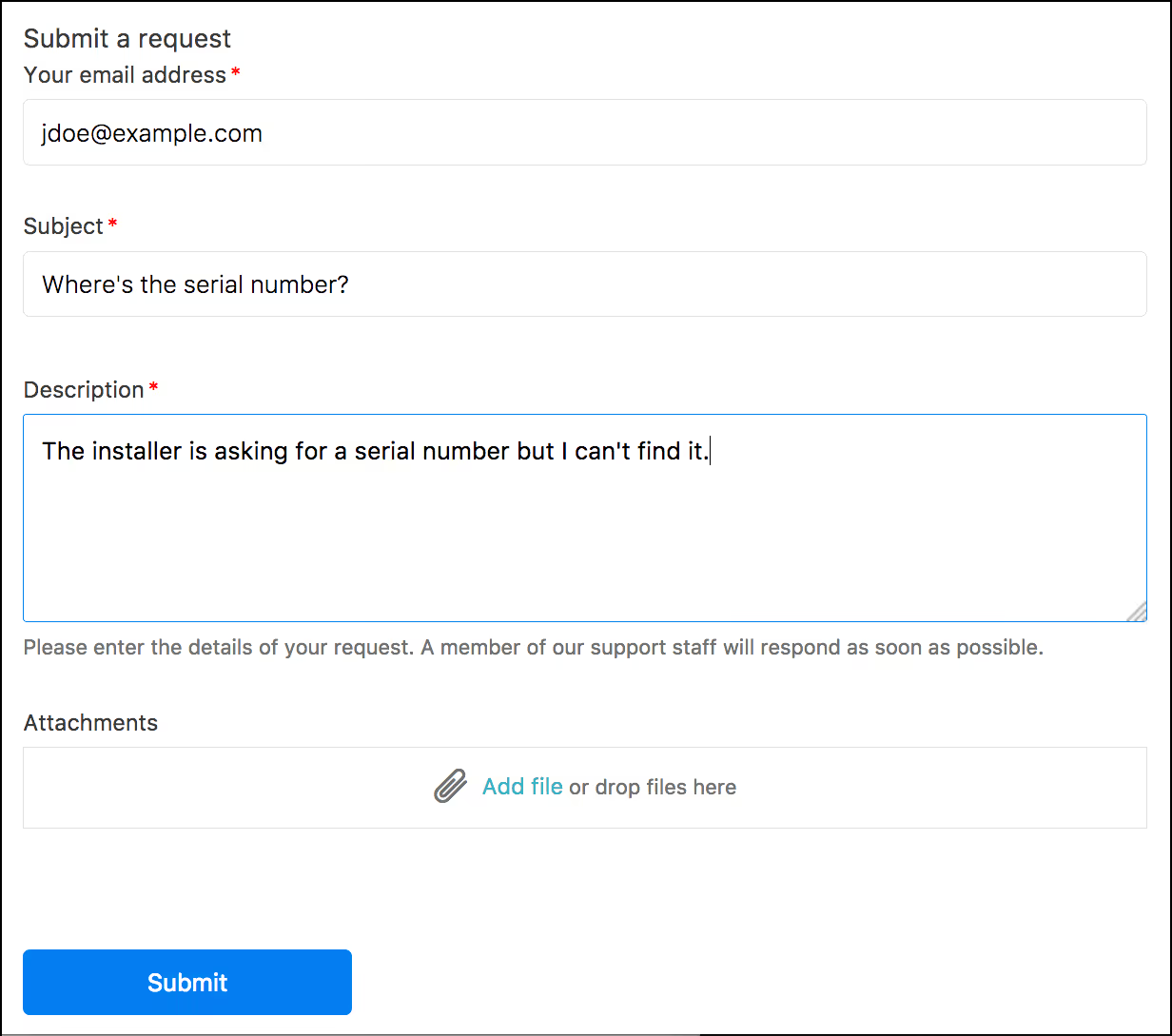
That works fine at first. But as client work grows, it becomes harder to see the bigger picture.
You don’t easily see:
Zendesk is great at tracking conversations but weak at showing creative progress.
As an agency, you'll end up building workarounds just to understand what’s actually going on.
Zendesk’s client-facing experience feels like customer service, instead of a creative partnership.
Clients submit tickets through email or a help center. They get automated replies and status updates. While this is efficient, it feels cold and transactional.
Creative clients usually want something different. They want to see progress, review work visually and feel involved in the process.
Zendesk, unfortunately, cannot handle this.
Zendesk has powerful automation. You can set up rules for tagging and notifications.
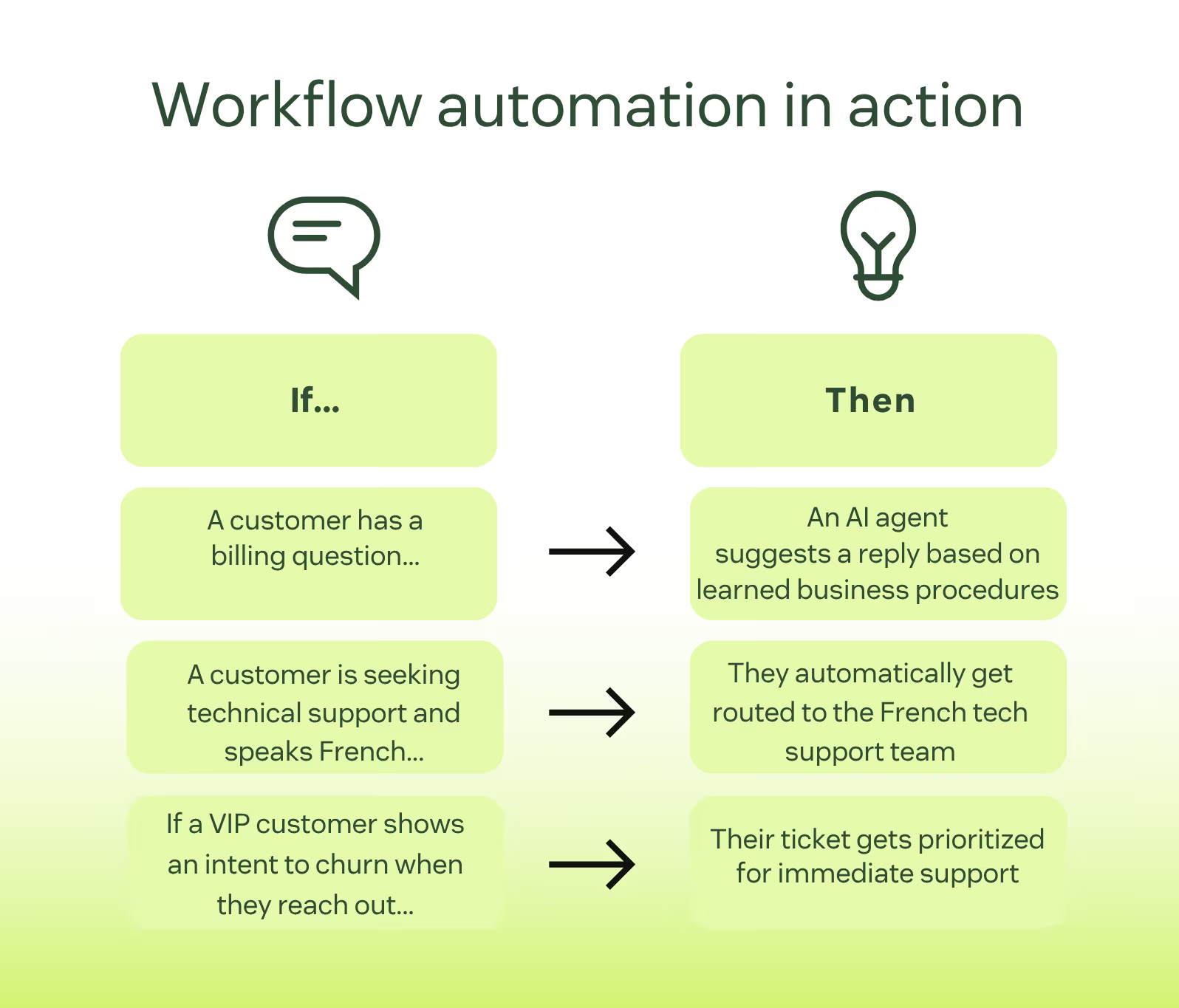
But this power comes with complexity. Setting it up takes time. Managing it takes even more time.
For many agencies, this becomes a problem. You end up spending hours adjusting rules instead of doing client work. Small changes can break flows and new team members need training just to understand how things work.
Zendesk’s reports are built for support teams. You see things like:
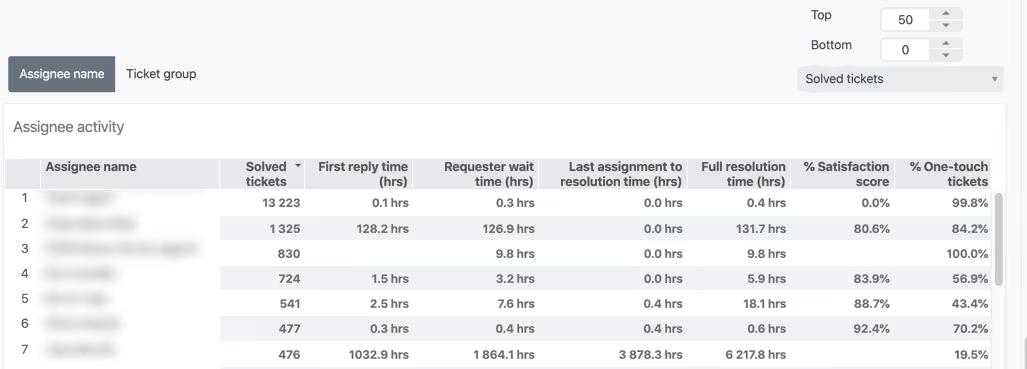
These numbers are useful in support, but less useful for your agency.
Creative agencies care more about:
Zendesk can’t show this clearly without extra tools.
Zendesk allows file attachments but that’s just about it.
There’s no smooth way to deliver creative files, manage versions or collect structured feedback. Clients reply using tickets. Comments get mixed with system messages. Versions get lost.
You often end up using Google Drive or Dropbox anyway, which breaks the flow and adds more tools to manage.
Zendesk does not handle billing in a way that fits agencies. Invoices and payments are not part of the tool.
This means your client communication, work delivery, and billing are split across different tools.
Zendesk can work for agencies in specific cases.
If you run a large support-heavy operation, offer technical help or handle mostly issue-based work, Zendesk may fit.
It’s also useful if your agency is part of a larger company that already uses Zendesk and wants everything in one support system.
But for most creative agencies, it’s not a natural fit.
As a creative agency, you manage clients, ongoing requests, delivery and expectations. So the tool you use should support that full flow, from intake to delivery.
Here’s what you should look for…
Client work comes in as requests which stay active, evolve and often loop through revisions.
A good agency system should:
Agencies need a place where clients can:
This makes your agency feel professional and intentional. It also eliminates confusion and long email threads.
Your chosen platform should :
This is crucial as creative work moves through stages:
Agency owners and team leads need to see:
Anything other than this is guesswork. And guesswork isn't good for business.

Yes, but it often becomes practically difficult down the road.
HappyFox turns every request into a ticket, which makes sense for support but not for creative work. Over time, tickets get long and clients struggle to understand progress without extra explanations.
A good time to switch is when:
Most agencies move to tools built for client delivery, not support.
These tools focus on structured requests, clear workflows, shared visibility and billing all in one place. Platforms like ManyRequests are designed specifically for how creative agencies work day to day.
Thank you for making it to the end. I hope you found it helpful.
Before you go, I have something for you: a chance to use ManyRequests completely free.
Use all of ManyRequests' fantastic features for 14 full days without paying anything. Not even your credit information is required.
Why do we do this? We want you to succeed like many others.
So grab it here.
That'd be it for now. Thanks once again and see you on the next one.
1. See how ManyRequests works in real life. Start a free trial and experience how productized agencies centralize requests, reduce chaos, and streamline delivery, without changing their entire workflow.
2. Read our Implementation Guide to launch smoothly with your team and clients.
3. Follow us on LinkedIn and YouTube for practical agency growth strategies
4. Check out The Productize Blueprint to learn how to turn your services into a scalable, productized offer.
William Nzewi is a data scientist and a writer. He likes to read and learn new things, especially about tech, business and life.

