Designers need project management software built for client feedback and revisions
Generic PM tools often create friction in creative workflows
Client-facing visibility is critical for modern design teams
Centralized requests, files, and approvals reduce delivery chaos
The best tools support both internal teams and client collaboration
6 Best Project Management Software for Designers in 2026
Choosing a project management software is sometimes like choosing your first car. You want something that does everything, goes through dirt and snow, and doesn’t break. You’d probably see many car reviews to choose the best one.
Like many agency owners, you probably offer animation services, social media marketing, and even webflow design beside your core “graphic design services”.
All these have to co-exist in a platform, and you must be able to manage them independently. So, as with choosing your first car, your project management software for designers should have these four things, at least:
Four Capabilities Designers Need in a Creative Project Management Software
After reading negative reviews on project management tools, I realized these are what matter to typical design agency owners:
Task Management: Ability to assign and track tasks across various projects.
Workload Management: Tools to visualize and manage team capacity and resource allocation.
Reporting & Analytics: Insights into project progress, team performance, and timelines.
Client Access: Options for clients to view project status and provide feedback.
Others include:
Request Management: Ability to take new briefs, upload assets, set priorities and due dates through custom intake forms.
File Management: Inline previews, annotations, and a secure file sharing system.
Financial Management: Allows you to customize hourly, project-based, or subscription-based pricing models, with a system for automated invoicing.
To find these, I used 10 project management software and ranked these six because they are the best suited to meet your creative project management software needs.
Analysis: 6 Project Management Software for Designers
Feature
ManyRequests
Scoro
Wrike
monday.com
Productive
ClickUp
Entry Price
$19/mo (Starter)+$15/user
$23.90/user/mo(5-user minimum)
Free tier Team: $10/user/mo
Free (2 users max) Standard: $14/user/mo
$11/user/mo (Essential)
Free tier Unlimited: $10/user/mo
Best Use Case
Agencies with productized services to their clients (catalog + payments)
Automated invoicing with hourly, project, & subscription-based pricing
Budget tracking linked to invoicing
None (requires third-party integration)
None (requires third-party integration)
Hourly billing, automated invoice generation
Time tracking only (Business+), no native invoicing
1. ManyRequests
ManyRequests is designed specifically for agency owners, and it checks all the boxes for what you’re looking for in a design project management tool.
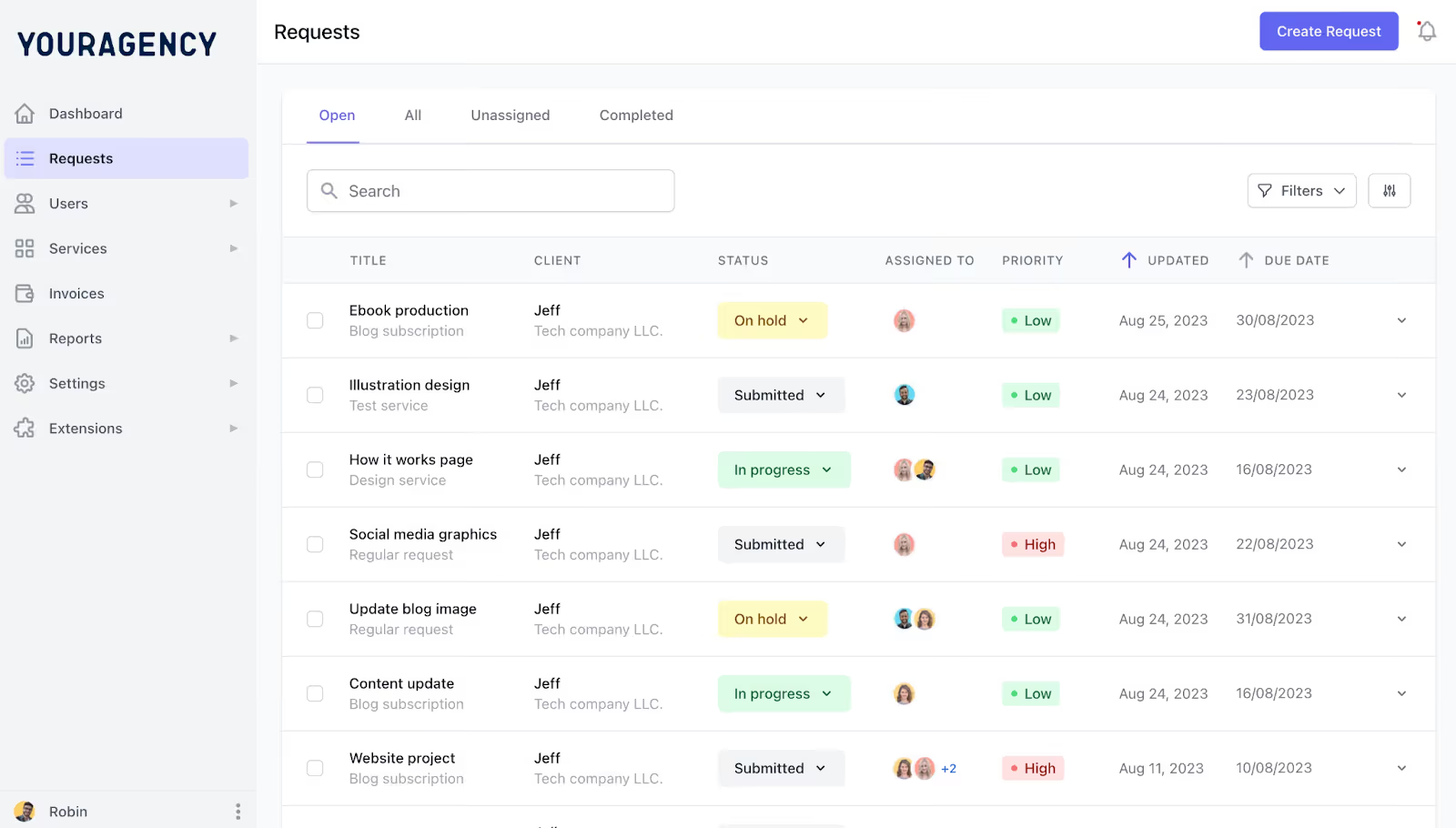
It has a client portal, so you can give clients access to view projects and provide feedback. You can use the project management tools to auto-assign tasks and monitor progress across different projects.
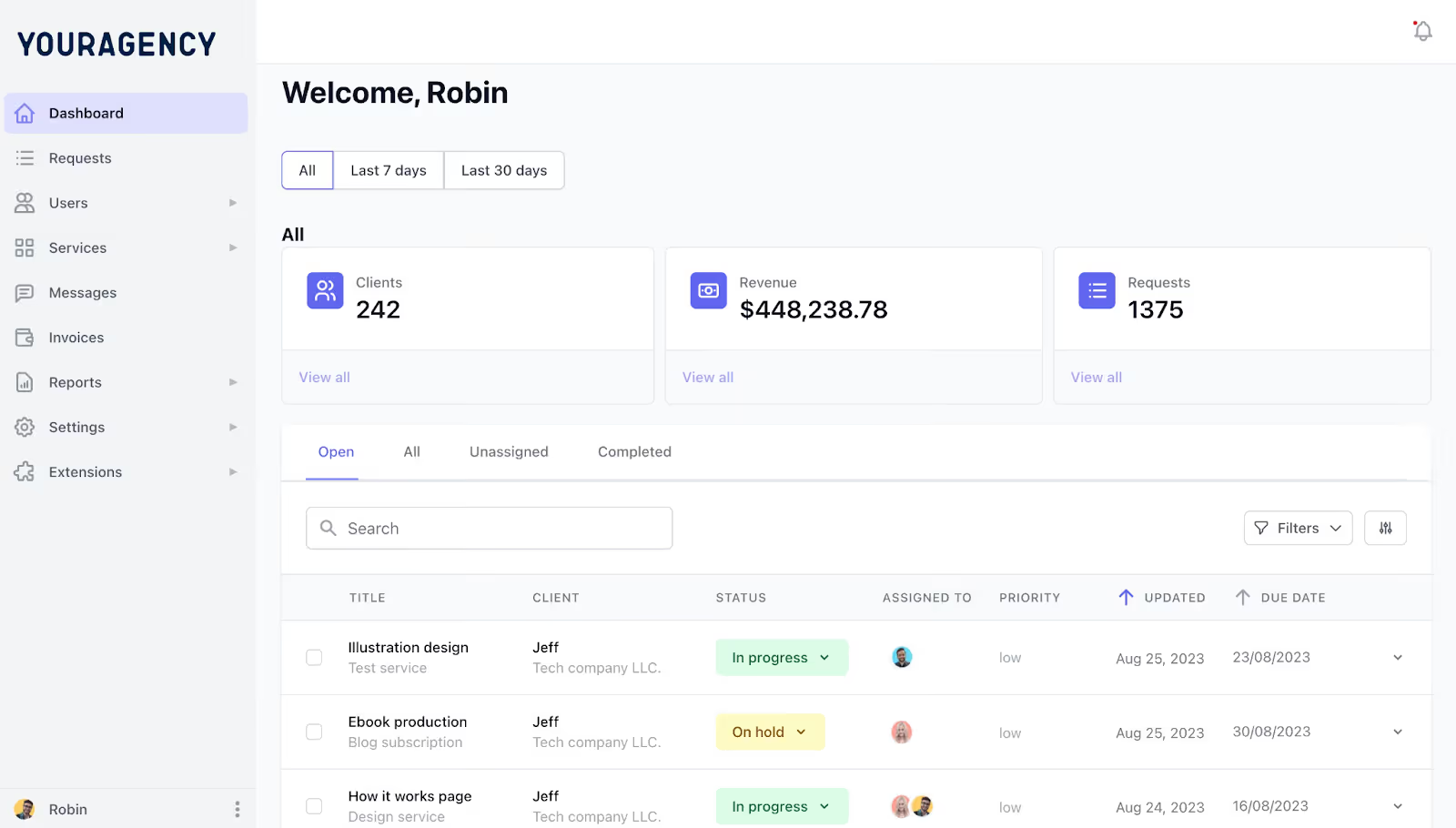
Basically, ManyRequests gives you the one view you need to understand what your team is up to without missing consistent touch with your clients OR your financials.
How ManyRequests works:
1. The Client Portal
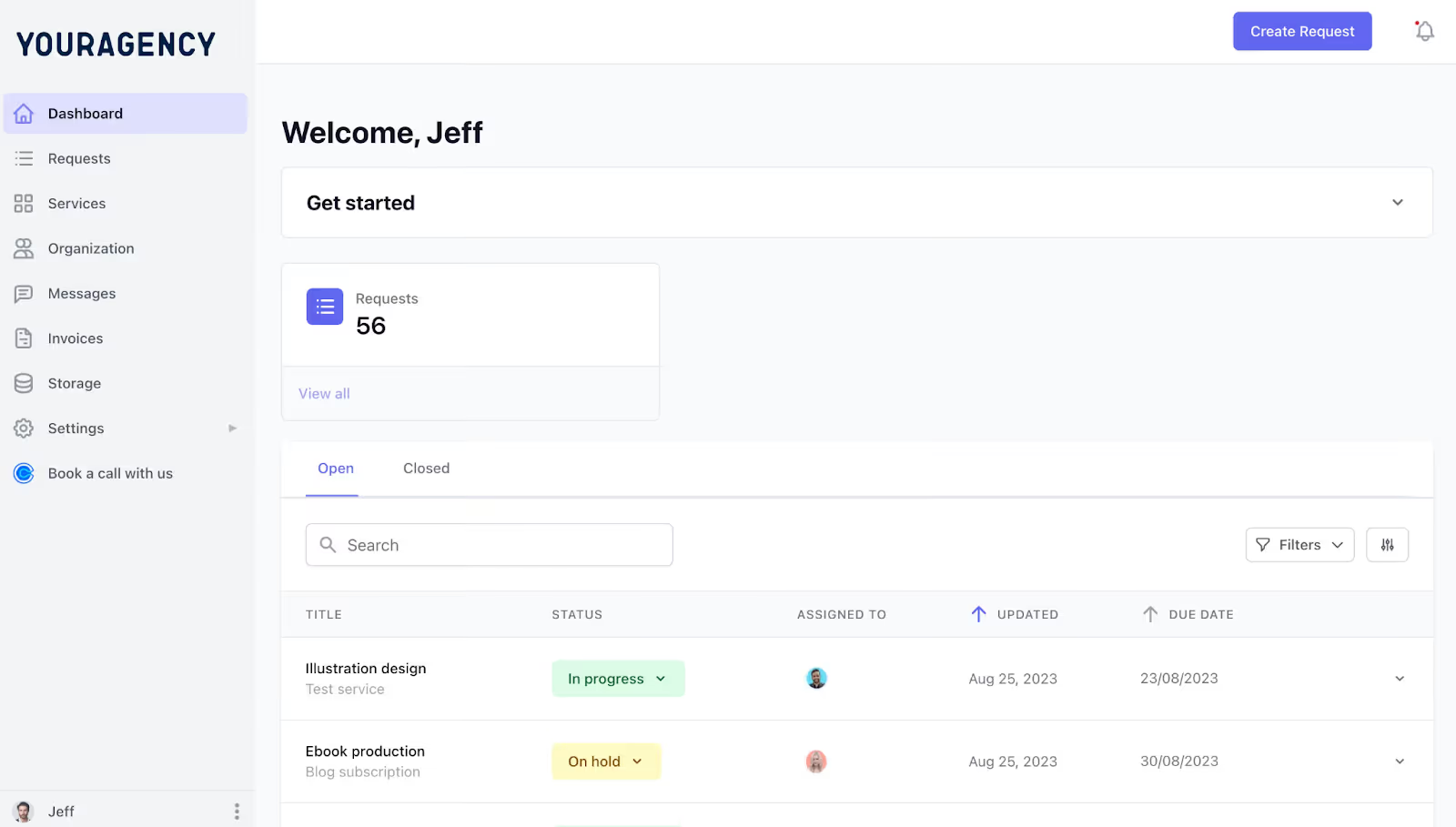
ManyRequests lets you create a client portal, which is like a workspace for your agency. You can customize it with your colors, logo, and domain, to make it look like this:
You can then onboard your existing client with a link, and add new clients (at no extra cost) with the same onboarding link.
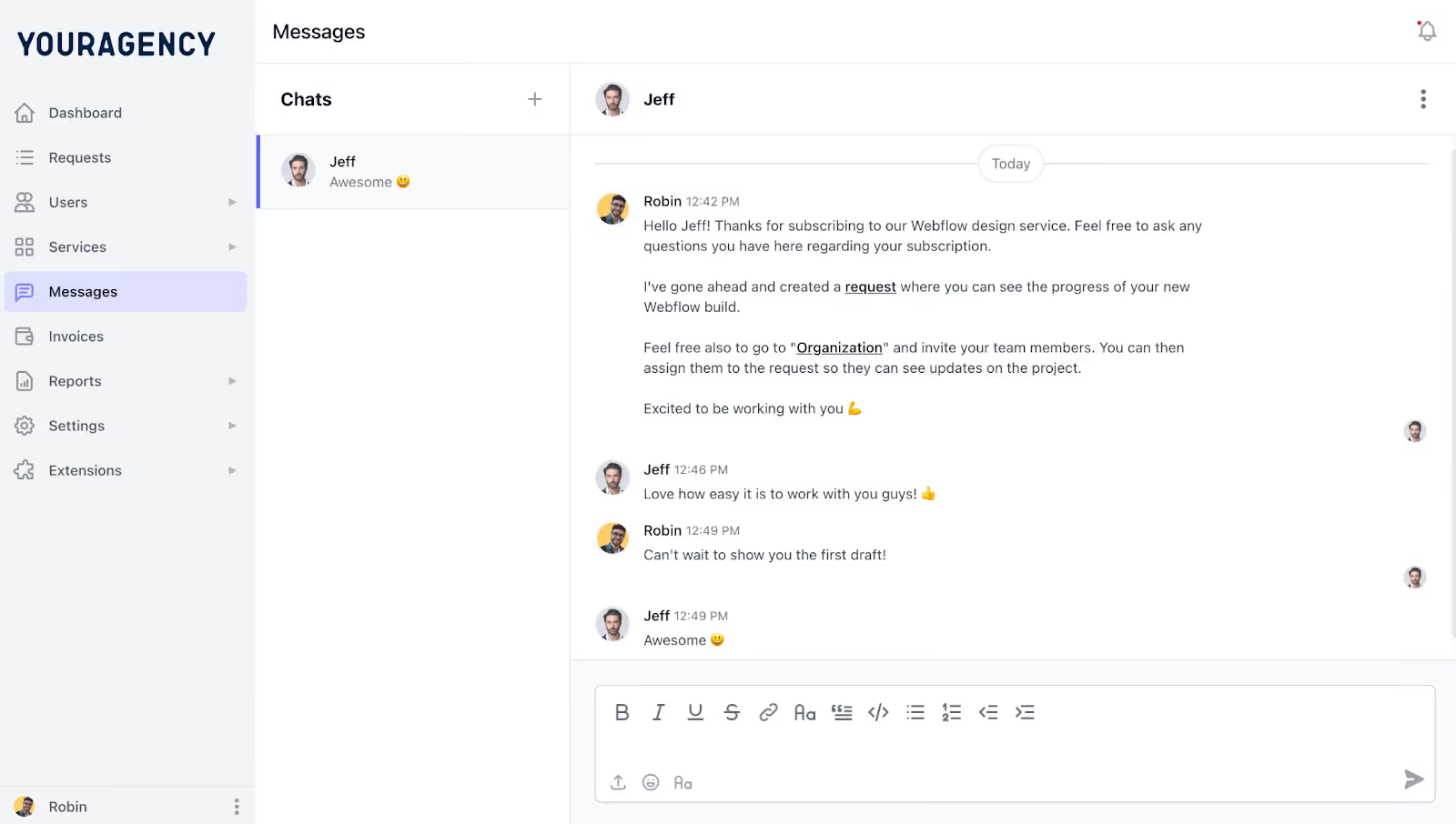
This way, they have access to their existing projects, they can give feedback when necessary, and can also give more context via the messaging feature if you need to understand more about the project.
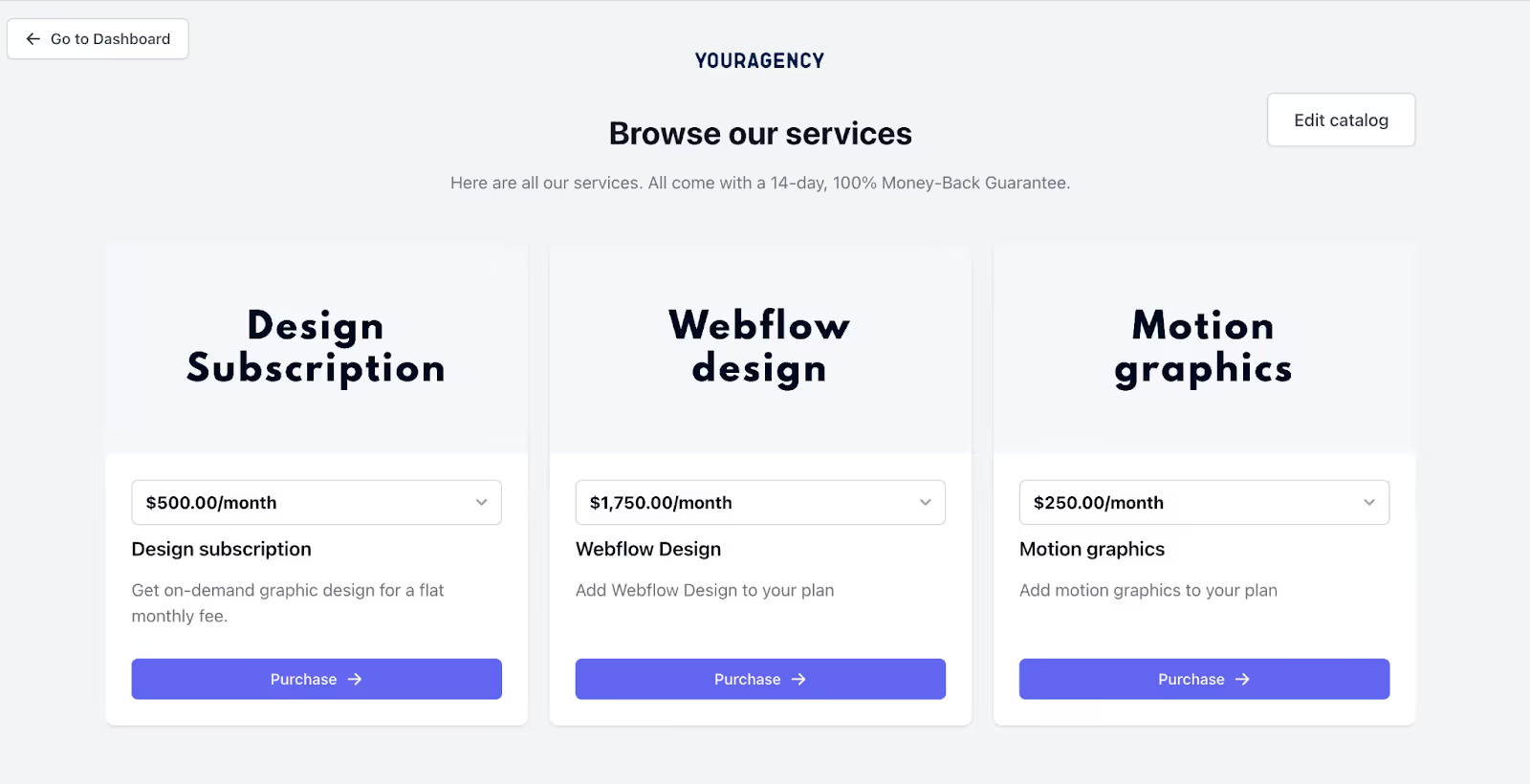
And if your client wants to hire you for another service, outside the scope of what you currently do, they can navigate to your service catalog to choose the service they want.
ManyRequests lets you create multiple pricing for the multiple services you offer: can be hourly, per project, or even quarterly payment structure. Whatever works best for you.
You can also bill your client upfront. Clients will choose the service they want, pay and follow-up closely with you in the client portal.
This way, ManyRequests is like Shopify for your services and a client portal for your operations.
ManyRequests, like many project management software for designers, lets you assign and monitor tasks across various projects.
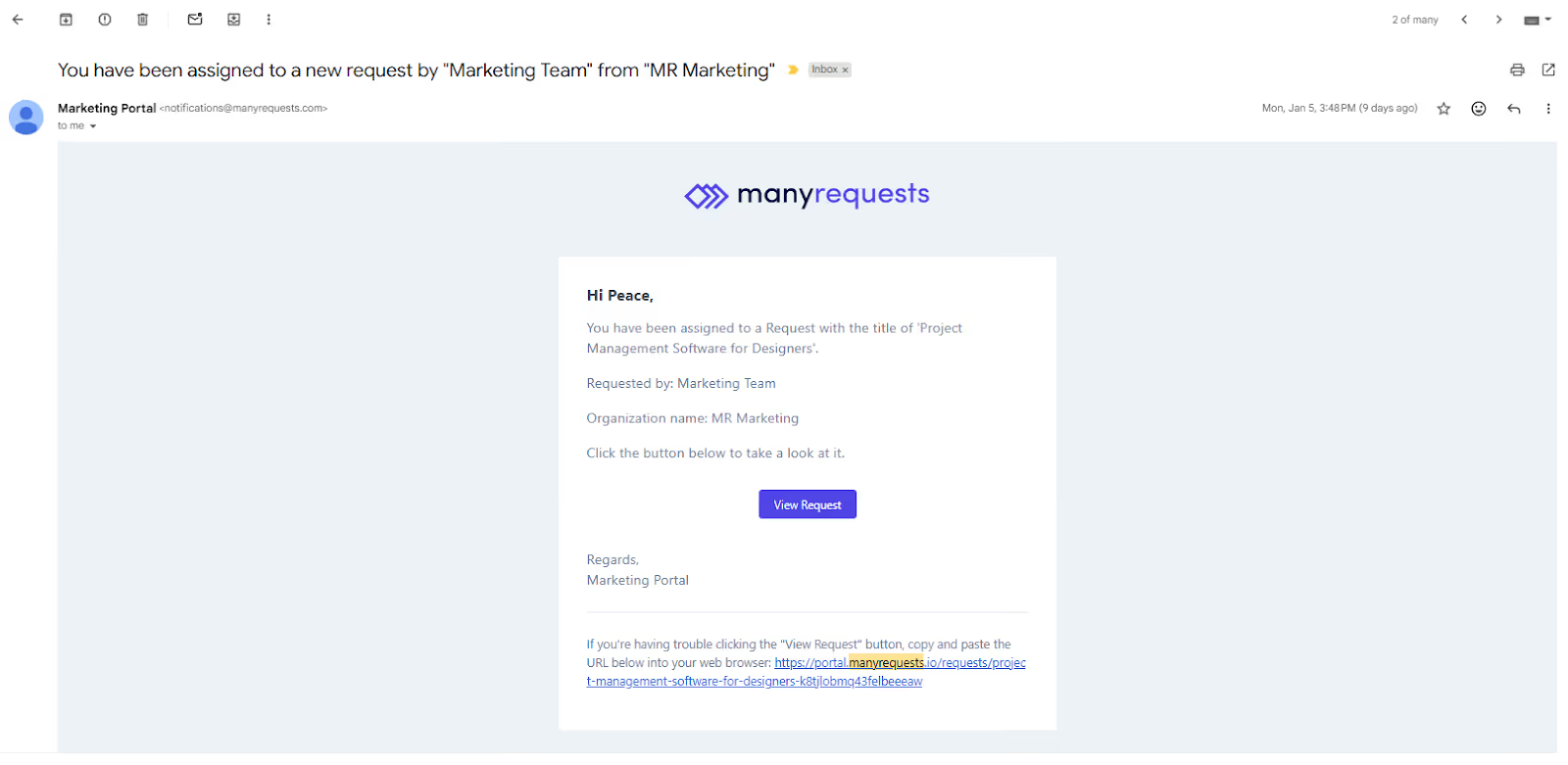
When a client makes a request, whether through the custom intake form or they paid for a service from your catalog, you can auto-assign or manually assign it to someone on your team.
The person will receive a notification that looks like the below (via email), and will be prompted to check:
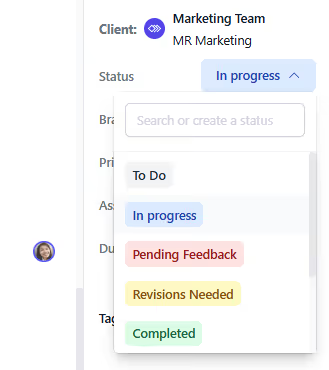
They’ll sign in, and can adjust priorities, review the due date with you or the project manager, and adjust the project status so you know they’ve started work on it.
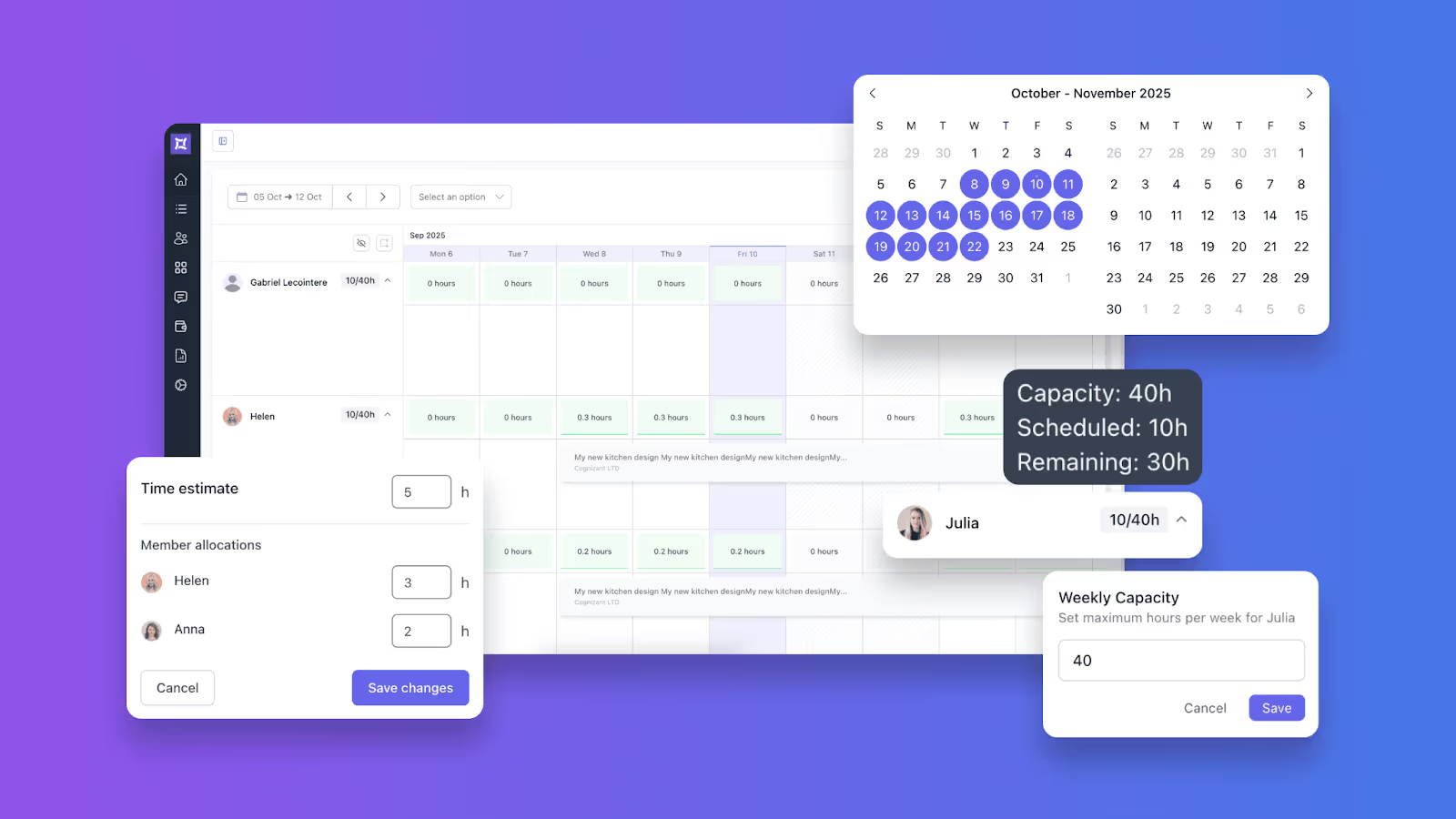
Your team can visualize their workload with a Kanban, list, or a workload view, so it’s easy to navigate between projects and work on them in any order they prefer. Here’s what the workload view looks like:
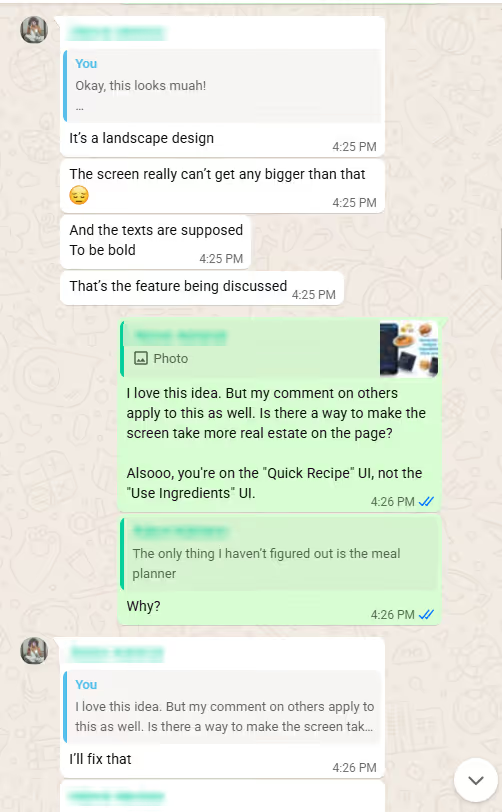
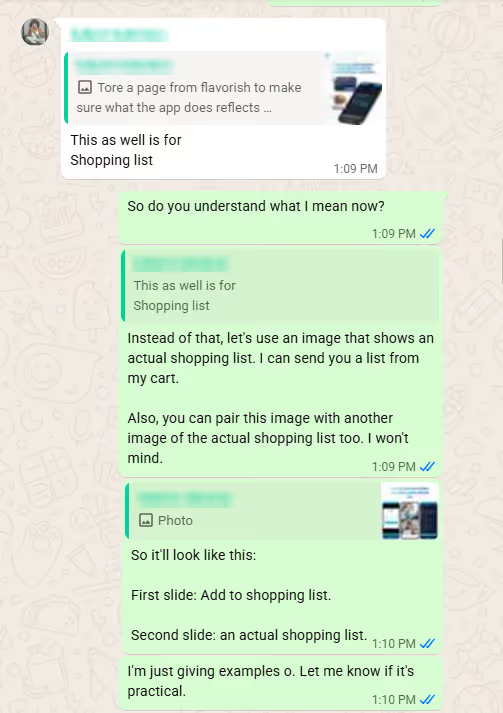
ManyRequests allows clients to give precise feedback on the design file your team has worked on. For example, I am overseeing a marketing project with a designer, and I have used screenshots and WhatsApp messages to explain what they have to do and why, but it’s not clear:
In this chat, the easy confusion would be “which comment specifically?” “More real estate?”
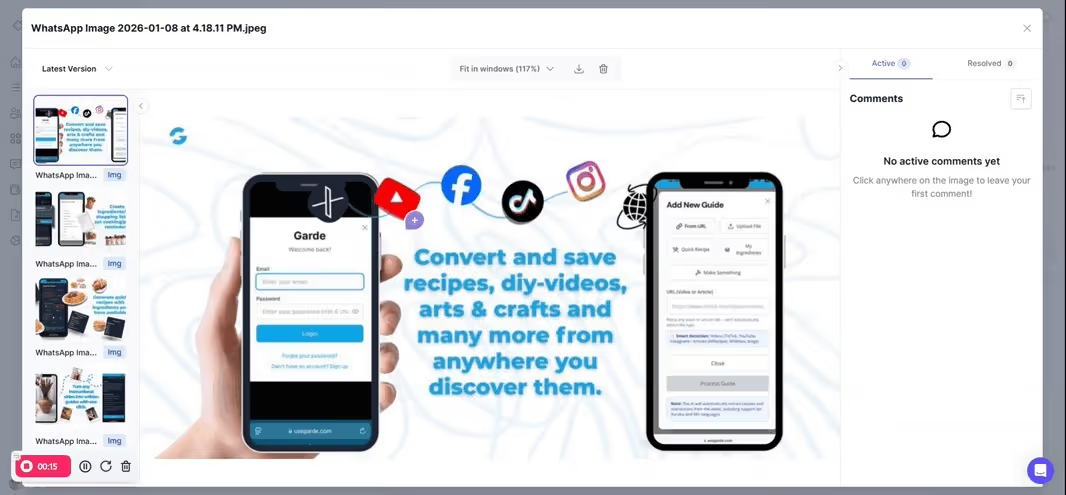
This way, the review process is faster, more precise, and reduces friction. You can also easily tag the right team member to take action on the feedback and reduce revision cycles.
According to one of our users, James Alberts, co-founder of DesignGuru, “one of our differentiation (to prospects) was having a dedicated client portal. It makes it simple to manage all our clients’ design jobs in one place.”
They are able to offer their UI/UX, social media service, and video design services through ManyRequests, and you can do the same.
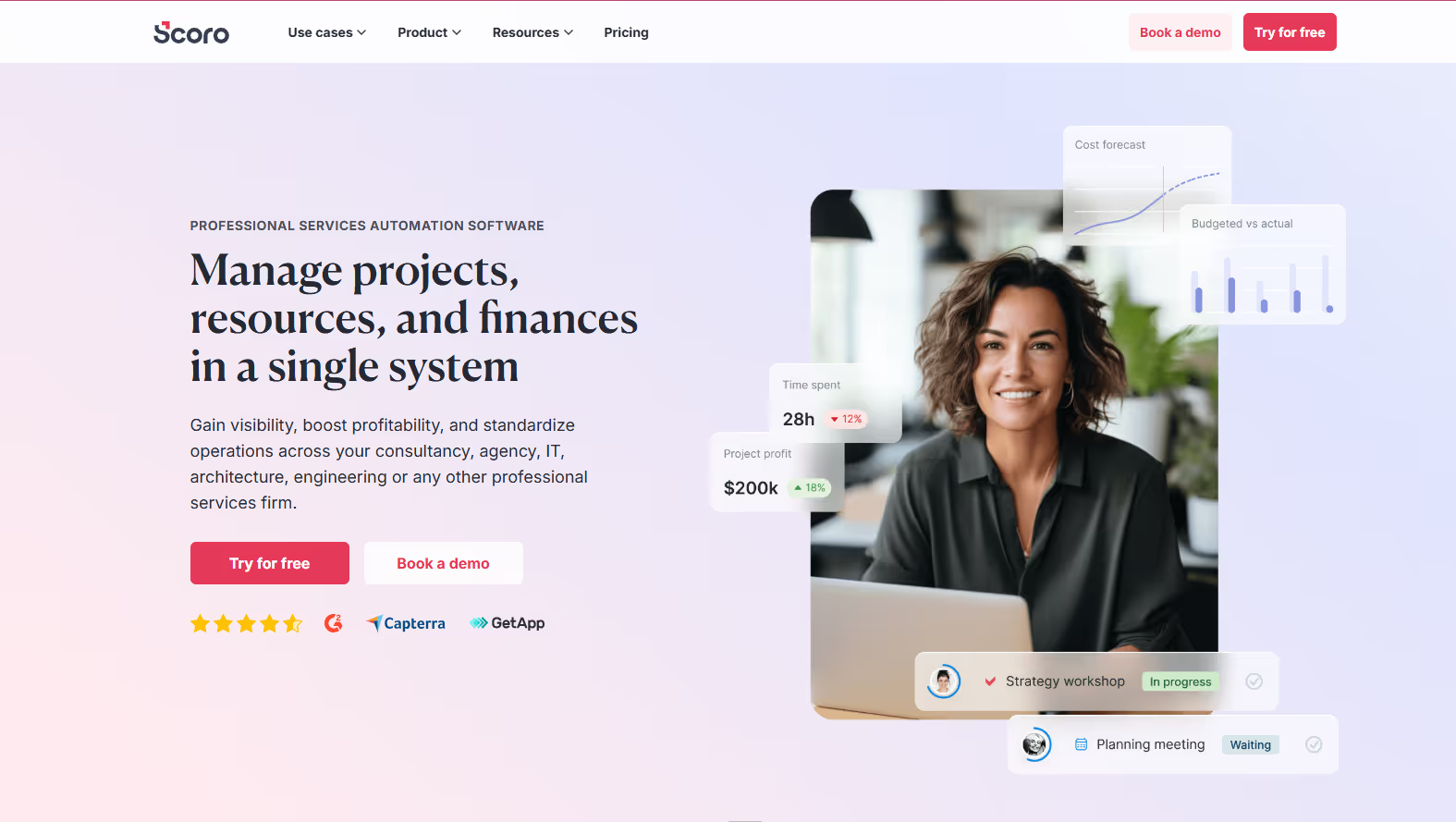
Scoro is great when your design agency's biggest headache is how to manage your operation. Think utilization rates, margins, resource planning, and the ability to connect projects to financial outcomes.
Scoro calls itself a professional services automation (PSA) tool for "consultancies and agencies." The core promise is that it’s a system to connect what you deliver to how your business performs.
How designers use Scoro
Your design team interacts with Scoro through:
Project plans and milestones to structure deliverables.
Task assignments and deadlines with drag-and-drop scheduling.
Time tracking for hourly billing or utilization data.
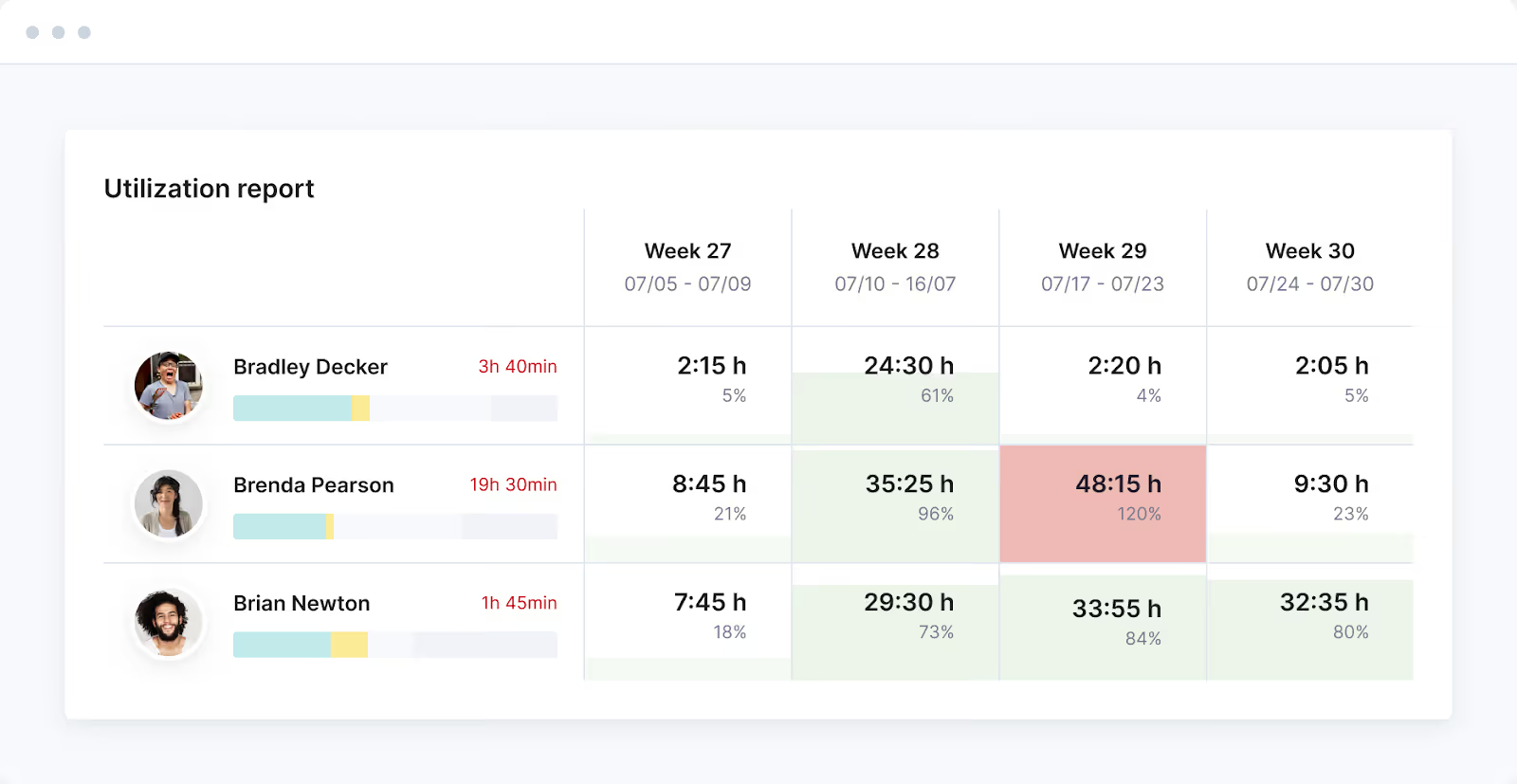
Resource planning with utilization heatmaps that show who has a balanced workload and who's at risk of overload.
Budget tracking and profitability reporting at the project, role, and client level.
If you run a design agency with multiple accounts and you're tired of guessing which clients make you the most money, Scoro can help.
Why designers like it
Clear resourcing decisions: Scoro displays utilization reports and forward-looking capacity forecasts. You see exactly who has bandwidth and who's overloaded before you assign new work. This also helps you know when you need to hire, redistribute tasks, or push back on deadlines with clients.
Business clarity: The burn and breakdown chart tracks budget over time and includes a forecast of future labor costs. When a project starts eating more hours than you estimated, it’ll auto-update so you can cut costs where necessary.
Where Scoro falls short
Scoro does not have a design proofing feature. If one of the challenges of your team is to reduce the revision loop and get precise feedback from clients, use ManyRequests. It is better equipped to manage that sort of activity combined with all the other analytics features.
That said, Scoro is a good fit for agencies that want tighter operations and a PM that can manage the tool. It’s also great for agencies that love cleaner reporting.
Pricing
Core: $23.90/user/month
Growth: $38.90/user/month
Enterprise: Custom pricing
All plans require a minimum of 5 users. Scoro offers a 14-day free trial with no credit card required.
3. Wrike
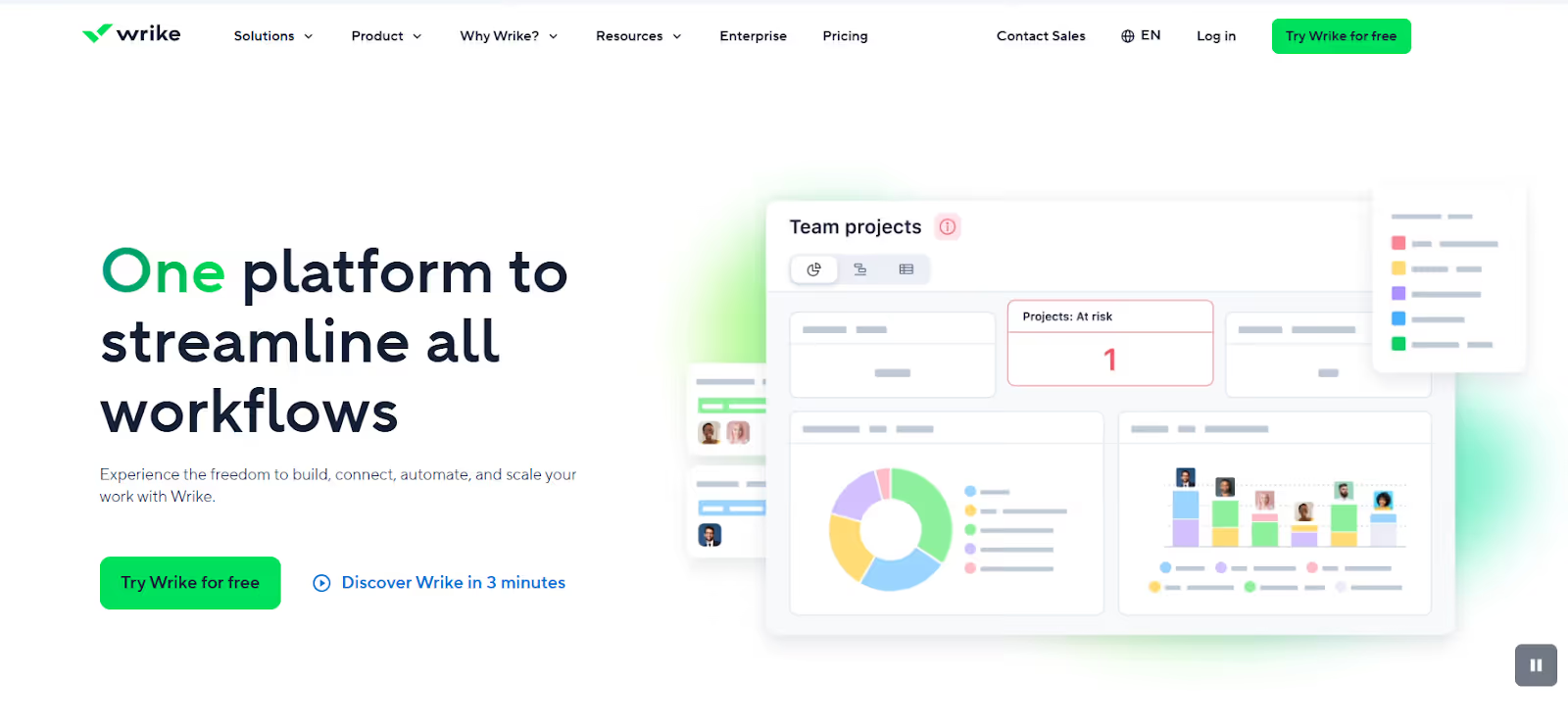
Wrike is an AI-powered enterprise work management. It's a good option if you need enterprise-level control on the workflow and need creative-friendly review mechanics built in. I'll explain.
How Wrike works for designers
Wrike is an option if your design workflow looks like: "Get the project → detailed brief → (design) concept → production → review → approval → delivery”. Designers benefit most from its:
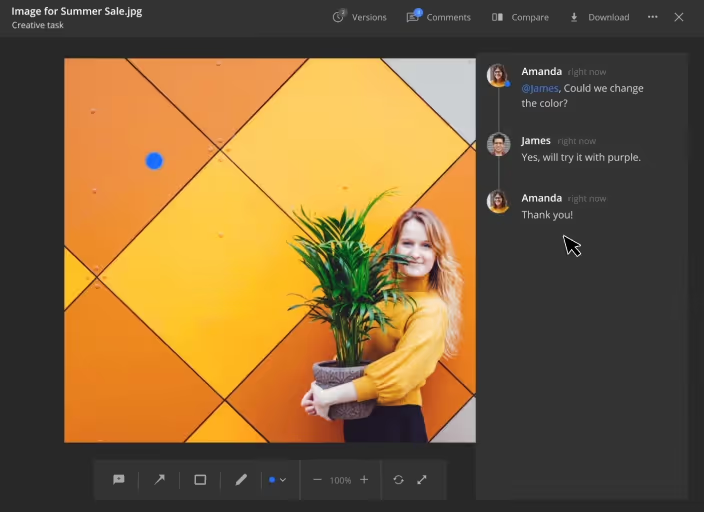
Built-in proofing feature that supports images, PDFs, videos, and even live HTML pages like ManyRequests. Reviewers use markup tools (arrows, free draw, text highlighting) to leave specific feedback directly on the asset, which keeps the revision process organized.
Side-by-side version comparison so you can view the original and updated version together and track exactly what changed between revision rounds (like ManyRequests also do).
Automation that routes work automatically. When a designer changes a task status to "Ready for Review," Wrike can notify the right approver, assign the next task, and update dependencies, without manual handoffs.
Why designers like it:
The proofing feature reduces screenshot/email chaos. Every edit request is precise and easy to create.
You also get enterprise-level visibility without interrupting designers. You can automate tasks like assigning new jobs and deadlines, and the designer can design on Adobe Creative Cloud and other tools, so designers can make iterations directly inside Wrike.
It’s a project management tool that syncs with multiple teams and keeps work flowing across your agency.
Where Wrike falls short:
It has a learning curve. The interface can feel overwhelming (e.g. menus, dashboards, custom fields, Gantt charts) especially for teams used to simpler tools like Trello or Asana. So, you'd have to intentionally onboard yourself (and your team) before your team can use it productively.
It can be an overkill for smaller studios, especially if you don’t have a dedicated person actively maintaining your workflows.
There are mobile app issues, as both Android and iOS apps receive consistent criticism for crashes, lag, and missing features.
That said, Wrike is a good fit for creative teams in larger organizations (marketing ops, design ops) and agencies with complex approval chains that involve multiple stakeholders.
Pricing
Free: $0 (basic features, unlimited users)
Team: $10/user/month (2-25 users)
Business: $25/user/month (5-200 users)
Enterprise: Custom pricing
Pinnacle: custom pricing as well, and it’s built for complex workflows.
Extra costs: If you need a feature like Wrike Whiteboards, it costs $15/user/month.
All paid plans bill annually and include a 14-day free trial.
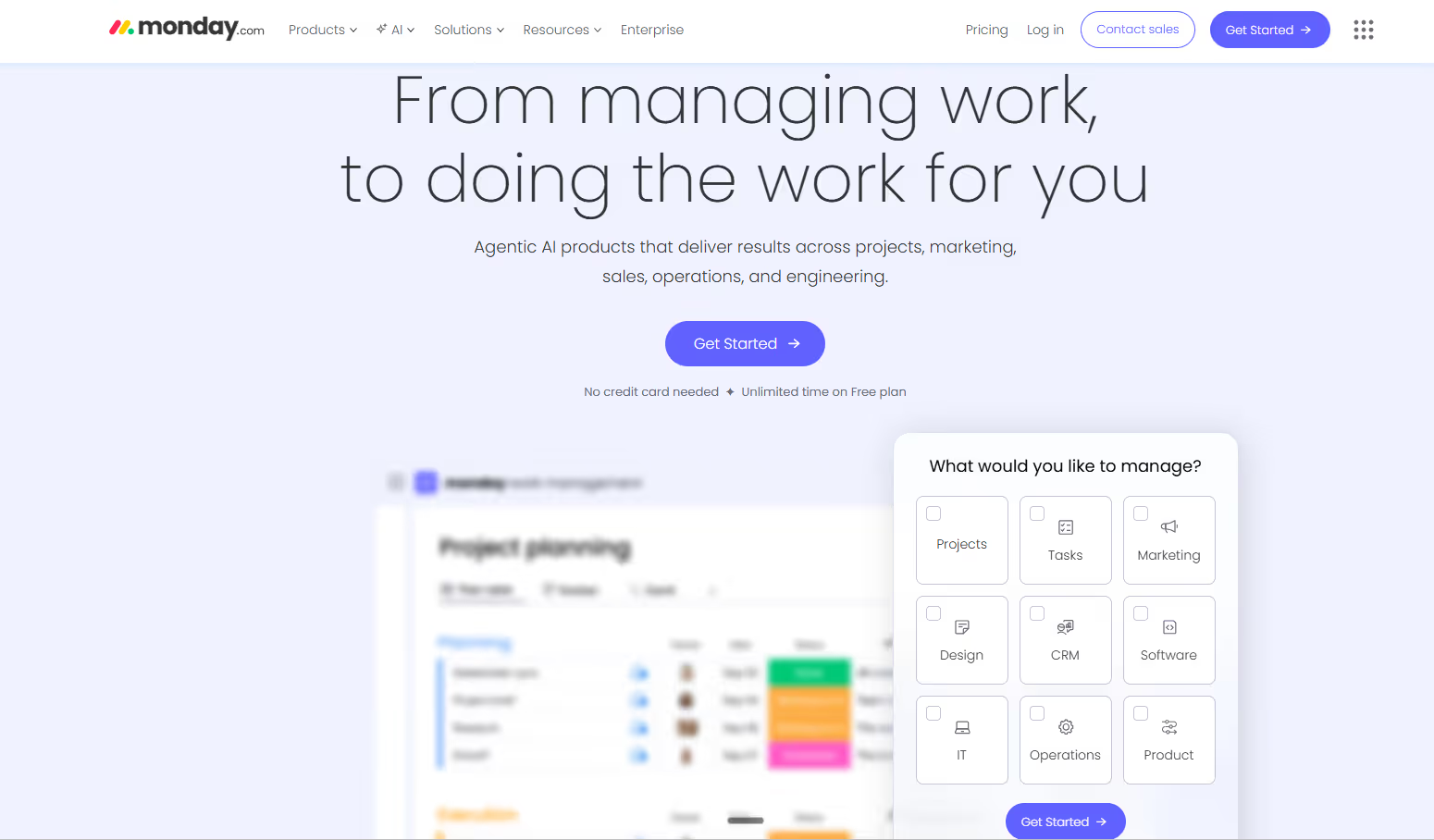
4. monday.com
monday.com now positions itself as The AI work platform.” This makes it a great choice if you want something configurable, widely adoptable, and increasingly AI-oriented without the enterprise complexity.
How monday.com works for designers
Design teams typically use monday.com for:
Custom boards per project or client with multiple views (Kanban, Calendar, and Files view to see all assets in one place).
Use the request forms to collect briefs and automatically create the project structure, assign tasks, set dependencies, and notify team members. ManyRequests has this automated setup as well, because it makes it easy to get your team started on a project.
Dashboards for workload and timelines that pull data from multiple boards into one view.
Automations that eliminate repetitive PM work using a trigger → condition → action formula (e.g., "When status changes to 'Ready for Review' and assignee is Designer A, notify Creative Director and move item to Review group").
Why designers like it
Low friction adoption: The interface is visual and intuitive, so anyone can use it.
Flexible workflows without coding: You can automate your way around by selecting triggers (status change, date arrives, item created), adding conditions (only if budget exceeds X, only if assignee is Y), and choosing actions (notify someone, create a task, move item to another board).
Great visibility that reduces meetings: You can aggregate data on dashboards and everyone will see the project status.
Where monday.com falls short
monday.com's file annotations only work on images, PDFs, and videos uploaded to a Files Column. You can't annotate files shared in Updates or comment threads, which fragments feedback across multiple locations.
Also, without someone in charge of the monday.com setup (defining naming conventions, creating board templates, archiving old projects), your team will build inconsistent boards. One user from Capterra wrote that "Monday’s interface is very much cluttered and there are too many active boards and sometimes it gets difficult to find an item during a busy period." If nobody maintains the structure, you’ll get a fragmented system.
Lastly, there are lower automation limits (just 250) on lower plans. If you automate a lot, you can hit the ceiling in a week or two.
That said, it’s great for cross-functional teams (design + marketing + ops) that need a shared workspace everyone actually uses.
Pricing
Free: $0 (up to 2 users, 3 boards, no automations)
Standard: $14/user/month billed annually (250 automations/month, Gantt and Calendar views)
Pro: $24/user/month billed annually (25,000 automations/month, time tracking, private boards)
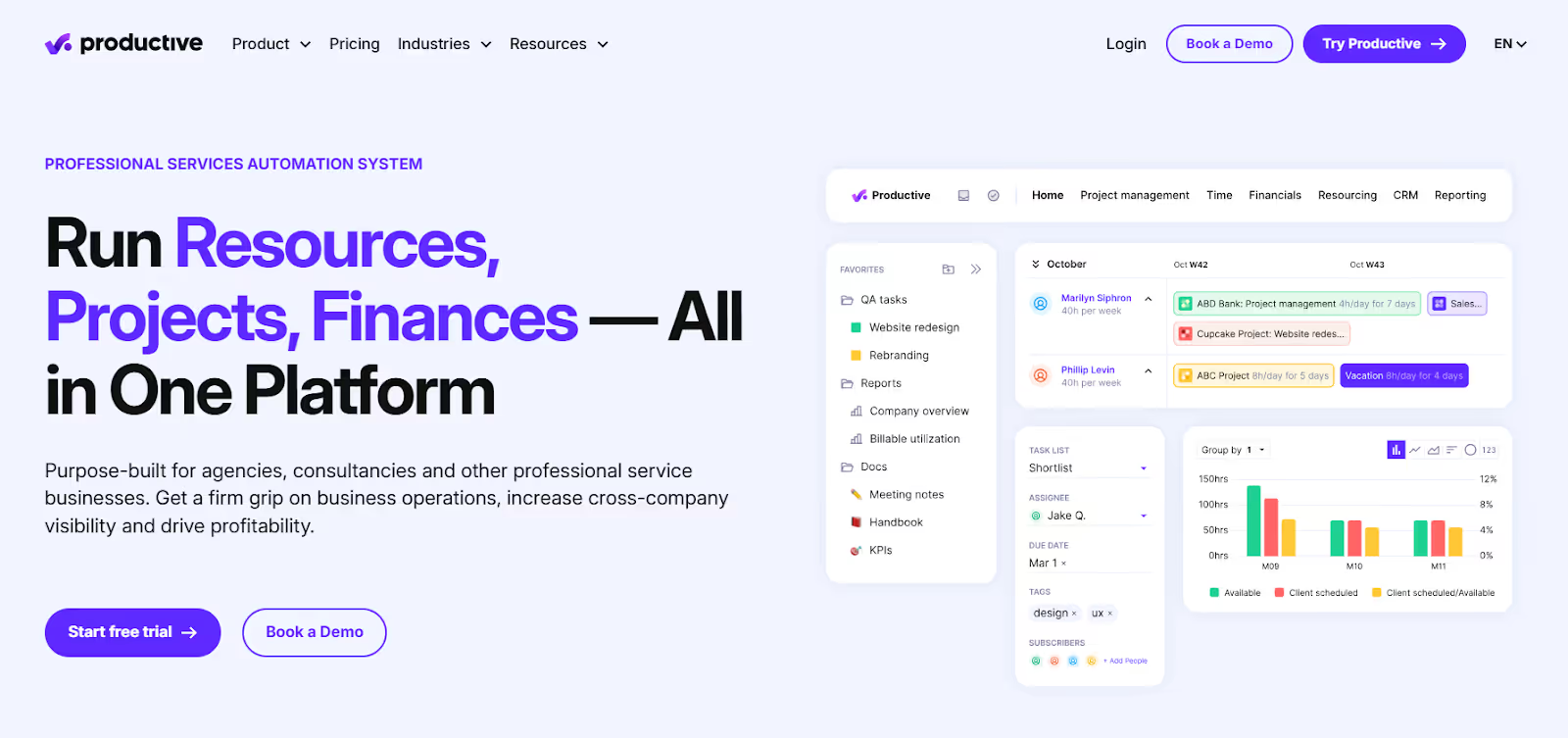
Productive is an agency and PSA-style software. Like Scoro, it’s great for agencies and consultants that need project management software tied tightly to how they track hourly projects and the budget for those hourly projects. This way, they can connect the numbers and see where they lost money vs where they made money.
How Productive works for designers
Designers interact with Productive through:
Task and project collaboration with board, list, and timeline views, often paired with a PM’s oversight.
Time tracking via web, desktop, or mobile using timers, manual entry, or automatic time tracking suggestions. Every logged hour is linked to the project budgets, so you see the profit vs even vs loss ratio.
Resource Planner with heatmaps that shows who's booked, who has capacity, and where a team member has multiple deadlines conflicts appear.
Budget visibility in real terms with support for fixed-price, time & materials, recurring, and hybrid budget types. The Burn-up chart tracks budget progress over time and forecasts overruns before they happen.
Why designers like it
Fewer surprises: The Resource Planner connects directly to your team's time-off and vacation requests. If you try to schedule someone who's already confirmed as absent, Productive automatically adjusts the booking by splitting it around their time off. For example, if they're out for 3 days in a 5-day project, it schedules the 2 available days around the gap.
The Client Portal lets you invite clients into your workspace for free. You can control what they see through the Permission Builder, and can also give them access to dashboards that keep them informed about project status.
Set hourly bills for each role or team member. As people log time, Productive calculates how much it costs to serve each client and which projects generate the highest margins. The Ultimate plan adds overhead calculations and expense approvals so you see true profitability, not just revenue minus direct costs.
Where Productive falls short
Productive doesn't have a design annotation feature. So if you’re looking for Wrike and ManyRequests’ precise feedback ability, you’d have to choose either of the two for your agency.
Modules don't fully connect: The Sales CRM and Project Management modules use separate task systems. One user from G2 explained that "The task management in the Sales CRM is different from the Project Management module, which means I need to maintain two workstreams."
This means that if your agency uses Productive for sales (tracking leads, proposals, deals) and project management (active client work), you'll manage the tasks in two separate places. The two modules don’t talk to each other, so you can’t see a unified view of all work related to the client.
Pricing
Essential: $11/user/month (budgeting, time tracking, project management, basic reporting)
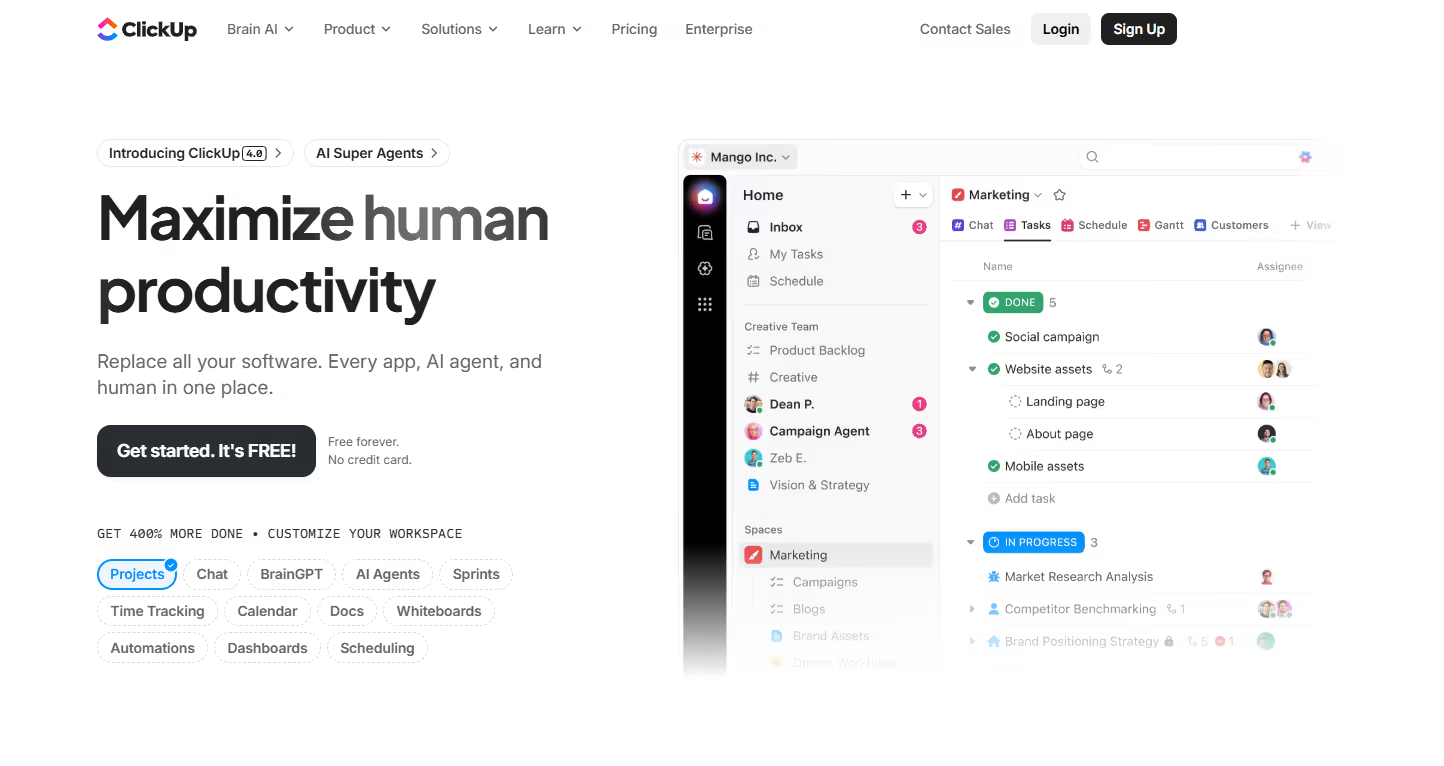
ClickUp is another project management software for designers with some AI features in the mix. Unlike single-purpose tools, ClickUp has project management, docs for notetaking, whiteboards for brainstorming, and time tracking (for hourly bills) in a unified workspace.
It’s the "everything app" in this list, so how does it work?
How ClickUp works for designers
Track tasks in multiple views (list, board, timeline, Gantt).
The design proofing feature helps reviewers click directly on images, PDFs, or videos and write comments on the exact spot that needs attention. Video proofing is timestamped; pause at a specific frame and leave feedback tied to that moment.
The Docs are connected to tasks. When writing a project brief, you can embed live task lists and assign action items without leaving the document. When someone updates a task status, it reflects in the doc automatically.
You can use the whiteboards to draw flowcharts, add sticky notes, and drag objects onto the canvas to create tasks on the spot. Multiple team members can collaborate in real-time, seeing each other's cursor movements.
It integrates with Figma and Adobe Creative Cloud, etc. so designers sync work without jumping between apps.
Why designers like it
Design ops in one place: ClickUp has templates for briefs, reviews, and app launches or marketing campaigns. The design proofing features also helps your team receive precise feedback in their chat box.
Strong internal collaboration: The Docs, Whiteboard and Chat boxes can help you connect ideas, notes, and tasks. The ClickUp Brain (AI) can also help you generate ideas, summarize comment threads, and automate routine tasks.
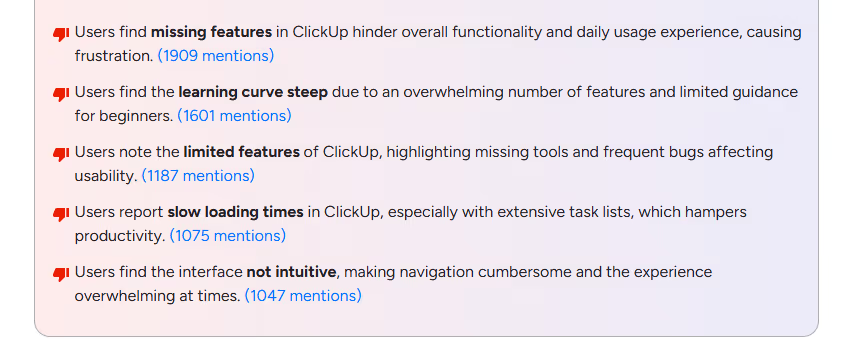
Steep learning curve: G2 shows that 1,909 users wrote about ClickUp’s steep learning steep. One Capterra reviewer wrote "There was a pretty steep learning curve to get everyone trained and up to speed on using the platform." Another user added that ClickUp is powerful, but “its flexibility means there’s a bit of a learning curve during initial setup.” So if you’re looking for a creative project management software that’s easier to setup and use, consider an alternative like ManyRequests.
The client portal feature is limited. Your clients can't access Spaces, Chat, or the Everything View. They get a limited, manually configured "Shared with Me" section for their project, which you’ll have to create every time if you work on multiple projects for the same client. This may be a hassle, especially if you’d like to coordinate on work via one portal and dashboard.
ClickUp Brain (AI): Add $14/user/month to any paid plan
EverythingAI: Add $33/user/month to any paid plan.
Concluding: Which project management software should you choose?
Like buying your first car, you want something that does everything, handles rough conditions, and doesn't break. Most project management tools can do these, but when you consider the setup time, dedicated administrators, learning curves, and add-ons that rack up your monthly subscriptions, the cost of ownership outweighs owning it.
ManyRequests has a lower cost of ownership. You don’t need a dedicated PM to manage your workspace, and you don’t need another invoicing or messaging tool to handle billing (hourly, per project or monthly recurring) and chats with your clients.
And lastly, the client portal has scalable pricing that makes it easy to expand your small team into 10s, 20s, and even hundreds.
1. See how ManyRequests works in real life.Start a free trial and experience how productized agencies centralize requests, reduce chaos, and streamline delivery, without changing their entire workflow.
3. Follow us on LinkedIn and YouTube for practical agency growth strategies
4. Check out The Productize Blueprint to learn how to turn your services into a scalable, productized offer.
Peace Akinwale
Peace Akinwale is a B2B SaaS content writer and strategist who creates BOFU content and how-to articles that drive measurable growth for software companies and agencies. Over six years, he's worked with clients like Marker.io, Pangea.ai, Spicy Margarita agency, and HigherVisibility to turn technical topics into content that converts, and has helped a client achieve 233% organic traffic growth within six months of taking over their blog.
Simplify Your Creative Project Management
Manage projects, clients, feedback, and billing in one branded portal.