A client portal gives clients one place to submit requests, track progress, share feedback, access files, and manage billing.
For productized agencies, it helps standardize delivery and reduce scattered communication across email, Slack, and shared drives.
Structured intake forms improve briefs, reduce back-and-forth, and help work enter the queue ready to start.
Real-time status visibility cuts down on client follow-ups and keeps everyone informed.
The best client portals connect service delivery with subscriptions, invoices, and payment management.
A branded portal creates a more professional and consistent client experience.
Unlike generic project management tools, client portals are built around client-facing workflows.
Agencies should look for white labeling, custom intake forms, self-service onboarding, billing integration, and clear task visibility.
Most agencies start managing client communication through email, Slack, and shared Google Drive folders. When you have three clients, this system holds up pretty nicely. At fifteen recurring clients, requests disappear into inboxes, status questions pile up, and someone on your team is spending more time coordinating work than delivering it.
A client portal solves this, but only if it is built for the way your agency actually works. Here, we explain what a client portal is, client portal benefits, what it does specifically for productized agencies running recurring or subscription-based services, and how to evaluate whether your current setup is built to scale.
What is a client portal?
Here’s a quick client portal definition:
A client portal is a secure, branded workspace where clients can submit requests, track the status of their work, send messages, access files, and manage their account, all without digging through email threads or contacting your team directly.
For a productized agency, a client portal is the operational hub of your service. Instead of managing multiple inboxes, shared drives, and disconnected tools, your clients and your team work from one organized system.
So what is a client portal for agencies? In practice, a client portal replaces:
Email threads for submitting and tracking work
Messaging apps for status updates
Shared Google Drive folders for file delivery
Separate invoicing tools for subscriptions and payments
Clients can simply log in to submit requests and check progress. Your team also works from the same system to receive, action, and deliver completed work.
Everything lives in one place, and everyone always knows where to look.
How does a client portal work for a productized agency?
A client portal gives clients one place to interact with your agency while giving your team one system to manage delivery.
For productized agencies handling recurring work, understanding how a client portal works separates a scalable delivery model from one that quietly falls apart as client volume grows.
Structured request intake
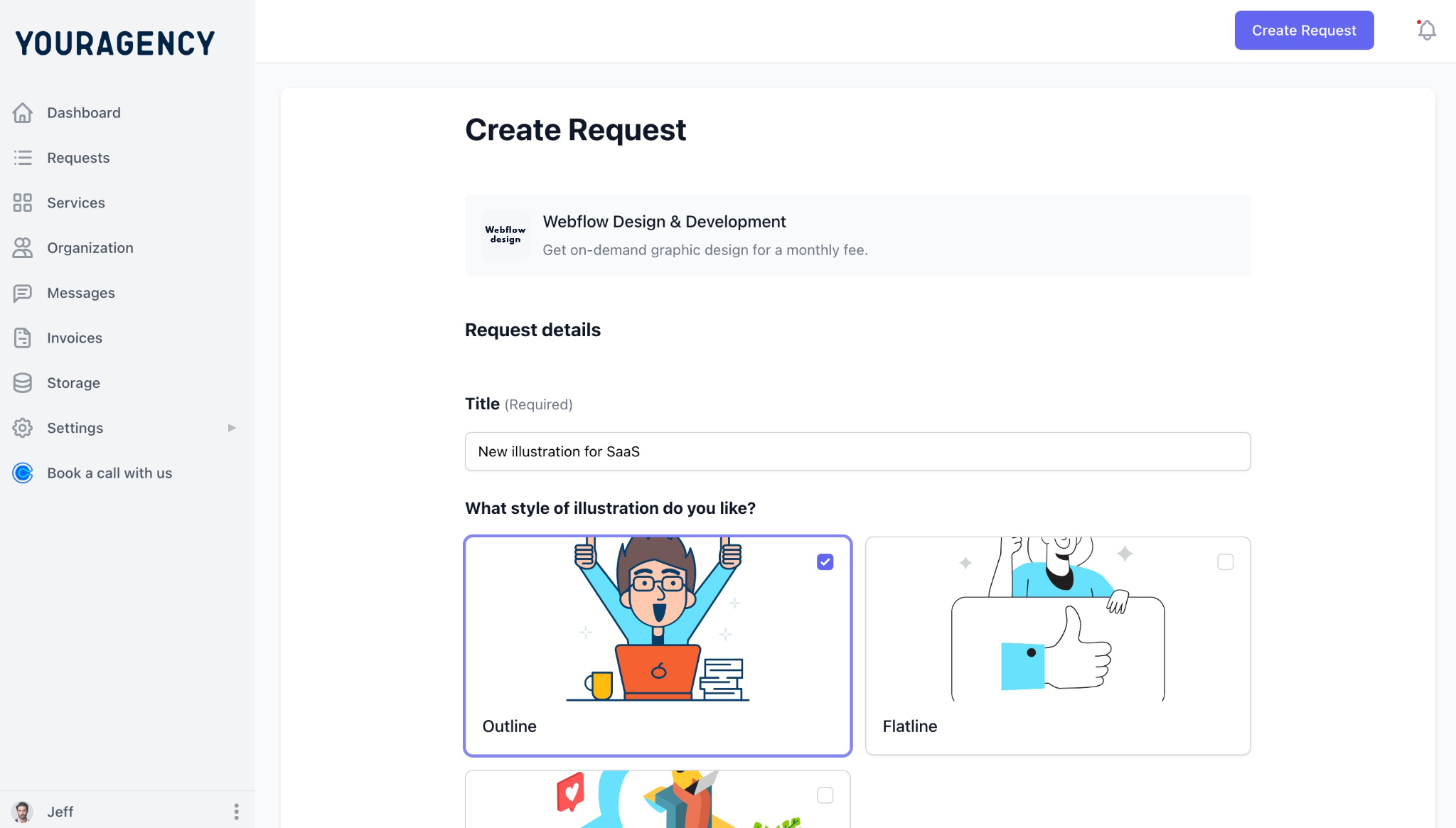
The success of a project is largely dependent on a clear brief. A client portal guides clients through structured intake forms that capture exactly what your team needs before work begins.
Depending on the service, that includes the deliverable type, required assets, preferred deadline, brand guidelines, reference examples, or technical requirements.
A structured request intake protects your team’s capacity. When every request arrives with the right information, your team avoids preventable back-and-forth. Work enters the queue ready to action, which makes delivery faster and more predictable across every client, every month.
Real-time delivery status
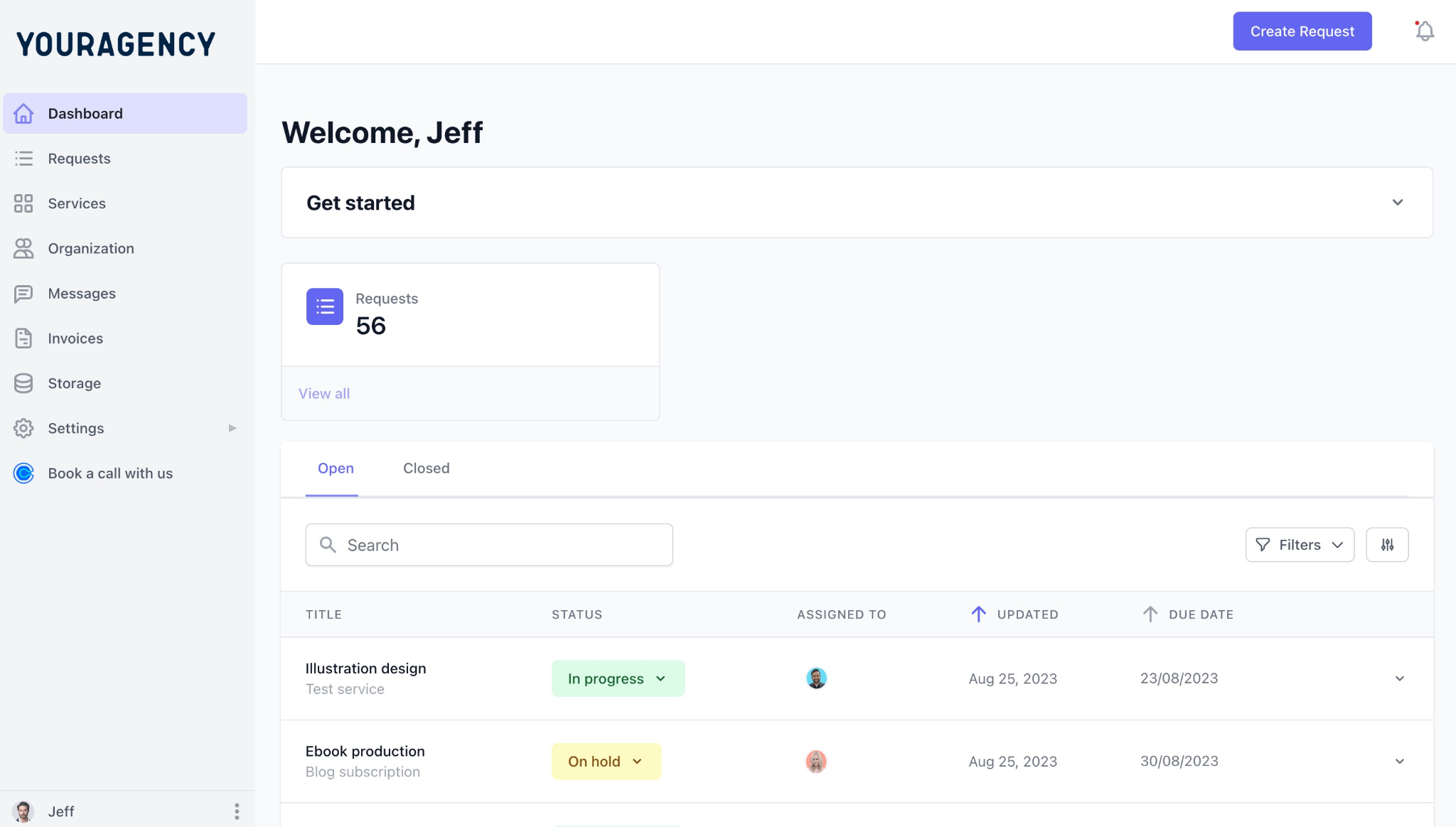
A client portal gives clients a live view of every active request: submitted, in progress, in review, awaiting feedback, or delivered.
Instead of messaging your team on Slack or adding to an already-long Gmail thread to ask for an update, clients can check status themselves at any time.
That visibility removes the uncertainty that drives most inbound status questions. clients feel security of being informed even without chasing your team for evidence that work is moving forward.
Subscription and billing management
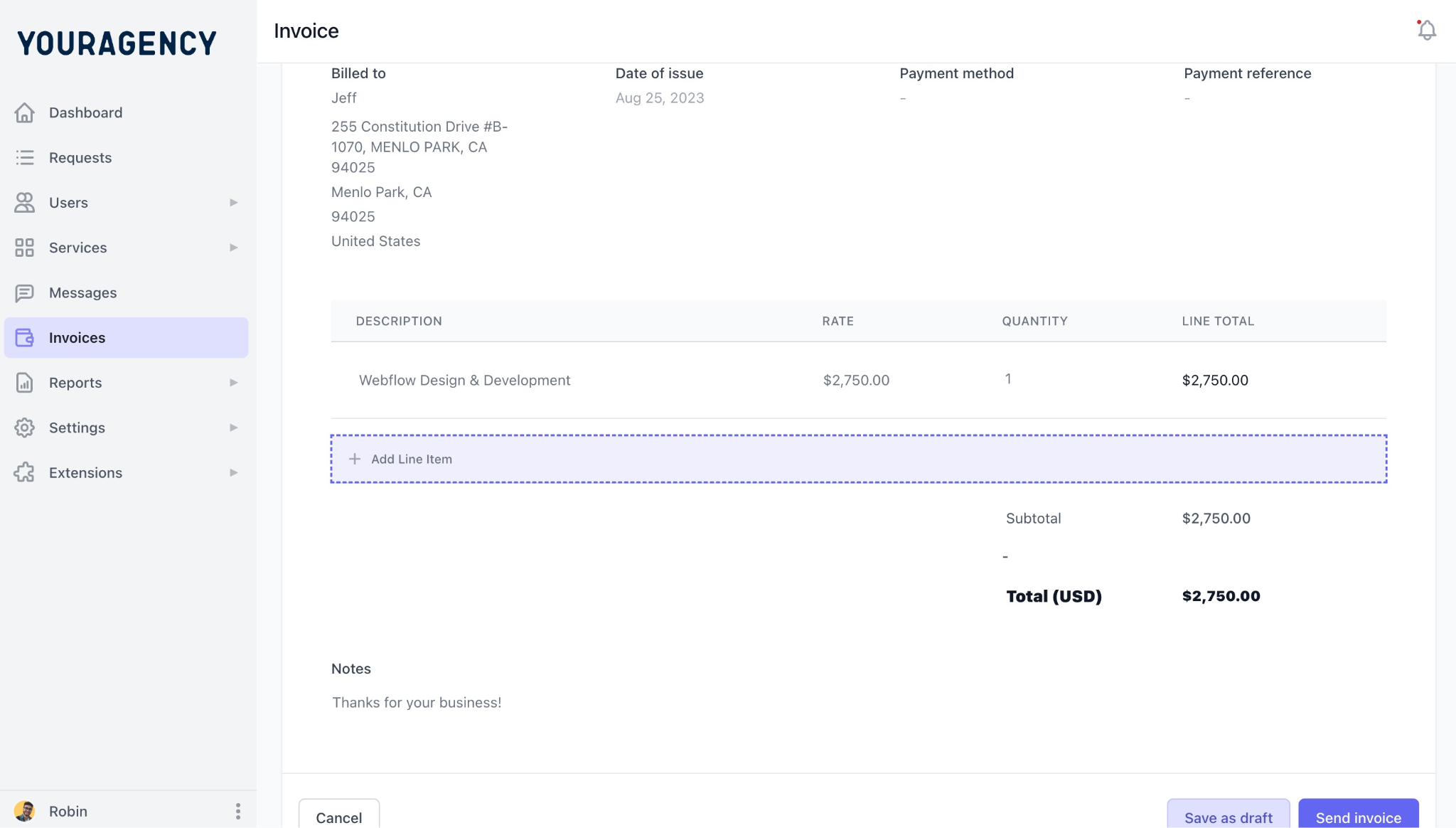
For productized agencies, billing should not be a separate administrative process. The best client portals connect subscriptions directly and seamlessly to service delivery. That way, clients can view invoices, update payment methods, upgrade their plan, and manage their subscription from the same place they submit and track work.
This not only simplifies the client experience but also reduces manual reconciliation for your team. It also minimizes the payment-related support requests that pile up when billing lives in a different system or software.
Centralized client communication
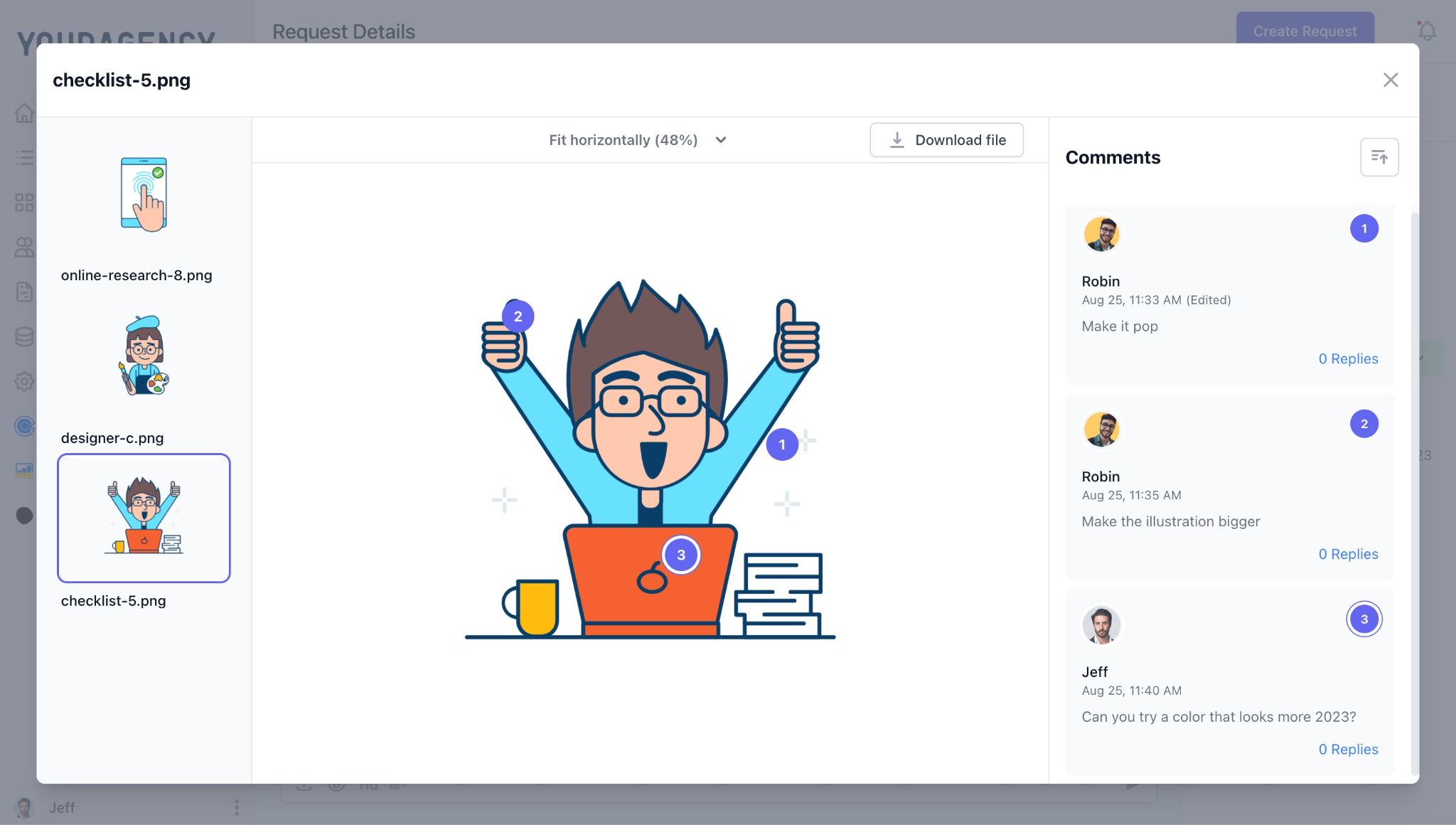
A client portal also acts as a client management system as it eliminates fragmentation from scattered conversations by attaching every conversation directly to the relevant request.
Questions, revisions, approvals, and file uploads stay together in one place, creating a complete record that anyone on your team can follow without having to dig through inboxes or Slack threads.
Clients always know where to leave feedback, and your team always has full context. Nothing important disappears into a thread no one can find three weeks later.
Branded client experience
A white-labeled client portal puts your agency's brand front and center: your logo, your colors, your domain. Clients log in and see your agency, not a generic SaaS platform.
For agencies positioning themselves as premium or moving upmarket, that consistency signals professionalism at every touchpoint, from onboarding through final delivery.
Client portal vs project management tool vs email
A client portal is designed to handle the entire client journey, but email and project management tools each handle only one part of it. Here’s how they compare.
Feature
Client Portal
Project Management Tool
Email
Built for clients
Yes
No
No
Structured request intake
Yes, through intake forms
Possible but not client-friendly
Unstructured messages
Real-time status visibility
Yes
Visible only with access grants
Requires manual updates
Client communication
Yes, attached to each request
Built for internal collaboration
Scattered across threads
File sharing
Yes, linked to specific requests
Yes
Via attachments
Subscription billing
Yes, integrated
No, requires separate tools
No
White-label experience
Yes, your brand and domain
Limited
No
Best suited for
Productized agencies
Internal project execution
Occasional communication
Why email breaks down at scale: Email works when you have a handful of clients and can track context in your head. But as your client list grows, that mental model collapses. Requests get buried under newer messages, approvals arrive in separate threads, and the context needed is scattered across dozens of conversations. Email has no structured intake, no status tracking, and no centralized record of the client relationship.
Why project management tools are not a substitute: Tools like ClickUp, Asana, and Notion are designed for the people delivering the work, but not the clients commissioning it. The interface is built around internal task management, and when clients are invited in, they are navigating software that was never meant for them. While there are workarounds like guest accounts and custom permissions, these are just additional processes to maintain.
What to look for in a client portal for your agency
For productized agencies selling recurring services or subscriptions, the right portal becomes part of your delivery infrastructure. These are the capabilities that matter most.
Can you fully brand the client portal as your own? When clients log in through your domain, will they see your logo and experience your brand, not the software vendor’s?A fully white-labeled client portal signals that your agency has invested in building a deliberate, client-first operation. As you move up and compete for higher retainer rates, that perception carries real weight.
Does the portal capture complete requests before work begins? Look for a portal that lets you configure intake forms per service type, so a design request captures different information than a development task or a content brief. A website update shouldn't ask for the same information as a logo design, and a content request shouldn't follow the same workflow as a development task. Tailored forms ensure every request arrives with the context your team needs, reducing turnaround time and eliminating unnecessary back-and-forth.
Can clients onboard themselves without manual setup? At scale, manually onboarding every new client can create delays. Menahile, a portal that allows clients to sign up, complete onboarding, and start submitting requests on their own turns the process into something repeatable and consistent.
Does it combine subscription billing with service delivery? If a client portal stops at sending invoices, it’s not really built for a recurring service model. Look for native subscription management: automated recurring billing, client self-service for plan changes, and payment status connected to delivery access. Handling billing inside the same system as delivery removes the manual reconciliation that accumulates when the two live in separate tools.
Can clients check the status of tasks or projects without contacting you every time? The most direct way to reduce inbound status questions is to make the answer available before the question gets asked. A portal that shows clients every active request, completed deliverable, and pending approval removes the need for routine check-ins entirely. This feature alone is often what drives teams to make the switch from a DIY tool stack to a purpose-built portal.
Client portal examples: How productized agencies use them day to day
The goal is always the same: all client interaction must happen in one place. What changes is how the portal is configured for your specific service model. Check out these client portal examples to see which features are most important for your agency's workflow.
Unlimited design agency
Scenario: An unlimited design agency receives a high volume of creative requests on an ongoing basis. Without a structured process, each new request is basically different. Some may lack crucial information, and designers have to go back and forth to ask follow-up questions before work can begin.
How a client portal helps:
A client portal standardizes every submission.
The client completes a structured brief that captures the deliverable type, dimensions, preferred deadline, brand assets, reference designs, and any additional instructions. Once submitted, the request automatically joins the production queue.
From there, the entire collaboration stays inside the portal. Designers upload drafts, clients leave comments directly on the request, revisions stay attached to the same conversation, and approved files are delivered in one organized location.
The client never searches through email attachments or questions whether they have the latest version.
Monthly SEO retainer agency
Scenario: For an SEO agency operating on monthly retainers, the portal connects billing and delivery inside one system. Each billing cycle triggers a new set of recurring deliverables: keyword research, content briefs, technical audits, link-building updates, and monthly performance reports.
How a client portal helps:
Throughout the month, clients can monitor which deliverables are in progress, review completed work, leave feedback on content drafts, and access reports from previous months without digging through old email threads.
Subscription management happens inside the same interface, so clients can update payment details or adjust their plan without contacting the agency directly.
Web development subscription
Scenario: A web development subscription handles requests that vary widely in complexity: bug fixes, new feature builds, landing page development, API integrations, and performance optimizations. Each request type requires different information upfront, and collecting it through email creates delays before work even starts.
How a client portal helps:
A client portal guides clients through intake forms tailored to each request category.
Depending on the work, clients provide page URLs, staging credentials, functionality requirements, design references, and acceptance criteria before the request enters the queue.
Once assigned, the request moves through defined stages clients can track in real time. Developers ask clarifying questions inside the portal, clients respond in context, feedback stays attached to the work item, and approvals happen before deployment. The complete communication history remains available if anything needs revisiting later.
The right client portal is the infrastructure your agency runs on
For a productized agency, a client portal is not just another tool in the stack. It is the operational layer that keeps requests moving, clients informed, and your team focused on delivery rather than coordination.
When the right system is in place:
Request intake is standardized across every client and every service
Communication stays connected to the work it belongs to
Billing runs alongside delivery without manual intervention
Clients always know where to go, and your team always knows what comes next
That infrastructure is what allows a productized agency to double its client base without doubling its coordination overhead. It is what makes recurring delivery feel consistent to clients at month one and month eighteen. And it is also the difference between a business that scales and one that grows by adding more people to manage the chaos.
ManyRequests is built specifically for productized agencies: a branded client portal, structured intake, request tracking, and subscription billing in one platform, designed for recurring, client-facing delivery from the start.
What is the difference between a client portal and a project management tool? A client portal is designed for your clients. A project management tool is designed for your internal team. Clients use a portal to submit requests, track progress, communicate with your agency, access deliverables, and manage their account without navigating your team's internal workflows. Project management tools organize tasks, deadlines, and collaboration behind the scenes. For productized agencies, the two tools complement each other rather than compete, but they serve fundamentally different audiences.
Do small agencies need a client portal? It depends more on your delivery model than your size. A two-person agency managing 20 subscription clients has a stronger case for a client portal than a larger agency running three annual projects. Once requests, feedback, and status updates are recurring, a portal reduces coordination overhead, improves delivery consistency, and creates a more professional experience for clients at every stage of the relationship.
What is the best client portal software for agencies? For productized agencies running subscription or retainer services, ManyRequests is purpose-built for this model: structured intake, branded portal, request tracking, and subscription billing in one system. For a broader comparison across different agency types and use cases, the full best client portal software guide covers the leading options in detail.
How does a client portal improve the client experience? A client portal improves the client experience by giving clients one reliable place to work with your agency. Instead of switching between email, messaging apps, shared folders, and billing tools, clients submit requests, track progress, review deliverables, and manage their account from a single interface. That consistency reduces uncertainty, minimizes communication delays, and builds the kind of trust that drives renewals and referrals over time.
Can a client portal handle subscription billing? Some can, most cannot do it well. Many tools marketed as client portals support basic invoicing but are not built around recurring subscription workflows. Productized agencies need automated recurring billing, client self-service for plan management, and payment status connected to delivery access, all inside the same system used for request tracking and communication. ManyRequests handles all of this natively, without requiring a separate billing tool.
What should I do now?
1. See how ManyRequests works in real life.Start a free trial and experience how productized agencies centralize requests, reduce chaos, and streamline delivery, without changing their entire workflow.
Do you need inspiration for your productized service landing page? Here are 10 examples we found.
Read more
Productized Services
How to Document Your Service Process and Deliver High-Quality Productized Services
The difference between a successful productized service business and a less successful one is standardized operating procedures, or SOPs. Here's how to get started with it.
Read more
Productized Services
How To Find the Right Positioning for your Productized Service
If you’re thinking about productizing your service, it’s important to first consider your services positioning. Here's how to do so.
Read more
Productized Services
How to Productize a Service: Create Your 5-step Productization Plan
If you're looking to productize your service, you may be wondering how to get started. Here are five steps to create your productization plan.
Read more
Productized Services
How to Validate Your Productized Service Idea
Want to make sure productization is a viable option for your business before you go all-in? Here are 5 methods you can use.
Read more
Productized Services
Can Your Services be Productized? Figure it Out with This Checklist
Wondering if you can make the switch to productization, too? We’ve got a checklist to help you figure that out.

.jpg)