How to Manage Multiple Clients at Scale [Productized Agencies]
How to manage multiple clients at scale using systems, not guesswork. Built for productized agencies.

Adetola Rachael Iyanuoluwa

The agencies managing 20, 30, even 50 clients without burning out aren't working harder than you. Instead, they’ve standardized their intake, communication, and delivery process.
But you? You have a structure problem.
That's why you have a hard time managing multiple clients, and it seems like everything's currently askew.
Your team has lost track of important documents, and it takes the designer or your content writer over 24 hours to acknowledge an assigned task.
Most of the blogs you’ve read till this point have told you to use a calendar or set boundaries. But that's not useful when you're running a productized agency with 15, 20, or 30 active clients.
What you need to improve on is your systems, not how much time your team spends on work.
I’ll teach you how to do that in this article.
Most agencies grow by adding clients, not by building infrastructure to support them.
Every client that you onboard comes along in different ways. Let's say one of your clients came in through a referral and got a custom onboarding experience.
Another signed up through a checkout link and figured it out on their own. A third has been messaging your lead designer directly on Slack since the first month.
Over time, you end up with fifteen clients and fifteen slightly different versions of how your agency operates, since these clients don't communicate with you in the same channel, or even have the same expectations about turnarounds.
What you need to do is stop letting each client relationship develop its own shape.
Clients are bound to drag you into their routine when you don't have yours. If your client can message you anywhere, that means you’ve created different relationships that are running on your clients' terms, and not yours.
For example, if your client notices that you reply to Slack messages faster than emails, they’d primarily message you on Slack because that's more comfortable for them.
Now, imagine if different clients feel the same way about different communication channels.
A structured and repeatable system is what any productized agency needs to manage multiple clients.
The trick is to run every client relationship you have the same way, so that you don't have to set a new system for every client that subscribes to your service. This could look like
We’ll discuss each system throughout the rest of the article.
The first rule of managing multiple clients projects is simple. Every request must enter your system the same way.
If you don't have a well structured intake process, your clients will default to whatever is easy for them when they want to submit a request.
And if you offer productized services, you probably have a lot of clients that need similar services. That's why subscription agencies rely on structured request forms over emails and Slack requests.
A structured service request form does two things at once.
ManyRequests enforces this through structured request forms inside the client portal so every task arrives with the full brief before work starts.
If you have a strong service intake form, like the one inside ManyRequests, it should be in your client portal.
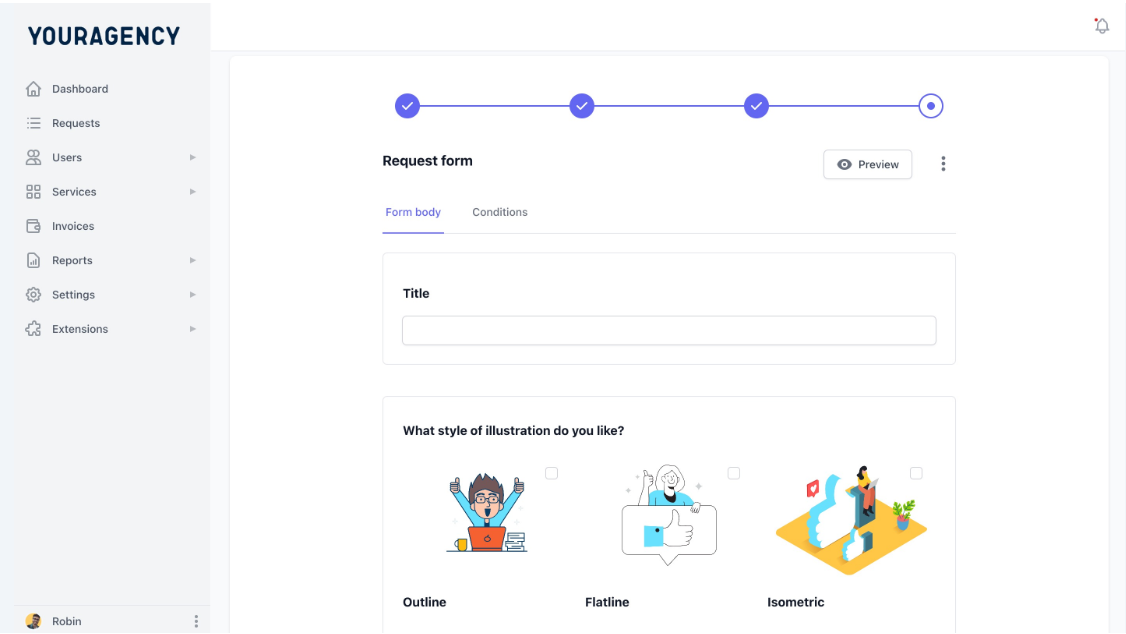
You can customize the ManyRequests intake form to ask all the questions regarding the request, and your clients can fill the form with the necessary details and submit it through their portal.
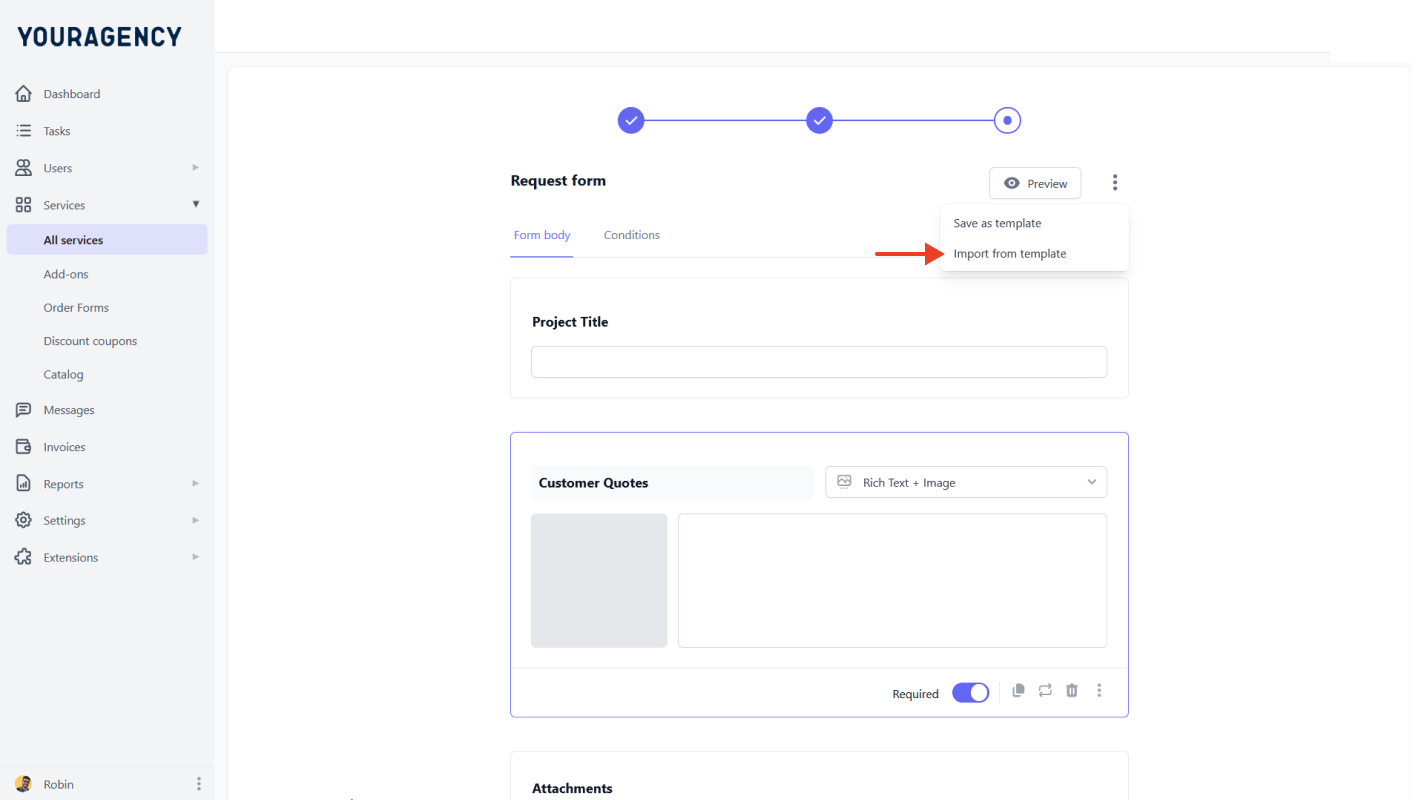
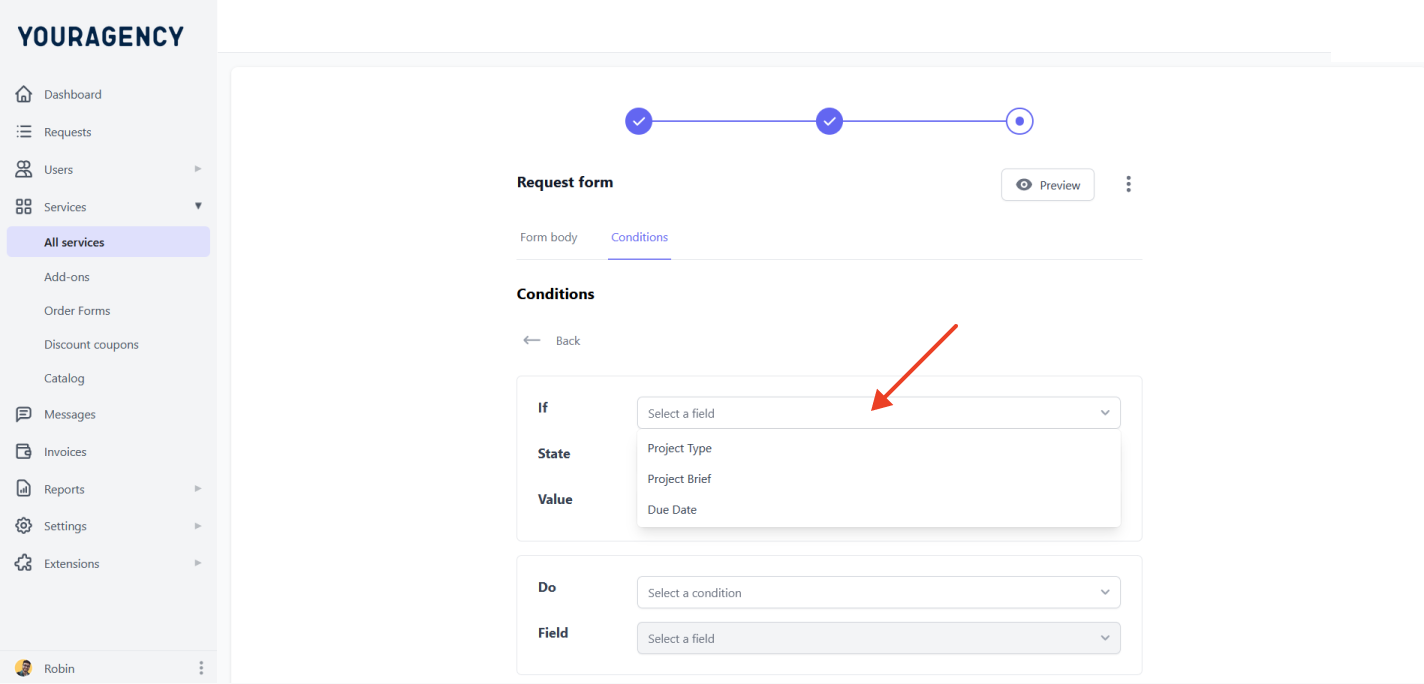
Since it's a productized service, you can use one template for many clients, and ManyRequests also allows you to tweak the form with conditional logic. This way, the client will only see the questions that matter to their request.
Your intake system should do more than collect information. It must:
Someone posted on Reddit a couple of months ago. This person has worked 10 years with agencies, and they are now at wits end.
According to them,
“I have clients on email, text, Teams, Slack, WhatsApp, random calls,” they wrote. “I’m constantly jumping between their systems too, some SharePoint, others Drive, others Dropbox. It feels like I’m permanently juggling requests and still missing things.”
Then to top it all, their colleague quit from stress, and with a one day notice, they transferred the account to them, and expected them to present it to the client in the morning.
“I ended up having a panic attack in that meeting,”they said.
The truth is it's easier to hold things together when you're handling a little less or a little above 10 clients. At least, you could still remember details with the help of your spreadsheet, and you have a small team that attends to your clients.
But this system doesn't really work when you're above 20 clients.
Let's say you just scaled your client base from 5 to 15 (congratulations, btw), and you’ve considered communicating with them through the usual ways, like:
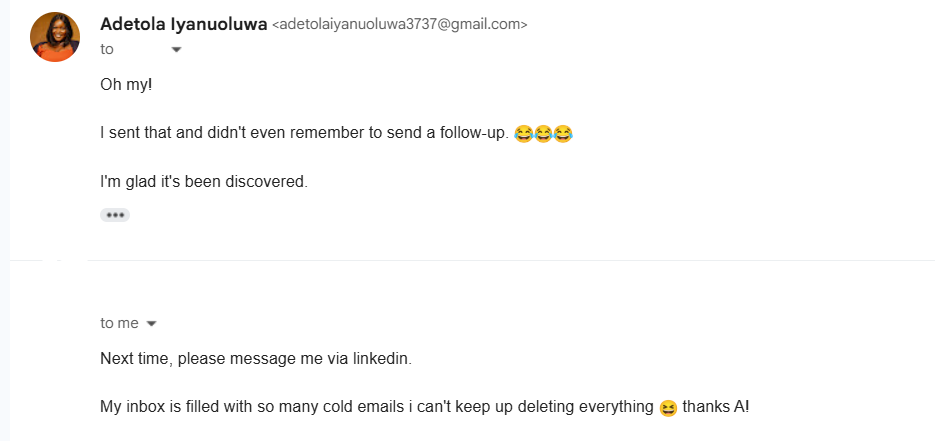
It happened to me with a client.
If you use free plans, you have a limit message history to the last 90 days, and with a paid plan, you would have to create several isolated channels for one client (#client A-general, #client A-invoicing, #client A-project-x, #client A-feedback).
Now imagine if you had to do that for 30 clients.
And when a client reaches out directly over DM, that conversation exists outside all the channels you’ve created.
It is messy.
But when all of this runs through one system:
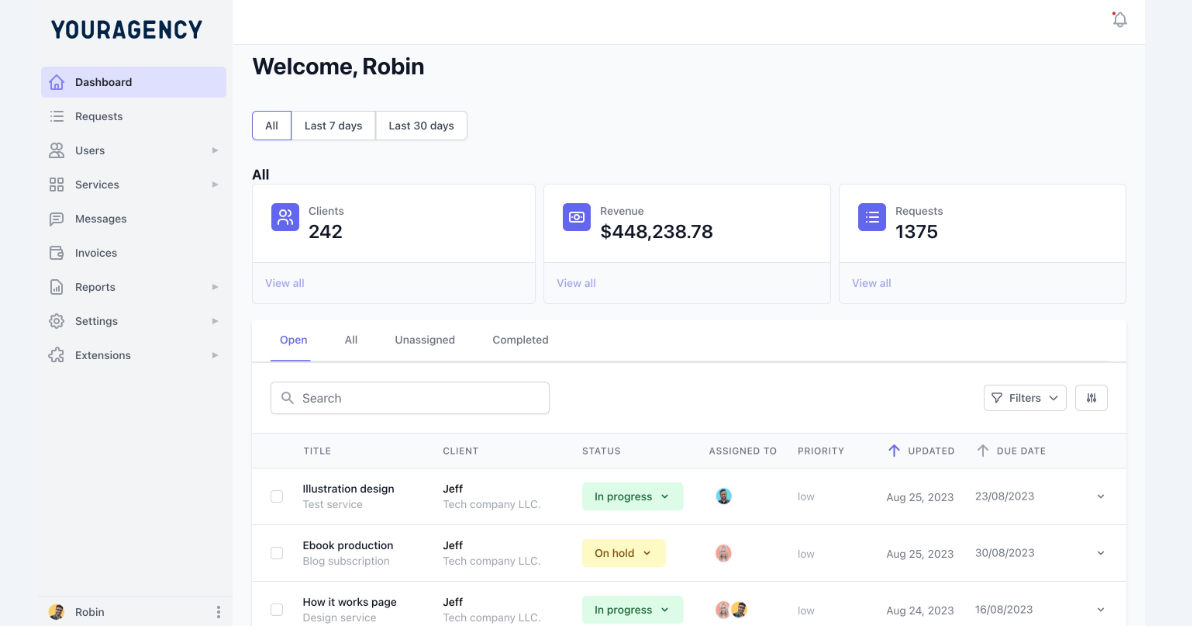
This helps you know task priorities, bottlenecks, which team member is almost done with a task, and can take a new one, and so on. The list goes on.
From everything we’ve heard from our subscription agencies who’ve successfully handled multiple clients at once, here's a practical breakdown of what better client communication actually looks like at the agency level:
If you do all of this, you’d see the difference when someone new joins your team, or when an account manager goes on leave.
In a portal-based system, the team member that's handling the project temporarily can open the request and see everything, including the original brief, every revision note, every decision, in order.
If you used Slack in this situation, they'll need to ask around, read through months of channel history, and still miss half the context.
That said, communication is usually a tool problem. You have to use a communication tool that can help you consolidate every detail into one portal.
Setting up the portal is the easy part. It's a different ball game to actually get your clients to use it. Most clients would rather stick to the familiar channels they know even if portals would make things easy for them.
So what do you do?
It depends on your level of relationship.
If they are new clients, introduce the portal on the kickoff call. Walk them through a proper onboarding, and show where they’ll submit requests, where they’ll see updates, and where you’ll talk. If your client portal is the first thing they experience, there's no old habit to break.
It's harder for existing clients, but here's what you should do.
And when a client still messages you outside the portal, because some of them will, you should redirect them to the portal.
Say something like:
"Got it! Can you drop this in the portal so we can track it properly? That's where we keep all requests to make sure nothing slips through the cracks. Here's the link: [ and then add your portal link]"
Or you can say this for SLA expectation when you onboard new clients:
"We typically respond to all portal messages within 24 business hours and deliver completed work within [X] business days. For urgent requests, please tag your message 'urgent' and we'll prioritize accordingly."
Usually, it’ll take about two or three tries, but eventually they’ll cave in when you keep at it.
If a client still won't budge after that, log the request yourself and redirect them again.
You’re not trying to punish them, your goal is to make the portal the only place work moves forward. Be patient, but be stern still.
If this article is not the first you're reading, you’ve probably read that you should use project management tools like Clickup and Asana to manage multiple client projects, and that's great, cause after all, we are a PM tool too.
But most of these tools are built for internal team managing tasks among themselves. They're not designed around a client submitting work to your agency.
A product manager on Reddit backed this up with their problem: "We didn't have a delivery problem, we had a visibility problem,” they say.
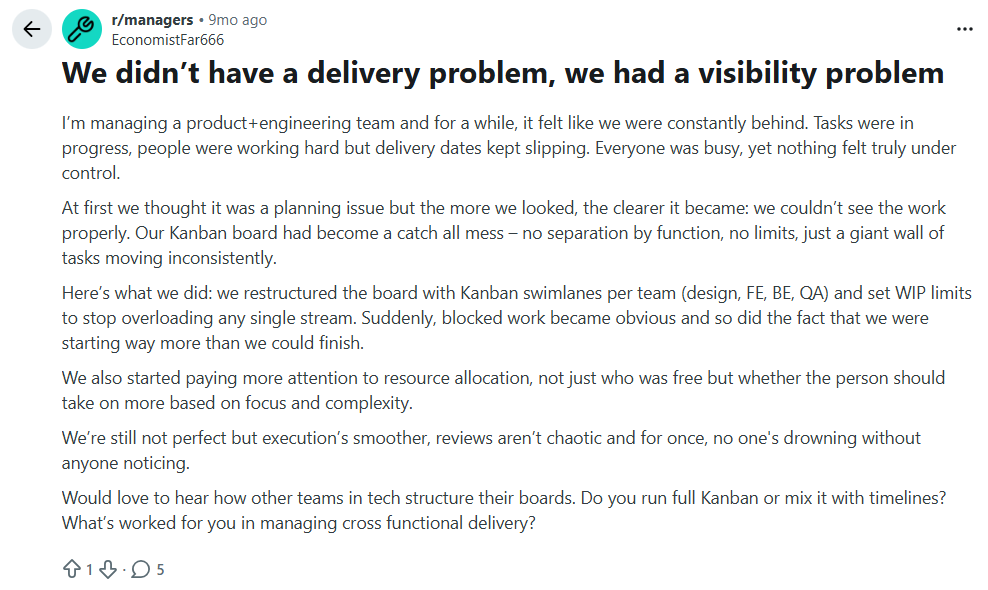
They had a PM tool with a functioning Kanban board, and their tasks were moving, but they also couldn't figure out what was blocked until they missed a deadline.
Even with a generic project management tool, they still couldn't track delivery as they should have. It's even worse when you have to deliver to so many clients.
Generic project management tools track work your team creates. But for a subscription agency, the work starts when your client submits a requests, and most of these tools aren't built for that direction.
When you force a generic PM tool onto that model, you end up with one project folder per client, and twenty folders if you have twenty clients.
Your team members would have to click through twenty separate views to know the tasks that's active or close to the deadline.
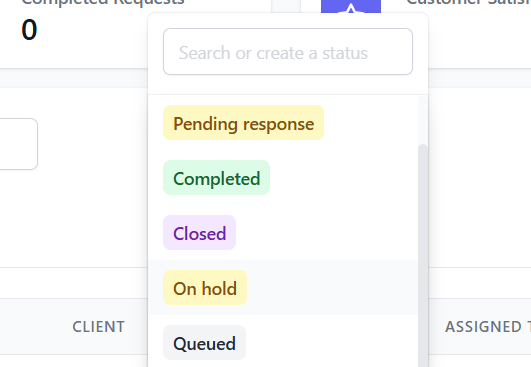
So what do you need to track delivery in a good tool? You should be able to:
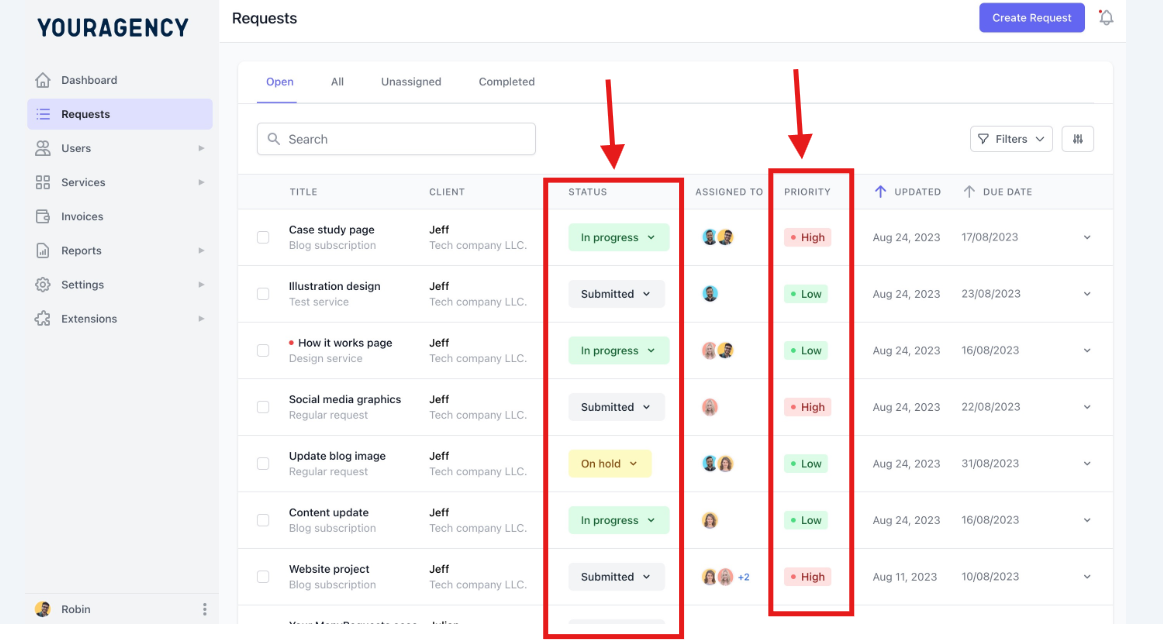
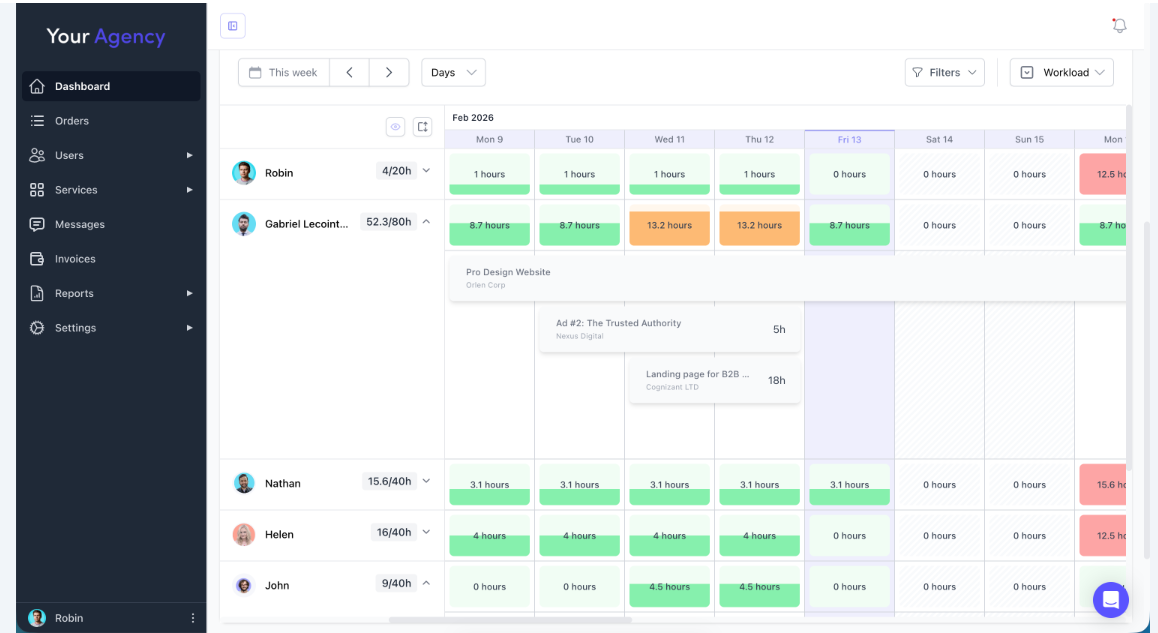
A good delivery tracking system also tells you what to do when things go wrong:
Most agencies find out they're over capacity when they miss a delivery and the client reaches out. And by this time, the damage is visible, and your client already doubts if you're capable enough to handle their projects.
You can use a simple formula to estimate your delivery load.
(Active clients) × (average requests per client per week) = weekly delivery load
Then, compare that number to know your team's capacity.
Weekly delivery load ÷ team fulfillment capacity = available headroom
Let's say you have 20 clients that send in 2.5 requests per week, that means your team handles roughly 50 requests weekly.
If your team can only comfortably fulfill 45, you're already over capacity before you even onboard a new client.
Pro Tip: A healthier system is to keep your team operating at 65 - 80% capacity. That buffer gives you room when a team member calls in sick or a client sends more requests than usual.
There's also three other ways you can use to check if you're over capacity:
These signals are not hard to correct once you see them. The only problem is when you don't see it on time, because you don't have a single view of what’s actually moving.
Greg Hickman, who coaches productized agency founders at Alt Agency, also advised against taking on a client your service wasn't designed for.
“If you deal with SMBs who on average has 10-12 pages to review, and then LinkedIn business with thousands of different pages of templates to review at the same price” he says. It's the same scope on paper, but a different delivery load.
“Your fixed scope should be relevant to the type of business or person you’re serving.”
It happens in subscription agencies the same way.
A client who submits six requests a week doesn't fit into a model calibrated for 2.5 requests weekly. Signing them without adjusting headroom first is how agencies end up over capacity without knowing exactly when it happened.
So, check the formula before you sign.
If a new prospect's submission history, or just their business size, suggests they'll run at double the average, count them as two clients in the formula.
If you don't have the headroom for two, you either adjust capacity first or you hold the spot until you do.
A client portal does three things for you:
Flowout is a good example of how you can use a client portal to improve how your subscription agency manages multiple clients.
Flowout had a specific operation problem. They sold two different service types (recurring maintenance plans and hourly-based packages) and their clients were confused about what they'd purchased, how many hours remained, and where to submit work.
Flowout switched to ManyRequests to give their clients a portal to see their plan, submit requests, and track their remaining hours without having to email anyone to ask.
"The ability for clients to see usage and top up hours as they go removed an entire category of inbound communication." Luka Mlakar, the founder of Flowout says. "The team crossed $1M ARR in under two years, with a 20+ person team working from one queue."
The numbers are specific to Flowout, but the mechanic works the same whether you have 10 clients or 50. When clients can log in and see their request status, it shaves off an entire category of follow-up emails from your week.
The agencies that manage multiple clients without burning out are the ones that have made every client relationship run the same way.
You can standardize your processes if you build on the five systems we’ve talked about. Ofcourse, you probably have some of these systems running, and you're lagging on just a few. But together, these systems could ease your operations, and take the bulk of the repeatable work off your team’s neck.
If you're ready to set up the systems we’ve covered. ManyRequests has everything you need in one place (intake, portal, delivery tracking, billing, and more). Sign up for a 14-day free trial, no credit card needed.
It depends on your service. For a productized agency with a structured intake and delivery process, one account manager can typically handle 5 to 20 clients.
With a client portal. Every request, revision, and update lives in one place. Clients submit work, check status, and communicate through the same system.
Most productized agencies run on a client portal like ManyRequests, which handles intake forms, project tracking, recurring billing, and client communication in one place.
Letting each client relationship develop its own shape. It can be confusing when an agency caters to different c clients on different channels. Standardize how work enters your system from day one.
When your delivery load hits 80% of your team's fulfillment capacity. Use this formula: (active clients × average requests per week) ÷ team capacity. Above 80%, your process could break from a team member taking a sick day, or onboarding a high-volume client.
1. See how ManyRequests works in real life. Start a free trial and experience how productized agencies centralize requests, reduce chaos, and streamline delivery, without changing their entire workflow.
2. Read our Implementation Guide to launch smoothly with your team and clients.
3. Follow us on LinkedIn and YouTube for practical agency growth strategies
4. Check out The Productize Blueprint to learn how to turn your services into a scalable, productized offer.
Adetola Rachael Iyanuoluwa is a B2B SaaS writer and content marketer with 4+ years of experience creating SEO, human-focused content. She writes in-depth how-to guides and comparison articles content that help SaaS companies grow organic traffic and turn readers into customers. At ManyRequests, she produces practical, well-researched content that helps agencies and service businesses streamline operations and scale sustainably.

